And because I enjoy trying out different coding ideas, here’s another take on the almost entirely vanilla version:
use AppleScript version "2.4" -- OS X 10.10 (Yosemite) or later
use framework "Foundation"
use scripting additions

set oldPages to "1 2 3 4 6-8 10 12 13 14 17 18-20 21-22"

set indexSet to current application's class "NSMutableIndexSet"'s indexSet()
repeat with thisEntry in splitText(oldPages, space)
	set {a, z} to splitText(thisEntry, "-") & 1
	if (z ≠ 1) then set z to z - a + 1 -- If z is integer 1, it was appended to a single-item list above. If it's text, the list had two items.
	(indexSet's addIndexesInRange:({a as integer, z}))
end repeat
set theDescription to indexSet's |description|() as text
set newPages to splitText(theDescription, {"(", ")]"})'s item -2

on splitText(txt, delim)
	set astid to AppleScript's text item delimiters
	set AppleScript's text item delimiters to delim
	set output to txt's text items
	set AppleScript's text item delimiters to astid
	return output
end splitText
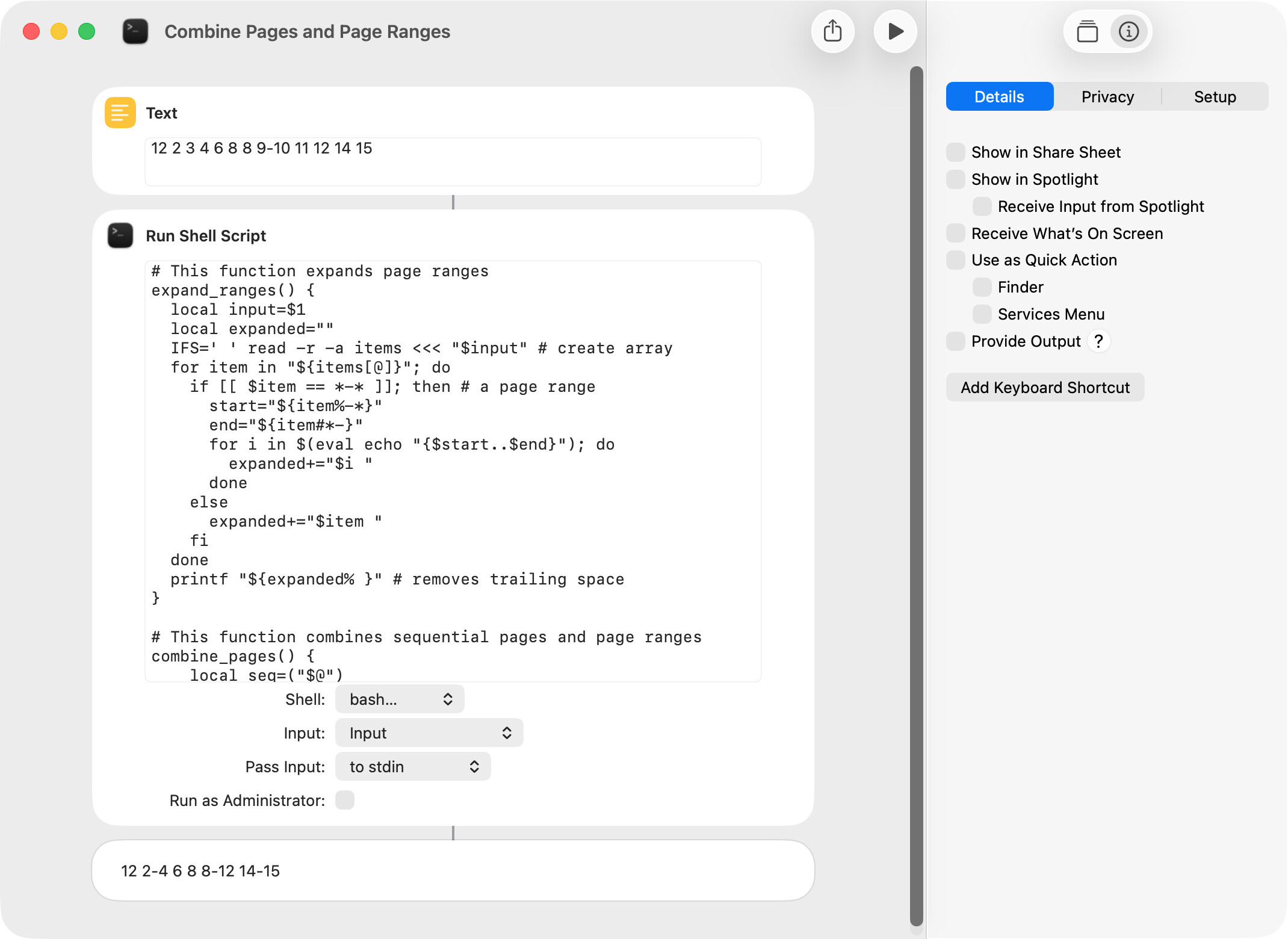
It turns out that Nigel’s excellent solution will not work with one script (a shortcut actually), which extracts pages and page ranges from a PDF. The issue is that page order and duplicates have to be retained. For example:
–NOTES
–A page item in the format “14-12” will be tested for and will cause an error.
–Sequential pages and page ranges are combined from left to right.
–Consecutive individual pages or page ranges are allowed and should be returned.
–There’s no reason anyone would enter the above input, but I want to account for all possibilities.
Just by chance, my AppleScript in post 1 does what I want. I thought I’d post just in case anyone has any ideas (either AppleScript or shell script). The edited AppleScript included below works fine and is plenty fast (0.4 millisecond) but is so very long and involved.
BTW, I checked with Google AI for a bash script that will do what I want. The suggestion basically took the same approach as the AppleScript and was perhaps even more convoluted (plus it didn’t seem to work). It would run faster in a shortcut, though. Thanks for any suggestions.
set oldPages to "12 2 3 4 6 8 8 9-10 11 12 14" --user input
set individualPages to getIndividualPages(oldPages) --a list with expanded page ranges
set newPages to getNewPages(individualPages) --a list with sequential pages and page ranges combined
set text item delimiters to " "
set newPages to newPages as text
set text item delimiters to ""
return newPages -->"12 2-4 6 8 8-12 14"

on getIndividualPages(oldPages)
	set text item delimiters to " "
	set oldPageList to text items of oldPages
	set text item delimiters to "-"
	set individualPageList to {}
	repeat with aPageItem in oldPageList
		if aPageItem does not contain "-" then
			set end of individualPageList to aPageItem as integer
		else
			set tempRangeList to {}
			repeat with i from (text item 1 of aPageItem) to (text item 2 of aPageItem)
				set end of individualPageList to i
			end repeat
		end if
	end repeat
	return individualPageList
end getIndividualPages

on getNewPages(individualPages)
	set newPages to {}
	set startPage to item 1 of individualPages
	set endPage to item 1 of individualPages

	repeat with i from 2 to (count individualPages)
		set aPriorPage to item (i - 1) of individualPages
		set aCurrentPage to item i of individualPages
		if (aPriorPage + 1) is equal to aCurrentPage then --part of a range (do not add)
			set endPage to aCurrentPage
		else --not part of a range (add individual page or page range)
			if startPage is equal to endPage then --an individual page
				set end of newPages to (startPage as text)
			else --a page range
				set end of newPages to (startPage as text) & "-" & (endPage as text)
			end if
			set startPage to aCurrentPage
			set endPage to aCurrentPage
		end if
	end repeat

	if startPage is equal to endPage then --add last page
		set end of newPages to (startPage as text) --an individual page
	else
		set end of newPages to (startPage as text) & "-" & (endPage as text) --a page range
	end if

	return newPages
end getNewPages
This version of your script has a slightly different take on the getNewPages() handler:
set oldPages to "12 2 3 4 6 8 8 9-10 11 12 14" --user input
set individualPages to getIndividualPages(oldPages) --a list with expanded page ranges
set newPages to getNewPages(individualPages) --a list with sequential pages and page ranges combined
set text item delimiters to " "
set newPages to newPages as text
set text item delimiters to ""
return newPages -->"12 2-4 6 8 8-12 14"

on getIndividualPages(oldPages)
	set text item delimiters to " "
	set oldPageList to text items of oldPages
	set text item delimiters to "-"
	set individualPageList to {}
	repeat with aPageItem in oldPageList
		if aPageItem does not contain "-" then
			set end of individualPageList to aPageItem as integer
		else
			--set tempRangeList to {}
			repeat with i from (text item 1 of aPageItem) to (text item 2 of aPageItem)
				set end of individualPageList to i
			end repeat
		end if
	end repeat
	return individualPageList
end getIndividualPages

on getNewPages(individualPages)
	set newPages to {}
	set pageCount to (count individualPages)
	set i to 1
	repeat until (i > pageCount)
		set startPage to item i of individualPages
		set k to i
		repeat with j from (i + 1) to pageCount
			if ((item j of individualPages) - startPage ≠ j - i) then exit repeat
			set k to j
		end repeat
		if (k = i) then
			set end of newPages to startPage as text
		else
			set end of newPages to (startPage as text) & "-" & item k of individualPages
		end if
		set i to k + 1
	end repeat

	return newPages
end getNewPages
I implemented Nigel’s AppleScript from post 9 and my Bash script in post 10 in the mentioned shortcut. I then ran timing tests that extracted 34 individual pages and page ranges from a PDF that contained 159 pages. I expected the Bash solution to be faster, because shortcuts generally do a poor job of running AppleScripts. Surprisingly, the AppleScript solution was 20 milliseconds faster. I guess that’s why testing important scripts and shortcuts is a good idea.
Call me obsessive. This solution just parses the given figures rather than expanding the ranges first:
set oldPageString to "1 2 3 4 6-8 8 10 12 13 2 14 17 18-20 21-22 23"
set newPageString to consolidateRanges(oldPageString)

on consolidateRanges(oldPageString)
	set inputList to splitText(oldPageString, space)
	set outputList to {}

	-- Initialise range start/end variables to the page number(s) from the input's first entry.
	set {rangeStart, rangeEnd} to splitText(inputList's beginning, "-")'s {beginning, end}
	repeat with i from 2 to (count inputList)
		-- Get the page number(s) from each subsequent entry.
		set {pn1, pn2} to splitText(inputList's item i, "-")'s {beginning, end}
		-- If the (first) number follows on from the current range end, update the range end to the (other) number.
		-- Otherwise output the current range and start a new one with this entry's figures.
		if (pn1 as integer = rangeEnd + 1) then
			set rangeEnd to pn2
		else
			if (rangeEnd ≠ rangeStart) then set rangeEnd to rangeStart & "-" & rangeEnd
			set outputList's end to rangeEnd
			set {rangeStart, rangeEnd} to {pn1, pn2}
		end if
	end repeat
	-- Output the range in progress when the repeat ended,
	if (rangeEnd ≠ rangeStart) then set rangeEnd to rangeStart & "-" & rangeEnd
	set outputList's end to rangeEnd

	return joinText(outputList, space)
end consolidateRanges

on splitText(txt, delim)
	set astid to AppleScript's text item delimiters
	set AppleScript's text item delimiters to delim
	set output to txt's text items
	set AppleScript's text item delimiters to astid
	return output
end splitText

on joinText(lst, delim)
	set astid to AppleScript's text item delimiters
	set AppleScript's text item delimiters to delim
	set output to lst as text
	set AppleScript's text item delimiters to astid
	return output
end joinText
Nigel. Thanks for the new suggestion, which works great.
My original interest in this topic was primarily academic, but I ended up incorporating one solution in a much-used shortcut (here). Because the solution was used in a shortcut, a shell script is preferred over an AppleScript; execution speed is important but not critical; and code brevity is more desirable then might normally the case. For these reasons, the solution I used is:
The actual shell script (which incorporates your most-recent shell script suggestion) is:
#!/bin/bash

# Expand page ranges.
IFS=' ' read -r -a page_items <<< "12 1 2 3 5 7 8-9 11"
for item in "${page_items[@]}"; do
  if [[ $item == *-* ]]; then
    for ((i=${item%%-*}; i<=${item#*-}; i++)); do
      pages+=($i)
    done
  else
    pages+=($item)
  fi
done

# Combine consecutive sequential pages and page ranges.
page_count=${#pages[@]}
i=0
until [[ $i == $page_count ]]; do
  start_page=${pages[i]}
  k=$i
  for (( j=$((i + 1)); $j < $page_count && \
    $((${pages[j]} - start_page)) == \
    $((j - i)); j++ )); do
    k=$j
  done
  if [[ $k == $i ]]; then
    output+="$start_page "
  else
    output+="$start_page-${pages[k]} "
  fi
  i=$((k + 1))
done

printf "${output% }"
All of the AppleScript solutions took less than a millisecond to run in Script Geek. The timing result of the above shell script was 2.8 milliseconds, and the timing result of the my original shell script (which incorporated a Google AI suggestion) was 4.2 milliseconds.
I tested your new script against the script in the prior post and both took about 2.7 milliseconds using the input string in your new script. I also tested these same scripts with user input of “1-50 100-150”. Your script took 2.3 milliseconds and the script in the prior post took 3.3 milliseconds. The difference is obviously not important, but it does demonstrate the penalty associated with separately expanding the page ranges.
BTW, I was curious as to the purpose of curly braces in the following line. The documentation states that this format is normally used to group commands, but that wouldn’t appear to be the case here.
Similarly with the various repeats. In some languages, the actions in an ‘if’ or repeat statement would be enclosed in braces:
if [[ $range_end != $range_start ]] ; then {
    new_item+=\"-$range_end\" ;
} fi
… so I guessed (whether correctly or not I don’t know) that this was what the manual meant by list. In BASH, these braces and semicolons appear to be optional with multi-line statements, but to be necessary with one-liners.
You’re right! Thanks, nutilius. I thought I’d tried it without braces, but clearly I hadn’t. I think the braces make the code look clearer in a one-liner, but that’s a separate issue.
OK - I know that this is “private investigation” , but here is my proposal (in Python):
#!/usr/bin/env python3

s = '10, 23, 15-16, 1, 38-40, 4-5, 39-41, 44, 51' # , 8-19'
print(s)

# Find max page
m = int(max(s.replace('-', ', ').replace(', ', ',').split(','), key=int))

# Page map - present pages as '*'
pages = list((m + 1) * " ")

for v in s.replace(' ', '').split(','):
    try:
		# Fill spanned area
        (b, e) = v.split('-')
        for i in range(int(b), int(e)+1): pages[i] = '*'
    except:
        # Sorry there is only one
        pages[int(v)] = '*'

# Remove 0-based index artefact and convert to string
pages = "".join(pages[1:]) + " "

# Result accumulated in string to cutoff last comma
result = ""

p = pages.find('*', 0)
q = pages[p:].find(' ')
while p >= 0:
    #print(f"==>{p=} {q=}")
    if q == 1:
        result += f"{p+1},"
    else:
        result += f"{p+1}-{p+q},"
    p = pages.find('*', p+q)
    q = pages[p:].find(' ')

# Cut-off last comma
print(result[:-1])
If you mean the script doesn’t integrate duplicates and out-of-order numbers with the others as a single set of numbers and ranges, it’s not meant to. For reasons of his own, peavine wanted the page order and duplicates to be preserved. (See post 8 above.)
Just for learning purposes, I edited Nigel’s shell script to work with the Zsh shell. First, I substituted -A for -a as a read command option. Second, I made those changes necessary to work with 1- instead of 0-based arrays. I did not edit the test equality operators, because the script seemed to work without this change, and I wasn’t sure if the test should be for string or numeric equality (both seem to work).
#!/bin/zsh

read -A input_array <<< "1 2 3 4 6-8 8 10 12 13 2 14 17 18-20 21-22 23"
input_count=${#input_array[@]}
item=${input_array[1]} # array is 1-based
range_start=${item%%-*}
range_end=${item#*-}

for (( i=2; $i <= $input_count; i++ )); do
  item=${input_array[i]}
  pn1=${item%%-*}
  pn2=${item#*-}
  if [[ $((range_end + 1 )) == $pn1 ]]; then # tests for string equality
    range_end=$pn2
  else
    new_item=$range_start
    if [[ $range_end != $range_start ]]; then # tests for string inequality
      new_item+="-$range_end"
    fi
    output+="$new_item "
    range_start=$pn1
    range_end=$pn2
  fi
done

new_item=$range_start
if [[ $range_end != $range_start ]]; then
  new_item+="-$range_end"
fi
output+="$new_item"

printf "$output"

# For testing if swiftDialog app installed
# dialog --title "Script Test" --titlefont "size=15" --message "$output" --messagefont "size=13" --messageposition bottom --width 300 --height 150 --hideicon


 This solution just parses the given figures rather than expanding the ranges first: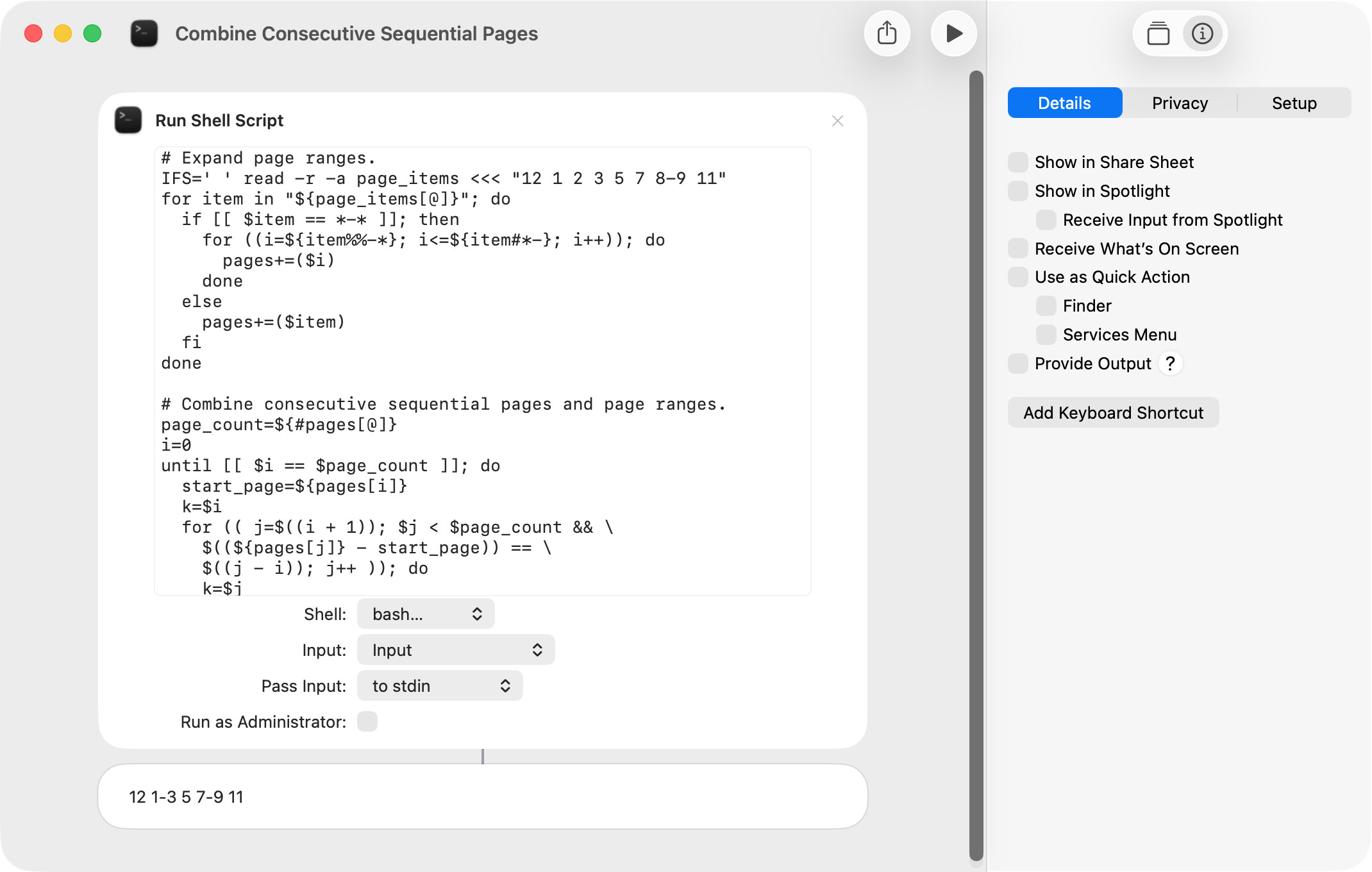
 , like for example: