I reread the OP’s original post, and I’m not sure if the handler contained above will do what he wants. If he wants to get text from an image on the clipboard (which appears to be the case), the script contained below will do that. A few comments:
The script returns a list which is easily coerced to text after setting the desired text item delimiters.
An error is thrown if the clipboard does not contain an image, and error correction needs to be added for that.
I have essentially no expertise with the Vision framework, and there may a better way to to this. Note should also be made of the constraints noted by chrillek.
use framework "AppKit"
use framework "Foundation"
use framework "Vision"
use scripting additions

set theText to getImageText()

on getImageText()
	set thePasteboard to current application's NSPasteboard's generalPasteboard()
	set imageData to thePasteboard's dataForType:(current application's NSPasteboardTypeTIFF)
	set requestHandler to current application's VNImageRequestHandler's alloc()'s initWithData:imageData options:(current application's NSDictionary's alloc()'s init())
	set theRequest to current application's VNRecognizeTextRequest's alloc()'s init()
	requestHandler's performRequests:(current application's NSArray's arrayWithObject:(theRequest)) |error|:(missing value)
	set theResults to theRequest's results()
	set theText to {}
	repeat with observation in theResults
		copy ((first item in (observation's topCandidates:1))'s |string|() as text) to end of theText
	end repeat
	return theText
end getImageText
Sorry I do not know the Object C script. So I am not able to understand the code.
My actual task is to count the total number of words used on that Image as report (either excel or CSV).
I thought to store that content in any array, and I will write the data in excel or csv format from that array.
I do not know how to store the data in array in Object C.
How to create the CSV or Excel from Object C.
We need to run the multiple PNG files in a time.
Even I am unable to display the result through “Display alert” comment in applescript, but I can able to run and found the result in Description panel.
Fredrik71 has answered the OP’s question, but I thought I would update my script FWIW. I tested Fredrik71’s script and my script with a simple image containing English-language text, and the scripts produce essentially identical results–both return a string and both join text fragments with a space.
As written, my script automatically detects the language found in the image, and this generally worked as expected in limited testing with English, French, Japanese, and Chinese languages. If that’s not the case, you can specify the desired languages, but you should be aware of the following, which is from the Vision documentation:
If not otherwise specified, Vision biases its results toward English. To alter its default behavior, provide an array of supported languages in the request’s recognitionLanguages property. The order in which you provide the languages dictates their relative importance. To recognize traditional and simplified Chinese, specify zh-Hant and zh-Hans as the first elements in the request’s recognitionLanguages property. English is the only other language that you can pair with Chinese.
use framework "Foundation"
use framework "Vision"
use scripting additions

set theFile to (choose file of type {"public.image"})
set theText to getText(theFile)

on getText(theFile)
	set theFile to current application's |NSURL|'s fileURLWithPath:(POSIX path of theFile)
	set requestHandler to current application's VNImageRequestHandler's alloc()'s initWithURL:theFile options:(missing value)
	set theRequest to current application's VNRecognizeTextRequest's alloc()'s init()
	theRequest's setAutomaticallyDetectsLanguage:true -- test this first
	-- theRequest's setRecognitionLanguages:{"en", "fr"} -- if the above doesn't work
	theRequest's setUsesLanguageCorrection:false -- language correction if desired but not Chinese
	requestHandler's performRequests:(current application's NSArray's arrayWithObject:(theRequest)) |error|:(missing value)
	set theResults to theRequest's results()
	set theArray to current application's NSMutableArray's new()
	repeat with aResult in theResults
		(theArray's addObject:(((aResult's topCandidates:1)'s objectAtIndex:0)'s |string|()))
	end repeat
	return (theArray's componentsJoinedByString:space) as text -- return a string
end getText
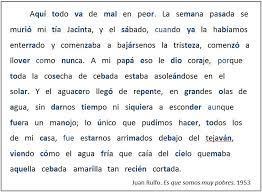
Asuvathdhaman. The Arabic language codes are “ar” and “ara”. However, if set to these codes, my script does not perform OCR with Arabic language examples. I checked (with the supportedRecognitionLanguagesAndReturnError method) and the following languages are supported on my Sonoma computer
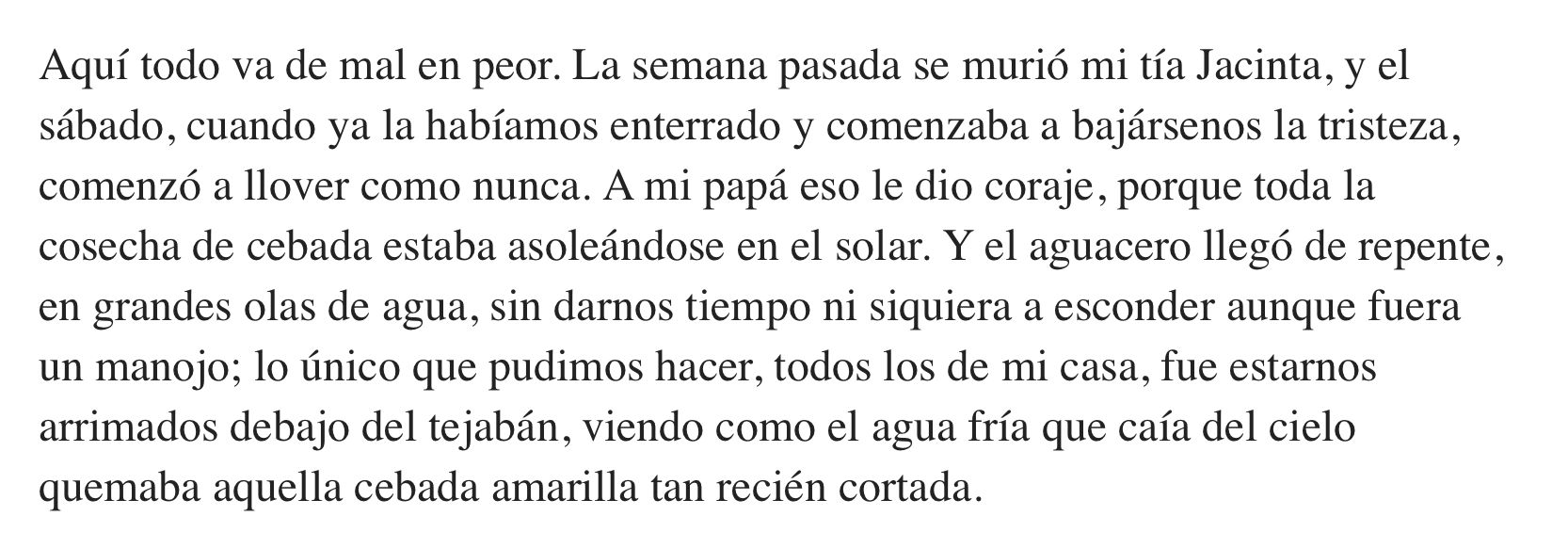
Asuvathdhaman. The image is degraded and I suspect that’s why only small portions of the image could be read. I’ve included a similar paragraph below, and it was read as expected with my script set to automatic mode. The new image was also read with automatic mode disabled and language-specifier mode enabled with the Spanish language code “es-ES”.
I tried with many languages (Japanese, Chinese, and Korean) all are working good.
I am trying with Turkish Languages, the below characters are unable to extract, other than these characters are extracted as good. Can we have any idea to get these characters too?
Ş – Latin capital letter S with cedilla
ş – Latin small letter s with cedilla
Ğ – Latin capital letter G with breve
ğ – Latin small letter g with breve
ç – Latin small letter c with cedilla
İ – Latin capital letter I with dot above
The languages supported on your computer can be determined by running the script included below. The Turkish language (codes tr and tur) is not a supported language on my computer. A few comments:
You may want to toggle the setUsesLanguageCorrection property to see if this makes a difference.
The VNRecognizeTextRequest class does have a custom words property, but I don’t think that’s what you want.
I did a quick Google search and couldn’t find any way to add languages for use when performing OCR with VNRecognizeTextRequest. There are commercial apps that will OCR Turkish, though.
use framework "Foundation"
use framework "Vision"

set theRequest to current application's VNRecognizeTextRequest's alloc()'s init()
set supportedLanguageCodes to (theRequest's supportedRecognitionLanguagesAndReturnError:(missing value)) as list
--> {"en-US", "fr-FR", "it-IT", "de-DE", "es-ES", "pt-BR", "zh-Hans", "zh-Hant", "yue-Hans", "yue-Hant", "ko-KR", "ja-JP", "ru-RU", "uk-UA", "th-TH", "vi-VT"}
use framework "Foundation"
use framework "Vision"
use scripting additions

set theFile to (choose file of type {"public.image"})
set theText to getText(theFile)

on getText(theFile)
	set theFile to current application's |NSURL|'s fileURLWithPath:(POSIX path of theFile)
	set requestHandler to current application's VNImageRequestHandler's alloc()'s initWithURL:theFile options:(missing value)
	set theRequest to current application's VNRecognizeTextRequest's alloc()'s init()
	--theRequest's setAutomaticallyDetectsLanguage:true -- test this first
	theRequest's setRecognitionLanguages:{"tr", "tur"} -- if the above doesn't work
	theRequest's setUsesLanguageCorrection:true -- language correction if desired but not Chinese
	requestHandler's performRequests:(current application's NSArray's arrayWithObject:(theRequest)) |error|:(missing value)
	set theResults to theRequest's results()
	set theArray to current application's NSMutableArray's new()
	repeat with aResult in theResults
		(theArray's addObject:(((aResult's topCandidates:1)'s objectAtIndex:0)'s |string|()))
	end repeat
	return (theArray's componentsJoinedByString:space) as text -- return a string
end getText
The above code (I have changed as your suggestion) extract the content, but still we are missing the special character as I mentioned.
I hope I have applied your suggestion as correct, please correct me if anything wrong.
Asuvathdhaman. Turkish is not a supported language and, as far as I know, setting the recognized languages to tr and tur does nothing. I got a sample of the Turkish language and the settings shown below returned the best results for Turkish language text, but the results are far from perfect.
use framework "Foundation"
use framework "Vision"
use scripting additions

set theFile to (choose file of type {"public.image"})
set theText to getText(theFile)

on getText(theFile)
	set theFile to current application's |NSURL|'s fileURLWithPath:(POSIX path of theFile)
	set requestHandler to current application's VNImageRequestHandler's alloc()'s initWithURL:theFile options:(missing value)
	set theRequest to current application's VNRecognizeTextRequest's alloc()'s init()
	theRequest's setAutomaticallyDetectsLanguage:true
	theRequest's setUsesLanguageCorrection:false
	requestHandler's performRequests:(current application's NSArray's arrayWithObject:(theRequest)) |error|:(missing value)
	set theResults to theRequest's results()
	set theArray to current application's NSMutableArray's new()
	repeat with aResult in theResults
		(theArray's addObject:(((aResult's topCandidates:1)'s objectAtIndex:0)'s |string|()))
	end repeat
	return (theArray's componentsJoinedByString:space) as text -- return a string
end getText
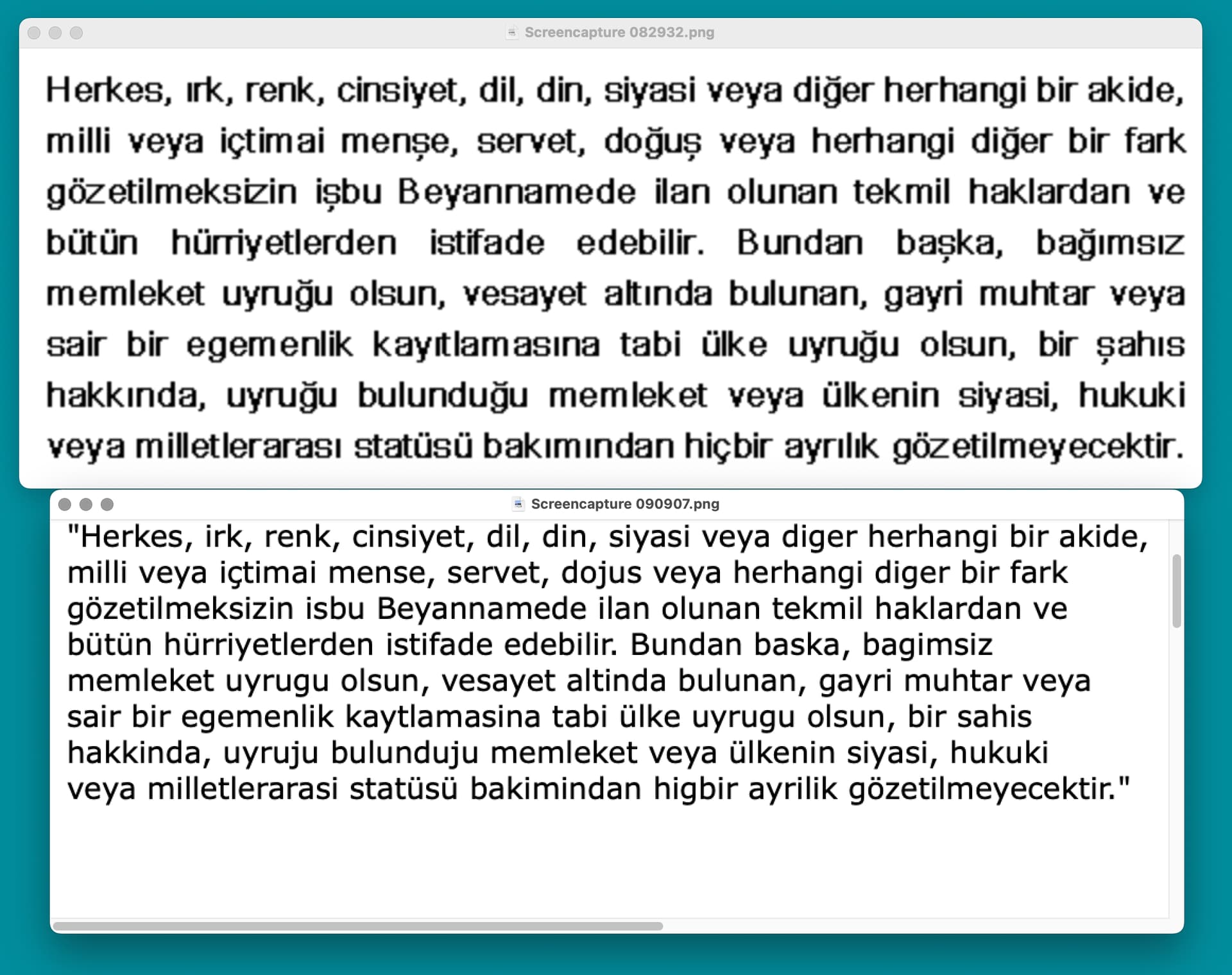
FWIW, I’ve included a screenshot below of a Turkish language image example (top) and the results returned by the above script (below). The characters returned are generally OK, but the special characters (especially the cedilla) are often missing. I don’t know if this is a limitation of the OCR code or because the Turkish language is not supported.
Yes, I am also got the same, I have the problem with below characters as mentioned earlier.
Ş – Latin capital letter S with cedilla
ş – Latin small letter s with cedilla
Ğ – Latin capital letter G with breve
ğ – Latin small letter g with breve
ç – Latin small letter c with cedilla
İ – Latin capital letter I with dot above