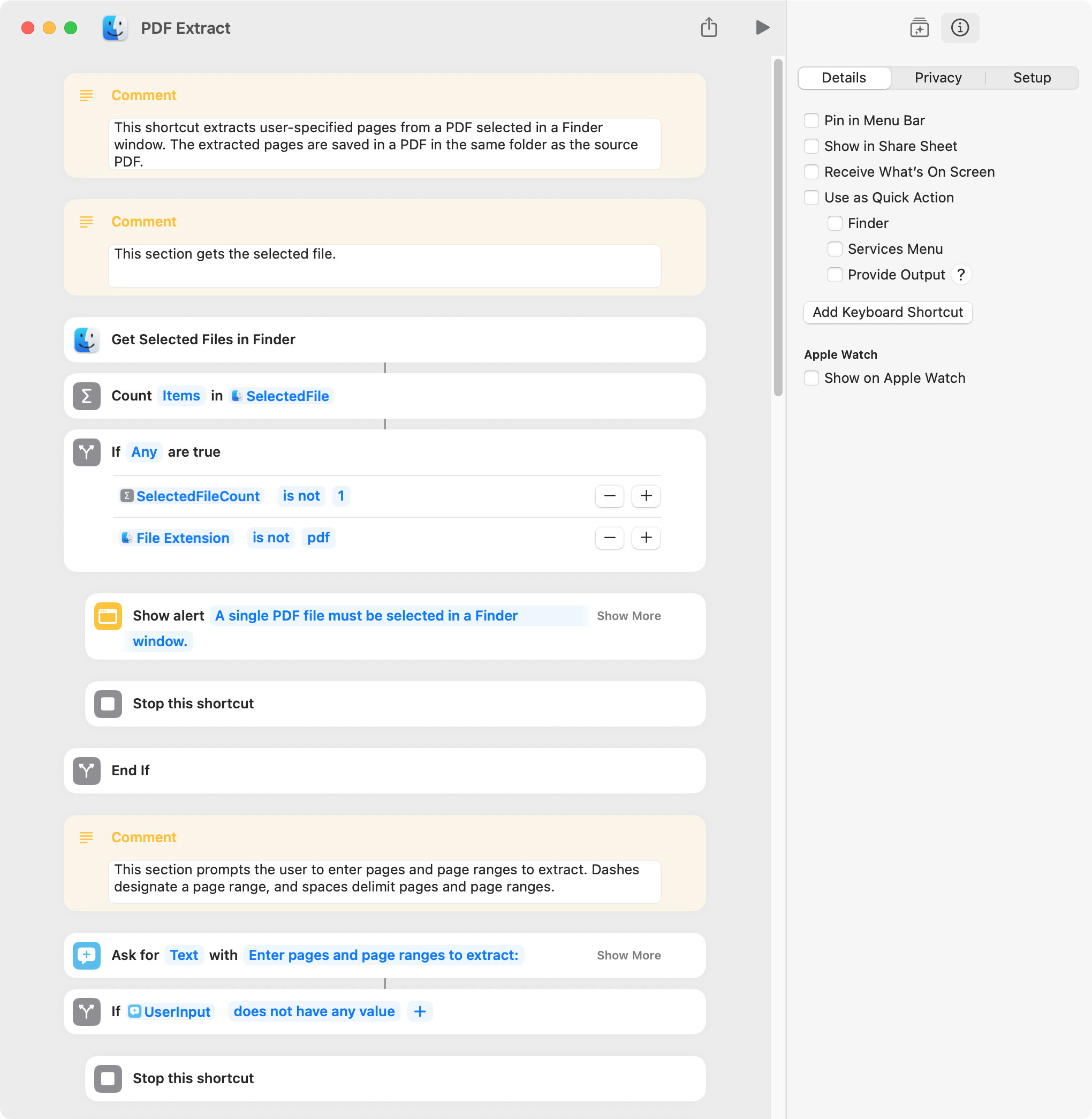
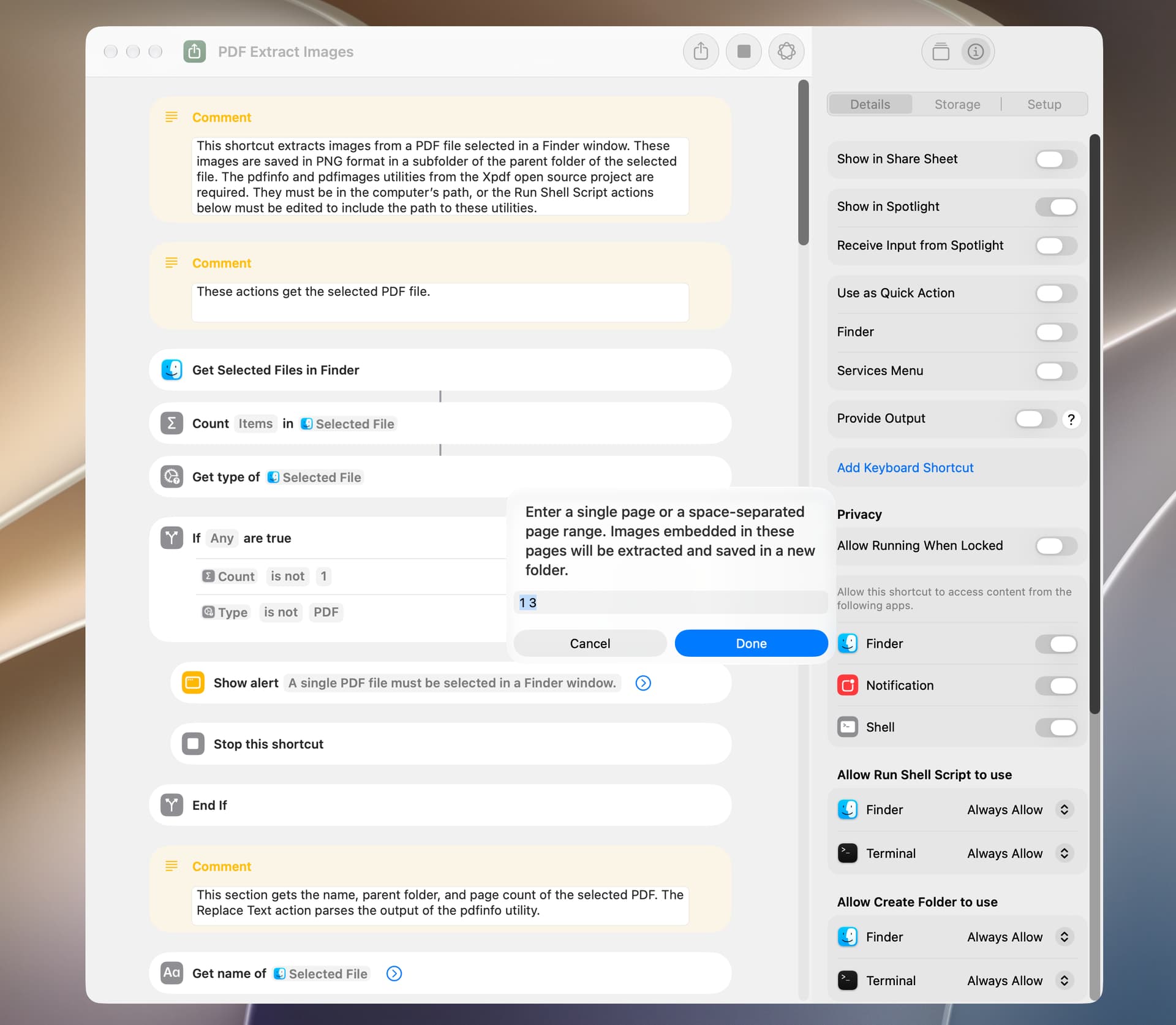
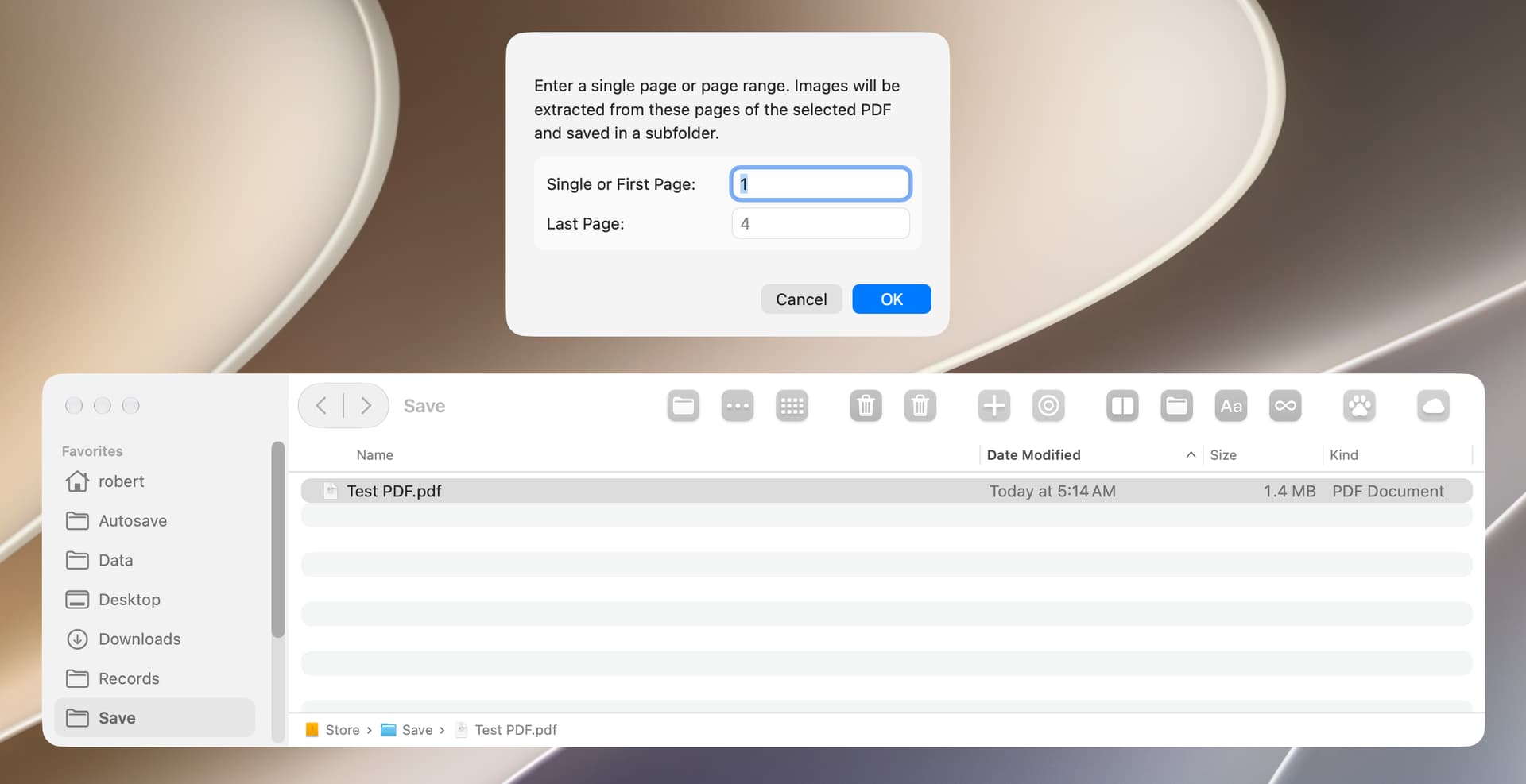
This shortcut extracts specified pages and page ranges from a PDF file selected in a Finder window. It is similar to the shortcut in post 1 above, except that multiple pages and page ranges can be extracted, Also this shortcut contains additional error correction, although it does not check the number of pages in the source PDF. The following screenshot only shows a portion of the shortcut.
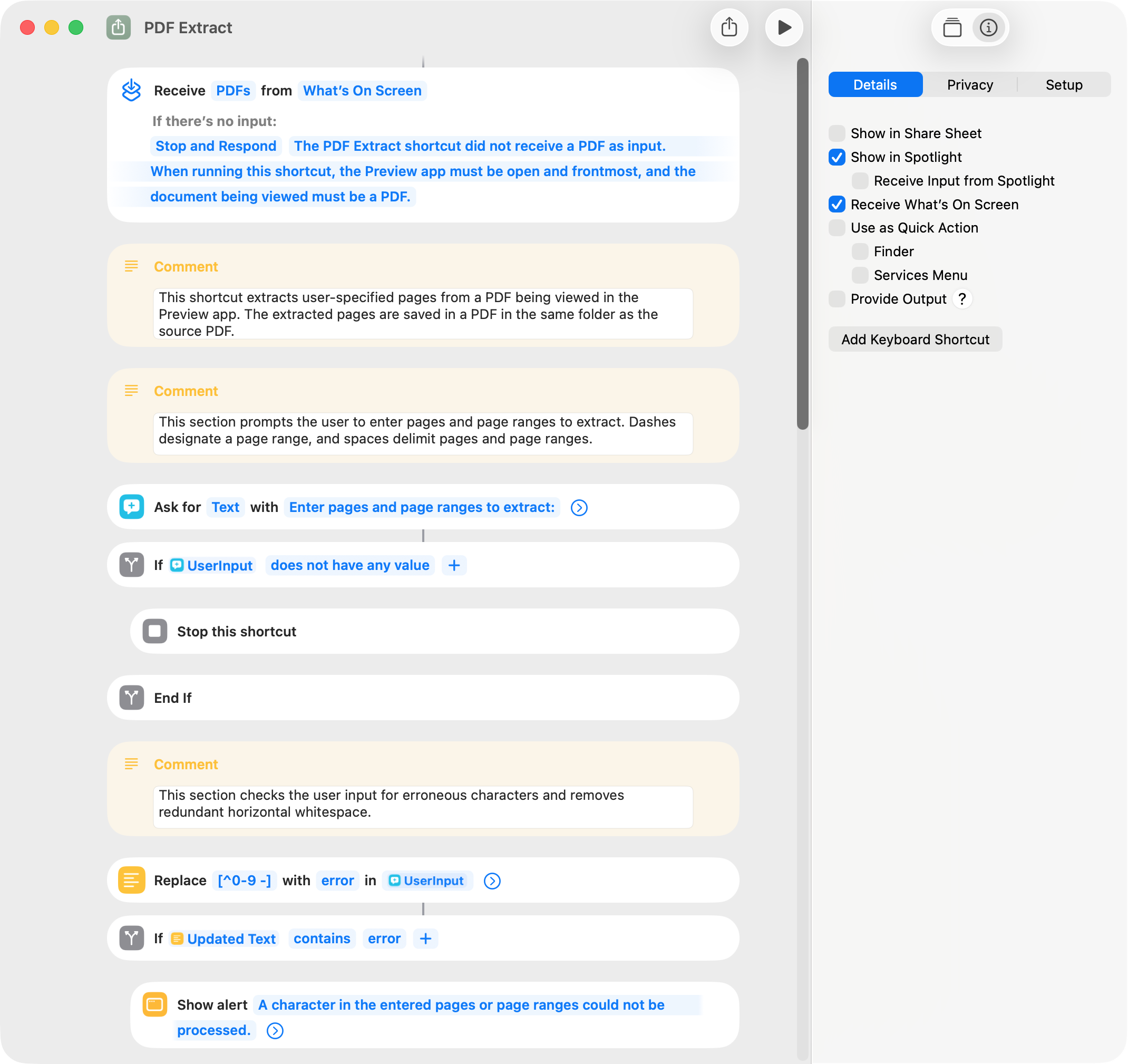
The shortcut included below is similar to that noted above, differing only in that the shortcut works on a PDF being viewed in the Preview app. I successfully ran the shortcut on macOS 26.3 by way of: Spotlight; menu-bar shortcut collection; menu-bar shortcut icon; AppleScript in the AppleScript menu; and AppleScript and shell script in FastScripts. I was unable to run the shortcut by way of the Preview app Services menu and a keyboard shortcut set in the Shortcuts app.
I was uncertain what should happen after the PDF pages are extracted and saved. Options I considered are:
The following shortcut is identical to that above with two exceptions. First, consecutive sequential pages and page ranges entered by the user are combined (e.g. “1 2-3 4” is made into “1-4”). This change is reflected in the file name and notification. Secondly, an existing file (which is never the PDF being viewed) is always overwritten by the saved file with the extracted pages. The shell script in the shortcut was written by Nigel.
BTW, if the user enters a page number that does not exist in the source PDF, one or more blank pages may be included in the newly-created PDF. The shortcut can be edited to prevent this, but its operation would be slowed considerably.
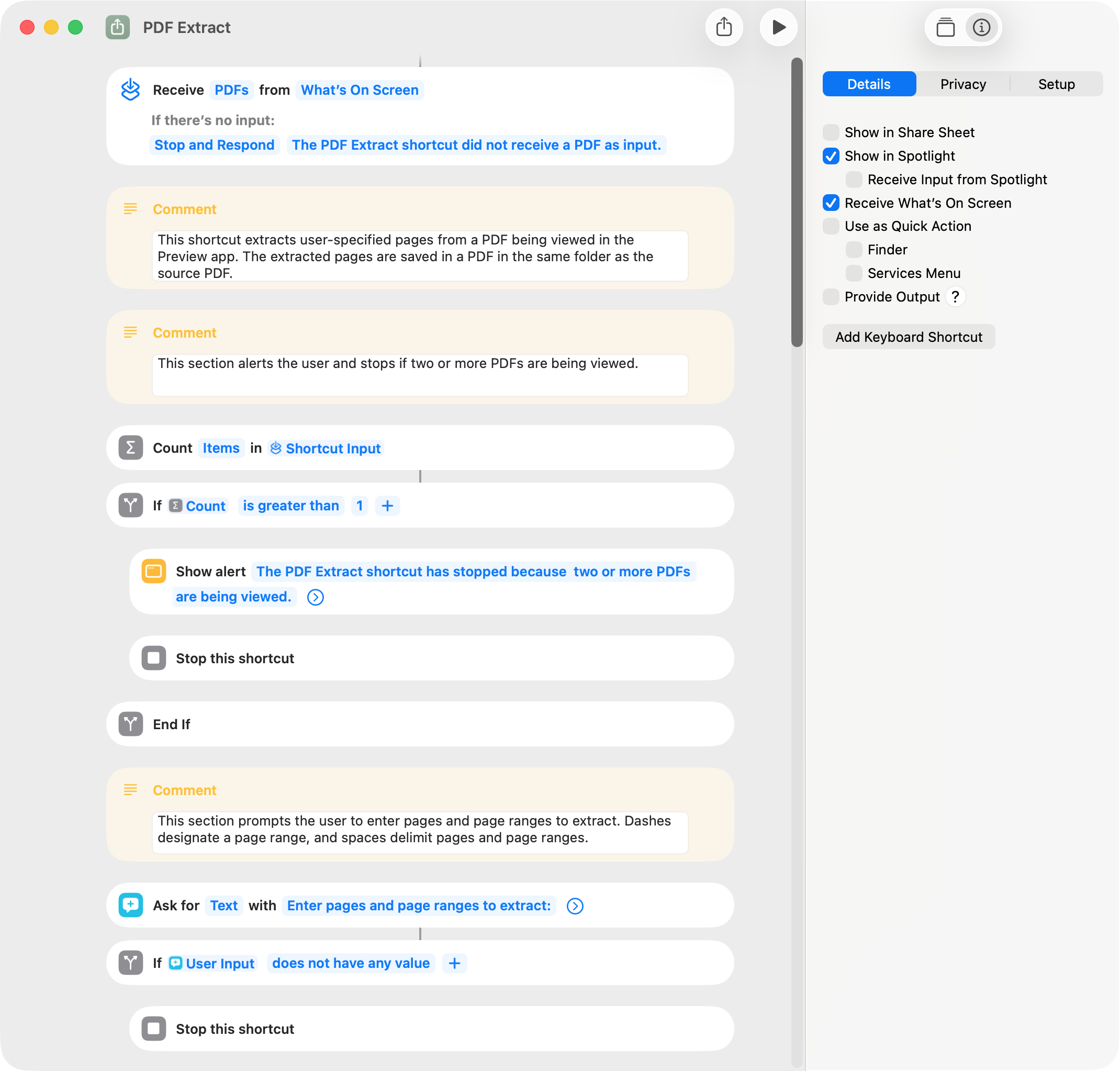
Both of the shortcuts in the prior post do not work correctly if two or more PDFs are being viewed in the Preview app. There’s no fix for this that I could find, so the following shortcut alerts the user and stops if two or more PDFs are viewed.
This thread is long and a bit convoluted, and, to simplify somewhat, I’ve included below four of the shortcuts that would appear to be most useful. A few comments:
The shortcuts all work without issue on my macOS Tahoe 26.4 computer. The PDF Extract shortcut requires macOS Tahoe.
Source files are selected in a Finder window, but this is easily changed to use a Select File action. The PDF Extract shortcut is an exception and works on a PDF being viewed in the Preview app.
The destination folder for saved files is the folder that contains the source file.
I typically run these shortcuts by way of Spotlight or a Finder window toolbar icon.
PDF Merge. This shortcut merges selected PDF and image files.
PDF Extract. This shortcut extracts user-specified pages and page ranges from a PDF being viewed in the Preview app. The pages are saved in a single PDF file. I have not been able to run this shortcut by way of a Quick Action or Service.
PDF to Text. These shortcuts extract and save text from a selected PDF file. The text from each page of a multi-page PDF is separated by a line of dashes or page numbers. The page numbering of the PDF and the text file may differ if the PDF contains pages with no extractable text.
The Xpdf open source project (here) includes a collection of command-line utilities that can be used to perform various tasks with PDF files. Two of these utilities are:
The pdfinfo utility gets information (including page count) from a PDF.
The pdfimages utility extracts images embedded in a PDF.
The shortcut included below uses these utilities to extract images from a PDF file. It works on a PDF file selected in a Finder window and saves the extracted images in a subfolder of the parent folder of the selected PDF. For this shortcut to run:
The utilities have to be placed in the computer’s path (the /usr/local/bin folder is often used for this), or the shortcut has to be edited to include the path to the utilities.
Permission has to be given in the Privacy & Security section of System Settings to allow the utilities to run.