I’ve never created a shortcut that utilizes AppleScript’s GUI scripting and wondered if this was possible. The answer is mostly yes, but it requires some work.
The most difficult part of this is getting permissions set. Accessibility and full-disk-access permissions have to be set for the Shortcuts app, siriactionsd, and System Events. This tends to be the default and, in any event, only has to be set once.
If the shortcut is run by way of a Finder toolbar icon or keyboard shortcut, accessibility and possibly full-disk-access permissions will have to be set for the shortcut app created to run the specific shortcut. Typically this app will be in the User’s Applications folder.
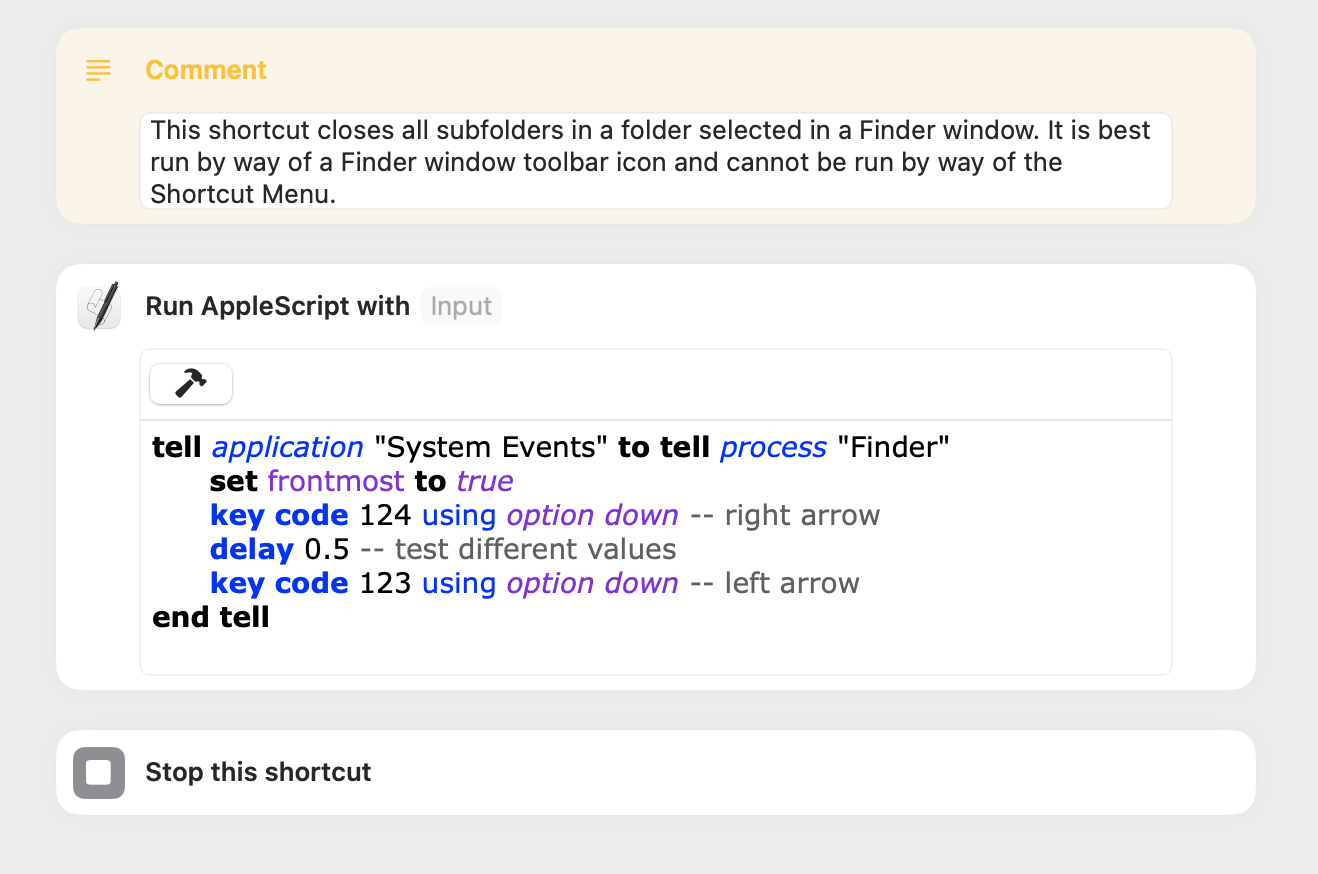
The test shortcut included below uses GUI scripting to close all subfolders in a folder selected in a Finder window. The same task can often be accomplished by way of the option-left-arrow keyboard shortcut, and this is probably a better approach for most people. The option-right-arrow code was included to workaround a circumstance where the option-left-arrow code alone does not close all subfolders.
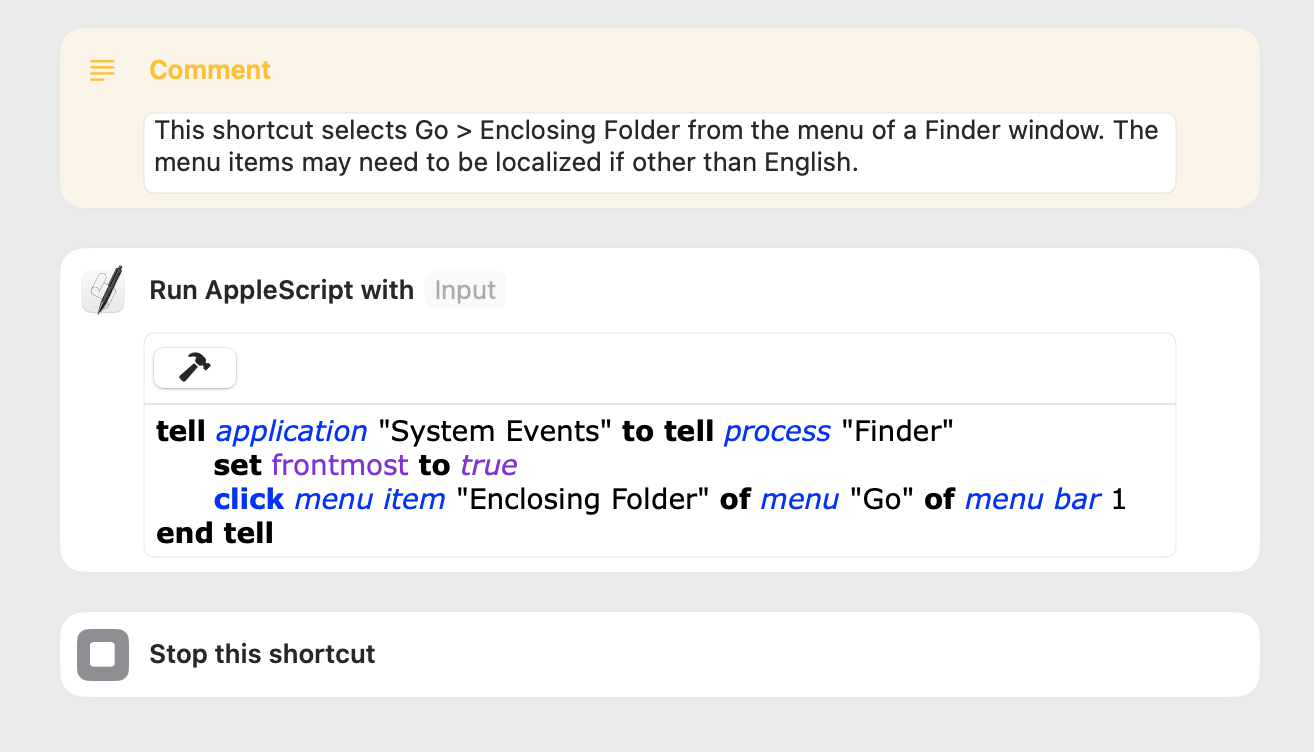
Just to double-check that things work as expected, I created an additional shortcut that uses GUI scripting. I decided to run the shortcut by way of a Finder toolbar icon, and the procedure for this can be found here.
The shortcut simply invokes Go > Enclosing folder from the Finder menu. This time around, the only permission I had to set was for Accessibility for the shortcut app. From start to finish, I had a working icon on my Finder toolbar in about 5 minutes.
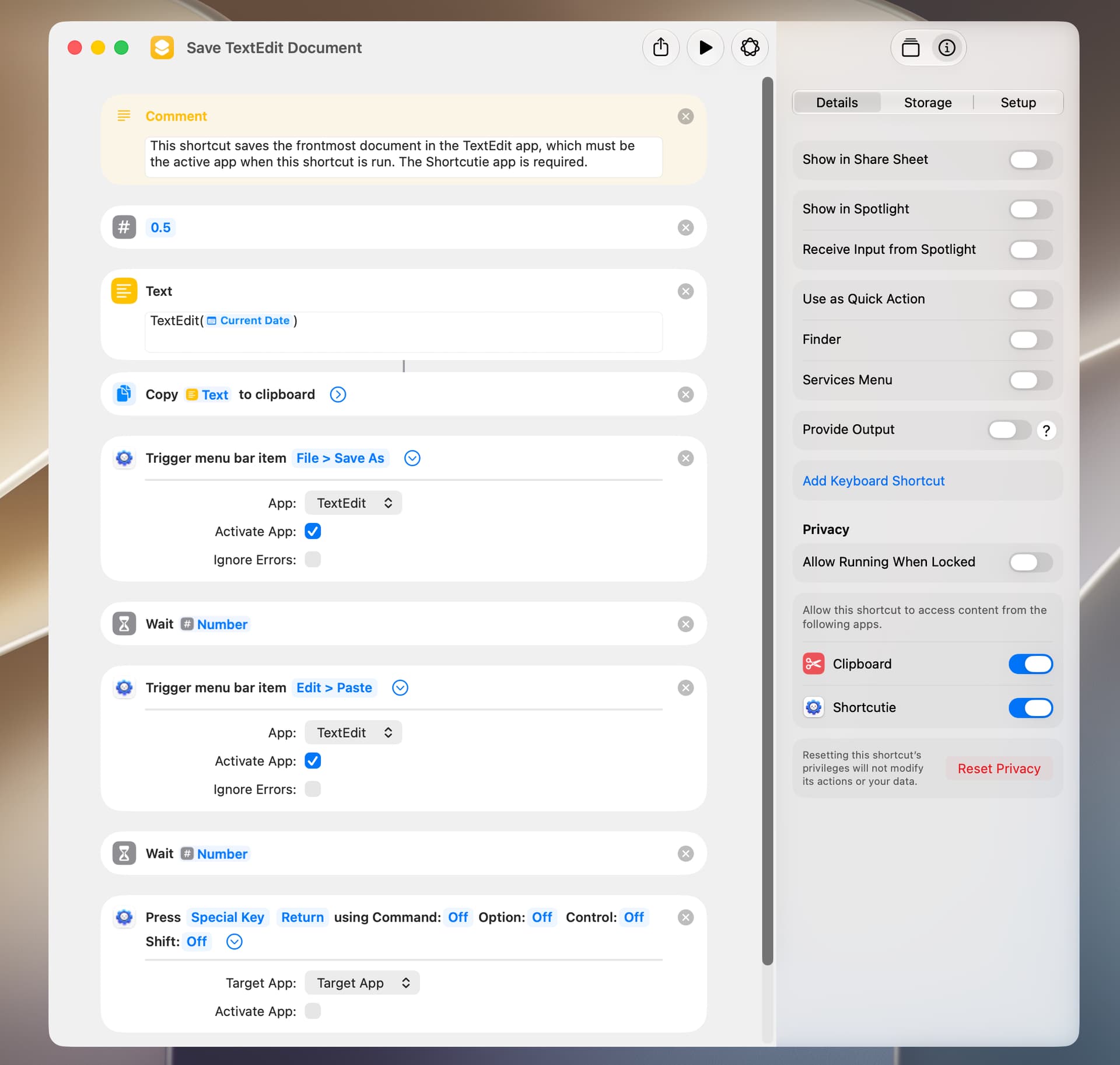
I recently began using the paid Shortcutie app, which adds approximately 70 actions to the macOS Shortcuts app (here). Shortcutie has four actions that do simple GUI scripting:
Get Menu Bar Item
Trigger Menu Bar Item
Press Keyboard Shortcut
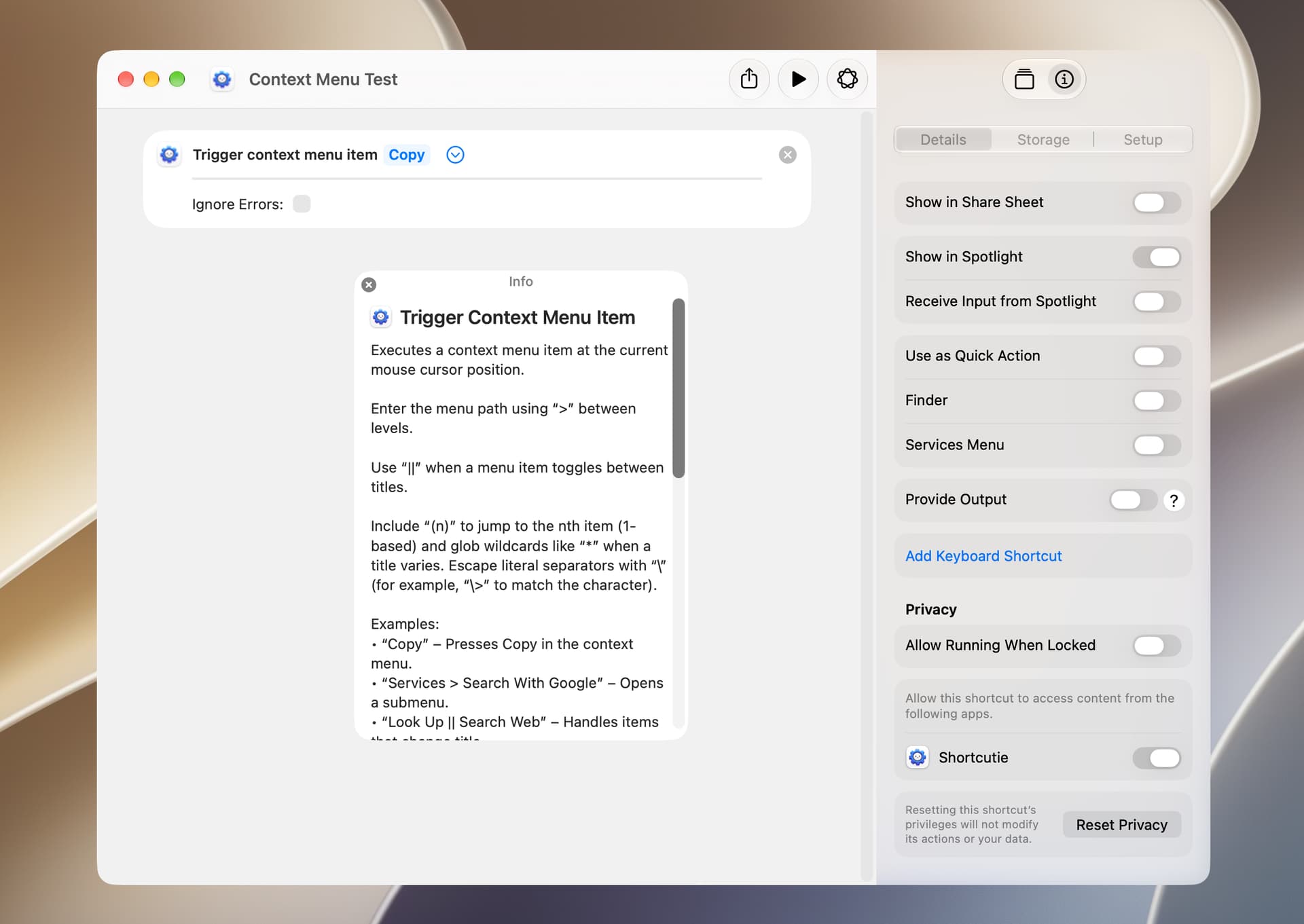
Trigger Context Menu Item
Additional Shortcutie actions that might fall in this category are Set Mouse Position and Click Mouse Button actions.
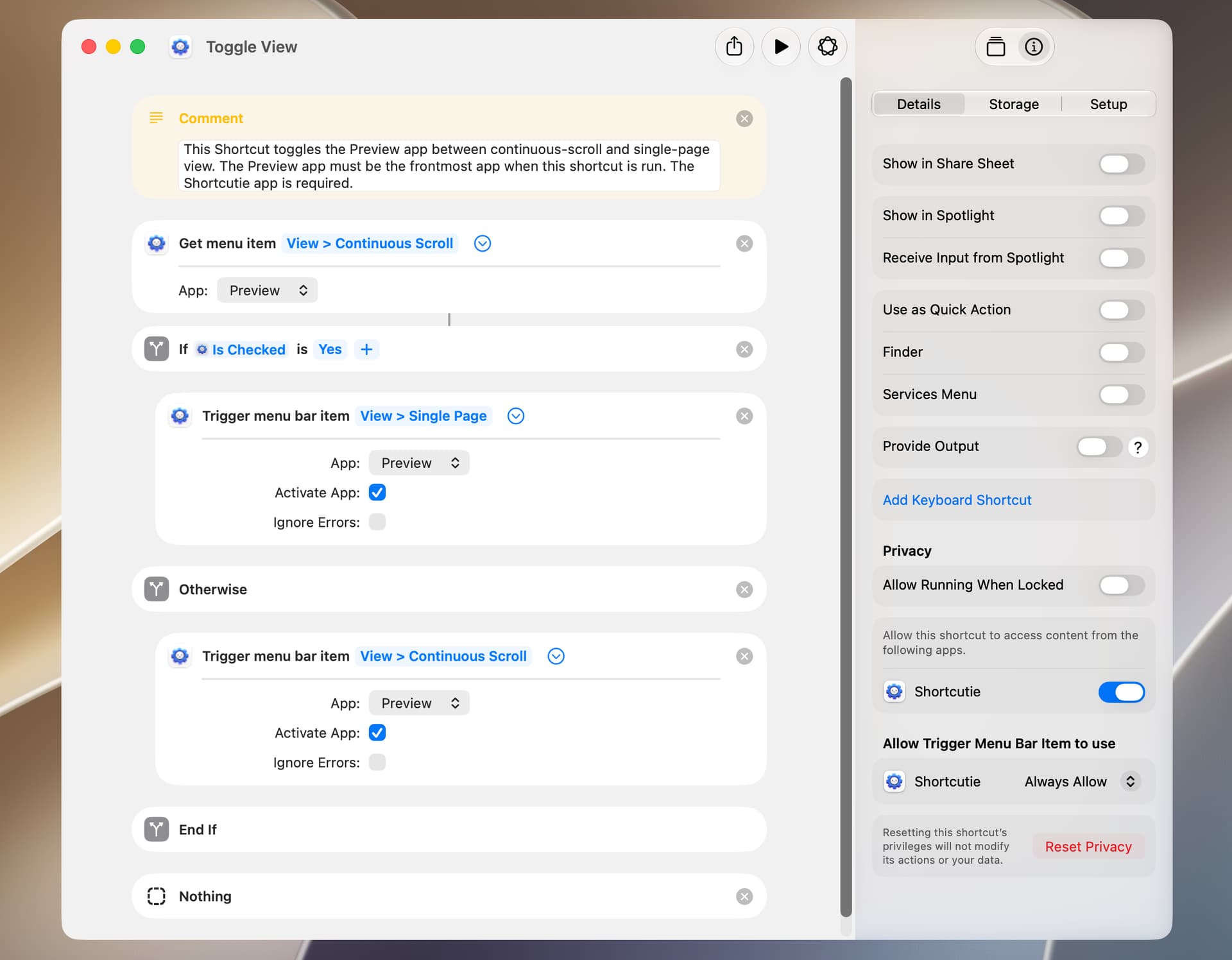
The following is an example that toggles the view in the Preview app. This works well.
The Trigger Context Menu Item action seems to work, although a bit slowly. In limited testing, I find it easier to simply select the context-menu item with the mouse. Perhaps there’s a use scenario that hasn’t occurred to me.
BTW, so far I’ve been a bit disappointed in the Shortcutie app, because things just don’t seem to work all that well. However, this may be attributable to the fact that I’m running macOS 27.0 Golden Gate Public Beta 5, and the developer has noted on his web site:
If you are reporting bugs with my apps on macOS/iOS 27 beta, note that it’s still early and those betas are generally buggy. There is no need to report bugs yet. Apple will likely fix a lot of things in the next few betas.