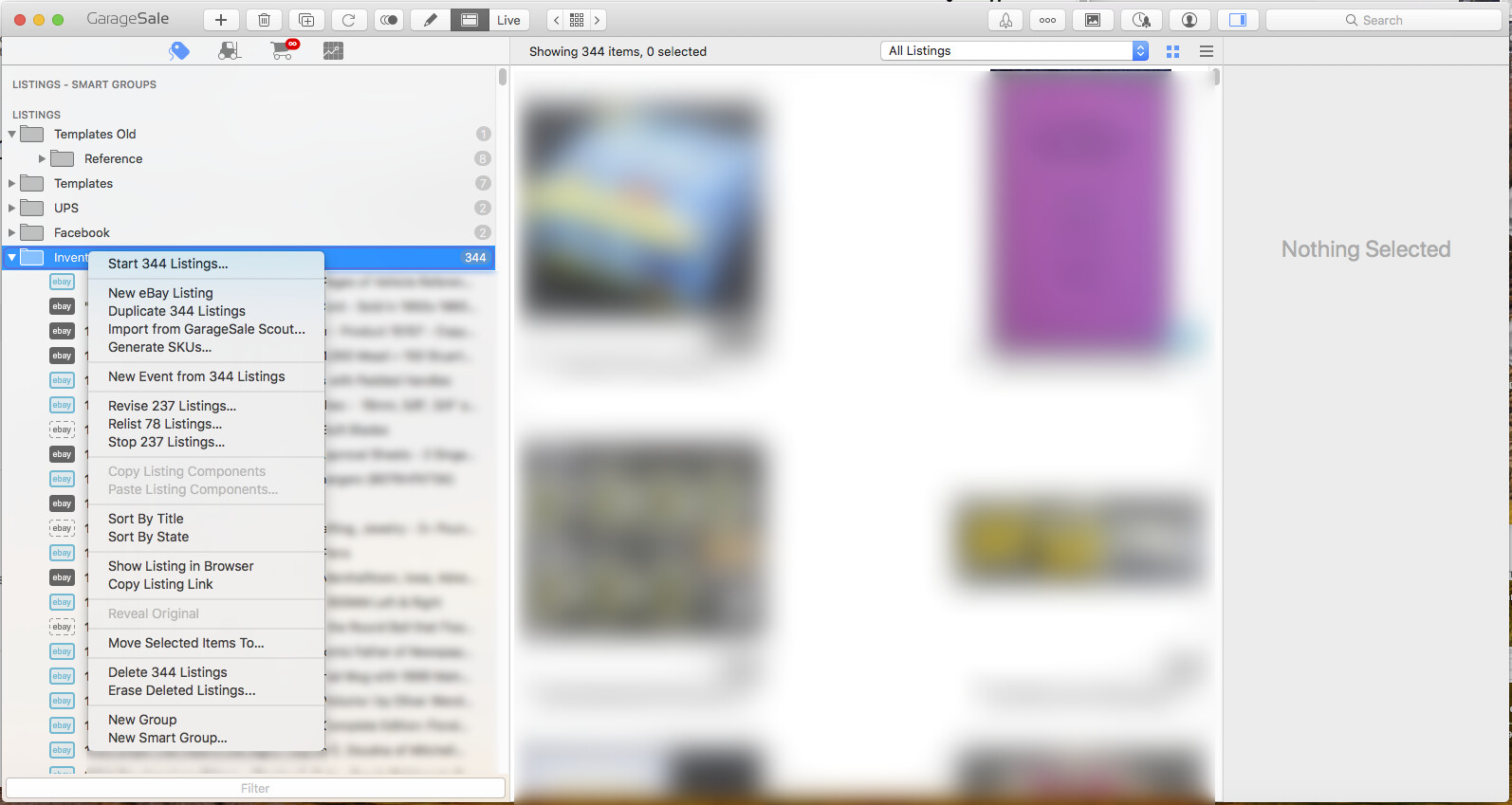
I am wanting to create a AppleScript that will trigger a contextual menu within GarageSale and select the option “Sort By Title”.
The left scrollable column consists of a series of eBay listing and / or folders which can contain other folders and / or eBay listings.
Right clicking on a folder will bring up a contextual menu on which there is an option to sort the contents of the folder in ascending order according to the titles of the subfolders or eBay listings inside. Holding the option key down when the “Sort By Title” is selected will sort the items in descending order.
Ideally the script would work with whatever folder is selected as opposed to having to hardcode the specific handle of a folder into the script.
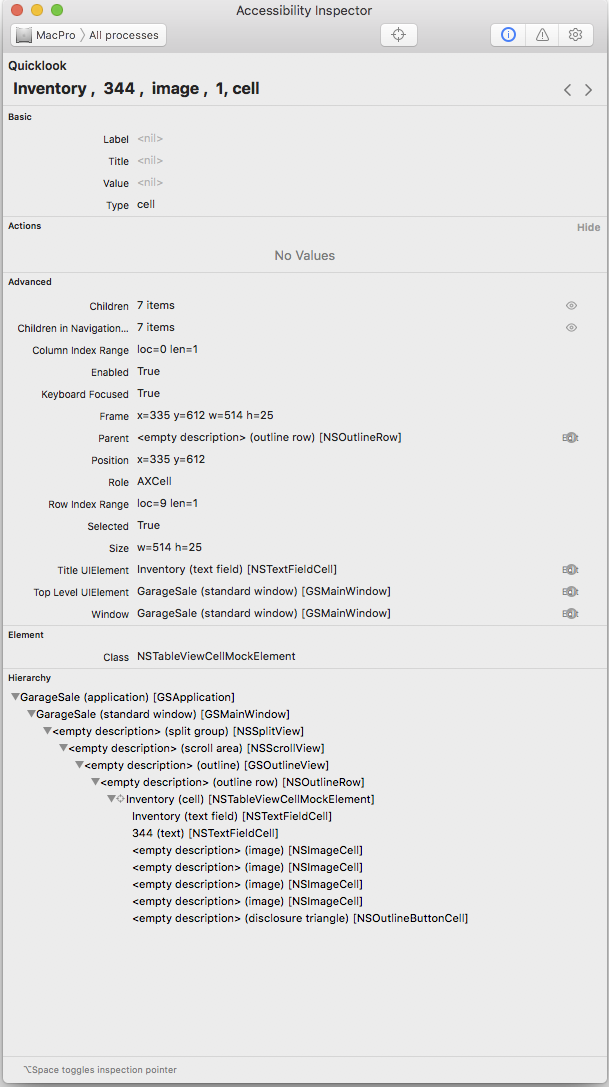
I have included a screenshot of the Accessibility Inspector when one of these folders is selected.
I found a script that does something similar within TextEdit, but can’t get it to work with GarageSale 9.8.1 due to various errors. I am having problems with figuring out what specifically to target.
tell application "TextEdit" to activate
tell application "System Events" to tell application process "TextEdit"
	tell window 1 to tell scroll area 1
		click
		tell text area 1
			perform action "AXShowMenu"
			set menuTemsNames to name of menu items of menu 1
			click menu item "Paste" of menu 1
		end tell
	end tell
end tell
Can only embed one image per post so added Inspector image here so its big enough to read.
The following attempt creates a “Expected end of line but found identifier.” error on the word “action”
tell application "GarageSale 9.8.1" to activate

tell application "System Events" to tell application process "GarageSale 9.8.1"

	--tell NSSplitView of window 1 to tell NSSCrollArea of window 1 to tell GSOutlineView of window 1 to tell NSOutlineRow of window 1 to tell NSTableViewCellMockElement of window 1 to tell NSTextFieldCell of window 1 to tell NSTextFieldCell of window 1
	tell window 1 to tell "split group 1" to tell "scroll area 1" to tell "outline 1" to tell "outline row 5" to tell "cell 1"

		click

		tell NSTextFieldCell
			perform action "AXShowMenu"
			set menuTemsNames to name of menu items of menu 1
		end tell
	end tell

end tell
Your script above won’t execute.
You have the UI Element types in between the quotes as text.
The line
tell window 1 to tell “split group 1” to tell “scroll area 1” to tell “outline 1” to tell “outline row 5” to tell “cell 1”
Should be
Tell UI Element 1 of row 5 of outline 1 of scroll area 1 of splitter group 1 of window 1
Cell is not a valid gui term, must use the generic UI Element instead
Thanks for your reply.
When I install a new version of GarageSale I rename it by adding the version number so new versions do not overwrite previous versions.
One item that needed to be changed was the application process which is “GarageSale” regardless of what the app is renamed.
I was able to get the code to run without errors but not able to open the contextual menu or select an item in the menu as any item I targeted returned a missing value for the menu.
I did find this some code on StackOverFlow that I modified that works:
The following code will open the menu and select the “Sort By Time”, which sorts the items in ascending order.
tell application "GarageSale 9.8.1" to activate

delay 0.5

tell application "System Events" to tell application process "GarageSale"

	set selectedFile to value of attribute "AXFocusedUIElement"
	tell selectedFile to perform action "AXShowMenu"
	delay 0.5

	keystroke "Sort By Title"

	delay 0.5
	key code 36
end tell
I could not get the above code to work with the option key, but found this thread on StackOverFlow regarding the action AXPress.
I was able to get this to work.
The following code displays a list with Ascending or Descending and will select “Sort By Time” with and without the option key from the contextual menu.
The delays are very important!
set AnswerList to {"Ascending", "Descending"}

set theAnswer to choose from list AnswerList with title "Delete SKUs & Set State of SKU" with prompt "Delete SKUs and Choose State of SKU ?"

if theAnswer is not false then --User Did Not Cancel

	if item 1 of theAnswer is "Ascending" then

		tell application "GarageSale 9.8.1" to activate

		delay 1

		tell application "System Events" to tell application process "GarageSale"

			set selectedFile to value of attribute "AXFocusedUIElement"
			tell selectedFile to perform action "AXShowMenu"

			try
				perform action "AXPress" of menu item "Sort By Title" of menu 1 of selectedFile
				delay 1

			end try

		end tell

	else if item 1 of theAnswer is "Descending" then

		tell application "GarageSale 9.8.1" to activate

		delay 1

		tell application "System Events" to tell application process "GarageSale"

			set selectedFile to value of attribute "AXFocusedUIElement"
			tell selectedFile to perform action "AXShowMenu"

			try
				key down option
				perform action "AXPress" of menu item "Sort By Title" of menu 1 of selectedFile
				delay 1
				key up option

			on error
				key up option
			end try

		end tell

	end if

end if
You need to use the parent outlineRow as your cell has no actions shown in UIInspector