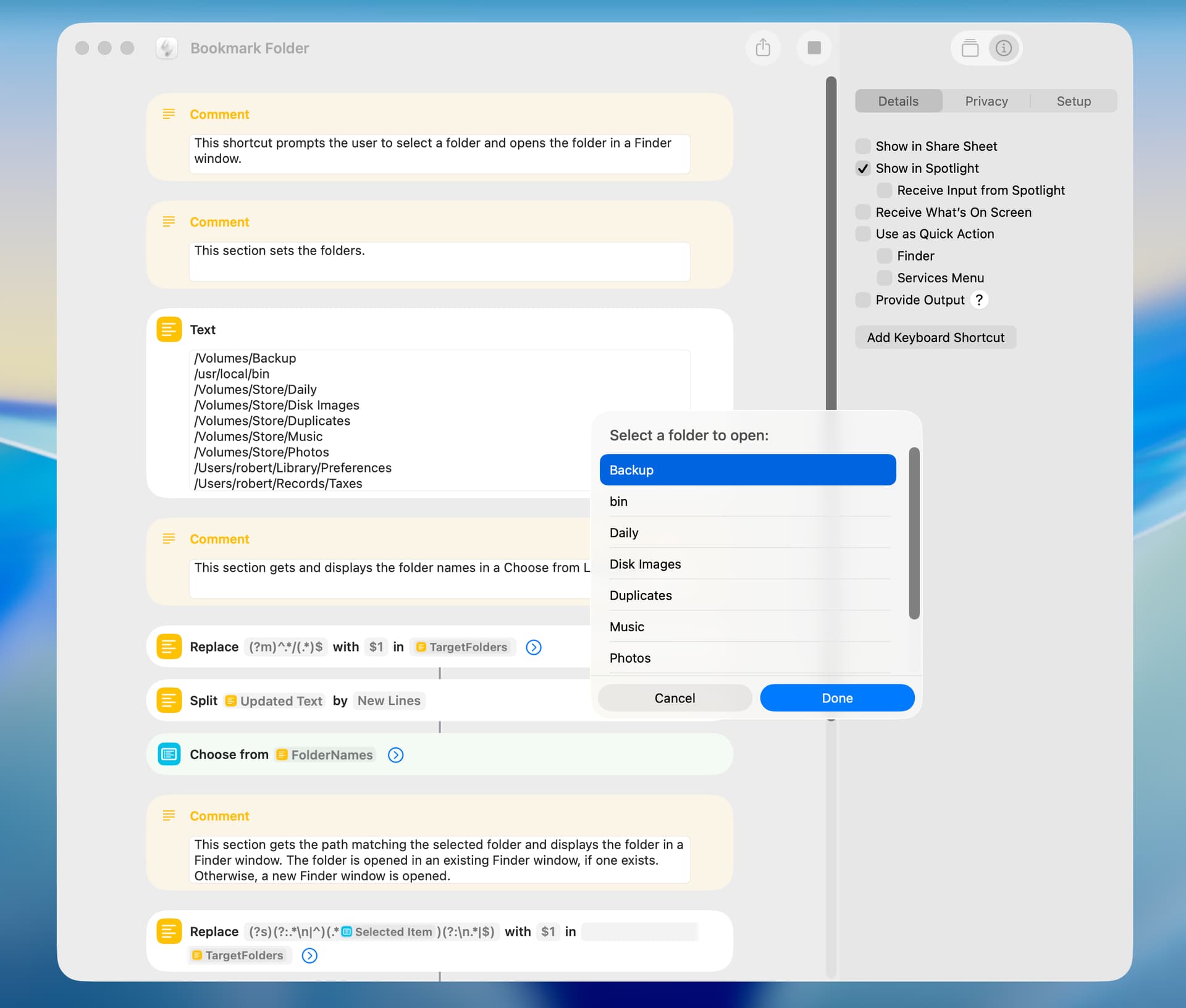
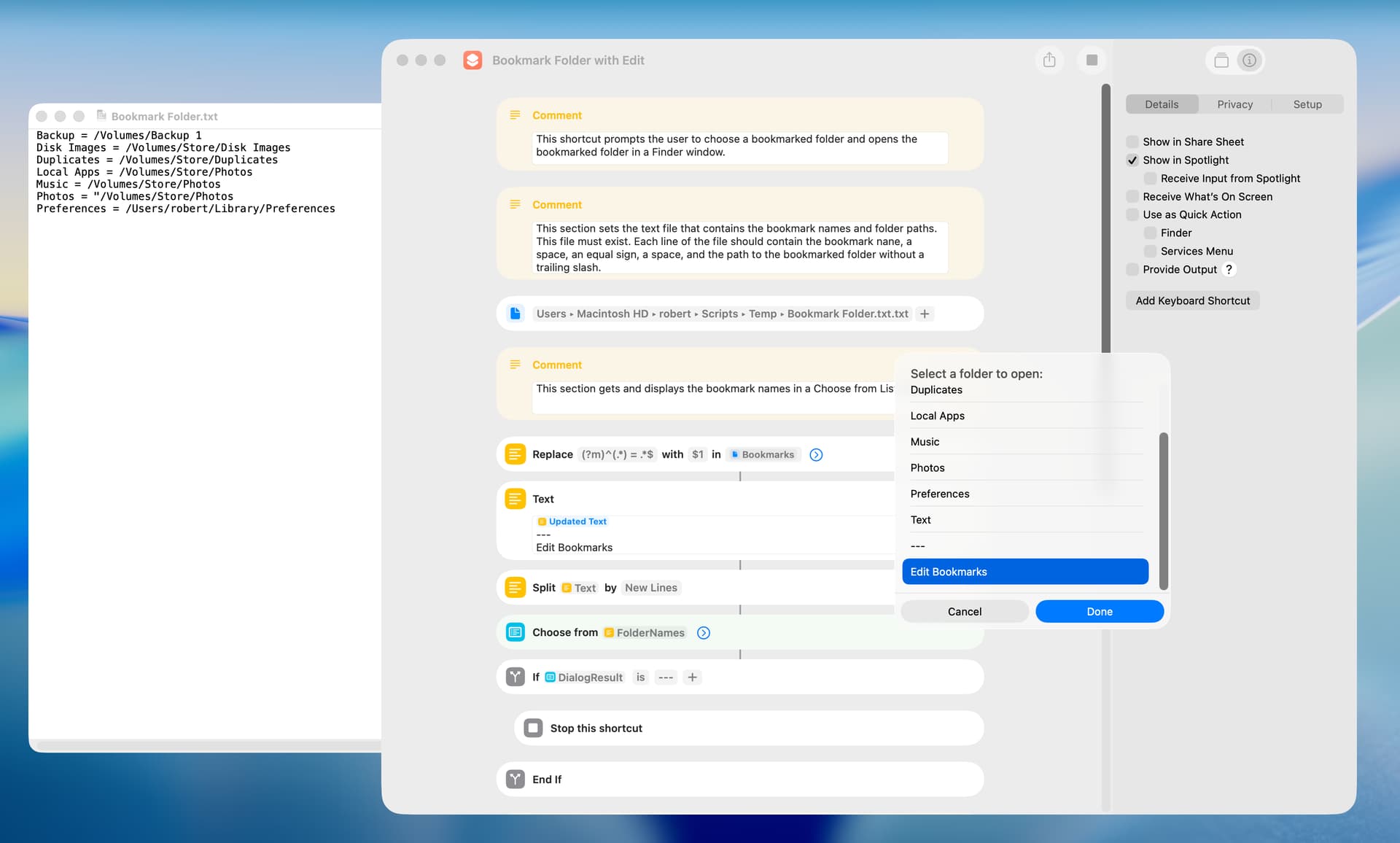
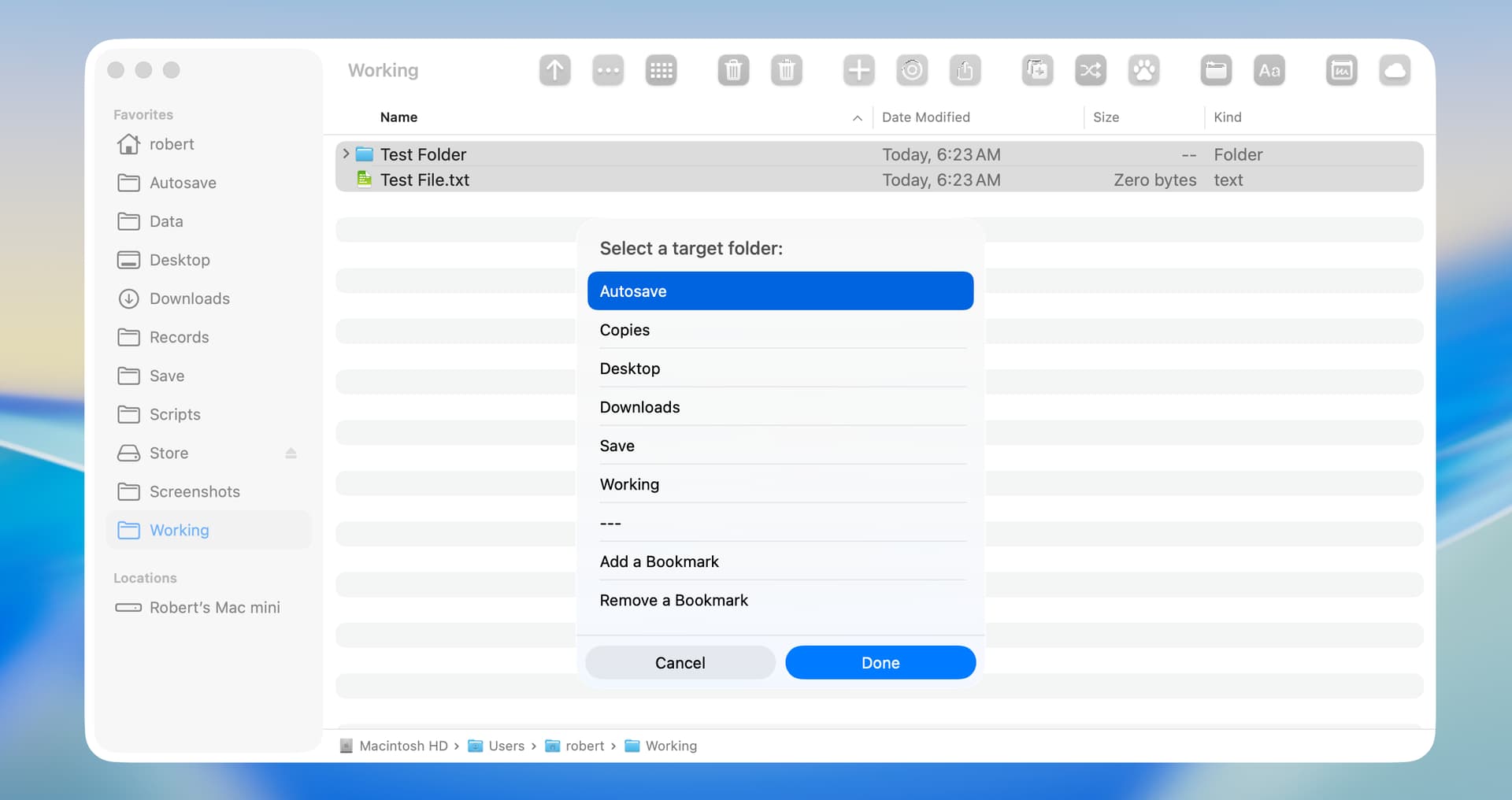
Some years ago I wrote two AppleScripts (here) that I use frequently, and I decided to write shortcut replacements. The first shortcut prompts the user to choose a folder in a dialog and displays the folder in a Finder window. I primarily use this for folders that are cumbersome for me to access by other approaches. A few comments:
I seldom change the bookmarked folders, so I set the folders in the shortcut. The shortcut could be edited to include add- and delete-bookmark items in the dialog.
If a Finder window is open, the shortcut displays the user-selected folder in the existing Finder window.
Coercing a path to a shortcut folder is not easily done, so I used the AppleScript’a POSIX file class to perform this task.
The Shortcuts app has open and reveal actions that will display a folder in a Finder window. I used AppleScript code to accomplish this, because it worked better in this particular instance.
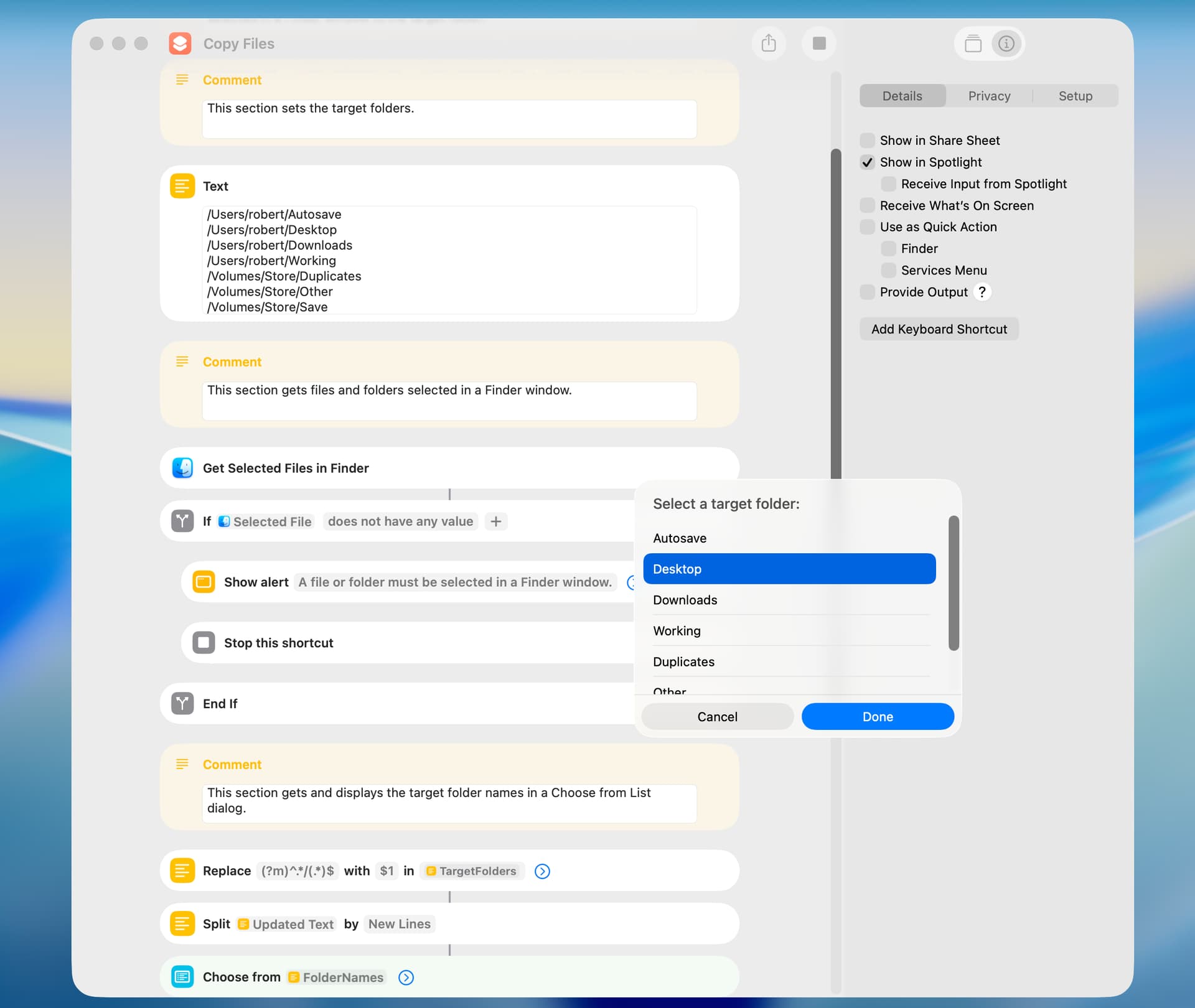
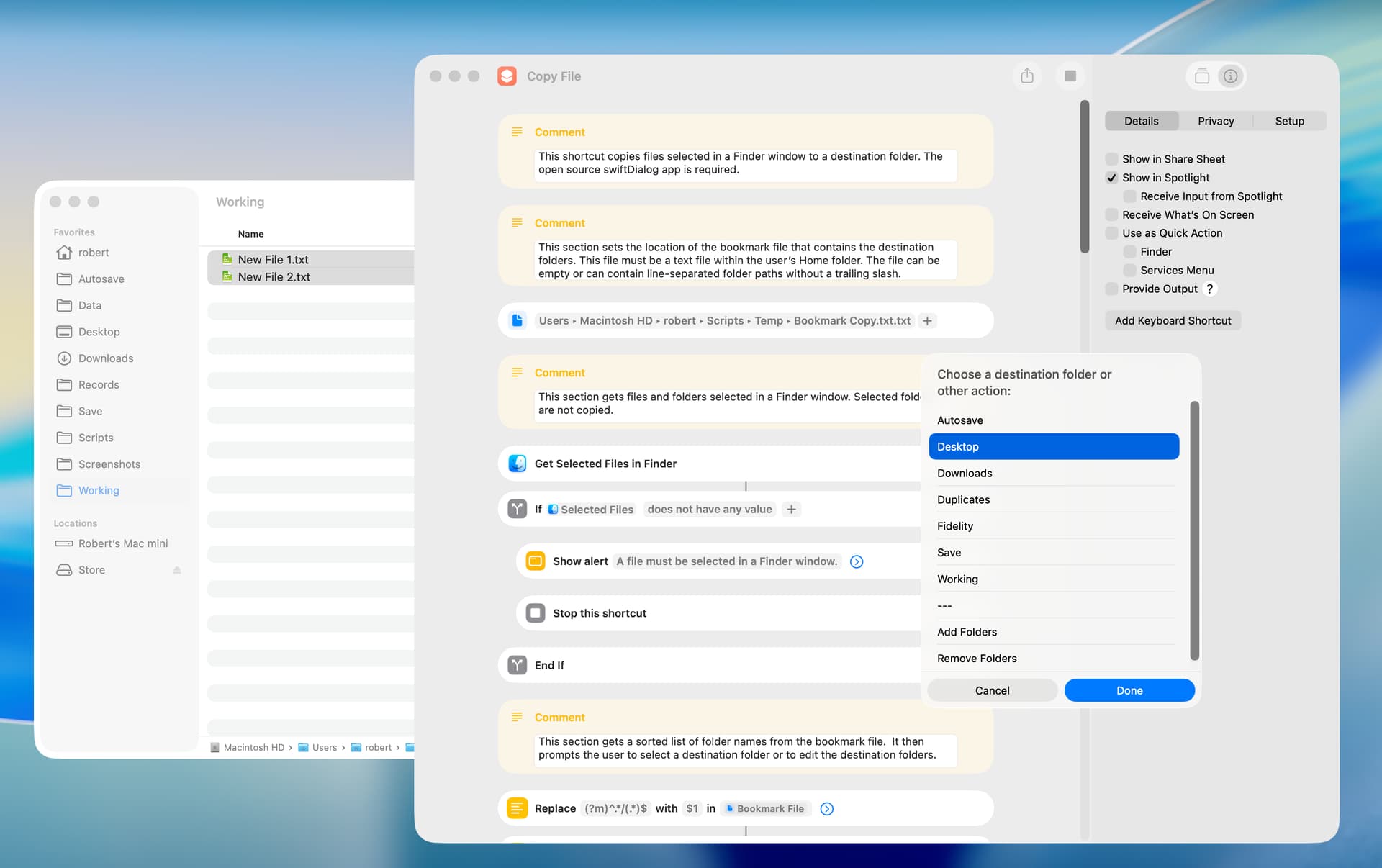
The second shortcut prompts the user to choose a target folder and copies files or folders selected in a Finder window to the target folder. A duplicate is created and a counter appended if a file or folder being copied exists in the target folder.
BTW, both shortcuts throw an error if a target folder does not exist. I’ll look into better error reporting. Also, the Copy Files shortcut allows you to copy a selected file or folder into its existing folder, in which case a duplicate is created. I’ll give this some thought.
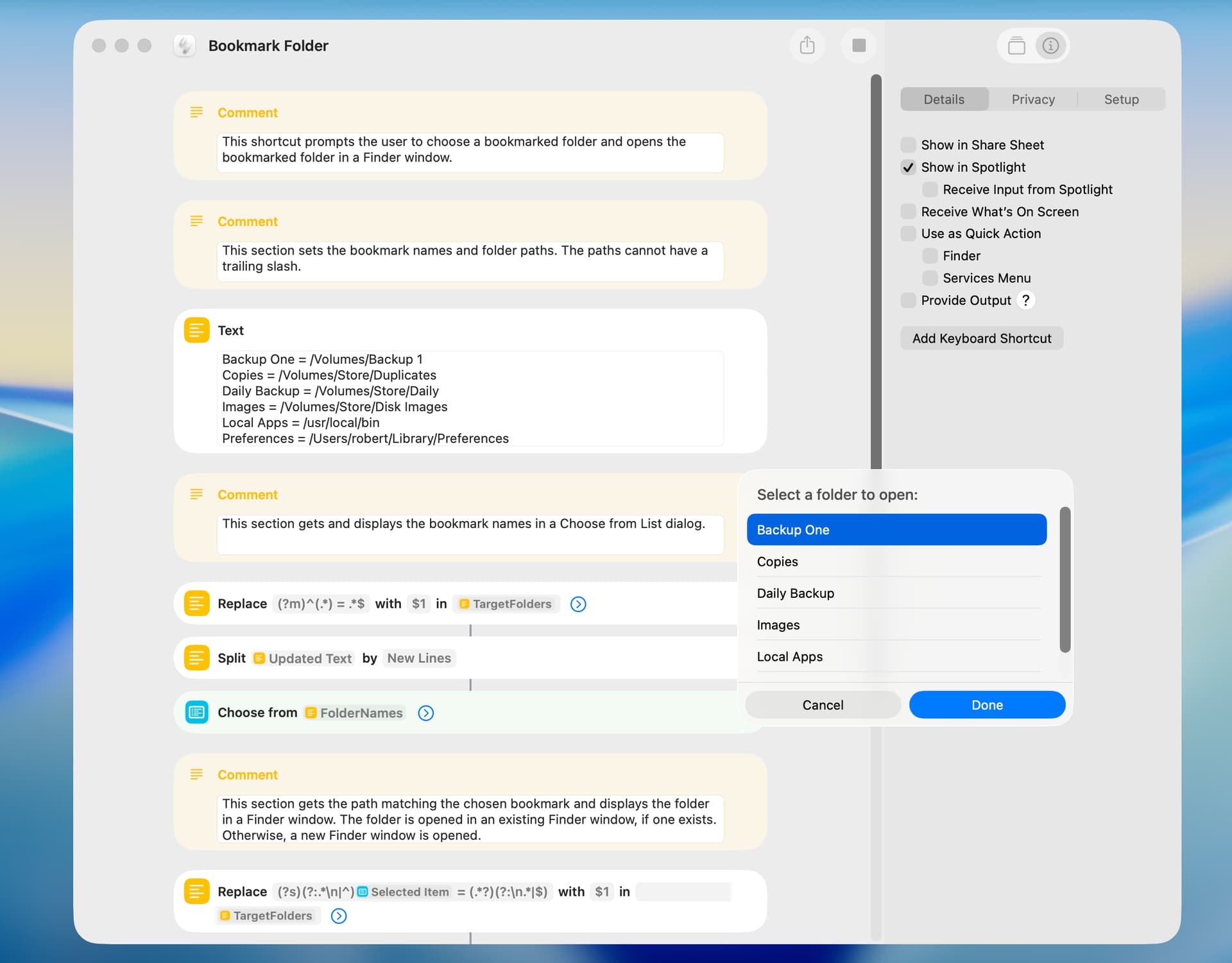
Primarily on a proof-of-concept basis, I rewrote the Bookmark Folder shortcut to save the bookmark data in a text file and to include an Edit Bookmarks item in the Choose from List dialog. In limited testing, there’s little difference in the time it takes to read the bookmark data from a Text action in the shortcut as compared with reading the bookmark data from a text file. There probably should be a Trim Whitespace action after the File action.
The user must manually create a blank text file somewhere within their home folder and set the location of this text file at the top of the shortcut. The text file should not contain any blank lines.
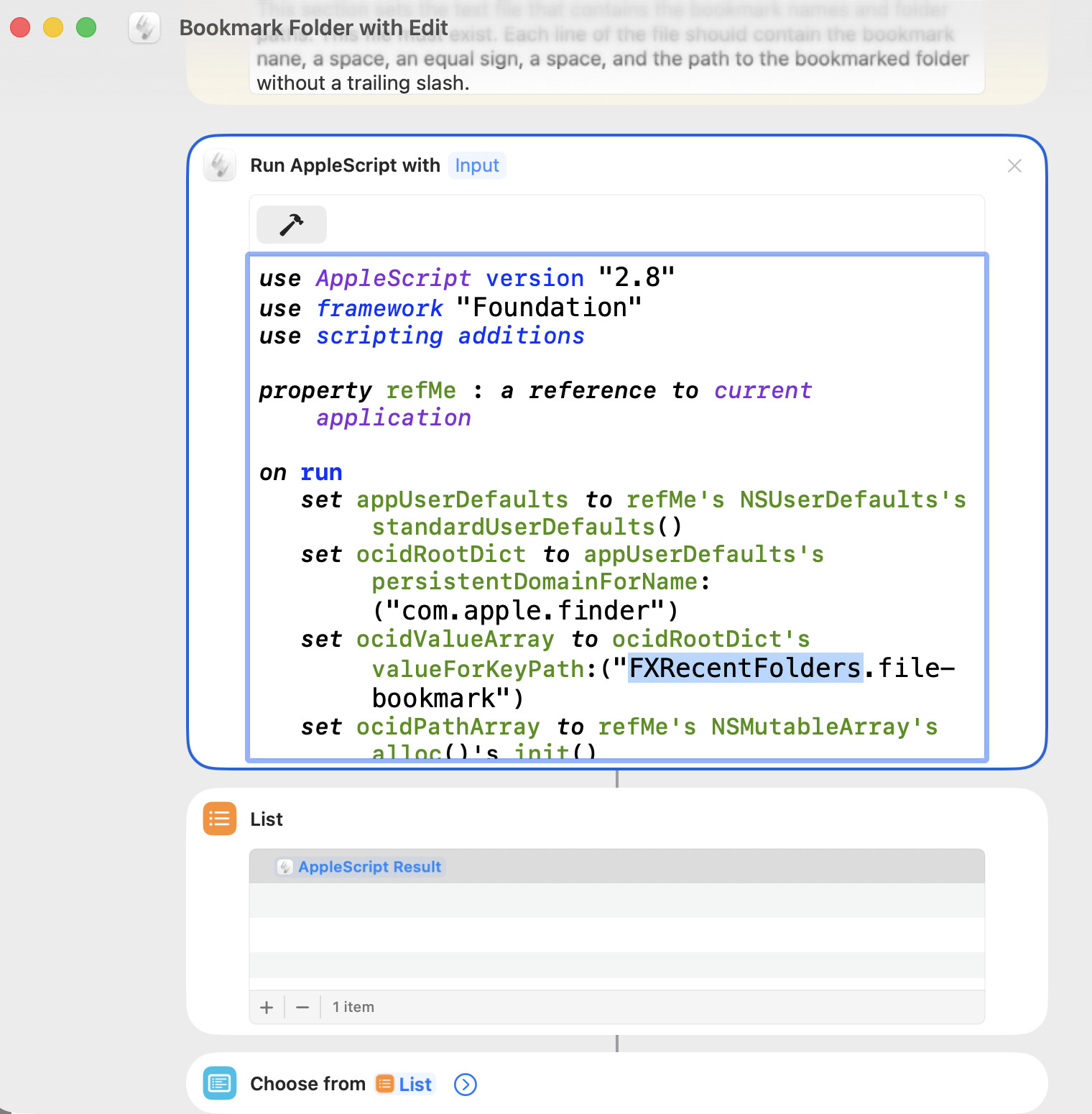
I got inspired by your shortcut and tried to apply it to “Recent Folders.” But it was a fail… because “Recent Folders” keep changing. When I want to click a folder, it’s already gone from the list. Sad!
use AppleScript version "2.8"
use framework "Foundation"
use scripting additions

property refMe : a reference to current application

on run
	set appUserDefaults to refMe's NSUserDefaults's standardUserDefaults()
	set ocidRootDict to appUserDefaults's persistentDomainForName:("com.apple.finder")
	set ocidValueArray to ocidRootDict's valueForKeyPath:("FXRecentFolders.file-bookmark")
	set ocidPathArray to refMe's NSMutableArray's alloc()'s init()

	repeat with itemBookMark in ocidValueArray
		set ocidOption to (refMe's NSURLBookmarkResolutionWithoutUI)
		set listResponse to (refMe's NSURL's URLByResolvingBookmarkData:(itemBookMark) options:(ocidOption) relativeToURL:(missing value) bookmarkDataIsStale:(reference) |error|:(reference))
		set ocidFileURL to (first item  of listResponse)
		set strFilePath to ocidFileURL's |path|() as text
		(ocidPathArray's addObject:(strFilePath))
	end repeat

	return ocidPathArray as list

end run
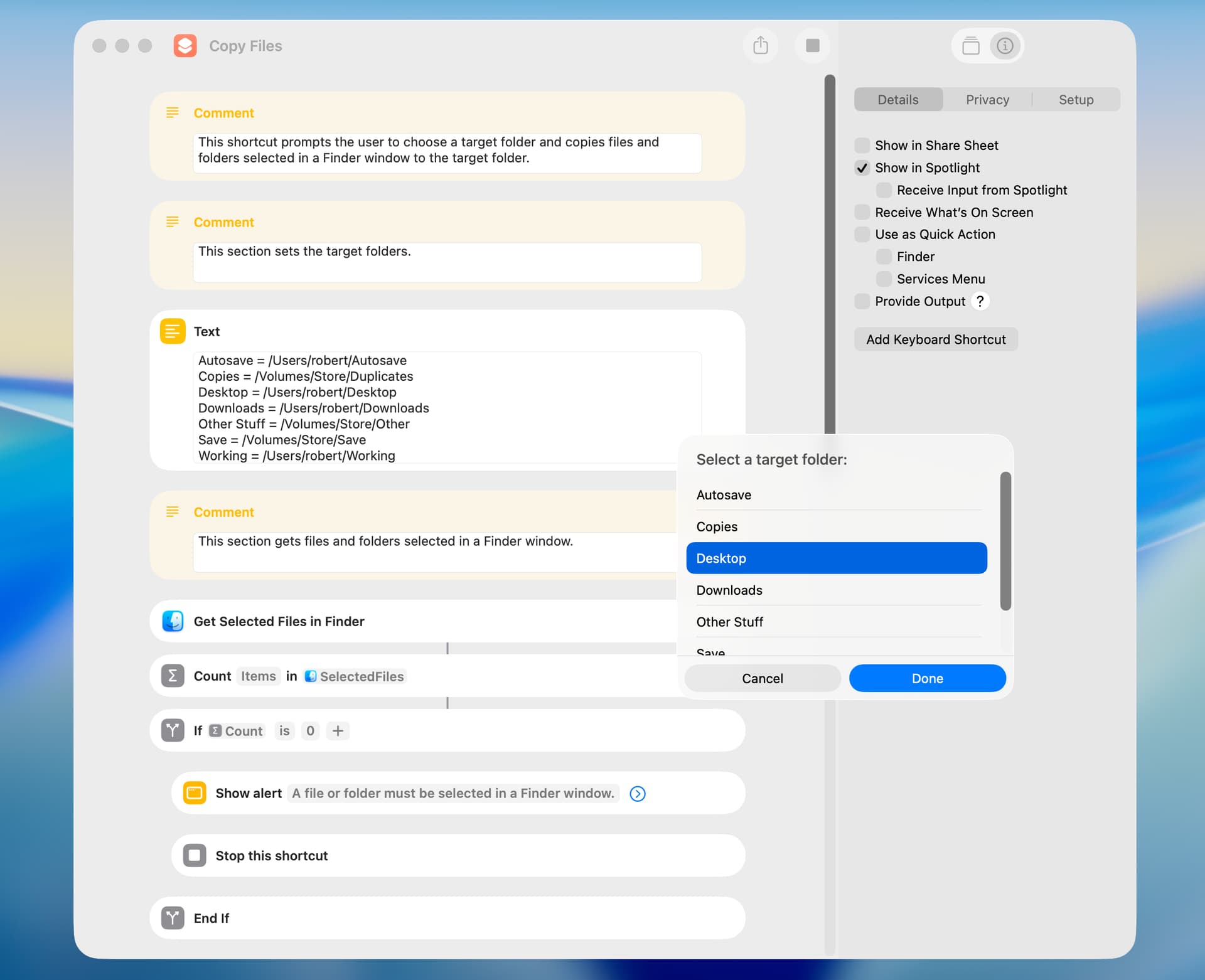
A minor workaround in the Bookmark Copy shortcut is that AppleScript has to be used to coerce the destination folder path to a shortcut folder object. This is done in the background, so the impact is relatively small.
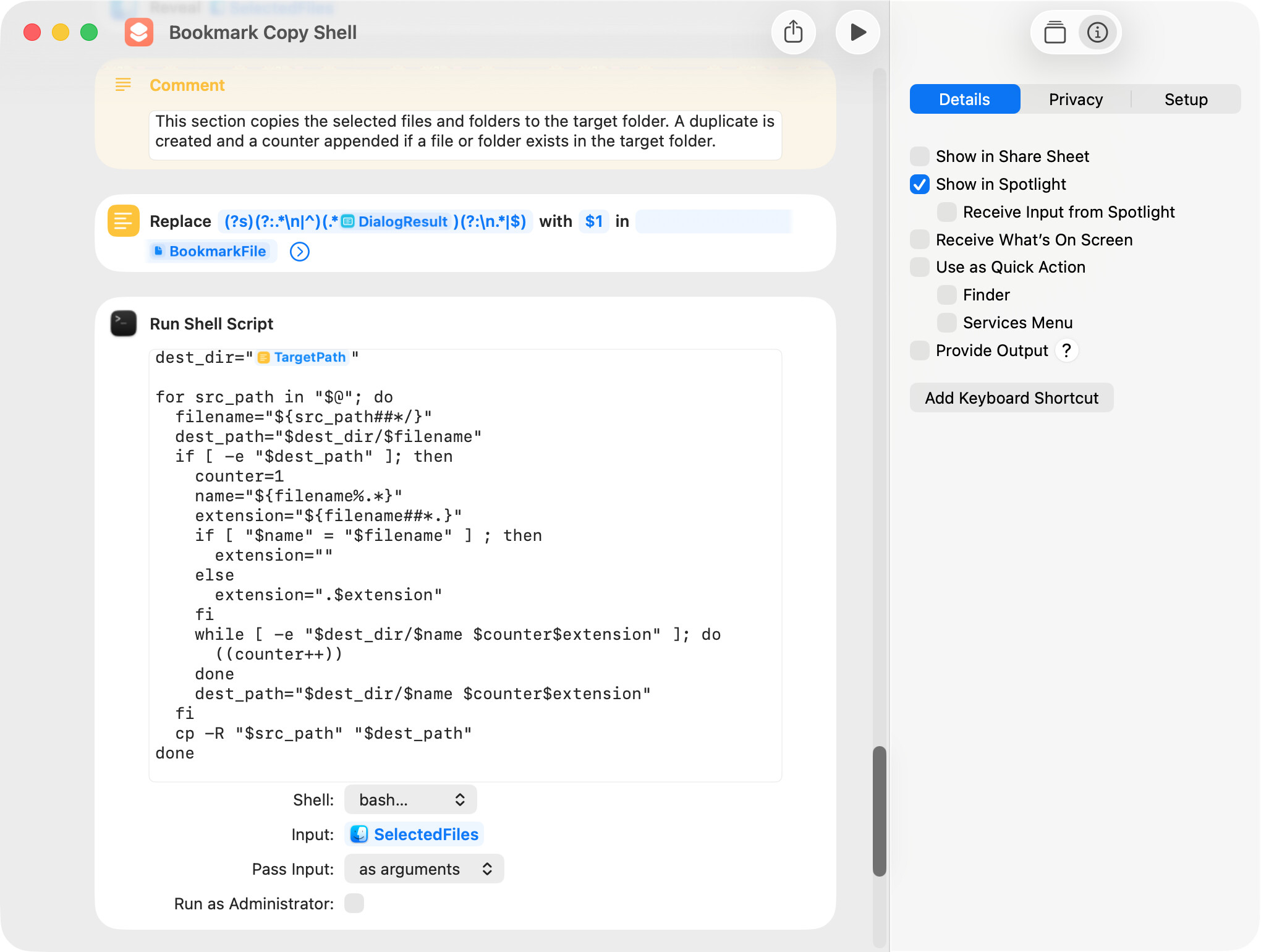
In the following revised shortcut, I used a shell script (primarily from Google AI) to copy files, which made the AppleScript unnecessary. As in the earlier version, a duplicate is created and a counter appended if a file or folder exists in the destination folder.
The following screenshot shows the shell script only.
After running the above shortcut, the Finder window may not have the focus. If this is an issue, one solution is to add open -a Finder at the end of the shell script. In preliminary testing, this seems to work well. A second solution is to use a Reveal Files in Finder action, and to set the Reveal parameter to the SelectedFiles variable. This works well in some instances but not others.
I wanted the File Copy shortcut to prompt the user when an existing file was found in the destination folder, and that’s what the following shortcut does. For various reasons, the shortcut will not copy folders. I needed a 3-button dialog and used the open source swiftDialog app (here).
I’m interested in writing shortcuts for iOS devices, but unfortunately I don’t currently have one. I hope to get an iPad mini before long and will look forward to investigating what can be done with the iOS Shortcuts app.
I understand completely. My windows laptop was the unfortunate recipient of a major virus attack and is down. I think due to my using vs code and Claude as the same day an attack on Claude occurred. So I am hoping it can be resolved but it keeps me from programming my iOS devices remotely.