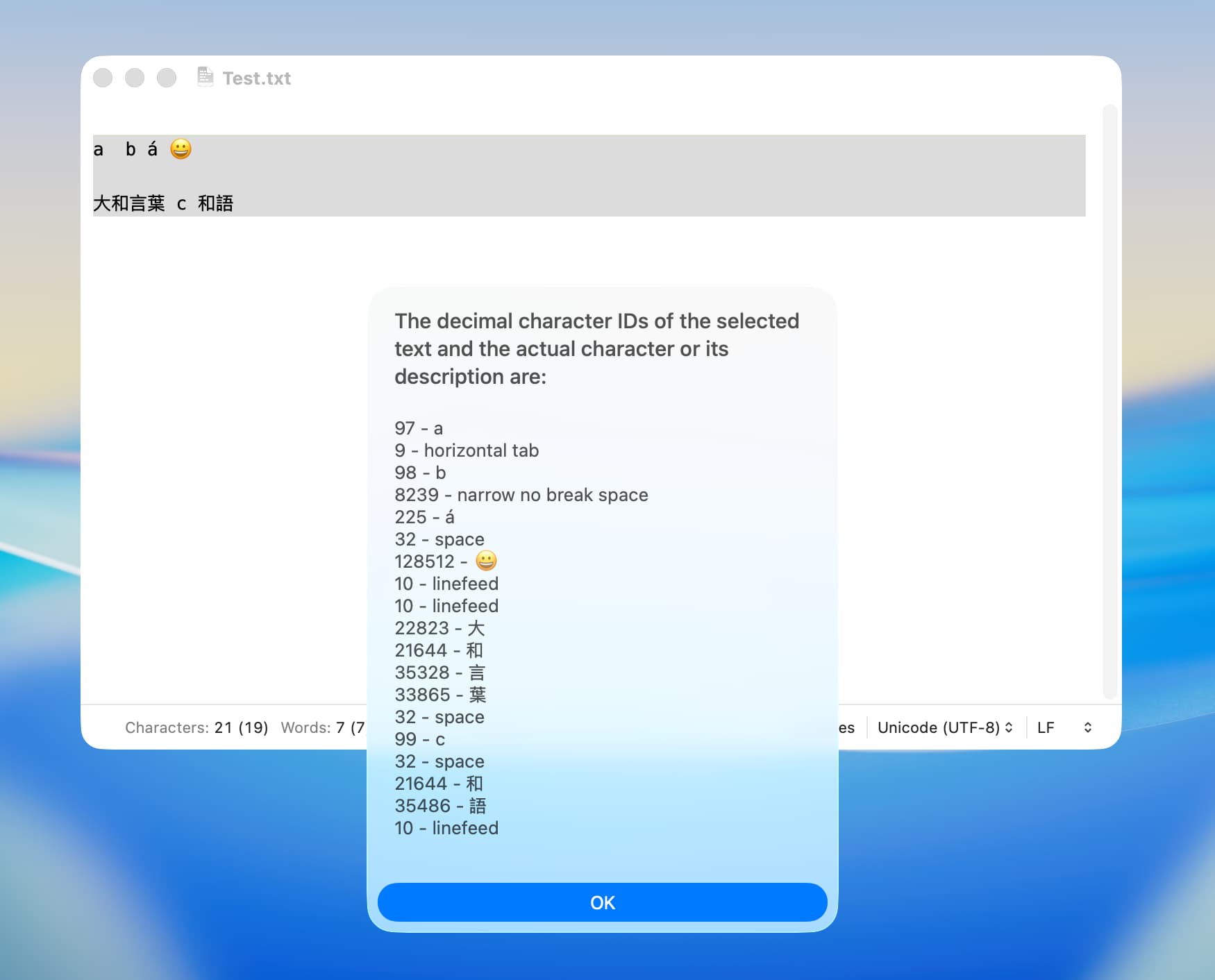
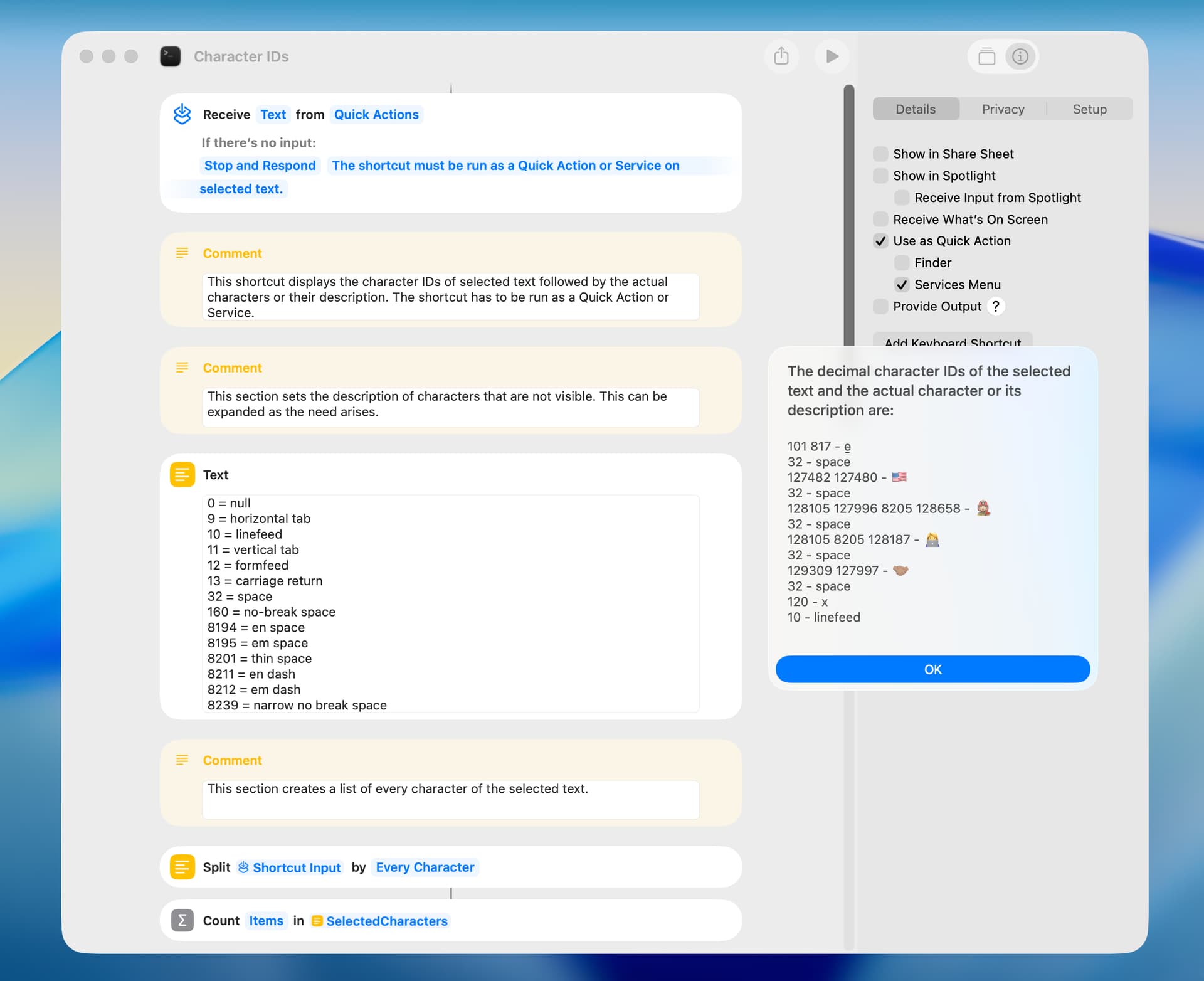
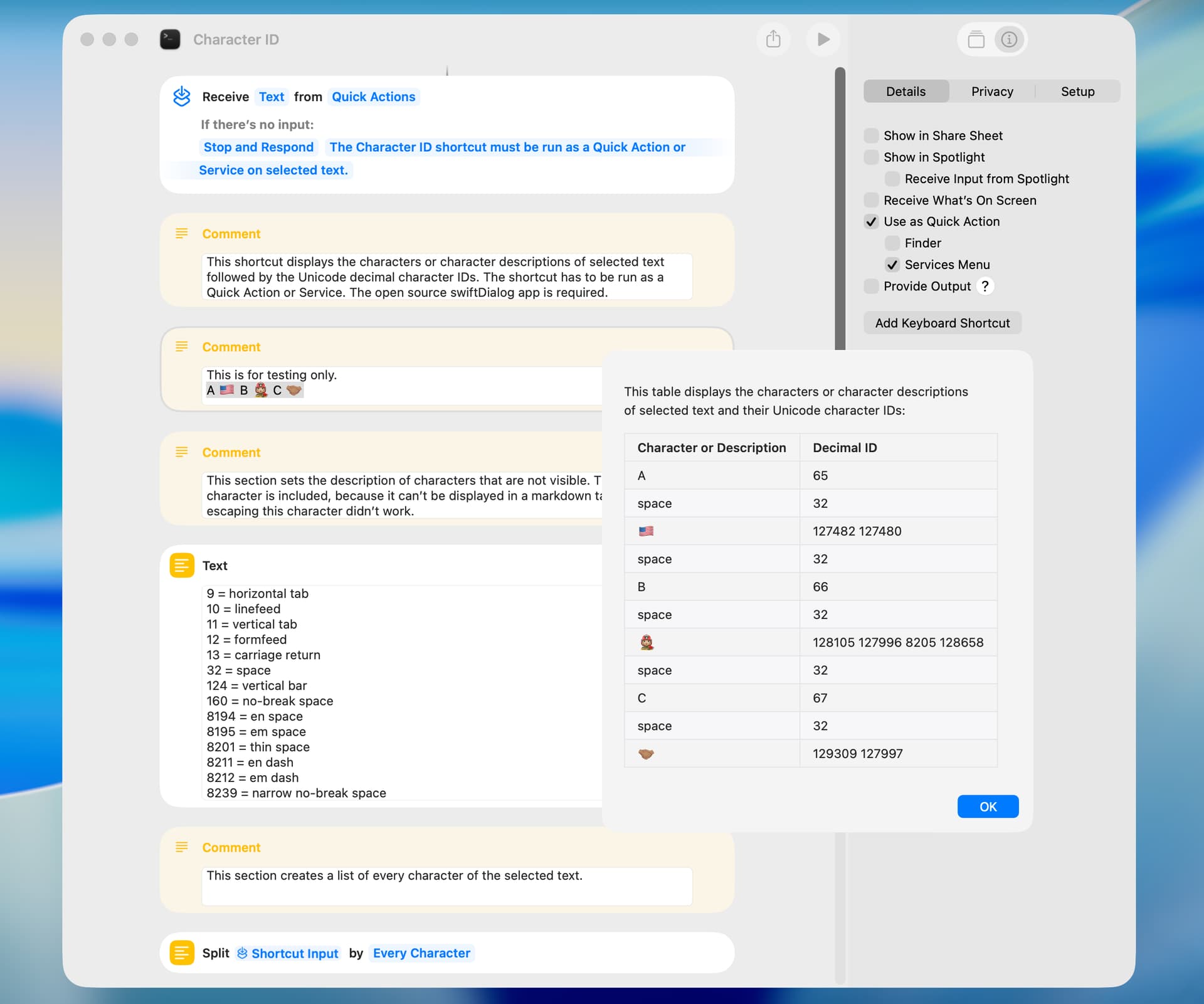
Just as an interesting project, and for occasional use, I wrote a shortcut that displays the decimal ID of characters of selected text followed by the actual character or its description. For example:
The shortcut seems to work with languages other than English, but I can’t be sure.
To reduce execution time, the shortcut creates a list of characters and a list of character IDs. An error is reported if the number of items in these lists are not the same. A more reliable approach would be to get the character IDs with AppleScript (or the shell), and then to get the corresponding character with an AppleScript, but that approach was slow. If things get out of sync it would probably be obvious.
Characters can be composed of multiple code points, and, in that circumstance, I think the character would be decomposed and an equal number of character IDs would be reported, but I’m not sure of that.
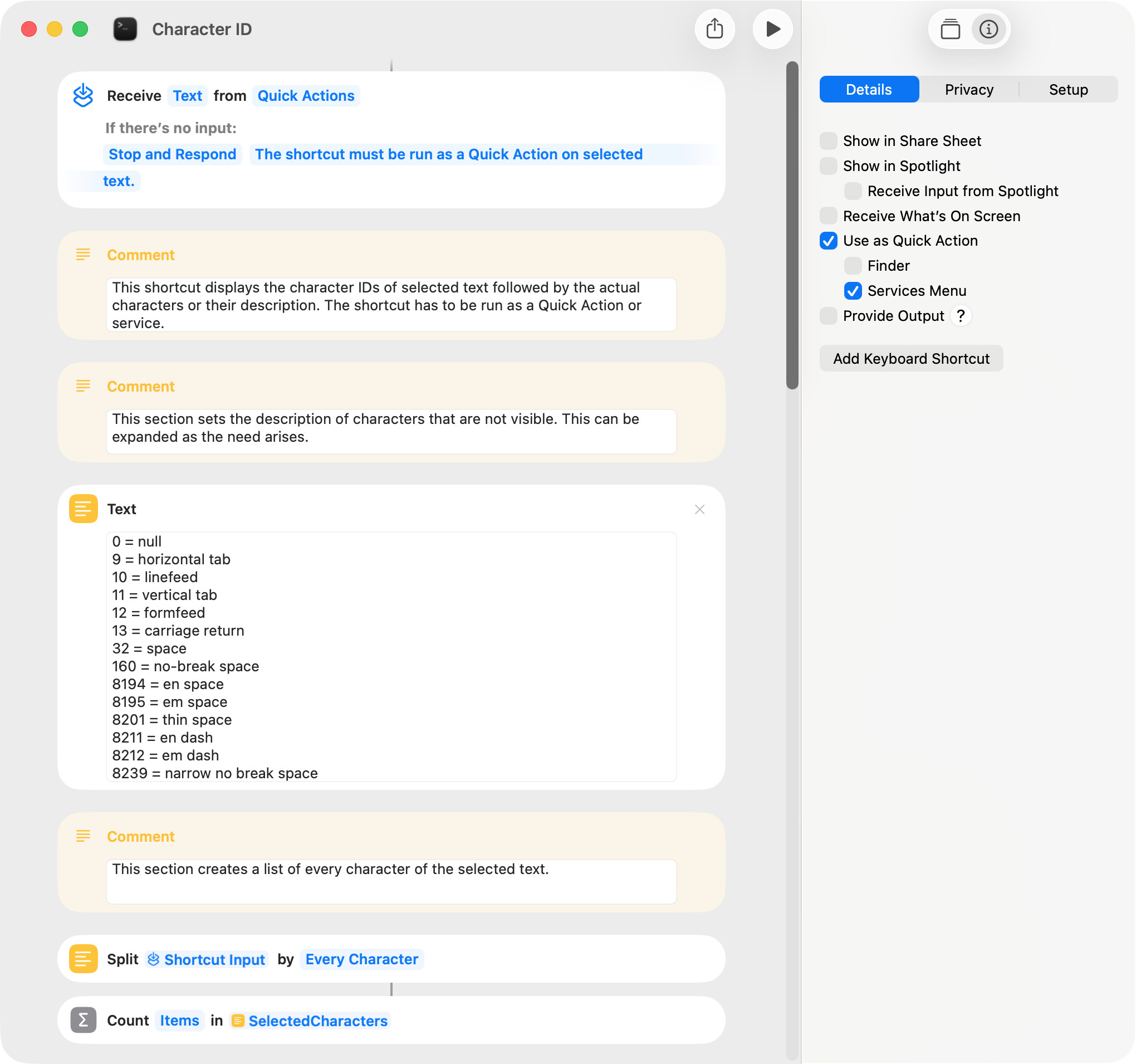
Character descriptions are used when a character is not visible. The list of character descriptions can be expanded when required.
The shortcut gets the character IDs of the selected text by way of AppleScript code run by the osascript shell command in a Run Shell Script action. After testing alternatives, this seemed the best choice.
The following screenshot only shows a potion of the shortcut.
Peavine’s Shortcuts always, always give me new “hints.”
As I have written before, Peavine’s Shortcuts are structured in a way that makes them easy to customize, which encourages me to try various approaches.
For a beginner like me, having a structure that is easy to customize is extremely helpful, because starting from scratch is surprisingly difficult for beginners.
I am truly grateful for that.
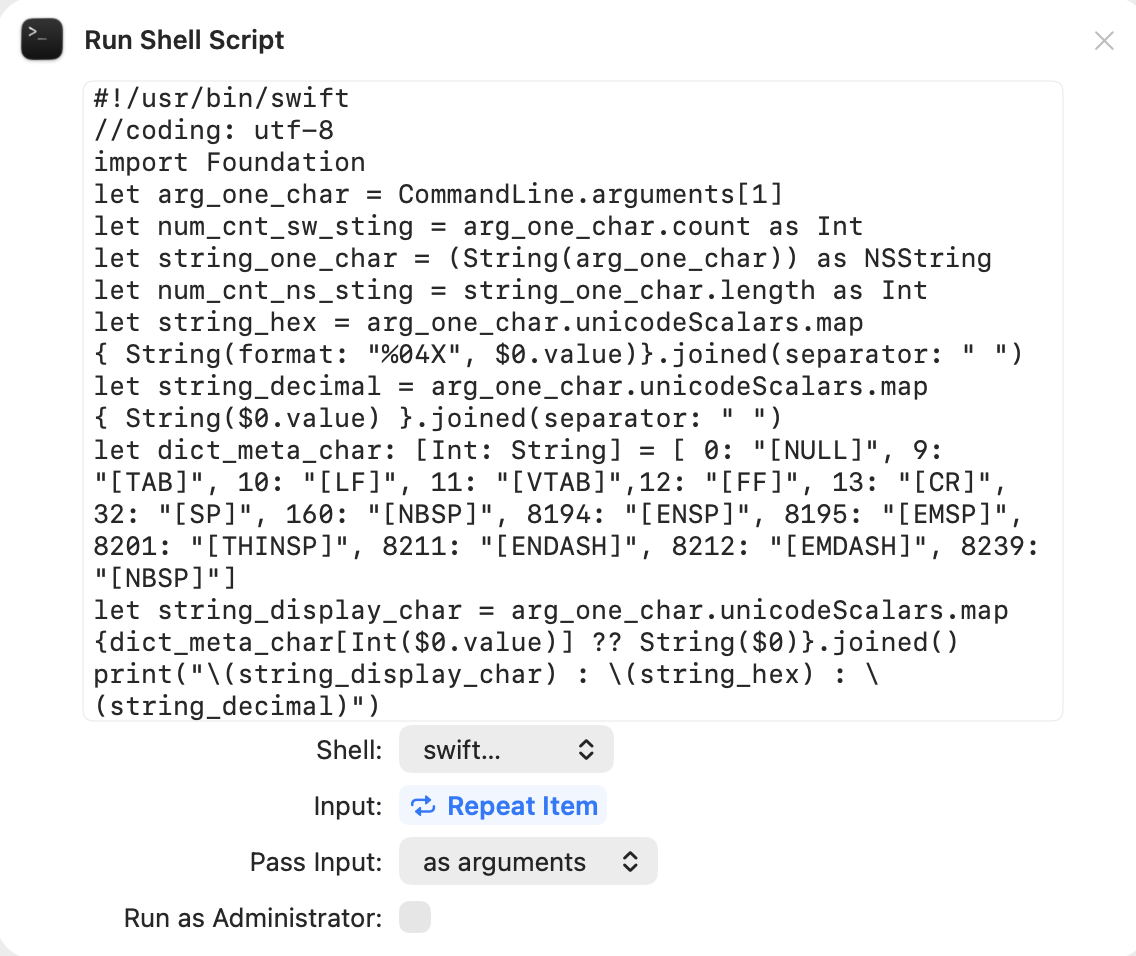
What I felt with this Shortcut is that handling something like a “single character in appearance,” as in this case, might allow for a more versatile approach than processing it with AppleScript.
So I started exploring whether it could be handled in Swift, including tabs and line breaks, but so far I have not been successful.
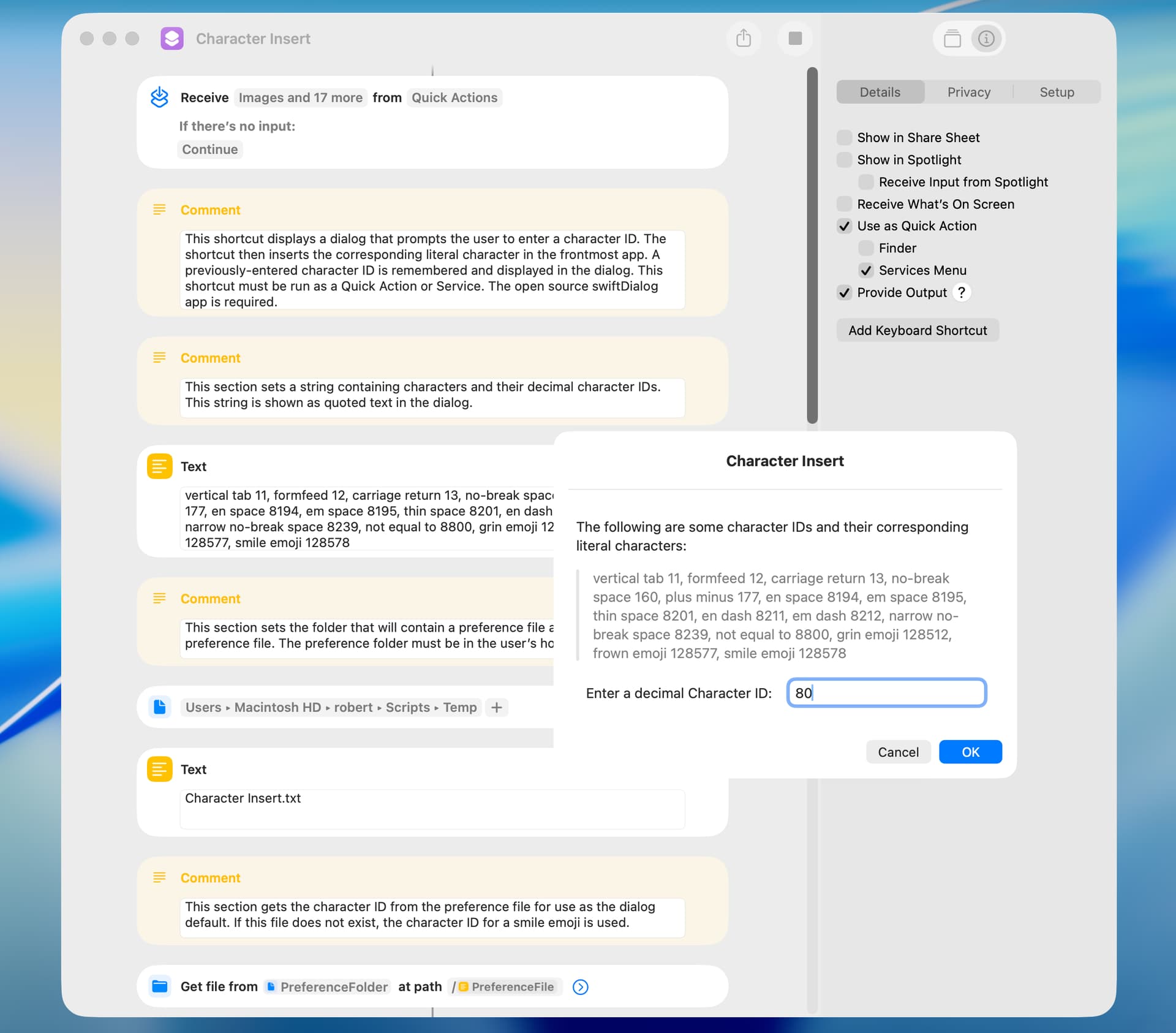
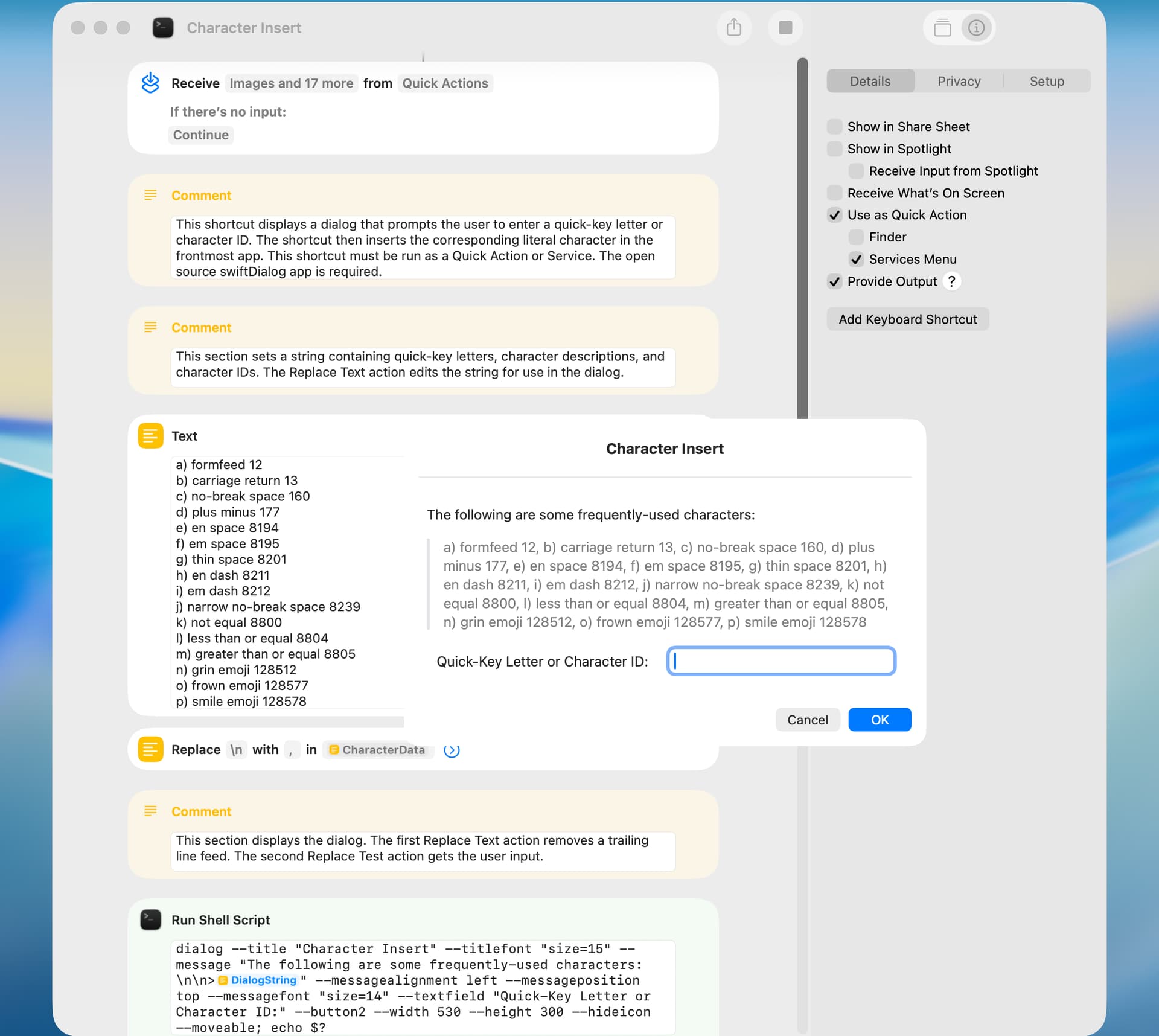
I thought I would write a shortcut that inserts characters in the frontmost app. I looked at various alternatives, and the shortcut included below seemed a good solution for occasional use. A few comments:
The open source swiftDialog app is required.
The shortcut must be run as a Quick Action or Service.
The location of a preference folder must be set at the top of the shortcut.
The shortcut does not receive any input, but it must be set to receive input to work properly.
The following screenshot only shows a portion of the shortcut.
Somehow, I managed to implement a process that can obtain both hexadecimal and decimal values.
However, since the command is executed for each individual character, it is extremely slow.
I am currently trying to convert the input in a single command and return the result as JSON, but this has proven to be quite challenging.
This shortcut is similar to that noted above except that the user can enter a quick-key letter instead of a character ID and the previous dialog entry is not remembered.
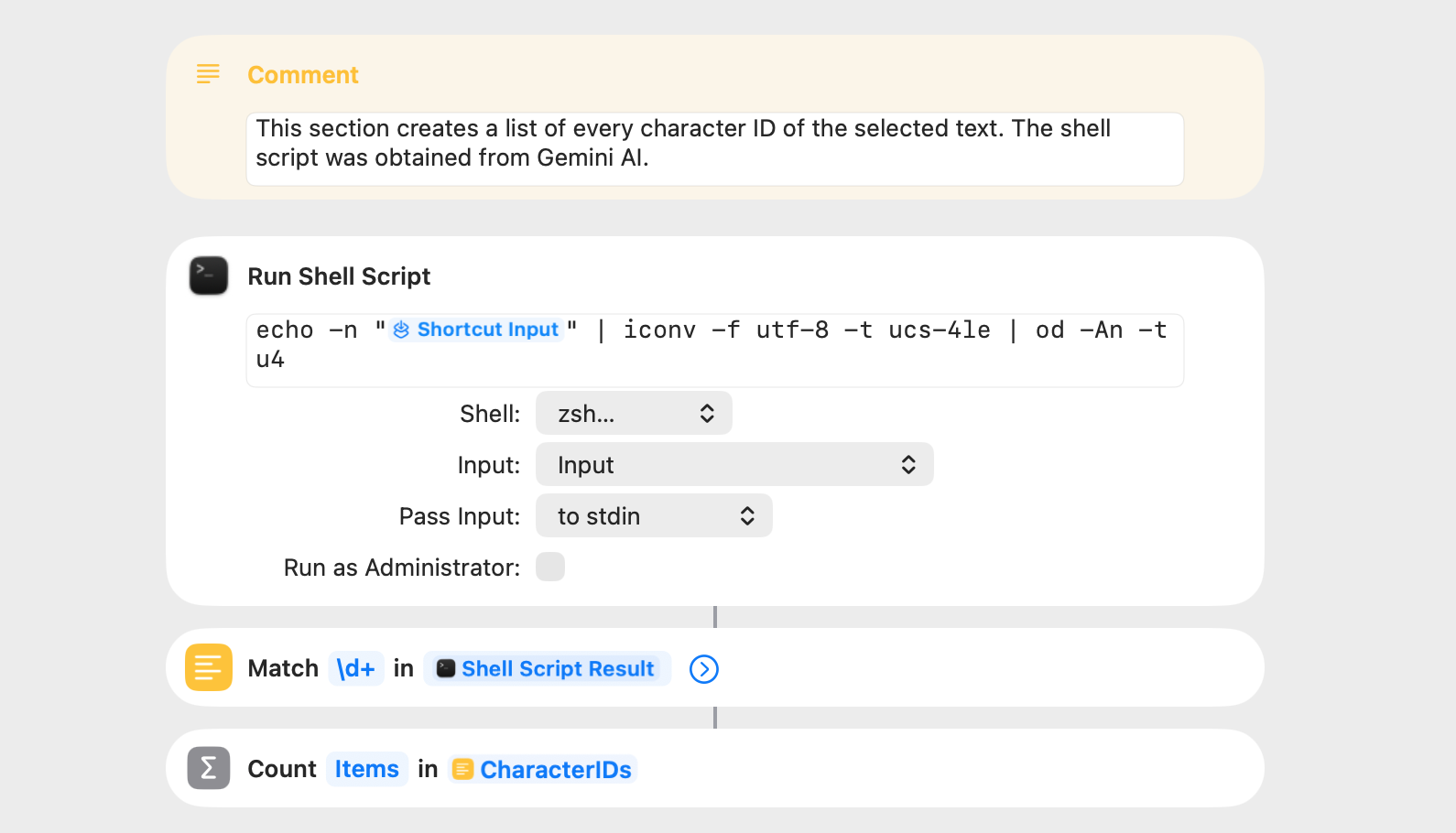
There are shell tools that can do this already. printf can return the codepoint for individual characters. However, the od command-line program can read in from a file or stdin, and convert the input into hex, octal, decimal, and C-escaped classes of (un/signed) bytes, shorts, ints, longs, and doubles. It can also output just named characters.
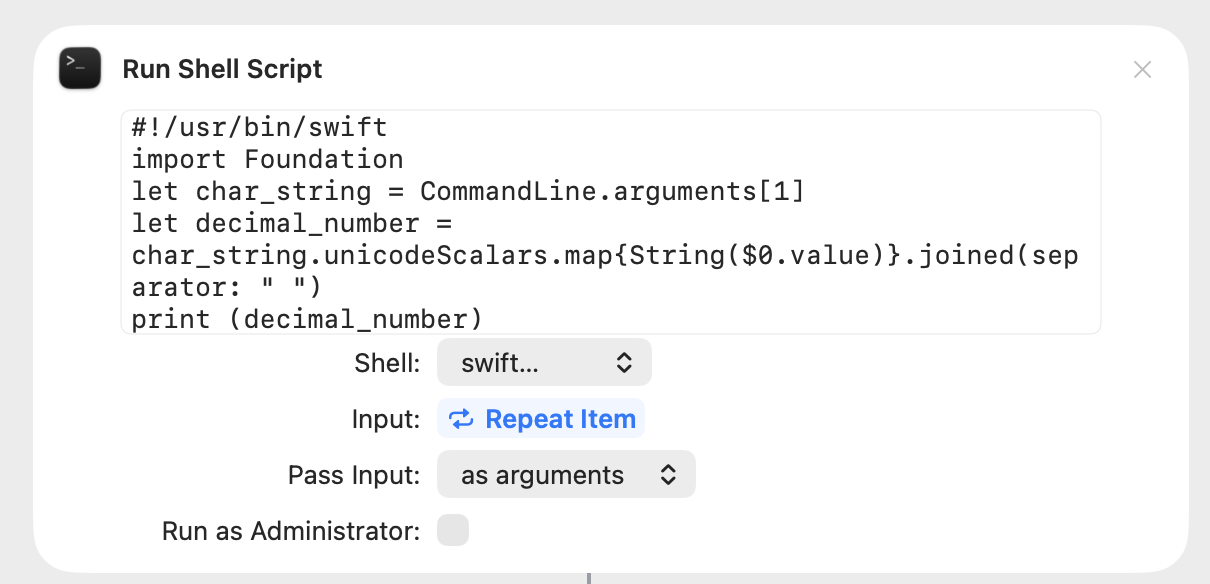
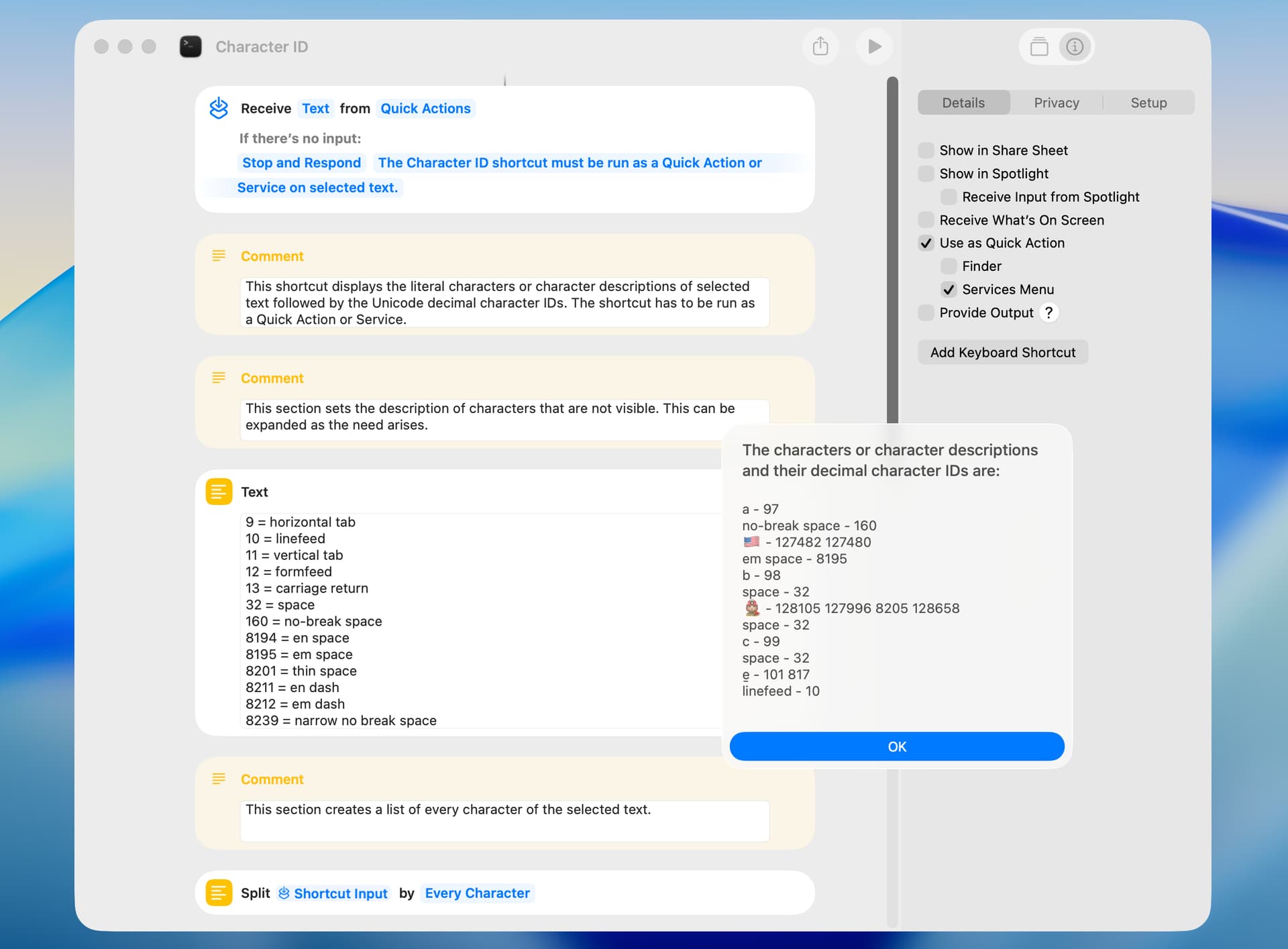
I thought I would give CJK’s suggestion a try. I had no idea how to do this, so I asked and copied a Gemini AI suggestion. This screenshot is of the section that I changed from my earlier shortcut:
I ran a timing test and the earlier version took 330 milliseconds to run and the new version took 300 milliseconds to run. In limited testing, the output of the two shortcuts was the same.
CJK, peavine
you are absolutely right.
At some point, I even found myself wondering
what I was actually trying to achieve…
After that, I gave up on Swift for the moment
and
pulled out an old skill — I’m a bit rusty, but I still have it.
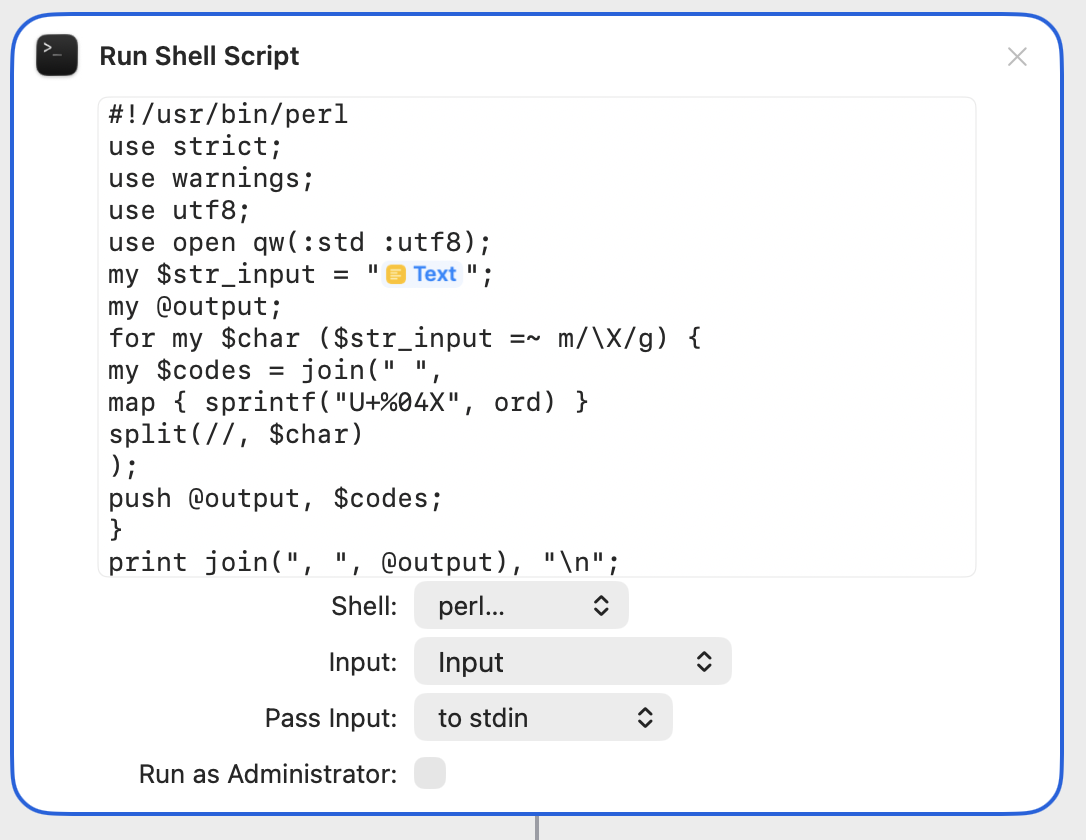
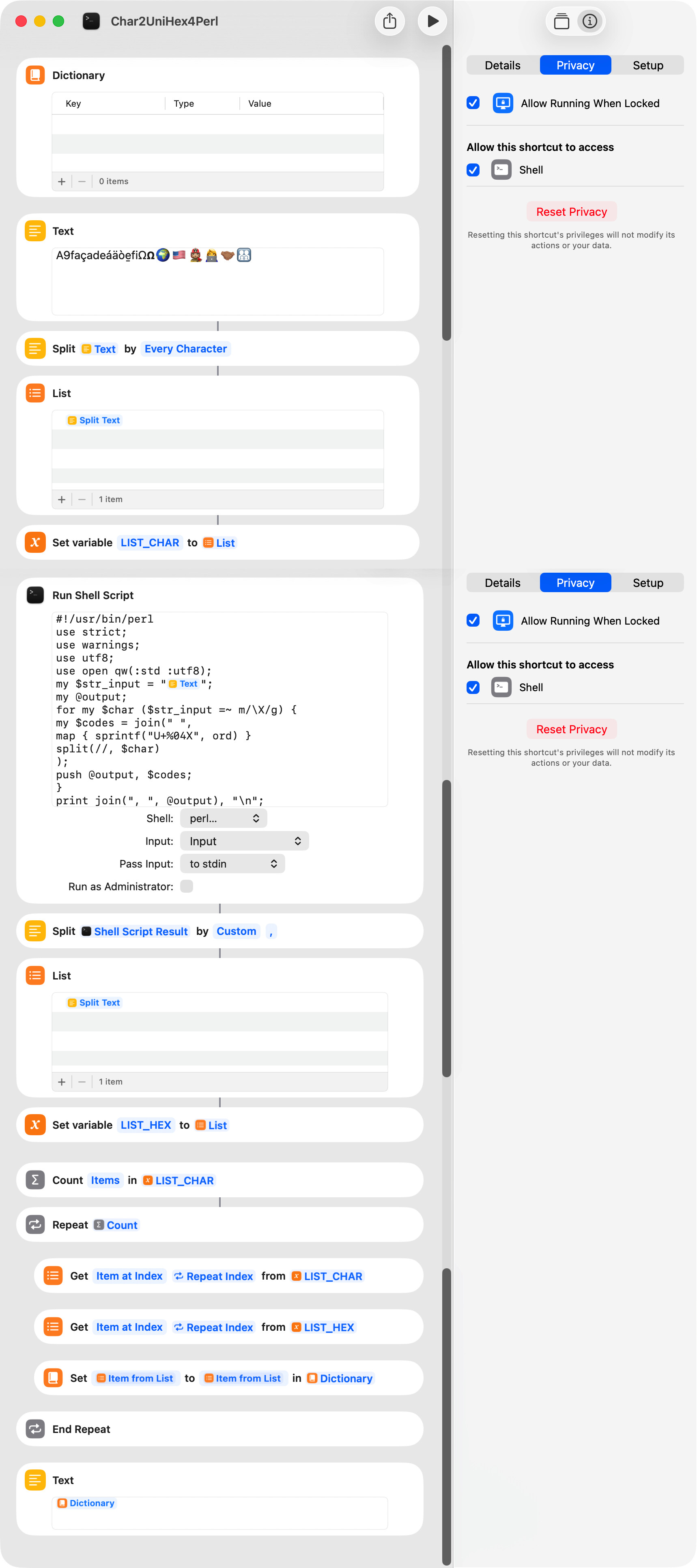
When I processed it in Perl
it turned out to be surprisingly fast…
and that worked quite well.
Some scripts that are cumbersome to escape when written directly inside AppleScript can be pasted as .pl files as-is within Shortcuts, which makes things much easier.
What puzzles me is that when peavine creates something,
it is always so simple, yet
when I try to do the same, it becomes long and verbose.
It makes me a bit discouraged about my own lack of talent…
IceFole. Thanks for the kind words. Thanks also for the perl suggestion.
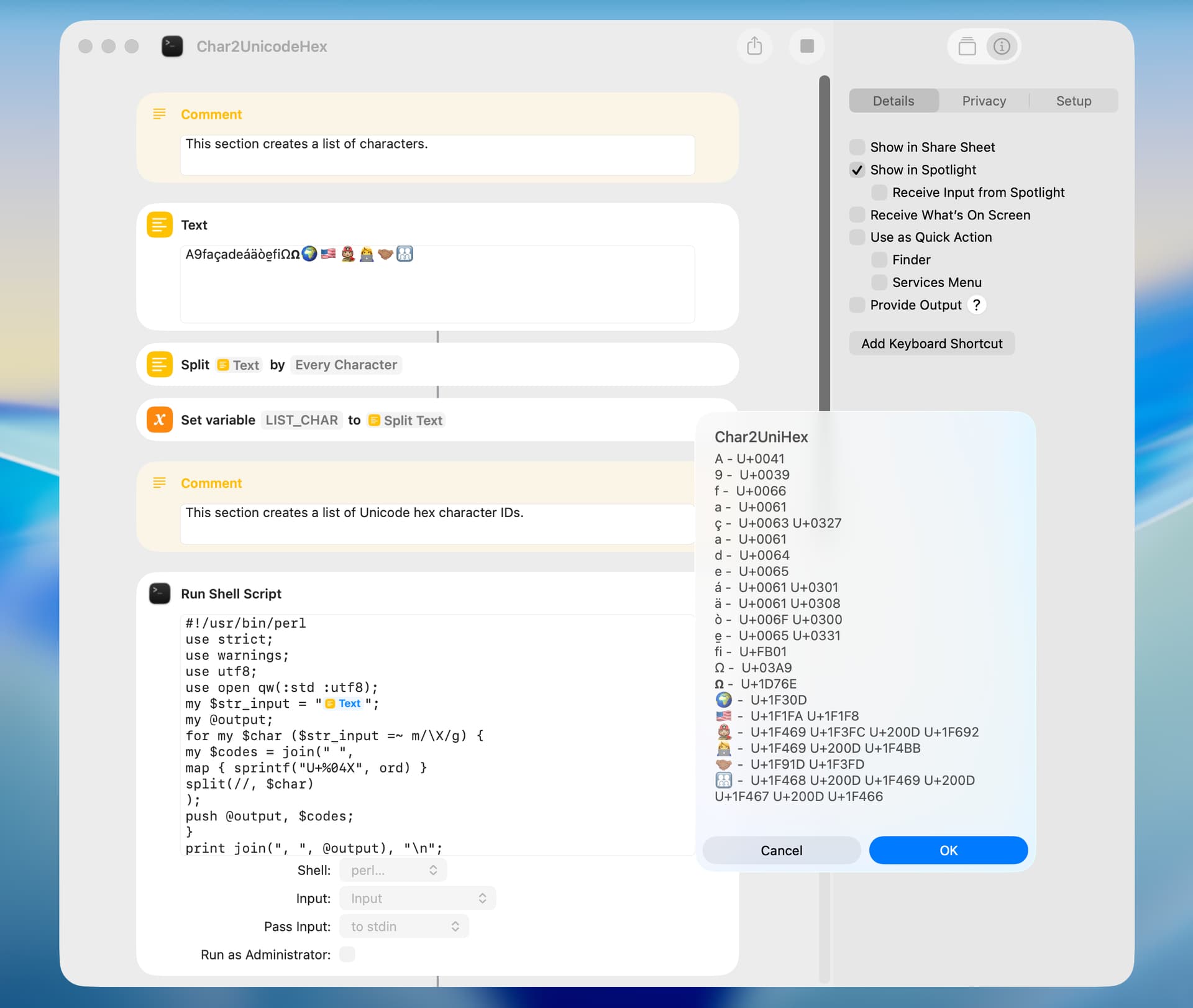
I was interested by the test characters in your shortcut, because six of them return two or more character IDs, which breaks my earlier shortcut. I’ve included a new version below that works with these characters but needs refinement.
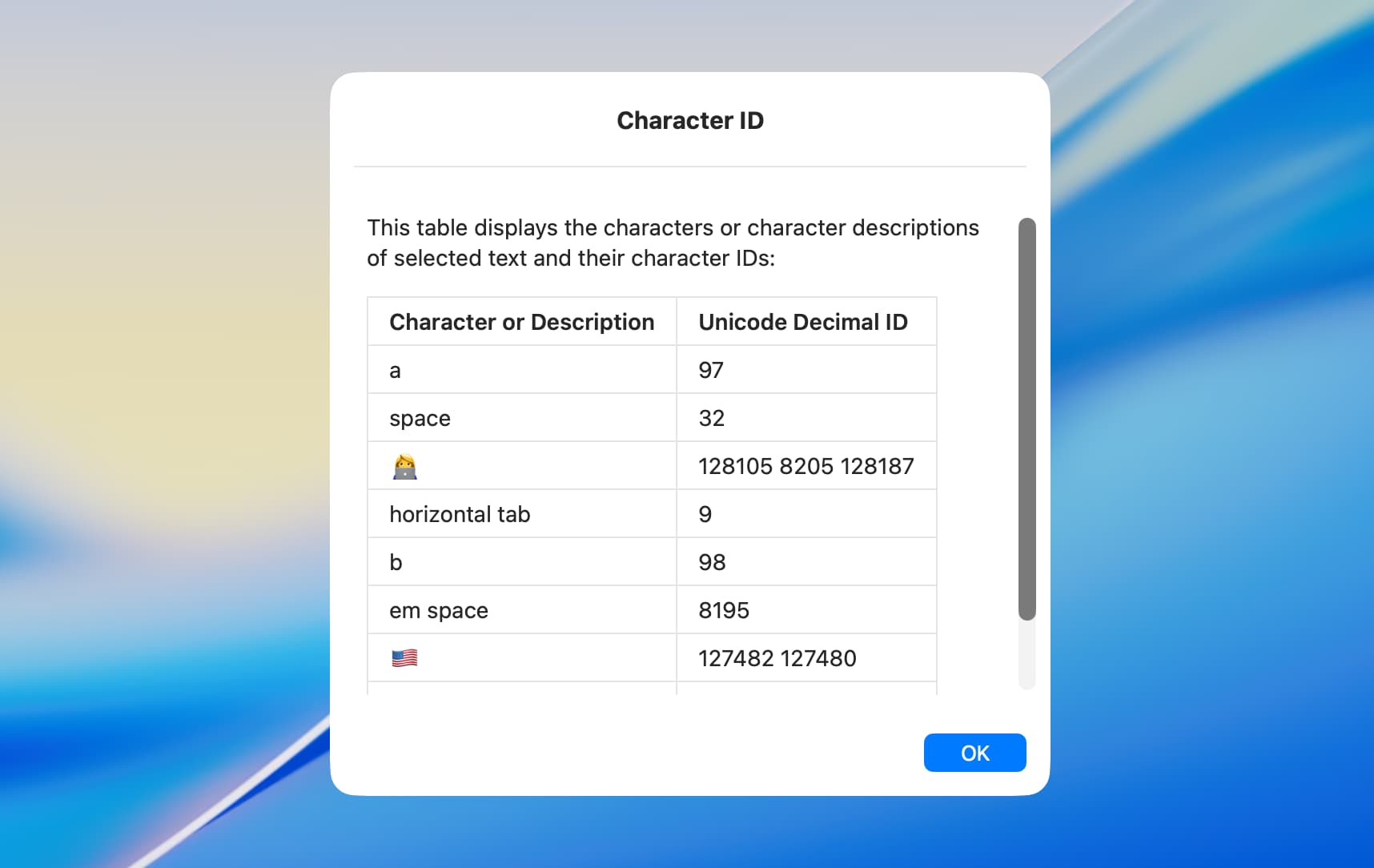
I revised my earlier Character ID shortcut, and the new shortcut uses a Bash script to do all the heavy work. The timing results were 0.35 second for the new shortcut and 0.82 second for the old shortcut. The following screenshot shows a portion of the shortcut and an example dialog.
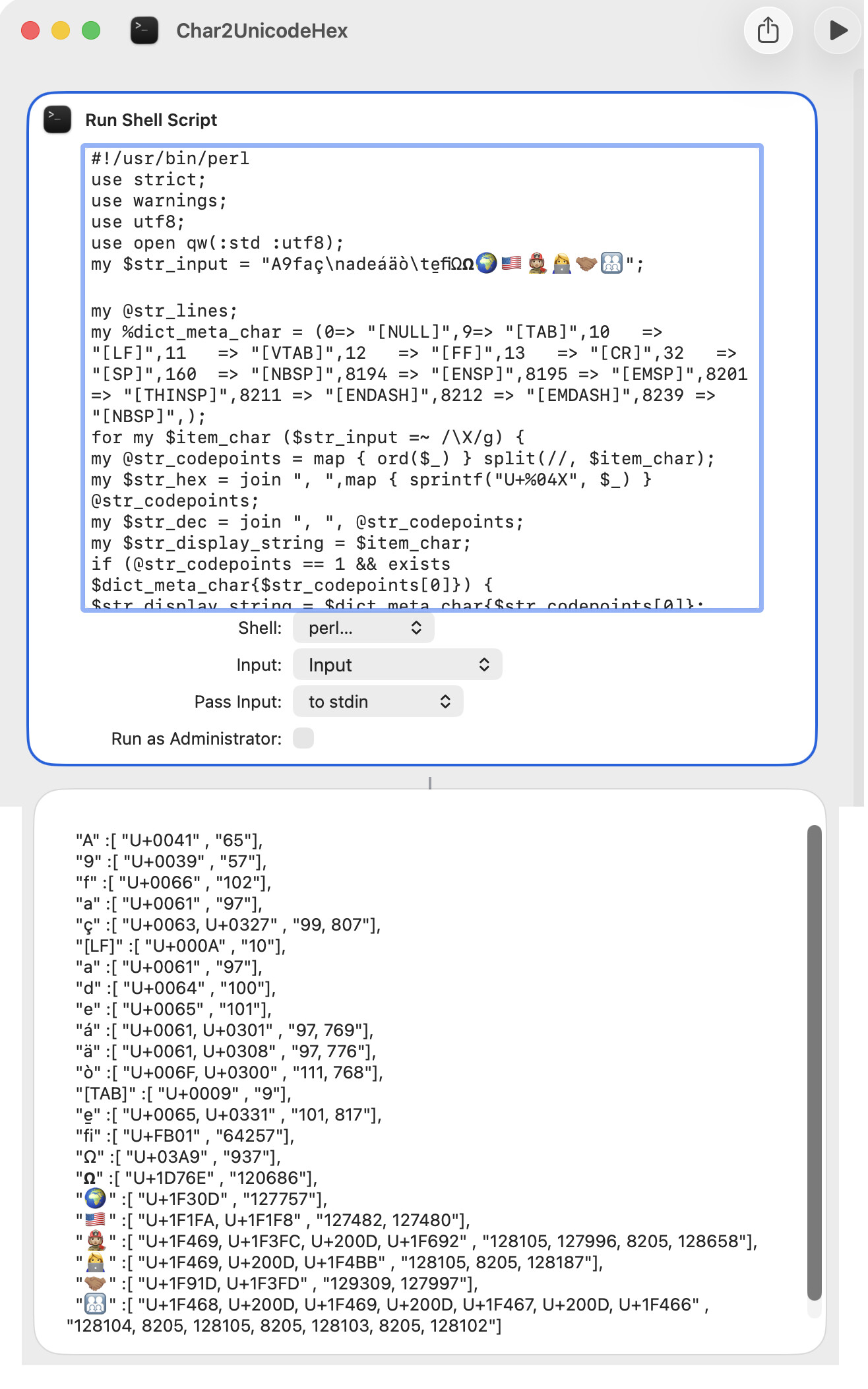
IceFole. I tested your shortcut and it is indeed very fast. An excellent aspect of the perl script is that each item of the returned list contains the ID or the IDs for each character. Just for testing purposes, I made a few minor edits to your shortcut.
Thank you for trying it — I really appreciate it.
I am still struggling a bit with Perl and have not yet made it to Swift, but I feel that I am getting close.
(Yesterday, I was working on this while watching the New York ball drop on YouTube — since here in Japan it takes place in the early afternoon.)
I tried to revise my Character ID shortcut to use the shortcut option to Receive Input from Spotlight but couldn’t get that to work reliably. The following version uses a Quick Action and contains a fix and some cosmetic changes.
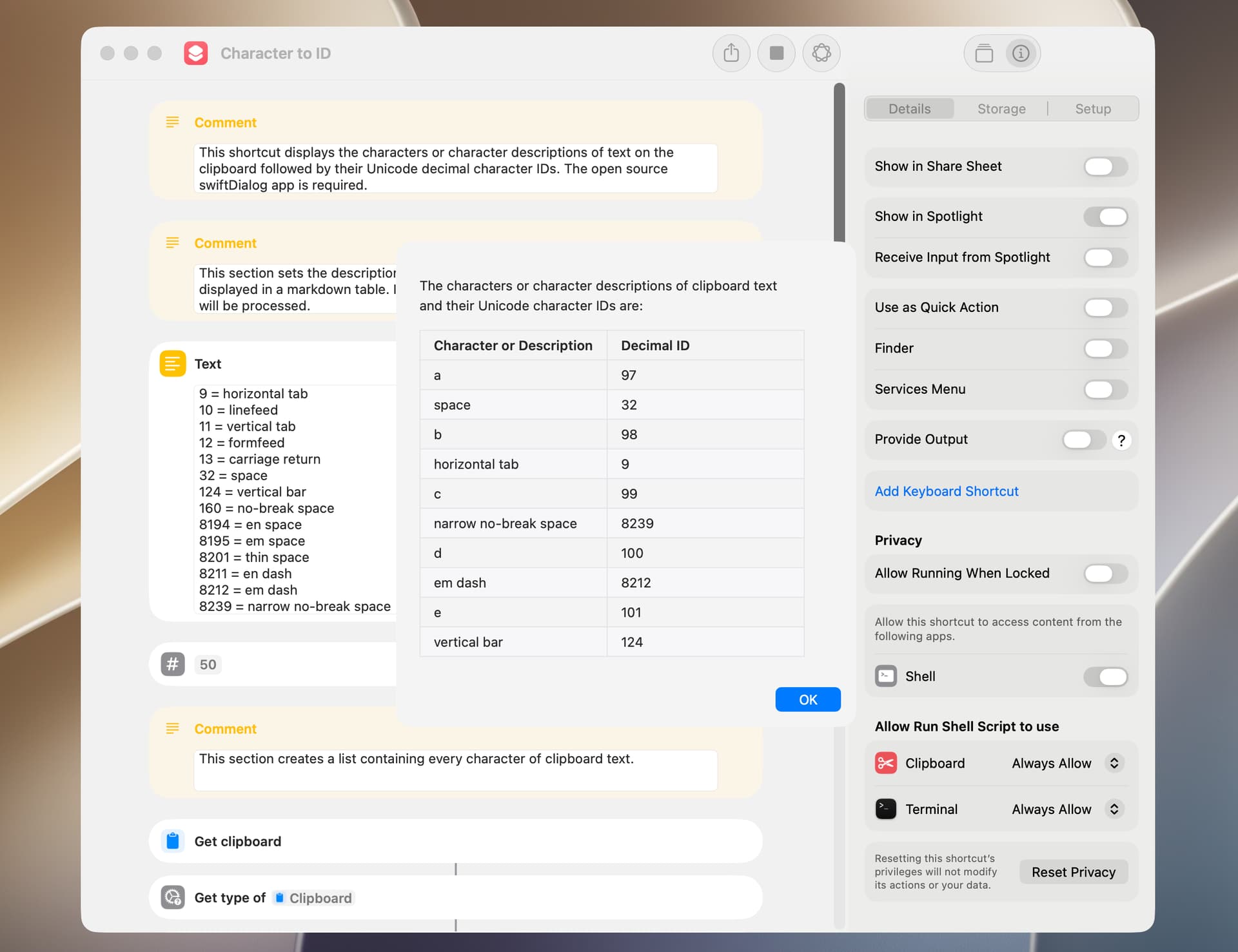
The shortcut included below displays the character IDs of a string on the clipboard. It’s similar to an earlier shortcut that received the string from Quick Action input. The open source swiftDialog app is required.