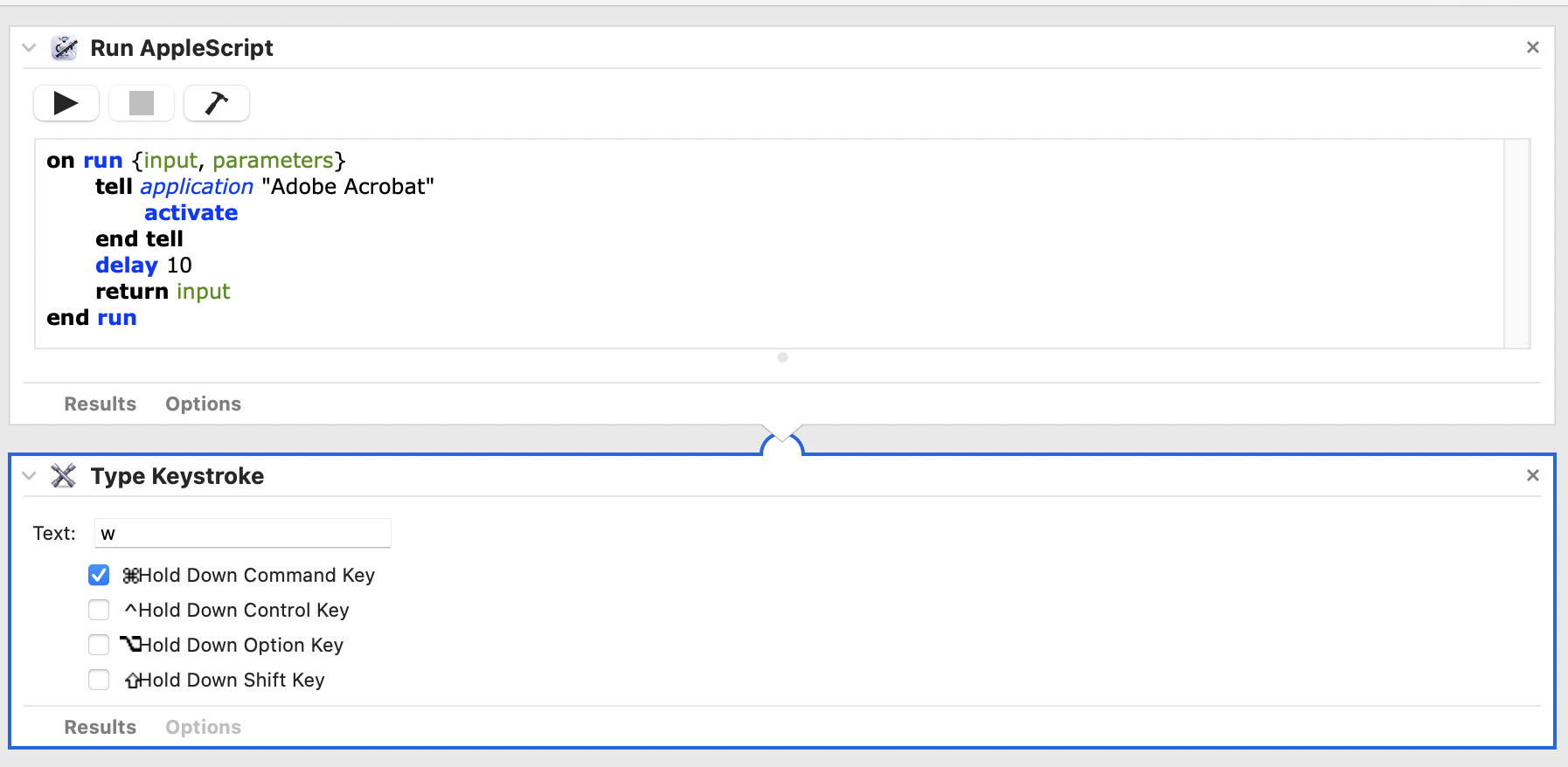
Got an Automator script that closes the main window that comes up when launching Adobe Acrobat Reader.
Adobe Acrobat reader 2025.001.21145
iMac late 2017 running Ventura 13.7.8 (22H730)
Got an Automator script that closes the main window that comes up when launching Adobe Acrobat Reader.
Adobe Acrobat reader 2025.001.21145
iMac late 2017 running Ventura 13.7.8 (22H730)
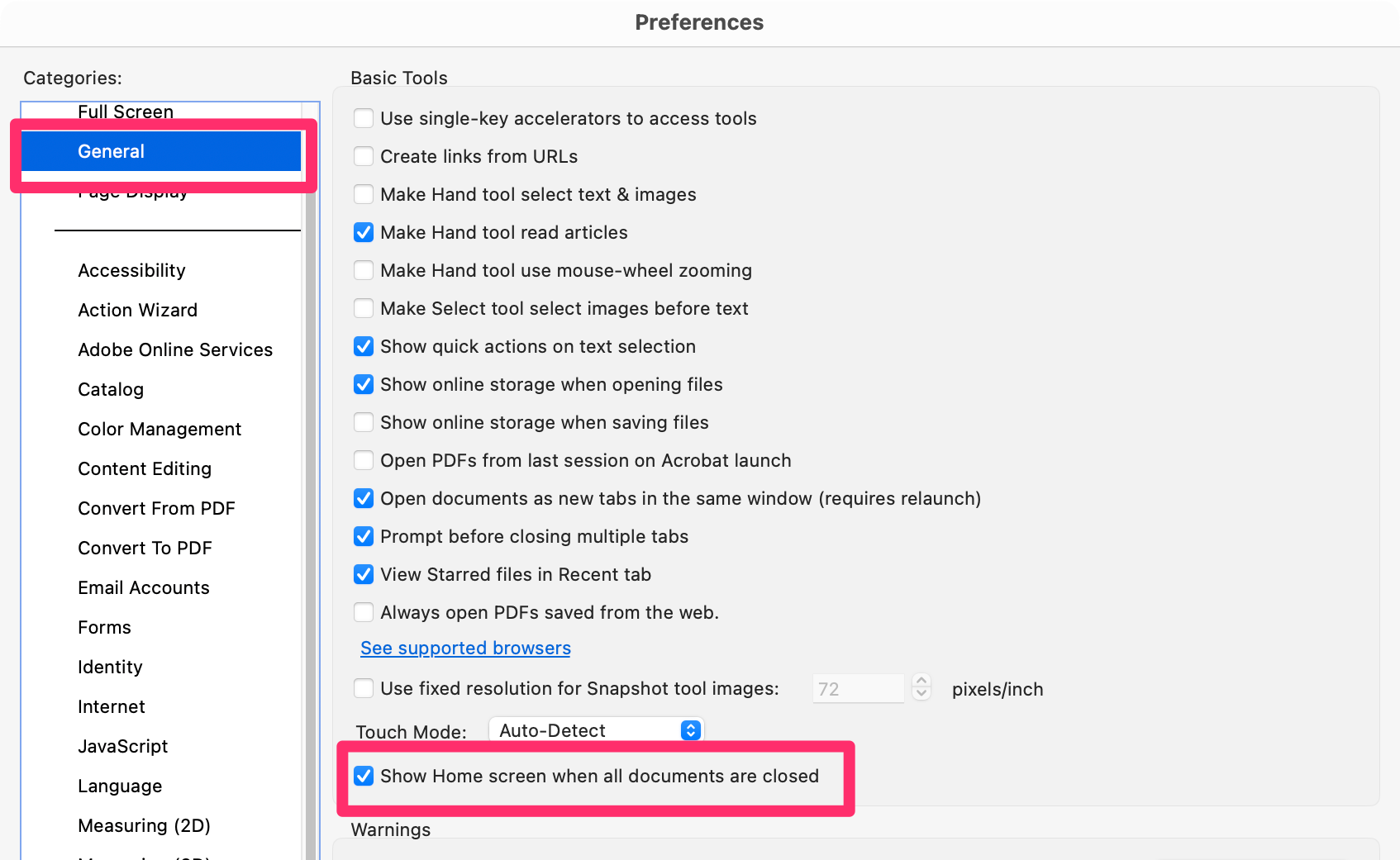
If you are talking about the Home screen, you can hide it in the settings.
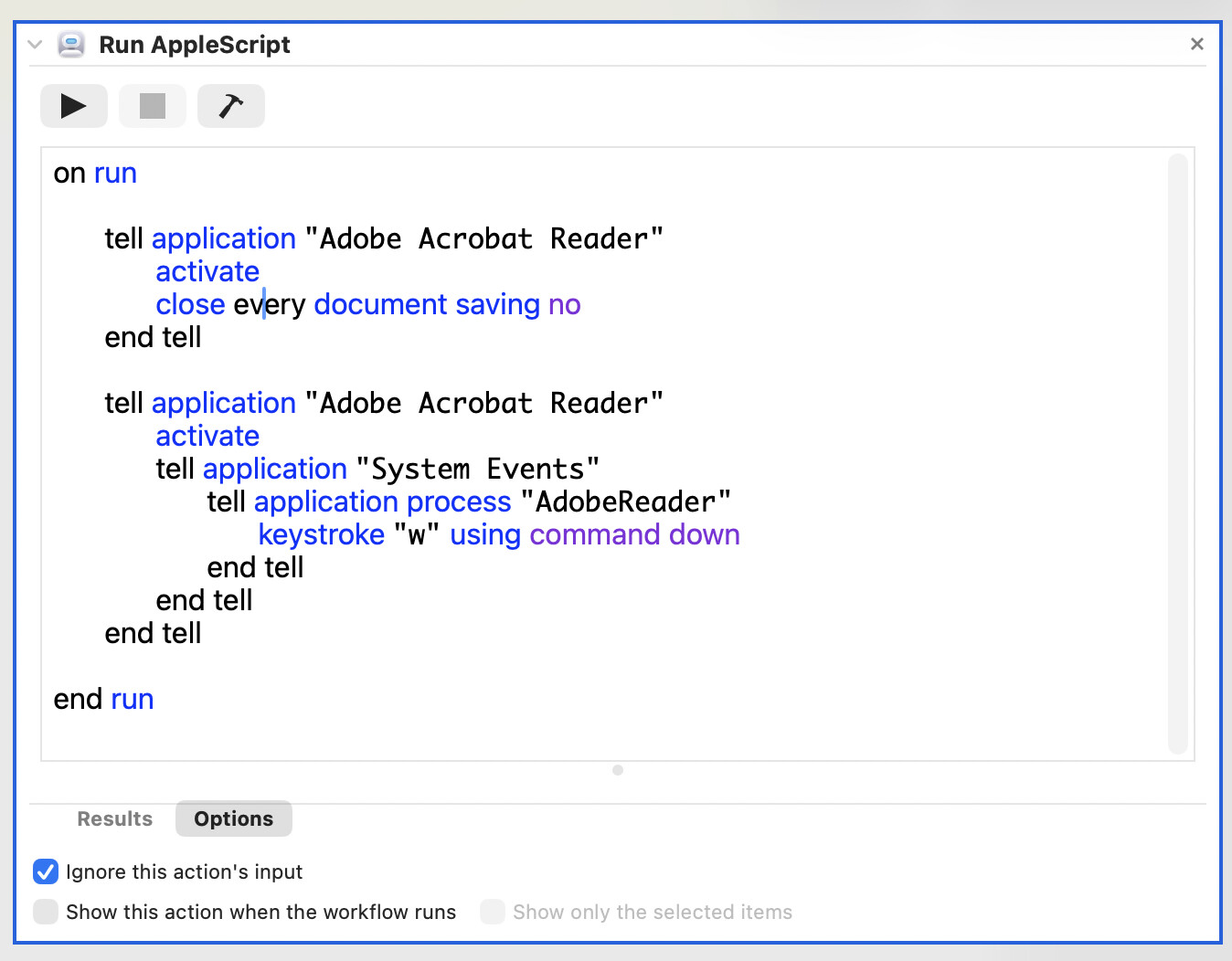
If you want to close the document WINDOW
tell application "Adobe Acrobat Reader"
	activate
	close every document saving no
end tell
or
tell application "Adobe Acrobat Reader"
	try
		do script "app.execMenuItem(\"Close\")"
	end try
end tell
Hopefully this is useful to someone.
when launching Adobe Acrobat
?
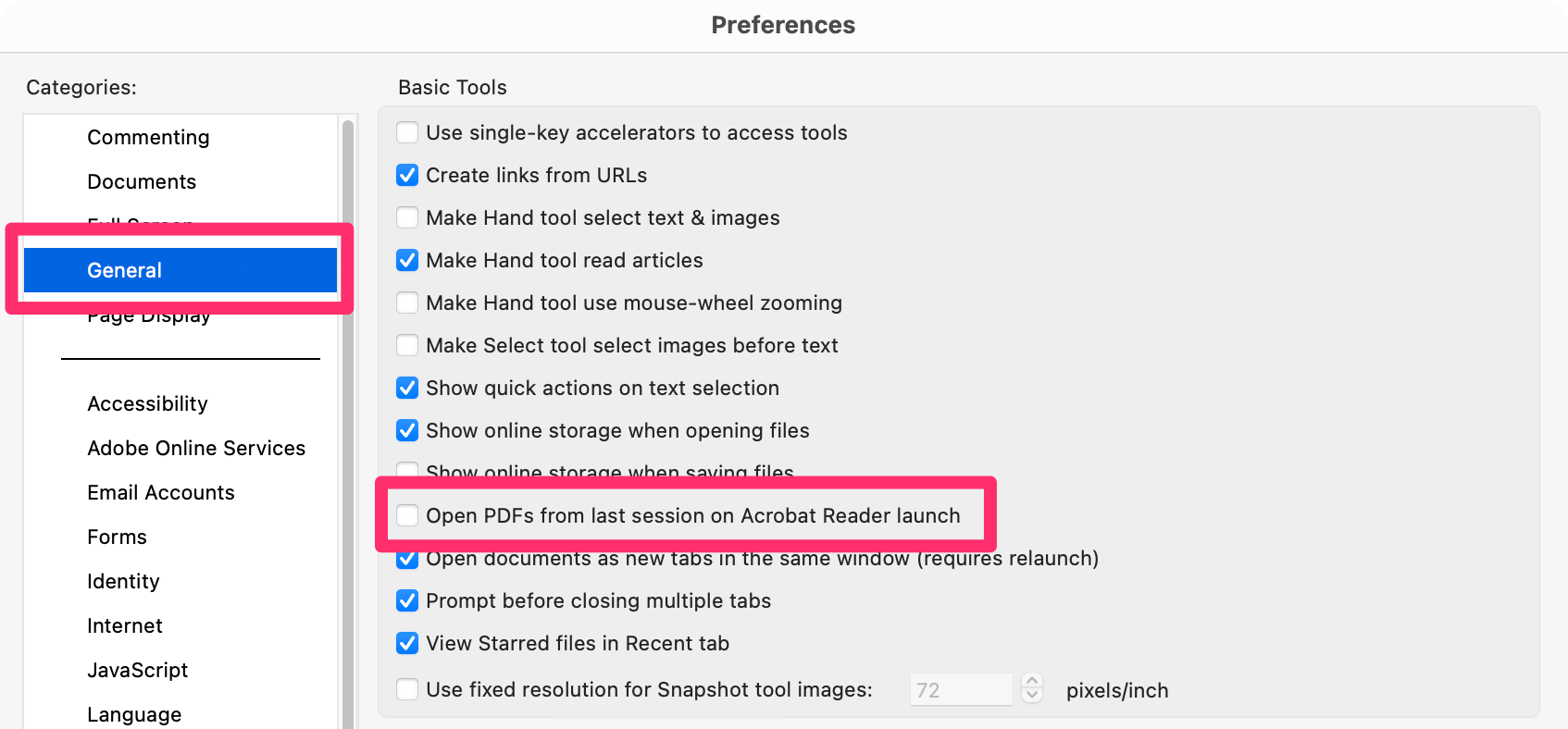
talking about this?
pref:OFF Open PDFs from last session on Acrobat Reader launch
pref:OFF Show Home screen when all documents are closed
Tx for responding. I just tried all 3 suggestions a few times for each and nothing. I don’t know. One would think that it would be a straight forward thing.
I found this script but it closes all windows of every app that’s active.
tell application "Adobe Acrobat" to launch
delay 5
tell application "System Events"
	set visibleApps to every process whose visible is true and name is not "Finder"
	repeat with theApp in visibleApps
		set visible of theApp to false
	end repeat
end tell
Are you using it in full-screen mode?
Ahhh, no. When I launch it, it shows some main screen with a bunch of stuff and window size is about 3/4 size of my desktop display. I just want to get rid of it when it launches.
It bugs me that I can’t easily make an Applescript to get rid of this. Ha
If you run a script like this, what is returned? Note… I’m assuming that the tell command is correct for the app. If not, replace with whatever is correct or nothing will work.
tell application "Adobe Acrobat Reader"
    name of windows
end tell
Then do the same again but substitute name of documents for name of windows.
I don’t have the app so I can’t see for myself. It looks like that window is not a typical document window so I would like to see what Reader calls it.
Worst case scenario, you could probably use UI scripting. Is there a menu item that allows you to close the window?
Hi,
Thanks for the response.
It corrects the applicaton to “Adobe Acrobat”
and I got no results from ‘name of windows’ or ‘name of documents’.
I don’t know… is there something not right with it?
I checked the dictionary and Acrobat Reader has the standard Applescript dictionary.
I downloaded the latest version of Adobe Acrobat Reader.
What happens if you have a standard pdf open? Does it return the name then?
Yea, it returns the name of the open pdf I created.
I’m finding something is going stupid with Acrobat Reader. I double click on a pdf file on my desktop and it won’t open. Acrobat Reader doesn’t even launch now.
I can open Acrobat Reader using that Applescript. But I have to click on my pdf I created in a recent list in that main window. If I try to open my pdf file on my desktop, no go. wth? It opened after about a minute? I cleared the list from that window now. It doesn’t open.
I launched it using that Applescript but no main window now.?! I have to add ‘activate’ to the script.
What a painful app. (sigh)
Interesting but not in a good way. It suggests that this is a type of window that applescript isn’t given access to.
Also, if it is doing what you noted —changing the app name as it did— then that could imply something else.
There are two ‘acrobat’ applications (generally speaking). There is ‘acrobat’ and ‘acrobat reader’. The former does many things, such as creating documents, whereas the latter only allows reading and form filling.
If the system is switching the app name, then it could be that the reader doesn’t support applescript.
Also, I just read your later post (#10) and this could be a by-product of such a situation. Select one of these recent pdfs in the finder and ‘get info’ on it. What is the name of the associated ‘open with’ application? It should also say ‘(default)’.
It’s ‘Adobe Acrobat.app’
Acrobat Reader offers no Window listing, but offers ‘PDF Windows’ when a PDF is open.
tell application "Adobe Acrobat"
	if every PDF Window is {} then
		activate
		tell application "System Events"
			keystroke "w"
		end tell
	end if
end tell
Closes the main navigation / Library window if it, and only it, is open, but I find no direct method to determine if it is. This initial on-launch window is a container for any opened PDF and I think it will simply reappear when your target PDF is opened. I feel that this default window is more open/save/action dialog than window.
Thanks for responding.
Yea, I think it’s their container ‘window’ but not a window that Applescript can just close. But on the other hand, Automator is able to close it. Go figure.
The only way I have found to dismiss the Acrobat Reader default open Recent panel (which is not a document window) is via GUI scripting as there are no items in Acrobat Readers Preferences that actually disable this panel. This closes that front panel and leaves Acrobat Reader the active application in the macOS menu bar. That process name is no typo.
This may or may not be an improvement to Paul Skinner’s submission, which does not work for me with the current (25.1.21223) Acrobat Reader open on Tahoe 26.3, and using Apple’s Script Editor.
use scripting additions

tell application "Adobe Acrobat"
	activate
	tell application "System Events"
		tell process "AdobeAcrobat"
			set frontmost to true
			click menu item "Close Window" of menu "File" of its menu bar
		end tell
	end tell
end tell
return
Tested: macOS Tahoe 26.3