A handy script made with AI help.
(At least, handy in my use case.)
I’ve got a lot of libraries… 18 libraries, totaling thousands of handlers. I forget which handler is in which library and exactly what it’s named and what its arguments are, and waste a lot of time looking for handlers.
So this gets saved as an app, and put on a key command. I use Quicksilver to put it in on a key command so I can restrict the app it’s active in to just Script Debugger.
What the app does:
- Find all Applescript libraries at default locations
- Read them as text with OSA Decompile
- Parse out all the functions
- Open a UI window with live search at the top and a function list below, also presenting the library the handler is from and its arguments in the list
- A bottom window shows the any comment immediately preceding the selected handler in the library, assuming that would be the relevant note on what the handler does.
- The list can be navigated with command + up/down arrow keys. Or if you tab to make the list active instead of search, it can be navigated with arrow keys without command.
- Double-clicking a selection, or hitting command+return, will activate Script Debugger, and insert a call to the selected function at the current cursor point of the front Script Debugger window/tab. Or if there’s a text selection, it replaces it with the function. (Obviously, you can change that to Script Editor with a couple little changes if you like.)
The script just stays open rather than quitting after insertion, because the startup/indexing time gets annoying. When you need to reindex, just relaunch it. It does quit on command + q.
Working great for me. Hope it’s useful to others.
Note that in my environment, my code lives on git as .applescript files, and my linked libraries are all deployed as read-only, so this isn’t my real version. Mine reads the files from git and doesn’t need to use OSA Decompile, so it’s faster on startup. I tested and think I got everything right here for a more standard environment, and removed all my environmental dependencies, but let me know if I missed anything. Or if anyone wants my git version.
--*SaveFiletypes*app*SaveFiletypes*
-- Function Finder: A Spotlight-like search tool for handlers in AppleScript Script Libraries.
-- Scans ~/Library/Script Libraries/ and /Library/Script Libraries/ for .applescript,
-- .scpt, and .scptd files, parses their handlers, and presents a searchable list.
-- Cmd+Return or Double-click inserts selected function's tell statement at the current cursor position in Script Debugger
-- Cmd+Up/Down navigates results.

use AppleScript version "2.3.1"
use scripting additions
use framework "Foundation"
use framework "AppKit"

property allHandlers : missing value
property myWindow : missing value
property myTableView : missing value
property myArrayController : missing value
property myDescriptionLabel : missing value
property windowIsOpen : true

-- Check main thread
if not (current application's NSThread's isMainThread()) as boolean then
	display alert "This script must be run from the main thread." buttons {"Cancel"} as critical
	error number -128
end if

-- Scan standard macOS Script Libraries locations
set libFolders to {}
set userLibFolder to (POSIX path of (path to home folder)) & "Library/Script Libraries"
set systemLibFolder to "/Library/Script Libraries"

try
	do shell script "test -d " & quoted form of userLibFolder
	set end of libFolders to userLibFolder
end try
try
	do shell script "test -d " & quoted form of systemLibFolder
	set end of libFolders to systemLibFolder
end try

if (count of libFolders) is 0 then
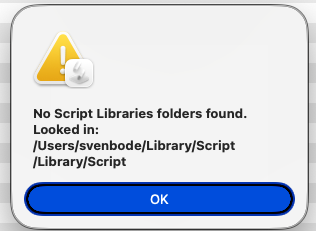
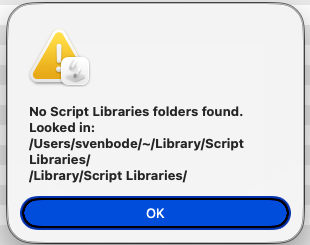
	display alert "No Script Libraries folders found." & linefeed & "Looked in:" & linefeed & userLibFolder & linefeed & systemLibFolder buttons {"OK"} as critical
	error number -128
end if

-- Parse all libraries from all folders
set allHandlers to {}
repeat with libFolder in libFolders
	set allHandlers to allHandlers & parseAllLibraries(libFolder as text)
end repeat

-- Convert to NSArray of NSDictionary for Cocoa bindings
set nsData to current application's NSMutableArray's new()
repeat with h in allHandlers
	set dict to current application's NSMutableDictionary's new()
	(dict's setObject:(handlerName of h) forKey:"functionName")
	(dict's setObject:(libraryName of h) forKey:"libraryName")
	(dict's setObject:(params of h) forKey:"params")
	(dict's setObject:(handlerDescription of h) forKey:"handlerDescription")
	(nsData's addObject:dict)
end repeat

-- Build and show UI
buildUI(nsData)

-- Event loop - delay yields to the Cocoa run loop so UI stays responsive
repeat while windowIsOpen
	delay 0.5
end repeat

---------- HANDLERS ----------

on parseAllLibraries(libFolder)
	set handlerList to {}
	set whitespaceSet to current application's NSCharacterSet's whitespaceCharacterSet()

	-- Collect all library files: .applescript (source), .scpt (compiled), .scptd (bundles)
	set fileList to {}
	try
		set fileList to fileList & paragraphs of (do shell script "ls " & quoted form of libFolder & "/*.applescript 2>/dev/null")
	end try
	try
		set fileList to fileList & paragraphs of (do shell script "ls " & quoted form of libFolder & "/*.scpt 2>/dev/null")
	end try
	try
		set fileList to fileList & paragraphs of (do shell script "ls -d " & quoted form of libFolder & "/*.scptd 2>/dev/null")
	end try

	repeat with filePath in fileList
		set filePath to filePath as text

		-- Determine library name and file extension
		set fileName to do shell script "basename " & quoted form of filePath
		set fileExt to do shell script "echo " & quoted form of fileName & " | sed 's/.*\\./\\./' "
		set libName to do shell script "basename " & quoted form of filePath & " " & quoted form of fileExt

		-- Read source: .applescript files directly, .scpt/.scptd via osadecompile
		set fileSource to missing value
		if fileExt is ".applescript" then
			set fileNSString to (current application's NSString's stringWithContentsOfFile:filePath encoding:(current application's NSUTF8StringEncoding) |error|:(missing value))
			if fileNSString is not missing value then set fileSource to fileNSString as text
		else
			try
				set fileSource to do shell script "osadecompile " & quoted form of filePath & " 2>/dev/null"
			end try
		end if

		if fileSource is missing value or fileSource is "" then
			-- skip unreadable files
		else
			set fileNSString to (current application's NSString's stringWithString:fileSource)
			set fileLines to (fileNSString's componentsSeparatedByCharactersInSet:(current application's NSCharacterSet's newlineCharacterSet())) as list
			set lineCount to count of fileLines

			repeat with i from 1 to lineCount
				set thisLine to item i of fileLines
				if thisLine is missing value then set thisLine to ""
				set thisLine to thisLine as text

				-- Trim leading whitespace
				set trimmedLine to ((current application's NSString's stringWithString:thisLine)'s stringByTrimmingCharactersInSet:whitespaceSet) as text

				-- Check for handler definition
				set handlerKeyword to missing value
				if trimmedLine starts with "on " and (length of trimmedLine) > 3 then
					set handlerKeyword to "on "
				else if trimmedLine starts with "to " and (length of trimmedLine) > 3 then
					set handlerKeyword to "to "
				end if

				if handlerKeyword is not missing value then
					set afterKeyword to text 4 thru -1 of trimmedLine

					-- Skip standard AppleScript event handlers (error, run, idle, quit, reopen)
					set skipWords to {"error", "run", "idle", "quit", "reopen"}
					set shouldSkip to false
					repeat with skipWord in skipWords
						set skipWord to skipWord as text
						if afterKeyword starts with skipWord then
							set wordLen to length of skipWord
							if (length of afterKeyword) is wordLen then
								set shouldSkip to true
								exit repeat
							else
								set nextChar to character (wordLen + 1) of afterKeyword
								if nextChar is in {" ", return, linefeed, tab} then
									set shouldSkip to true
									exit repeat
								end if
							end if
						end if
					end repeat

					-- Also skip ObjC-style callback handlers (e.g. "on colorPicked:")
					if not shouldSkip and afterKeyword does not contain "(" then set shouldSkip to true

					if not shouldSkip then
						-- Extract handler name (text before the parenthesis)
						set funcName to ""
						repeat with c from 1 to length of afterKeyword
							set ch to character c of afterKeyword
							if ch is "(" then exit repeat
							set funcName to funcName & ch
						end repeat

						-- Trim the handler name
						set funcName to ((current application's NSString's stringWithString:funcName)'s stringByTrimmingCharactersInSet:whitespaceSet) as text

						if funcName is not "" then
							-- Extract parameters (text between outermost parentheses)
							set paramStr to ""
							set inParen to false
							set parenDepth to 0
							repeat with c from 1 to length of afterKeyword
								set ch to character c of afterKeyword
								if ch is "(" then
									set parenDepth to parenDepth + 1
									if parenDepth > 1 then set paramStr to paramStr & ch
									set inParen to true
								else if ch is ")" then
									set parenDepth to parenDepth - 1
									if parenDepth > 0 then
										set paramStr to paramStr & ch
									else
										exit repeat
									end if
								else if inParen then
									set paramStr to paramStr & ch
								end if
							end repeat

							-- Look backward for preceding comment lines
							set descLines to {}
							repeat with j from (i - 1) to 1 by -1
								set prevLine to item j of fileLines
								if prevLine is missing value then exit repeat
								set prevLine to prevLine as text
								set trimmedPrev to ((current application's NSString's stringWithString:prevLine)'s stringByTrimmingCharactersInSet:whitespaceSet) as text

								if trimmedPrev is "" then
									exit repeat -- blank line stops collection
								else if trimmedPrev starts with "--" then
									-- Skip section dividers (lines of only dashes, equals, asterisks, etc.)
									set commentBody to ""
									if (length of trimmedPrev) > 2 then set commentBody to text 3 thru -1 of trimmedPrev
									set isDivider to true
									if commentBody is not "" then
										repeat with cc from 1 to length of commentBody
											set cch to character cc of commentBody
											if cch is not in {"-", "=", "*", " ", tab, "~"} then
												set isDivider to false
												exit repeat
											end if
										end repeat
									else
										set isDivider to true -- bare "--" is a divider
									end if
									if not isDivider then
										set beginning of descLines to trimmedPrev
									else
										exit repeat
									end if
								else
									exit repeat -- non-comment line stops collection
								end if
							end repeat

							-- Build description from collected comment lines
							set descText to ""
							repeat with dLine in descLines
								if descText is not "" then set descText to descText & linefeed
								set descText to descText & (dLine as text)
							end repeat

							-- Also capture inline comment on the handler line itself (after closing paren)
							set afterParen to ""
							set foundClose to false
							repeat with c from 1 to length of afterKeyword
								if foundClose then
									set afterParen to afterParen & character c of afterKeyword
								else if character c of afterKeyword is ")" then
									set foundClose to true
								end if
							end repeat
							if afterParen contains "--" then
								set dashPos to offset of "--" in afterParen
								set inlineComment to text dashPos thru -1 of afterParen
								if descText is not "" then
									set descText to inlineComment & linefeed & descText
								else
									set descText to inlineComment
								end if
							end if

							set end of handlerList to {handlerName:funcName, params:paramStr, libraryName:libName, handlerDescription:descText}
						end if
					end if
				end if
			end repeat
		end if
	end repeat

	return handlerList
end parseAllLibraries

on buildUI(nsData)
	set panelWidth to 800
	set panelHeight to 550

	-- Array controller manages data, sorting, and filtering for the table
	set myArrayController to current application's NSArrayController's alloc()'s init()
	myArrayController's setContent:nsData
	set sortDesc to current application's NSSortDescriptor's sortDescriptorWithKey:"functionName" ascending:true selector:"caseInsensitiveCompare:"
	myArrayController's setSortDescriptors:{sortDesc}

	-- Utility panel (floating, thin title bar)
	set styleMask to 1 + 2 + 8 + 16 -- titled + closable + resizable + utility
	set myWindow to current application's NSPanel's alloc()'s initWithContentRect:{{200, 200}, {panelWidth, panelHeight}} styleMask:styleMask backing:2 defer:true
	myWindow's setTitle:("Function Finder (" & ((nsData's |count|()) as integer) & " handlers)")
	myWindow's setFloatingPanel:true
	myWindow's setLevel:(current application's NSFloatingWindowLevel)
	myWindow's setMinSize:{500, 350}
	set contentView to myWindow's contentView()

	-- Search field at top
	set searchField to current application's NSSearchField's alloc()'s initWithFrame:{{10, panelHeight - 50}, {panelWidth - 20, 26}}
	searchField's setPlaceholderString:"Search functions, libraries, or parameters..."
	searchField's setAutoresizingMask:(2 + 8) -- width sizable + stays at top
	contentView's addSubview:searchField

	-- Register for keystroke notifications on the search field
	set notifCenter to current application's NSNotificationCenter's defaultCenter()
	notifCenter's addObserver:me selector:"searchChanged:" |name|:(current application's NSControlTextDidChangeNotification) object:searchField

	-- Description label at bottom (monospace, read-only, wrapping)
	set myDescriptionLabel to current application's NSTextField's alloc()'s initWithFrame:{{10, 10}, {panelWidth - 20, 55}}
	myDescriptionLabel's setEditable:false
	myDescriptionLabel's setBezeled:true
	myDescriptionLabel's setDrawsBackground:true
	myDescriptionLabel's setStringValue:"Cmd+Return or double-click to insert at cursor in Script Debugger."
	myDescriptionLabel's setAutoresizingMask:(2 + 32) -- width sizable + stays at bottom
	myDescriptionLabel's cell()'s setLineBreakMode:(current application's NSLineBreakByWordWrapping)
	myDescriptionLabel's cell()'s setUsesSingleLineMode:false
	myDescriptionLabel's setFont:(current application's NSFont's fontWithName:"Menlo" |size|:11)
	contentView's addSubview:myDescriptionLabel

	-- Table view
	set myTableView to current application's NSTableView's alloc()'s initWithFrame:{{0, 0}, {panelWidth - 20, panelHeight - 140}}
	myTableView's setUsesAlternatingRowBackgroundColors:true
	myTableView's setColumnAutoresizingStyle:(current application's NSTableViewUniformColumnAutoresizingStyle)

	-- Function column (bound to array controller)
	set col1 to current application's NSTableColumn's alloc()'s initWithIdentifier:"functionName"
	col1's setWidth:250
	col1's headerCell()'s setStringValue:"Function"
	col1's setEditable:false
	col1's bind:"value" toObject:myArrayController withKeyPath:"arrangedObjects.functionName" options:(missing value)
	myTableView's addTableColumn:col1

	-- Library column
	set col2 to current application's NSTableColumn's alloc()'s initWithIdentifier:"libraryName"
	col2's setWidth:200
	col2's headerCell()'s setStringValue:"Library"
	col2's setEditable:false
	col2's bind:"value" toObject:myArrayController withKeyPath:"arrangedObjects.libraryName" options:(missing value)
	myTableView's addTableColumn:col2

	-- Parameters column
	set col3 to current application's NSTableColumn's alloc()'s initWithIdentifier:"params"
	col3's setWidth:310
	col3's headerCell()'s setStringValue:"Parameters"
	col3's setEditable:false
	col3's bind:"value" toObject:myArrayController withKeyPath:"arrangedObjects.params" options:(missing value)
	myTableView's addTableColumn:col3

	-- Delegate for selection change, double-click copies to clipboard
	myTableView's setDelegate:me
	myTableView's setTarget:me
	myTableView's setDoubleAction:"tableDoubleClicked:"

	-- Scroll view wrapper (required for NSTableView)
	set scrollView to current application's NSScrollView's alloc()'s initWithFrame:{{10, 75}, {panelWidth - 20, panelHeight - 135}}
	scrollView's setDocumentView:myTableView
	scrollView's setHasVerticalScroller:true
	scrollView's setHasHorizontalScroller:false
	scrollView's setAutoresizingMask:(2 + 16) -- width + height sizable
	scrollView's setBorderType:(current application's NSBezelBorder)
	contentView's addSubview:scrollView

	-- Watch for window close and app terminate
	notifCenter's addObserver:me selector:"windowClosing:" |name|:(current application's NSWindowWillCloseNotification) object:myWindow
	notifCenter's addObserver:me selector:"appQuitting:" |name|:(current application's NSApplicationWillTerminateNotification) object:(missing value)

	-- Build main menu with keyboard shortcuts
	set appMenu to current application's NSMenu's alloc()'s initWithTitle:"Function Finder"

	-- Cmd+Return to insert selected function into Script Debugger
	set insertItem to current application's NSMenuItem's alloc()'s initWithTitle:"Insert Function" action:"menuInsertFunction:" keyEquivalent:(character id 13)
	insertItem's setKeyEquivalentModifierMask:(1048576) -- NSEventModifierFlagCommand
	insertItem's setTarget:me
	appMenu's addItem:insertItem

	-- Cmd+Down/Up to navigate table from search field
	set downItem to current application's NSMenuItem's alloc()'s initWithTitle:"Next Result" action:"menuMoveDown:" keyEquivalent:(character id 63233)
	downItem's setKeyEquivalentModifierMask:(1048576) -- NSEventModifierFlagCommand
	downItem's setTarget:me
	appMenu's addItem:downItem

	set upItem to current application's NSMenuItem's alloc()'s initWithTitle:"Previous Result" action:"menuMoveUp:" keyEquivalent:(character id 63232)
	upItem's setKeyEquivalentModifierMask:(1048576) -- NSEventModifierFlagCommand
	upItem's setTarget:me
	appMenu's addItem:upItem

	appMenu's addItem:(current application's NSMenuItem's separatorItem())

	-- Cmd+Q to quit
	set quitItem to current application's NSMenuItem's alloc()'s initWithTitle:"Quit Function Finder" action:"terminate:" keyEquivalent:"q"
	quitItem's setTarget:(current application's NSApplication's sharedApplication())
	appMenu's addItem:quitItem

	set menuBarItem to current application's NSMenuItem's new()
	menuBarItem's setSubmenu:appMenu
	set mainMenu to current application's NSMenu's new()
	mainMenu's addItem:menuBarItem
	current application's NSApplication's sharedApplication()'s setMainMenu:mainMenu

	-- Show the panel and focus the search field
	myWindow's makeKeyAndOrderFront:me
	myWindow's makeFirstResponder:searchField
end buildUI

-- Called on each keystroke in the search field
on searchChanged:aNotification
	set searchText to ((aNotification's object())'s stringValue()) as text

	if searchText is "" then
		myArrayController's setFilterPredicate:(missing value)
	else
		set predicate to current application's NSPredicate's predicateWithFormat:"functionName CONTAINS[cd] %@ OR libraryName CONTAINS[cd] %@ OR params CONTAINS[cd] %@" argumentArray:{searchText, searchText, searchText}
		myArrayController's setFilterPredicate:predicate
	end if

	-- Update title with visible/total count
	set visibleCount to (myArrayController's arrangedObjects()'s |count|()) as integer
	set totalCount to (myArrayController's content()'s |count|()) as integer
	if searchText is "" then
		myWindow's setTitle:("Function Finder (" & totalCount & " handlers)")
	else
		myWindow's setTitle:("Function Finder (" & visibleCount & " of " & totalCount & ")")
	end if

	myDescriptionLabel's setStringValue:""

	-- Auto-select first row so arrow keys and Return work immediately
	if visibleCount > 0 then
		myTableView's selectRowIndexes:(current application's NSIndexSet's indexSetWithIndex:0) byExtendingSelection:false
		myTableView's scrollRowToVisible:0
	end if
end searchChanged:

-- Called when table selection changes - shows description of selected handler
on tableViewSelectionDidChange:aNotification
	set selectedRow to (myTableView's selectedRow()) as integer
	if selectedRow is -1 then
		myDescriptionLabel's setStringValue:""
		return
	end if

	set selectedObjects to myArrayController's selectedObjects()
	if (selectedObjects's |count|()) as integer is 0 then return

	set selectedDict to selectedObjects's objectAtIndex:0
	set descText to (selectedDict's objectForKey:"handlerDescription") as text
	if descText is "" or descText is "missing value" then set descText to "(No description available)"
	myDescriptionLabel's setStringValue:descText
end tableViewSelectionDidChange:

-- Cmd+Return menu action
on menuInsertFunction:sender
	my insertSelectedFunction()
end menuInsertFunction:

-- Cmd+Down arrow menu action
on menuMoveDown:sender
	set currentRow to (myTableView's selectedRow()) as integer
	set rowCount to (myTableView's numberOfRows()) as integer
	if currentRow < rowCount - 1 then
		set newRow to currentRow + 1
		myTableView's selectRowIndexes:(current application's NSIndexSet's indexSetWithIndex:newRow) byExtendingSelection:false
		myTableView's scrollRowToVisible:newRow
	end if
end menuMoveDown:

-- Cmd+Up arrow menu action
on menuMoveUp:sender
	set currentRow to (myTableView's selectedRow()) as integer
	if currentRow > 0 then
		set newRow to currentRow - 1
		myTableView's selectRowIndexes:(current application's NSIndexSet's indexSetWithIndex:newRow) byExtendingSelection:false
		myTableView's scrollRowToVisible:newRow
	end if
end menuMoveUp:

-- Double-click on table row
on tableDoubleClicked:sender
	my insertSelectedFunction()
end tableDoubleClicked:

-- Inserts the selected function's tell statement at the cursor in Script Debugger
on insertSelectedFunction()
	set selectedRow to (myTableView's selectedRow()) as integer
	if selectedRow is -1 then return

	set selectedObjects to myArrayController's selectedObjects()
	if (selectedObjects's |count|()) as integer is 0 then return

	set selectedDict to selectedObjects's objectAtIndex:0
	set funcName to (selectedDict's objectForKey:"functionName") as text
	set libName to (selectedDict's objectForKey:"libraryName") as text
	set paramStr to (selectedDict's objectForKey:"params") as text

	-- Build full tell statement
	set tellString to "tell script \"" & libName & "\" to " & funcName & "(" & paramStr & ")"

	-- Insert at cursor position in Script Debugger's frontmost document
	try
		tell application "Script Debugger"
			activate
			set selection of front document to tellString
		end tell
	on error errMsg
		display alert "Could not insert into Script Debugger:" & linefeed & errMsg buttons {"OK"} as warning
	end try
end insertSelectedFunction

-- Called when the window is about to close
on windowClosing:aNotification
	current application's NSNotificationCenter's defaultCenter()'s removeObserver:me
	set my windowIsOpen to false
end windowClosing:

-- Handle app termination (Cmd+Q, Dock quit, etc.)
on appQuitting:aNotification
	set my windowIsOpen to false
end appQuitting:

on quit
	set my windowIsOpen to false
	continue quit
end quit