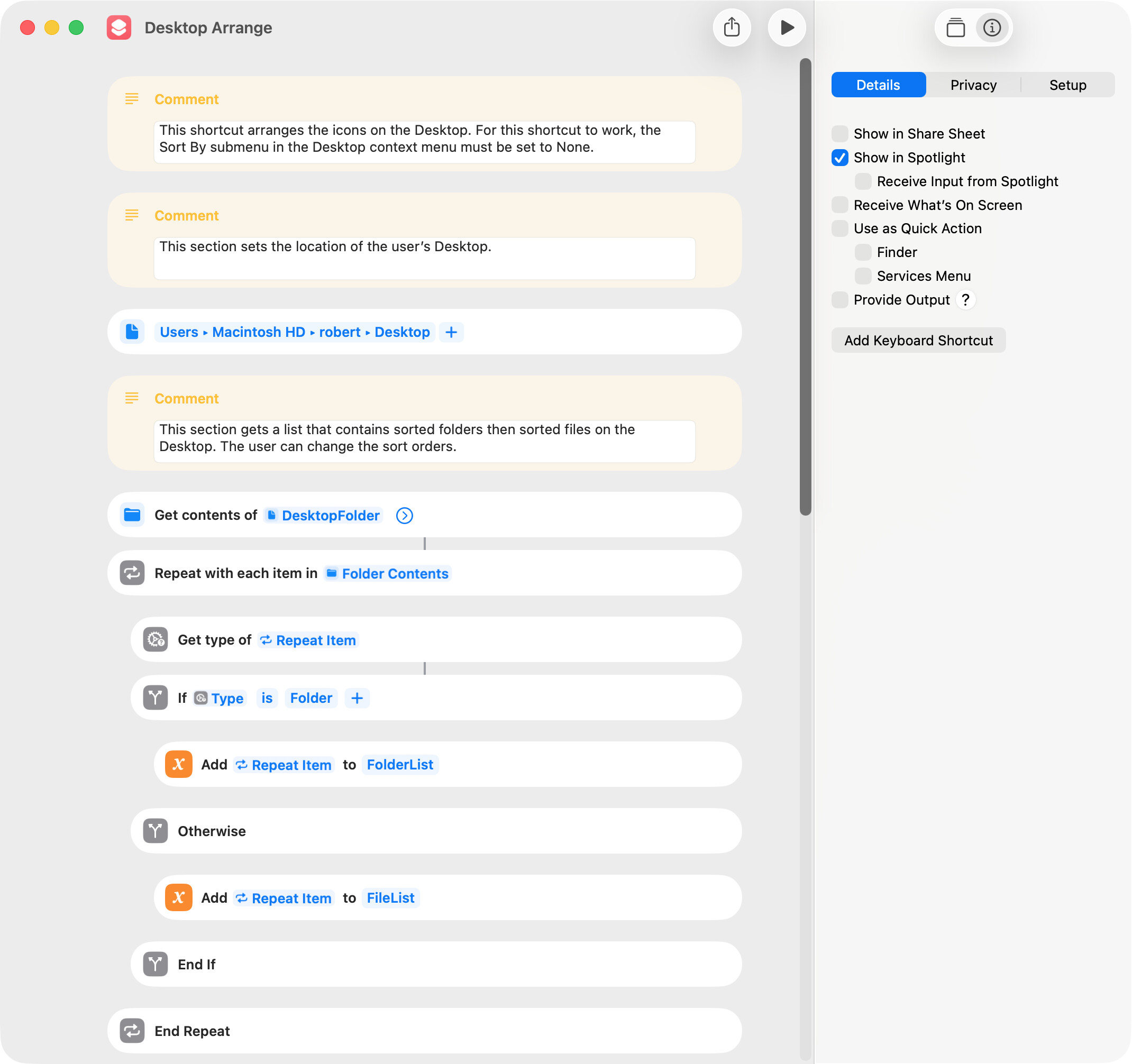
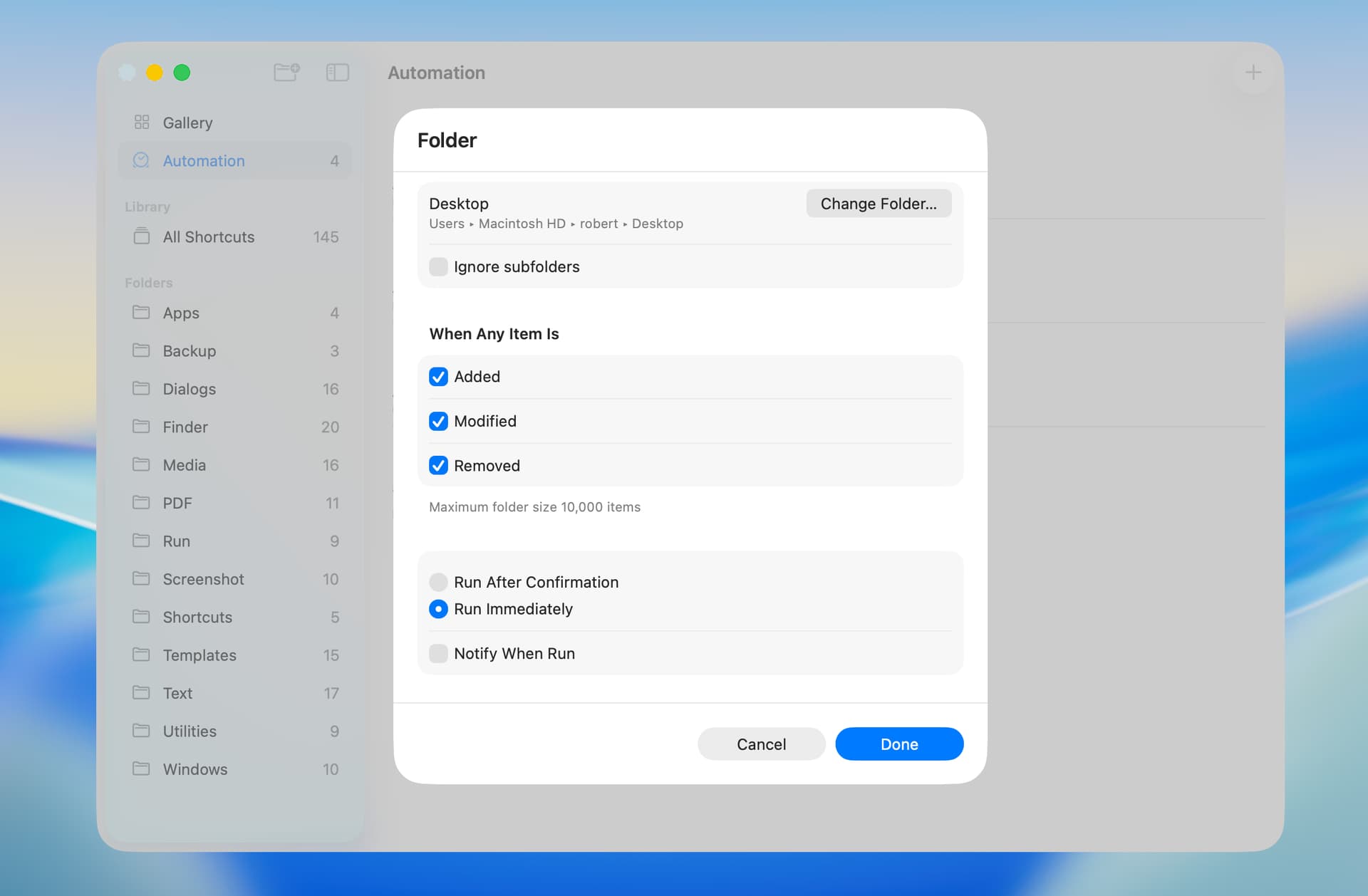
A potential criticism of this shortcut is that it has to be run manually. A partial solution is to run the shortcut as an automation whenever an item is added to the Desktop.
There are three issues that make this solution less than ideal. First, there’s a delay of several seconds from the time an item is added to the desktop to the time the shortcut is run. Second, folders that contain no files do not trigger the automation. Third, it requires macOS Tahoe.
I have created a versatile way to wrap the desktop icons, but it may not be what you want at all. It doesn’t use Shortcuts. The original was an AppleScript Studio app, but the closest thing I could make after I could no longer release an app without paying a membership fee uses two add-ons: Pashua and PrefsStorageLib.
It used to let you save locations of specific icons, but now it only lets you create a custom wrapping method. You install the two ancillaries mentioned above, then you run the script and set wrapping rules. Then you may use its option to copy your actions as AppleScript to the clipboard, which you can then save and run to reorder the icons whenever you like. I recently updated the page with a script that is more correct. Works for me in Sequoia, but I don’t think you can get very far unless you grant the proper authorizations to Script Editor, Pashua and PrefsStorageLib. I don’t use Tahoe yet, so I have no idea if it’s useful under the current macOS. I host it on a free version of a WordPress blog, so there is advertising. The advertising isn’t controlled by me, so I receive no benefit from it. I used to know how to post AppleScripts here, so if anyone wants it I’ll try to learn that again. Otherwise, here’s the link.
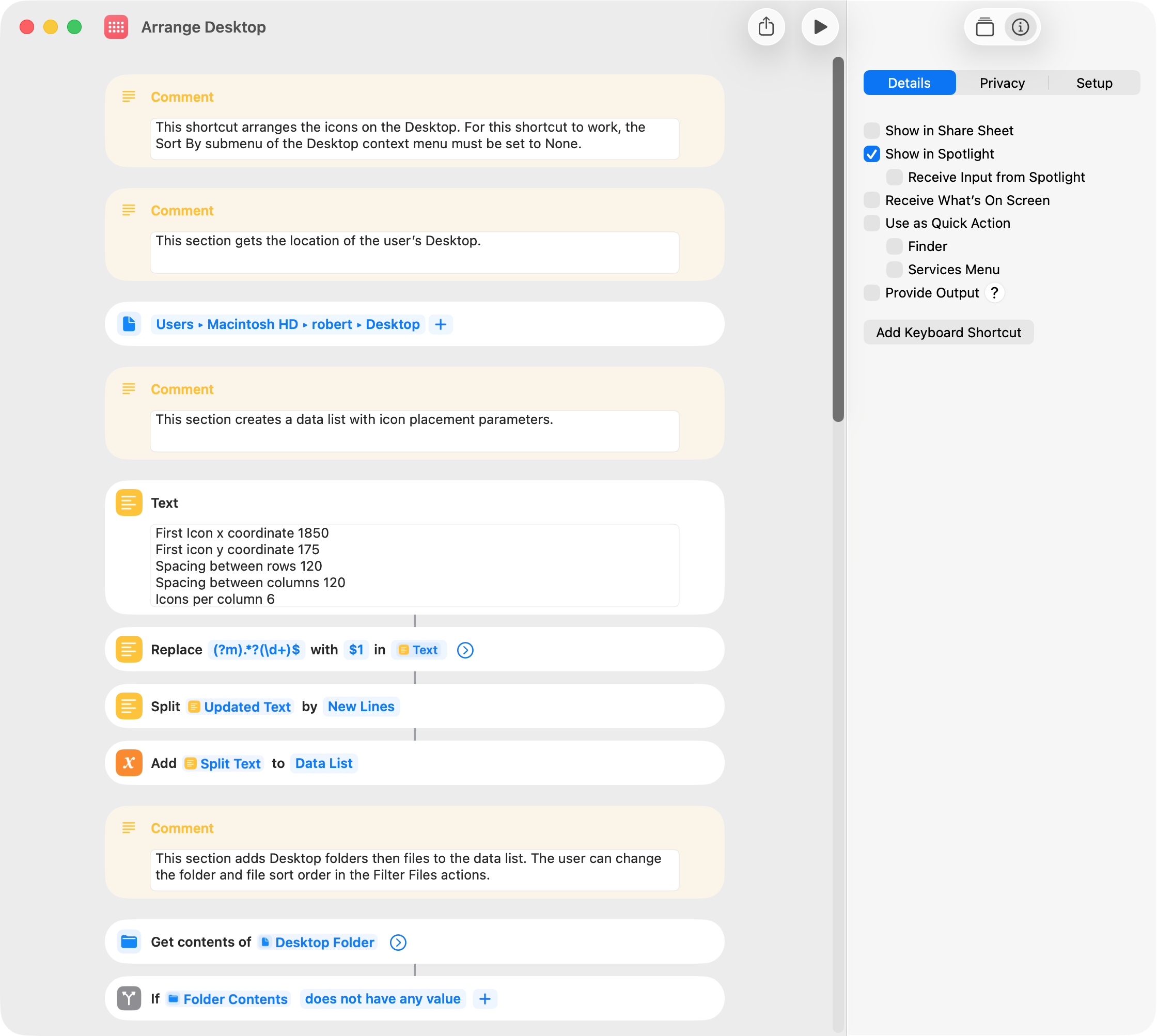
Primarily for learning purposes, I rewrote my shortcut in post 1 to set icon placement values at the beginning of the shortcut. The learning part was how to input five numbers and a list of folders and files into a Run AppleScript action.
The first approach I tested involved a shortcut Dictionary, and I got this to work. However, I was not able to input into the Run AppleScript action the list of folders and files and had to use paths instead. This created other issues and was not a good solution.
The second approach was to use a list, which seems to work well. I have a number of shortcuts that employ AppleScripts, and this approach should be useful in the future.
I’ve always assumed that variable names cannot contain spaces. The documentation doesn’t address this question, but Apple shortcuts in the Gallery do include spaces in variable names. I’ve taken that approach in this shortcut just to see how well it works.