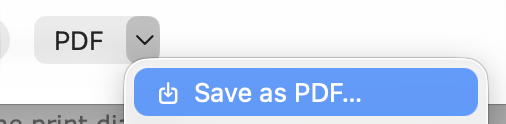
I find myself wanting to extract the AppleScript dictionary (.sdef) file to PDF from time to time.
What if I find working is opening the .sdef file, then ⌘P (print) → Save as PDF
→ then I got the Save As dialog → and I saved it in the Download folder.
However, I find it too frictional. I was wondering if there is any way to automate the process and do the same function via an AppleScript?
For starters, you can use a virtual PDF printer (PDF Printer, VipRiser, PDFwriter, from the ones I have). The first two can be found in App Store (payment might be needed for full functionality).
Then you can automate the Cmd-P > enter sequence.
It’s possible that yet more elegant solutions are available that offer some additional automation.
I’ve solved it by using GUI scripting. Works great on macOS Tahoe 26.4.1.
-- Script Editor: Print → PDF → Save to Downloads
-- If file exists, click Replace.
-- date: 2026-05-04
-- Author: MrMegira

property targetFolderPOSIX : "~/Downloads"

set oldClipboard to the clipboard

tell application "Script Editor" to activate
delay 0.2

tell application "System Events"
	tell process "Script Editor"
		set frontmost to true

		click menu item "Print…" of menu 1 of menu bar item "File" of menu bar 1

		repeat until exists sheet 1 of window 1
			delay 0.05
		end repeat

		click button 1 of group 2 of splitter group 1 of sheet 1 of window 1

		delay 0.2

		keystroke "g" using {shift down, command down}
		delay 0.2

		set the clipboard to targetFolderPOSIX
		keystroke "v" using command down
		delay 0.15
		keystroke return

		delay 0.3

		repeat until exists button "Save" of splitter group 1 of sheet 1 of sheet 1 of window 1
			delay 0.05
		end repeat

		click button "Save" of splitter group 1 of sheet 1 of sheet 1 of window 1
		delay 0.05
		-- If overwrite alert appears, click Replace.
		repeat 20 times
			if exists button 2 of sheet 1 of sheet 1 of sheet 1 of window 1 then
				click button 2 of sheet 1 of sheet 1 of sheet 1 of window 1
				exit repeat
			end if
			delay 0.05
		end repeat
	end tell
end tell

delay 0.1
set the clipboard to oldClipboard