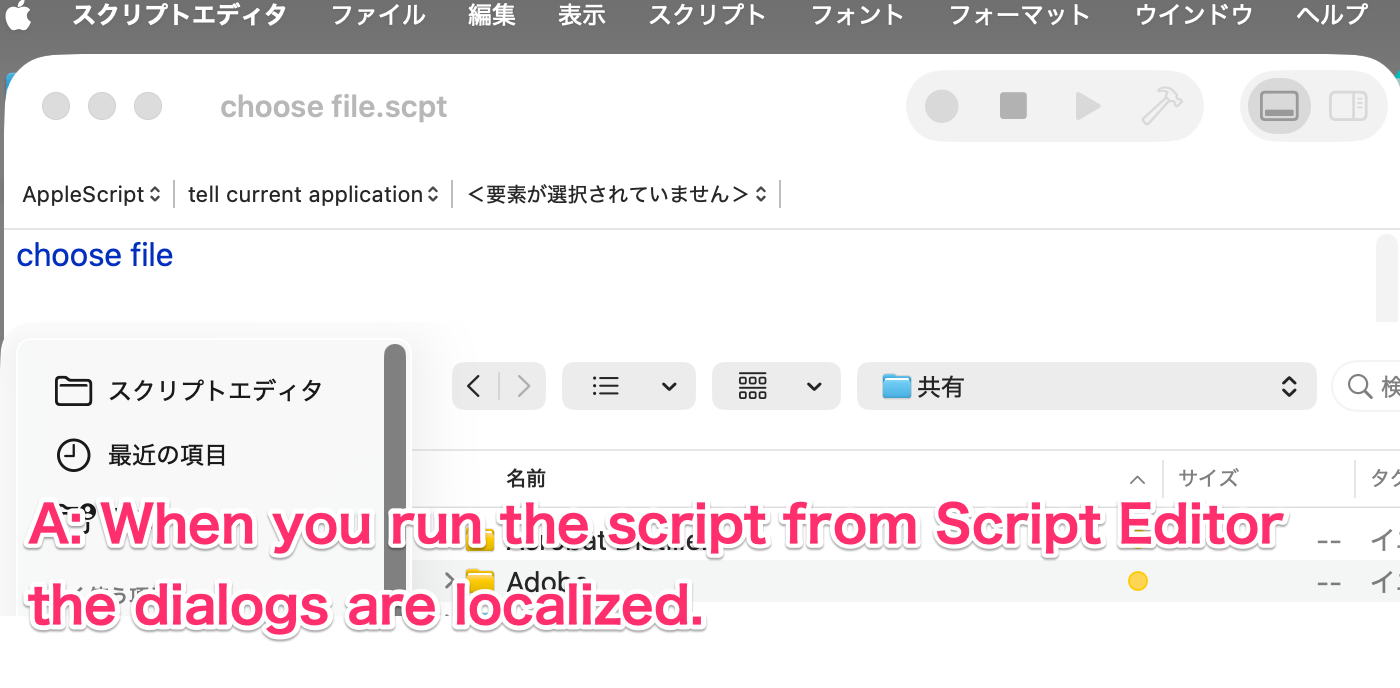
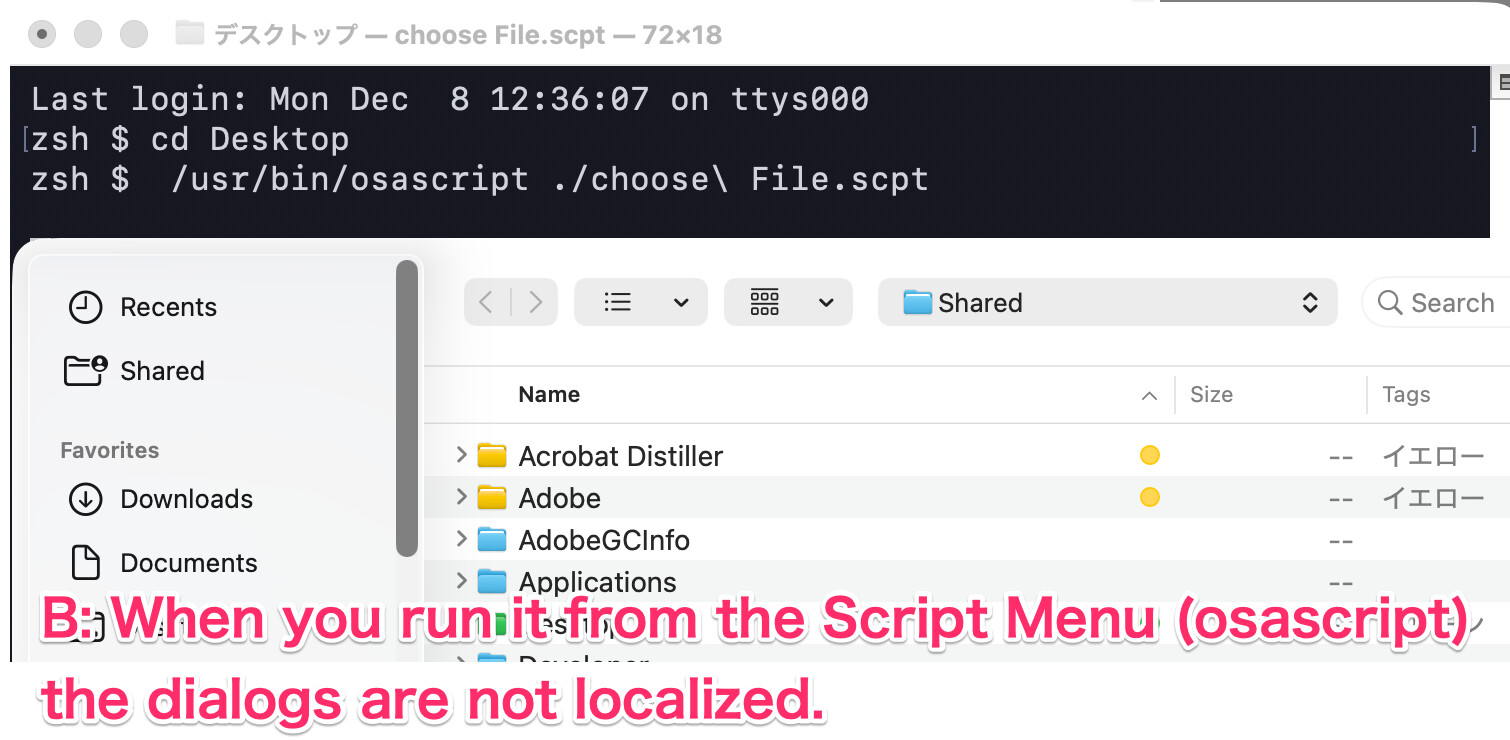
Extracting older file versions from DocumentRevision (with a multilingual dialog)

Hello everyone,
I’m not very good at English, so please forgive any strange wording.

While I was localizing l008com’s disk-image-creation script the other day
I suddenly wondered:
“Is it possible to make this dialog multilingual?”

After looking into it, I realized that if you want to show very specific messages,
you do need to prepare your own dictionary.
But then I thought, can’t I reuse some of the dictionaries already provided by the system?
So I tried it.

I made a small script that exports previous file versions from DocumentRevision, and I added multilingual support for the file-selection dialog and the alert shown when the selected file has no revision history.

Of course, the exact messages and button labels depend on the macOS version, but it seems that to some extent you can build simple multilingual messages by reusing existing system dictionaries.

If people think,
“Ah, this is kind of interesting,”
then I’ll be happy — that’s the only reason I’m posting this.

The script is quite verbose and definitely not “modern,” and yes, I’m fully aware of that already—
so please don’t point that part out… :sweat_smile:

Note

If you want to try displaying messages in other languages, please be aware that changing the system language in System Settings may cause FSeventsd to run heavily for a while.

I have prepared some test inputs.
If there is a language you want to try, please modify the script in the section marked “FOR TEST” and run it with your desired settings.

#言語判定 追加事項(Additional items for language)
If you have any advice for better language detection regarding this section, I would be very grateful.
Please feel free to share your suggestions.

#!/usr/bin/osascript
#coding: utf-8
----+----1----+----2----+-----3----+----4----+----5----+----6----+----7--
(*

doGetDocumentRevisions-V100.appliscript

DocumentRevisions-V100に保存されている履歴を参照して
ファイルのバージョンの取得して
取得できれば
過去のバージョンを全て保存します

Refer to the history stored in DocumentRevisions-V100 to get the version of the file.
If you can get it, 
save all past versions.

こちらの記事を参考にしました(I referred to this article)
https://www.macscripter.net/t/deleted-by-mistake-files-recovery-script-needed/68078/8
https://eclecticlight.co/?s=DocumentRevisions-V100
Shane StanleyとHoward Oakleyに感謝します
Thanks to Shane Stanley and Howard Oakley

制限事項
ダイアログメッセージはマルチリンガル対応になっていますが
内容ははmacOS26.1の内容を参照して作成しました
OSのバージョンによっては正しく表示されない可能性があります

Restrictions 
The dialog message is multilingual
but the content was created by referring 
to the contents of macOS 26.1. Depending on the OS version
it is likely not to be displayed correctly.

保存先(Save destination)
保存先は書類フォルダ
The destination is the document folder
Restore『復元』フォルダには全てのバージョン
Keep『残す』フォルダには最新か削除出来ないisDiscardableがFALSEの復元結果が保存されます
In the "Restore" folder, all versions of the "Keep" folder, the latest or undeleteable isDiscardable is TRUE recovery results are saved.

v1初回作成 
v1.1 マルチリンガル対応

License Notice
CC0 1.0 Universal (Public Domain Dedication)

com.cocolog-nifty.quicktimer.icefloe *)
----+----1----+----2----+-----3----+----4----+----5----+----6----+----7--
use AppleScript version "2.8"
use framework "Foundation"
use framework "AppKit"
use scripting additions
property refMe : a reference to current application
property appLocale : (missing value) 

####################
#地域と言語(Region and language)
set appLocale to refMe's NSLocale's currentLocale()
set ocidLocaleID to appLocale's objectForKey:(refMe's NSLocaleIdentifier)
set strLocaleID to ocidLocaleID as text
#ダイアログ用のメッセージ辞書の取得
#(Get a message dictionary for dialogs)
set ocidMsgDict to doGetDialogMsg(appLocale)

####################
#ダイアログ用のメッセージ(Messages for dialogs)
set strNoprevious to (ocidMsgDict's objectForKey:("No previous versions available")) as text
set strOK to (ocidMsgDict's objectForKey:("OK")) as text
set strCancel to (ocidMsgDict's objectForKey:("Cancel")) as text
set strChooseaFile to (ocidMsgDict's objectForKey:("Choose a File")) as text
set strNoResults to (ocidMsgDict's objectForKey:("No Results")) as text
set strChoose to (ocidMsgDict's objectForKey:("Choose")) as text
set strLoadversion to (ocidMsgDict's objectForKey:("Load version")) as text
set strUnable to (ocidMsgDict's objectForKey:("Unable to open version")) as text
set strRestore to (ocidMsgDict's objectForKey:("Restore")) as text
set strKeep to (ocidMsgDict's objectForKey:("Keep")) as text
#	log ocidMsgDict's allKeys() as list

####################
#ダイアログ(Dialogue) 
tell application "Finder"
	set aliasDefaultLocation to (path to desktop folder from user domain) as alias
end tell
set listUTI to {"public.item"} as list

set strPrompt to ("" & return & strChoose & return & strLoadversion & strChooseaFile & return & "") as text
try
	tell application "SystemUIServer"
		activate
		set aliasFilePath to (choose file strChoose with prompt strPrompt default location (aliasDefaultLocation) of type listUTI with invisibles and showing package contents without multiple selections allowed) as alias
	end tell
on error strErrMes number numErrNo
	log strErrMes & numErrNo
	return false
end try
#パス
set strFilePath to (POSIX path of aliasFilePath) as text
set ocidFilePathStr to refMe's NSString's stringWithString:(strFilePath)
set ocidFilePath to ocidFilePathStr's stringByStandardizingPath()
set ocidFilePathURL to refMe's NSURL's fileURLWithPath:(ocidFilePath) isDirectory:(false)
#拡張子やファイル名
#	set ocidExtensionName to ocidFilePathURL's pathExtension()
set ocidFileName to ocidFilePathURL's lastPathComponent()
set ocidBaseFileName to ocidFileName's stringByDeletingPathExtension()

####################
#保存先は書類フォルダ(The destination is the document folder)
set appFileManager to refMe's NSFileManager's defaultManager()
set ocidURLsArray to (appFileManager's URLsForDirectory:(refMe's NSDocumentDirectory) inDomains:(refMe's NSUserDomainMask))
set ocidDocumentDirPathURL to ocidURLsArray's firstObject()

#フォルダ作成オプションchmod=700(make dir  option)
set ocidAttrDict to refMe's NSMutableDictionary's alloc()'s init()
ocidAttrDict's setValue:(448) forKey:(refMe's NSFilePosixPermissions)

####################
#バージョン取得(Version acquisition)
set ocidVerSionArray to refMe's NSFileVersion's otherVersionsOfItemAtURL:(ocidFilePathURL)
#数を数えて(Count the number)
set numCntArray to ocidVerSionArray's |count|()
#取得できなければアラート出して終了(If you can't get it, send an alert and end it.)
if numCntArray = 0 or ocidVerSionArray = (missing value) then
	set strMsg to ("" & strNoprevious & return & strUnable & "") as text
	tell application "System Events"
		activate
		display alert strMsg buttons {strCancel} default button strCancel cancel button strCancel as critical giving up after 5
		return strMsg
	end tell
end if

####################
#取得できたバージョンを順番に(The versions data that were acquired in order)
repeat with ocidVerSionItem in ocidVerSionArray
	#各種値をとって(Take various values)
	set ocidItemURL to ocidVerSionItem's |URL|()
	set ocidItemName to ocidVerSionItem's |localizedName|()
	set ocidItemPID to ocidVerSionItem's |persistentIdentifier|()
	set ocidItemDeviceName to ocidVerSionItem's |localizedNameOfSavingComputer|()
	set ocidItemModDate to ocidVerSionItem's |modificationDate|()
	#保存先フォルダ名用の日付時間 (Date and time for the destination folder name)
	set strFormatStrings to ("yyyyMMdd_hhmmss") as text
	set strDateNo to doGetDateNo(ocidItemModDate, strFormatStrings)
	#履歴の廃棄可能判断(Evaluation of the history’s deletability)
	set boolDiscard to ocidVerSionItem's isDiscardable() as boolean
	#保存先フォルダ作成(Create a destination folder)
	if boolDiscard is true then
		set strSaveDir to ("FileVersion/" & ocidBaseFileName & "/" & strRestore & "/" & strDateNo & "") as text
	else if boolDiscard is false then
		set strSaveDir to ("FileVersion/" & ocidBaseFileName & "/" & strKeep & "/" & strDateNo & "") as text
	end if
	set ocidSaveDirPathURL to (ocidDocumentDirPathURL's URLByAppendingPathComponent:(strSaveDir) isDirectory:(true))
	set listDone to (appFileManager's createDirectoryAtURL:(ocidSaveDirPathURL) withIntermediateDirectories:(true) attributes:(ocidAttrDict) |error|:(reference))
	#ファイル保存先(File dist path)
	set ocidSaveFilePathURL to (ocidSaveDirPathURL's URLByAppendingPathComponent:(ocidItemName) isDirectory:(false))
	#コピー(Copy)
	set listDone to (appFileManager's copyItemAtURL:(ocidItemURL) toURL:(ocidSaveFilePathURL) |error|:(reference))
end repeat


####################
#終了時に(To open at the end)
set ocidSaveDirPathURL to ocidDocumentDirPathURL's URLByAppendingPathComponent:("FileVersion/" & ocidBaseFileName & "") isDirectory:(true)
#保存先を開く(Open the save destination)
set appWorkspace to refMe's NSWorkspace's sharedWorkspace()
set boolDone to appWorkspace's openURL:(ocidSaveDirPathURL)

return boolDone


####################
#修正日を日付時間数字にする(Set the revision date to the date and time number)
to doGetDateNo(argDateData, argFormatStrings)
	#日付のフォーマットを定義(Define the date format)
	set appFormatter to refMe's NSDateFormatter's alloc()'s init()
	appFormatter's setLocale:(appLocale)
	appFormatter's setDateFormat:(argFormatStrings)
	set ocidDateAndTime to appFormatter's stringFromDate:(argDateData)
	set strDateAndTime to ocidDateAndTime as text
	#テキスト形式で戻す(Return to text format)
	return strDateAndTime
end doGetDateNo

####################
#ローカライズメッセージ取得(Get Localize message)
to doGetDialogMsg(argLocale)
	set ocidLanguageCode to argLocale's objectForKey:(refMe's NSLocaleLanguageCode)
	set strLanguageCode to ocidLanguageCode as text
	set ocidLocaleID to argLocale's objectForKey:(refMe's NSLocaleIdentifier)
	set strLocaleID to ocidLocaleID as text
	log strLocaleID
	log strLanguageCode
	#LPROJフォルダ名(LPROJ name)
	set listLproj to {"ar", "ca", "cs", "da", "de", "el", "en_AU", "en_GB", "en", "es_419", "es", "fi", "fr_CA", "fr", "he", "hi", "hr", "hu", "id", "it", "ja", "ko", "ms", "nl", "no", "pl", "pt_BR", "pt_PT", "ro", "ru", "sk", "sl", "sv", "th", "tr", "uk", "vi", "zh_CN", "zh_HK", "zh_TW"} as list
	#その中でラングエージコードになっている言語(使ってないけど)
	set listLangID to {"ar", "ca", "cs", "da", "de", "el", "en", "es", "fi", "fr", "he", "hi", "hr", "hu", "id", "it", "ja", "ko", "ms", "nl", "no", "pl", "ro", "ru", "sk", "sl", "sv", "th", "tr", "uk", "vi"} as list
	#その中でロケールIDになっている言語(Among them, the language that is the locale ID)
	set listLocalID_Lproj to {"zh_CN", "zh_HK", "zh_TW", "pt_BR", "pt_PT", "en_AU", "en_GB", "fr_CA", "es_419"} as list
	########
	#FOR TEST
	#	set strLanguageCode to ("nn") as text
	#	set strLanguageCode to ("cy") as text
	#	set strLanguageCode to ("fr") as text
	#	set strLanguageCode to ("pt") as text
	#	set strLanguageCode to ("rm") as text
	#	set strLanguageCode to ("zh") as text
	#	set strLanguageCode to ("zh_TW") as text
	
	#	set strLocaleID to ("zh_Hant") as text
	#	set strLanguageCode to ("zh") as text
	
	#	set strLocaleID to ("no_NO") as text
	#	set strLanguageCode to ("nn") as text
	
	
	#言語判定 追加事項(Additional items for language)
	if listLproj does not contain strLanguageCode then
		#ランゲージCodeがLPROJのフォルダ名に含まれていない場合
		#If the language Code is not included in the folder name of LPROJ
		if strLanguageCode is "br" then
			set strSetUIlangID to ("fr") as text
		else if strLanguageCode is "pt" then
			set strSetUIlangID to ("pt_PT") as text
		else if strLanguageCode is "gd" or strLanguageCode is "cy" then
			set strSetUIlangID to ("en_GB") as text
		else if strLanguageCode is "gl" or strLanguageCode is "eu" then
			set strSetUIlangID to ("en_GB") as text
		else if strLanguageCode is "ga" then
			set strSetUIlangID to ("en_GB") as text
		else if strLanguageCode is "nb" or strLanguageCode is "nn" then
			set strSetUIlangID to ("no") as text
		else if strLanguageCode is "is" then
			set strSetUIlangID to ("sv") as text
		else if strLanguageCode is "mt" then
			set strSetUIlangID to ("it") as text
		else if strLanguageCode is "tl" then
			set strSetUIlangID to ("es") as text
		else if strLanguageCode is "lo" then
			set strSetUIlangID to ("th") as text
		else if strLanguageCode is "rm" then
			set strSetUIlangID to ("de") as text
		else if strLanguageCode is "zh" then
			if strLocaleID contains "zh_Hans" then
				set strSetUIlangID to ("zh_CN") as text
			else if strLocaleID contains "zh_CN" then
				set strSetUIlangID to ("zh_CN") as text
			else if strLocaleID contains "zh_Hant" then
				set strSetUIlangID to ("zh_TW") as text
			else if strLocaleID contains "zh_TW" then
				set strSetUIlangID to ("zh_TW") as text
			else if strLocaleID contains "zh_HK" then
				set strSetUIlangID to ("zh_HK") as text
			end if
		else
			#ロケールIDがLPROJのフォルダ名の場合
			#If the locale ID is the folder name of LPROJ
			if listLocalID_Lproj contains strLocaleID then
				set strSetUIlangID to (strLocaleID) as text
			else
				#追加判定にない場合はen表示
				#If there is no additional judgment, there is a fallover to en
				set strSetUIlangID to ("en") as text
			end if
		end if
	else
		if listLocalID_Lproj contains strLocaleID then
			set strSetUIlangID to (strLocaleID) as text
		else
			set strSetUIlangID to (strLanguageCode) as text
		end if
	end if
	#辞書のマージ用(For dictionary merge)
	set ocidMergeDict to refMe's NSMutableDictionary's alloc()'s init()
	#翻訳辞書を開く(Open the translation dictionary)
	#ScriptingAdditionsの辞書を使用(Use the dictionary of ScriptingAdditions)
	set strFilePath to ("/System/Library/ScriptingAdditions/StandardAdditions.osax/Contents/Resources/Localizable.loctable") as text
	set ocidFilePathStr to refMe's NSString's stringWithString:(strFilePath)
	set ocidFilePath to ocidFilePathStr's stringByStandardizingPath()
	set ocidFilePathURL to refMe's NSURL's fileURLWithPath:(ocidFilePath) isDirectory:(false)
	#loctableを開く(Open loctable file)
	set listResponse to refMe's NSMutableDictionary's alloc()'s initWithContentsOfURL:(ocidFilePathURL) |error|:(reference)
	set ocidLocTableDict to (first item of listResponse)
	#対象の言語の翻訳を取得(Get the translation of the target language)
	set ocidStandardAdditionsDict to ocidLocTableDict's objectForKey:(strSetUIlangID)
	#マージ merge
	ocidMergeDict's addEntriesFromDictionary:(ocidStandardAdditionsDict)
	
	#翻訳辞書を開く(Open the translation dictionary)
	#AppKit.frameworkの辞書を使用(Use the dictionary of AppKit.framework)
	set strFilePath to ("/System/Library/Frameworks/AppKit.framework/Versions/C/Resources/Revisions.loctable") as text
	set ocidFilePathStr to refMe's NSString's stringWithString:(strFilePath)
	set ocidFilePath to ocidFilePathStr's stringByStandardizingPath()
	set ocidFilePathURL to refMe's NSURL's fileURLWithPath:(ocidFilePath) isDirectory:(false)
	#loctableを開く(Open loctable file)
	set listResponse to refMe's NSMutableDictionary's alloc()'s initWithContentsOfURL:(ocidFilePathURL) |error|:(reference)
	set ocidLocTableDict to (first item of listResponse)
	#対象の言語の翻訳を取得(Get the translation of the target language)
	set ocidSpotlightDict to ocidLocTableDict's objectForKey:(strSetUIlangID)
	#マージ merge
	ocidMergeDict's addEntriesFromDictionary:(ocidSpotlightDict)
	
	
	return ocidMergeDict
end doGetDialogMsg


1 Like

Well… as expected — absolutely zero interest.
Not even a tiny ripple.
I guess this really was just me amusing myself… :sweat_smile:

Still, I poked around a bit more , and I discovered another option. Apparently, you can create an even more simplified “multilingual-ish” dialog by pulling localized strings directly from NSBundle.

For the sample, I reused the dialog from my little script that converts tab-separated text into a Markdown table, and tried to make its UI messages look somewhat multilingual.

I know there probably isn’t much demand for this, but if even one person thinks, “Maybe I could use this in my own project,” I’d be really happy.

#!/usr/bin/env osascript
#coding: utf-8
----+----1----+----2----+-----3----+----4----+----5----+----6----+----7--
(*

TSV2MarkdownTable.applescript

タブ区切りテキストをマークダウンのテーブルに変換します
入出力にクリップボードを使います

v1初回作成
v1.1 マルチリンガル対応

Convert tab-seped text to a markdown table. 
Use the clipboard for input and output.

License Notice
CC0 1.0 Universal (Public Domain Dedication)

com.cocolog-nifty.quicktimer.icefloe *)
----+----1----+----2----+-----3----+----4----+----5----+----6----+----7--
use AppleScript version "2.8"
use framework "Foundation"
use framework "AppKit"
use scripting additions

property refMe : a reference to current application

########################
#ダイアログ用のテキスト取得(Text acquisition for dialogs)
set appFineder to refMe's NSBundle's bundleWithIdentifier:("com.apple.finder")
set strCancel to (appFineder's localizedStringForKey:("AL1") value:("Cancel") table:("LocalizableMerged")) as text
set strOK to (appFineder's localizedStringForKey:("AL4") value:("OK") table:("LocalizableMerged")) as text
set strAddText to (appFineder's localizedStringForKey:("BR3") value:("Add Text") table:("LocalizableMerged")) as text
set strClipboard to (appFineder's localizedStringForKey:("CW10") value:("Clipboard") table:("LocalizableMerged")) as text
set strCopy to (appFineder's localizedStringForKey:("ME2") value:("Copy") table:("LocalizableMerged")) as text
set strText to (appFineder's localizedStringForKey:("GROUP_TEXT") value:("Text") table:("LocalizableMerged")) as text
set strQuit to (appFineder's localizedStringForKey:("BN39") value:("Quit Without Saving") table:("LocalizableMerged")) as text
set strClose to (appFineder's localizedStringForKey:("FR26") value:("Close") table:("LocalizableMerged")) as text
set strFinish to (appFineder's localizedStringForKey:("FR27") value:("Done") table:("LocalizableMerged")) as text
set strCopyButton to ("" & strCopy & strClipboard & "") as text


# With this method, the translation for “Cancel” can be retrieved,
# but translations for items like “Add Text” cannot be obtained.
(*
tell application "Finder"
	set strCancel to (localized string "Cancel") as text
end tell
*)

########################
#ダイアログ(Dialogue)
set appPasteboard to refMe's NSPasteboard's generalPasteboard()
set ocidPastBoardTypeArray to appPasteboard's types()
set boolContain to ocidPastBoardTypeArray's containsObject:("public.utf8-plain-text")
if boolContain is true then
	set ocidReadString to (appPasteboard's stringForType:("public.utf8-plain-text"))
	set strReadString to ocidReadString as text
else
	set strReadString to ("TSV" & strAddText & "") as text
end if
set aliasIconPath to (POSIX file "/System/Library/UserNotifications/Bundles/com.apple.identityservicesd.firewall.bundle/Contents/Resources/Notes_Mac.icns") as alias
set strTitle to ("TSV" & strAddText & "") as text
set strMes to ("TSV" & strAddText & "") as text
try
	tell application "System Events"
		activate
		set recordResult to (display dialog strMes with title strTitle default answer strReadString buttons {strCancel, strOK} default button strOK cancel button strCancel giving up after 60 with icon aliasIconPath without hidden answer) as record
	end tell
on error strErrMes number numErrNo
	tell application "System Events" to quit
	log strErrMes & numErrNo
	return false
end try

if (gave up of recordResult) is true then
	tell application "System Events" to quit
	return false
else if (button returned of recordResult) is strCancel then
	tell application "System Events" to quit
	return false
else
	set strReturnedText to (text returned of recordResult) as text
end if
#改行をUNIXに強制(Force line breaks to UNIX)
set ocidTSVstring to refMe's NSString's stringWithString:(strReturnedText)
set ocidTSVstring to (ocidTSVstring's stringByReplacingOccurrencesOfString:("\r\n") withString:("\n"))
set ocidTSVstring to (ocidTSVstring's stringByReplacingOccurrencesOfString:("\r") withString:("\n"))
set ocidTSVstring to (ocidTSVstring's stringByReplacingOccurrencesOfString:("\n\n") withString:("\n"))
#行末の改行を削除(Delete the line break at the end of the line)
set boolHas to (ocidTSVstring's hasSuffix:("\n")) as boolean
if boolHas is true then
	set ocidLength to ((ocidTSVstring's |length|()) - 1) as integer
	set ocidTSVstring to ocidTSVstring's substringToIndex:(ocidLength)
end if
#改行でArrayにする(Make it Array with a new line)
set ocidTSVArray to ocidTSVstring's componentsSeparatedByString:("\n")

########################
#アライメント行作成(Create an alignment line)
#最大値格納用のリスト(List for maximum value storage)
set listCntMax to {} as list
#最大文字数判定用のリストを作る(Make a list for determining the maximum number of characters)
set ocidFirstLine to ocidTSVArray's firstObject()
set ocidLineArray to (ocidFirstLine's componentsSeparatedByString:("\t"))
set numCntLineArray to ocidLineArray's |count|()
repeat with itemNo from 1 to (numCntLineArray) by 1
	set end of listCntMax to 0
end repeat

#最大桁数取得(Obtain the maximum number of digits)
repeat with itemArray in ocidTSVArray
	set ocidLineArray to (itemArray's componentsSeparatedByString:("\t"))
	set numCntLineArray to ocidLineArray's |count|()
	repeat with itemNo from 0 to (numCntLineArray - 1) by 1
		set ocidItemString to (ocidLineArray's objectAtIndex:(itemNo))
		set numCharLength to ocidItemString's |length|() as integer
		set numMaxItem to (item (itemNo + 1) of listCntMax) as integer
		if numMaxItem < numCharLength then
			copy numCharLength to (item (itemNo + 1) of listCntMax)
		end if
	end repeat
end repeat

#アライメント行を先に作っておく(Make the alignment line first)
set strAlignment to ("") as text
set numCntRaw to (count of listCntMax) as integer
set strAlignment to ("" & strAlignment & "|") as text
repeat with itemNo from 1 to numCntRaw by 1
	#左寄せ時 または 中央寄せ時(When pulling left or when pulling in the center)
	set strAlignment to ("" & strAlignment & ":-") as text
	#右寄せ時(When to the right)
	#	set strAlignment to ("" & strAlignment & "-") as text
	set numCntItemLine to (item itemNo of listCntMax)
	repeat numCntItemLine times
		set strAlignment to ("" & strAlignment & "-") as text
	end repeat
	#中央寄せ時 または 右寄せ時(When centered or right)
	#set strAlignment to ("" & strAlignment & "-:|") as text
	#左寄せ時(When it's coming)
	set strAlignment to ("" & strAlignment & "-|") as text
end repeat

########################
#出力用テキスト(Text for output)
set ocidOutputString to refMe's NSMutableString's alloc()'s init()

#ヘッダー行作成(Create a header line)
set ocidFirstLine to ocidTSVArray's firstObject()
set ocidLineArray to (ocidFirstLine's componentsSeparatedByString:("\t"))
set numCntLineArray to ocidLineArray's |count|()
ocidOutputString's appendString:("|")
repeat with itemNo from 0 to (numCntLineArray - 1) by 1
	set ocidItemText to (ocidLineArray's objectAtIndex:(itemNo))
	(ocidOutputString's appendString:(" "))
	(ocidOutputString's appendString:(ocidItemText))
	(ocidOutputString's appendString:(" "))
	(ocidOutputString's appendString:("|"))
end repeat
(ocidOutputString's appendString:("\n"))

#アライメント行挿入(Alignment line insertion)
(ocidOutputString's appendString:(strAlignment))
(ocidOutputString's appendString:("\n"))

#テーブルボディの処理(Table body processing)
set numCntTsvArray to ocidTSVArray's |count|()
log numCntTsvArray as integer
#1行目は処理済みだから2行目から(The first line has been processed, so from the second line)
repeat with itemNo from 1 to (numCntTsvArray - 1) by 1
	set ocidLineTsv to (ocidTSVArray's objectAtIndex:(itemNo))
	set ocidLineArray to (ocidLineTsv's componentsSeparatedByString:("\t"))
	(ocidOutputString's appendString:("|"))
	repeat with itemString in ocidLineArray
		(ocidOutputString's appendString:(" "))
		(ocidOutputString's appendString:(itemString))
		(ocidOutputString's appendString:(" "))
		(ocidOutputString's appendString:("|"))
	end repeat
	(ocidOutputString's appendString:("\n"))
end repeat


########################
#ダイアログ(Dialogue)
set strTitle to (strFinish) as text
set strMes to ("" & strFinish & return & strCopyButton & "") as text
set strResponseText to ocidOutputString as text
tell application "System Events"
	activate
	set recordResult to (display dialog strMes with title strTitle default answer strResponseText buttons {strCopyButton, strQuit} default button strQuit giving up after 30 with icon aliasIconPath without hidden answer)
end tell

if (gave up of recordResult) is true then
	tell application "System Events" to quit
	return false
else if (button returned of recordResult) is strQuit then
	tell application "System Events" to quit
	return true
else if button returned of recordResult is strCopyButton then
	set strReturnedText to (text returned of recordResult) as text
	set boolDone to doSendPasteboard(strReturnedText) as boolean
	if boolDone is false then
		tell application "System Events" to quit
		return false
	end if
else
	return (text returned of recordResult) as text
end if

########################
#クリップボードにコピー(Copy to clipboard)
on doSendPasteboard(argText)
	set appPasteboard to refMe's NSPasteboard's generalPasteboard()
	set ocidText to (refMe's NSString's stringWithString:(argText))
	appPasteboard's clearContents()
	set boolDone to appPasteboard's setString:(ocidText) forType:(refMe's NSPasteboardTypeString)
	if boolDone is false then
		try
			tell application "Finder"
				set the clipboard to argText as text
			end tell
		on error
			return false
		end try
	else if boolDone is true then
		return true
	end if
end doSendPasteboard

return

For example, with a file-selection dialog,
this method lets you make it multilingual with very little effort.

use AppleScript version "2.8"
use framework "Foundation"
use framework "AppKit"
use scripting additions

property refMe : a reference to current application

set appFileManager to refMe's NSFileManager's defaultManager()
set ocidURLsArray to (appFileManager's URLsForDirectory:(refMe's NSDesktopDirectory) inDomains:(refMe's NSUserDomainMask))
set ocidDesktopDirPathURL to ocidURLsArray's firstObject()
set aliasDefaultLocation to (ocidDesktopDirPathURL's absoluteURL()) as alias
#com.apple.osax.standardadditions's Localizable.loctable
set appBundle to current application's NSBundle's bundleWithIdentifier:("com.apple.osax.standardadditions")
set strChooseAFile to (appBundle's localizedStringForKey:("Choose a File") value:("Choose a File") table:("Localizable")) as text
set listUTI to {"public.image"} as list
set strMsg to strChooseAFile as text
set strPrompt to strChooseAFile as text
try
	tell application "SystemUIServer"
		activate
		set aliasFilePath to (choose file strMsg with prompt strPrompt default location (aliasDefaultLocation) of type listUTI with invisibles and showing package contents without multiple selections allowed) as alias
	end tell
on error strErrMes number numErrNo
	log strErrMes & numErrNo
	return false
end try
use AppleScript version "2.8"
use framework "Foundation"
use framework "AppKit"
use scripting additions

set listItems to {"Pomme", "Mandarine", "Banane"} as list
#com.apple.osax.standardadditions's ChooseFromList.loctable
set appBundle to current application's NSBundle's bundleWithIdentifier:("com.apple.osax.standardadditions")
set strTitle to (appBundle's localizedStringForKey:("4.title") value:("Choose a File") table:("ChooseFromList")) as text
set strPrompt to (appBundle's localizedStringForKey:("4.title") value:("Choose a File") table:("ChooseFromList")) as text
set strOK to (appBundle's localizedStringForKey:("23.title") value:("OK") table:("ChooseFromList")) as text
set strCancel to (appBundle's localizedStringForKey:("25.title") value:("Cancel") table:("ChooseFromList")) as text
tell application "System Events"
	activate
	set refResponse to (choose from list listItems with title strTitle with prompt strPrompt default items (last item of listItems) OK button name strOK cancel button name strCancel with empty selection allowed without multiple selections allowed)
end tell


You can also retrieve messages from AppKit and other frameworks.

use AppleScript version "2.8"
use framework "Foundation"
use framework "AppKit"
use scripting additions
# com.apple.AppKit  SavePanel.loctable
set appBundle to current application's NSBundle's bundleWithIdentifier:("com.apple.AppKit")
set strMsg to (appBundle's localizedStringForKey:("The open file operation failed.") value:("The open file operation failed.") table:("SavePanel")) as text
set strCancel to (appBundle's localizedStringForKey:("Cancel") value:("Cancel") table:("SavePanel")) as text
set strSave to (appBundle's localizedStringForKey:("Save") value:("Save") table:("SavePanel")) as text
set listButton to {strCancel, strSave} as list
tell application "System Events"
	activate
	set recordResponse to (display alert strMsg buttons listButton default button strCancel cancel button strCancel as informational giving up after 5) as record
end tell
if (button returned of recordResponse) is (last item of listButton) then
	return true
end if
use AppleScript version "2.8"
use framework "Foundation"
use framework "AppKit"
use framework "SwiftUI"
use scripting additions

set appBundle to current application's NSBundle's bundleWithIdentifier:("com.apple.SwiftUI")
set strMsg to (appBundle's localizedStringForKey:("The document could not be opened") value:("The document could not be opened") table:("Documents")) as text
#com.apple.SwiftUI Localizable.loctable
set strCancel to (appBundle's localizedStringForKey:("Cancel") value:("Cancel") table:("Localizable")) as text
#com.apple.SwiftUI Documents.loctable
set strSave to (appBundle's localizedStringForKey:("OK") value:("OK") table:("Documents")) as text
set listButton to {strCancel, strSave} as list
tell application "System Events"
	activate
	set recordResponse to (display alert strMsg buttons listButton default button strCancel cancel button strCancel as informational giving up after 5) as record
end tell
if (button returned of recordResponse) is (last item of listButton) then
	return true
end if

When retrieving multilingual messages from NSBundle, it seems more reliable to load the bundle using an NSURL.
When using a bundle identifier, the bundle may fail to load in some cases.

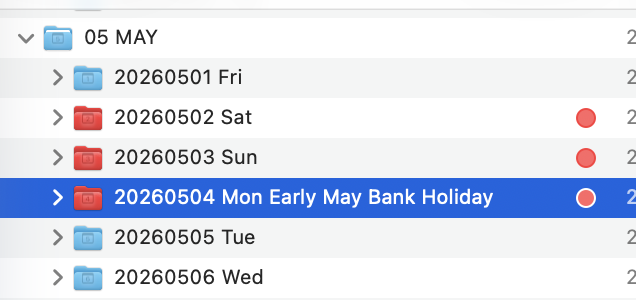
The sample I posted is a Numbers calendar that supports multilingual public holiday names.

#!/usr/bin/env osascript
#coding: utf-8
----+----1----+----2----+-----3----+----4----+----5----+----6----+----7--
(*
Numbersでカレンダーを作成します
祝祭日を表示するようにしてあります

Public Holiday API
https://date.nager.at/Api
祭日の取得 date.nager.atのJSONを利用します
日本以外の国の休日も取得できます
例:日本JP アメリカUS
このAPIのJSON戻り値に国コードがあれば使えます
https://date.nager.at/api/v3/AvailableCountries

JSONの見た目はアレですが
ROOTがARRAYなので扱いやすい

date.nager.atは
タイ等で使われる仏暦には対応していない
また、台湾等 登録されていない国も多い
その場合は祭日を入れれられないのでエラーにすることにした

v1 初回作成
v1.1 ローケール値NSLocaleで取得するように変更した
v1.1.1 missing value対策を入れた
v1.2 NSLocaleからの値を整理して国指定するようにした
v2 簡易な方法ですがダイアログメッセージをマルチリンガルに対応した
v2.1 マルチリンガルの処理を簡素化した

1:ラングエージコード
システム設定>一般>言語と地域>優先する言語
-->土日等曜日の呼称部分に影響します

2:カントリーコード
システム設定>一般>言語と地域>地域
-->祭日の名称に影響します

例
fr_CA 曜日名はフランス語 祝日はカナダ

簡易なマルチリンガル対応です
メッセージの多くをカレンダーアプリのメッセージを利用していますので
カレンダーアプリのバージョンに依存しています
そのたためmacOS26をターゲットに作成しています

色指定用のカラーピッカーおすすめ
https://quicktimer.cocolog-nifty.com/icefloe/2025/11/post-975306.html

このスクリプトの更新はこちらで
https://quicktimer.cocolog-nifty.com/icefloe/cat76062516/index.html


This script creates a calendar in Numbers and displays public holidays.

Public Holiday API
https://date.nager.at/Api

Public holidays are retrieved using JSON data from date.nager.at.
Holidays for countries other than Japan can also be retrieved.
Examples: Japan = JP, United States = US
Any country code listed in the API’s JSON can be used:
https://date.nager.at/api/v3/AvailableCountries

Although the JSON structure may look odd, the root is an array, which makes it easy to handle.

Please note:
date.nager.at does not support Buddhist calendars used in countries like Thailand.
It also lacks entries for several regions such as Taiwan.
If a country is not supported, the script will raise an error because holidays cannot be retrieved.

Version History
v1 – Initial release
v1.1 – Changed to get locale values using NSLocale
v1.1.1 – Added handling for missing values
v1.2 – Cleaned up values from NSLocale and improved country selection
v2 – Added simple multilingual support for dialog messages
v2.1 – Simplified multilingual processing

1. Language Code
System Settings > General > Language & Region > Preferred Languages
→ Affects weekday names (e.g., Sat/Sun labels)

2. Country Code
System Settings > General > Language & Region > Region
→ Affects holiday names

Example
fr_CA → Weekday names in French, holiday names for Canada

This is a lightweight multilingual implementation.
Most messages reuse text from the Calendar app, so behavior may depend on the app version.
For this reason, the script targets macOS 26.

Recommended color picker for specifying colors
https://quicktimer.cocolog-nifty.com/icefloe/2025/11/post-975306.html

Script updates are available here:
https://quicktimer.cocolog-nifty.com/icefloe/cat76062516/index.html

License Notice
CC0 1.0 Universal (Public Domain Dedication)
This work is dedicated to the public domain.
https://creativecommons.org/publicdomain/zero/1.0/

com.cocolog-nifty.quicktimer.icefloe *)
----+----1----+----2----+-----3----+----4----+----5----+----6----+----7--
use AppleScript version "2.8"
use framework "Foundation"
use framework "AppKit"
use scripting additions
property refMe : a reference to current application


######################
#設定項目 ナンバーズ用文字と色
#Setting items Characters and colours for numbers

##文字サイズ(pt size)
property numFontSize : 14 as number
##フォント名はPS名(font postscript name)
#property strFontName : "Osaka-Mono" as text
property strFontName : "ArialUnicodeMS" as text

#新規ドキュメントの背景色(Background colour of the new document)
property strDocBackgroundColorHex : ("FFFFFF") as text
#新規ドキュメントの文字色(Text colour of new documents)
property strTextColorHex : ("000000") as text

#平日の背景色(Background colour on weekdays)
property strWeekDayBackgroundColorHex : ("FFFFFF") as text
#平日の文字色(Text colour on weekdays)
property strWeekDayTextColorHex : ("000000") as text

#Did you know that in a typical Japanese calendar, Saturdays are shown in blue?
#土曜日の背景色(Saturday's background colour)
property strSaturdayBackgroundColorHex : ("CCEEEE") as text
#土曜日の文字色(Saturday's text colour)
property strSaturdayTextColorHex : ("0077EE") as text

#日曜日の背景色(Sunday background colour)
property strSundayBackgroundColorHex : ("FF99CC") as text
#日曜日の文字色(Sunday's text colour)
property strSundayTextColorHex : ("990000") as text

#祝日の背景色(Background colour for National holiday)
property strHolidayBackgroundColorHex : ("FF99CC") as text
#祝日の文字色(Text colour on the National holiday)
property strHolidayTextColorHex : ("990000") as text

######################
#ダイアログメッセージ用の初期設定
#Initial settings for dialogue messages
property strUntitled : (missing value)
property strCalendar : (missing value)
property strCancel : (missing value)
property strOK : (missing value)
property strYear : (missing value)
property strMonth : (missing value)
property strSelect : (missing value)
property strMultiSelect : (missing value)
property strNoResults : (missing value)
property strFail : (missing value)
property strEventCalendar : (missing value)
property strCalendarEvent : (missing value)
#言語 地域関連の初期設定
#Language Regional-related initial settings
property strLocaleID : (missing value)
property strCountryCode : (missing value)
property strLanguageCode : (missing value)

######################
#ロケールの値でメッセージを分岐する
#Branch messages by the value of the locale
set appLocale to refMe's NSLocale's currentLocale()
set ocidLocaleID to appLocale's objectForKey:(refMe's NSLocaleIdentifier)
(*
#テスト用に設定をカスタマイズげする場合に使用する
#Used for customisation for testing
set strSetLocaleID to ("sv_SE") as text
set appLocale to (refMe's NSLocale's localeWithLocaleIdentifier:(strSetLocaleID))
set ocidLocaleID to appLocale's objectForKey:(refMe's NSLocaleIdentifier)
set strLocaleID to ocidLocaleID as text
*)
#カントリーコード と ランゲージID
#Country code and language ID
set ocidCountryCode to appLocale's objectForKey:(refMe's NSLocaleCountryCode)
set ocidLanguageCode to appLocale's objectForKey:(refMe's NSLocaleLanguageCode)
#カントリーコードとランゲージIDからロケールを再生成
set strSetLocaleID to ("" & ocidLanguageCode & "_" & ocidCountryCode & "") as text
set appLocale to (refMe's NSLocale's localeWithLocaleIdentifier:(strSetLocaleID))
set ocidLocaleID to appLocale's objectForKey:(refMe's NSLocaleIdentifier)
set strLocaleID to ocidLocaleID as text
set strCountryCode to ocidCountryCode as text
set strLanguageCode to ocidLanguageCode as text

######################
#Finderメッセージ用(For Finder messages)
#ローカライズ言語のApple標準のLPROJの言語コードリスト
#Apple standard LPROJ language code list for localised languages
set listLproj to {"ar", "ca", "cs", "da", "de", "el", "en_AU", "en_GB", "en", "es_419", "es", "fi", "fr_CA", "fr", "he", "hi", "hr", "hu", "id", "it", "ja", "ko", "ms", "nl", "no", "pl", "pt_BR", "pt_PT", "ro", "ru", "sk", "sl", "sv", "th", "tr", "uk", "vi", "zh_CN", "zh_HK", "zh_TW"} as list
#リストに無い場合は英語表記を使う
#If it is not on the list, use English notation
if listLproj does not contain strLanguageCode then
	if listLproj does not contain strLocaleID then
		set strSetUIlangID to ("en")
	else
		set strSetUIlangID to (strLocaleID)
	end if
else
	set strSetUIlangID to (strLanguageCode)
end if


#この設定でカレンダーを作成する
#Create a calendar with this setting
log strLocaleID
log strCountryCode
log strLanguageCode
log strSetUIlangID

################################
# OSのバージョン
# version of macOS
set ocidProcessInfo to refMe's NSProcessInfo's processInfo()
set listOsVersion to ocidProcessInfo's operatingSystemVersion()
set numMajorVersion to (first item of listOsVersion) as integer
set numMinorVersion to (2nd item of listOsVersion) as integer
set numPatchVersion to (last item of listOsVersion) as integer
#macOS26以上用(In the case of macOS26 or lower, this is all)
if numMajorVersion < 26 then
	set strAppFilePath to "/System/Library/CoreServices/Finder.app" as text
	set ocidAppFilePathStr to refMe's NSString's stringWithString:(strAppFilePath)
	set ocidAppFilePath to ocidAppFilePathStr's stringByStandardizingPath()
	set ocidAppFilePathURL to refMe's NSURL's fileURLWithPath:(ocidAppFilePath) isDirectory:(true)
	set ocidIconFilePathURL to ocidAppFilePathURL's URLByAppendingPathComponent:("Contents/Resources/Finder.icns") isDirectory:(false)
	set aliasIconFilePath to (ocidIconFilePathURL's absoluteURL()) as alias
	set appFineder to refMe's NSBundle's bundleWithURL:(ocidAppFilePathURL)
	set strN147 to (appFineder's localizedStringForKey:("N147") value:("You can’t use this application with this version of macOS.") table:("LocalizableMerged")) as text
	set strBN39 to (appFineder's localizedStringForKey:("BN39") value:("Quit Without Saving") table:("LocalizableMerged")) as text
	set strPW24 to (appFineder's localizedStringForKey:("PW24") value:("Failed") table:("LocalizableMerged")) as text
	try
		tell application "System Events"
			activate
			(display dialog strN147 with title strPW24 buttons {strBN39} default button strBN39 cancel button strBN39 with icon aliasIconFilePath giving up after 20 without hidden answer)
		end tell
	on error strErrMsg number numErrNo
		tell application "System Events" to quit
	end try
	return strErrMsg & numErrNo
end if


######################
#メッセージ用のPLISTを読み込む(カレンダーアプリのローカライズメッセージを利用)
#Load PLIST for messages (using localised messages in the calendar app)
set strAppFilePath to "/System/Applications/Calendar.app" as text
set ocidAppFilePathStr to refMe's NSString's stringWithString:(strAppFilePath)
set ocidAppFilePath to ocidAppFilePathStr's stringByStandardizingPath()
set ocidAppFilePathURL to refMe's NSURL's fileURLWithPath:(ocidAppFilePath) isDirectory:(true)
set appFineder to refMe's NSBundle's bundleWithURL:(ocidAppFilePathURL)
#
set strUntitled to (appFineder's localizedStringForKey:("Untitled") value:("Untitled") table:("Localizable")) as text
set strCalendar to (appFineder's localizedStringForKey:("Calendar") value:("Calendar") table:("Localizable")) as text
set strCancel to (appFineder's localizedStringForKey:("Cancel") value:("Cancel") table:("Localizable")) as text
set strOK to (appFineder's localizedStringForKey:("OK") value:("OK") table:("Localizable")) as text
set strYear to (appFineder's localizedStringForKey:("Year") value:("Year") table:("Localizable")) as text
set strMonth to (appFineder's localizedStringForKey:("Month") value:("Month") table:("Localizable")) as text
set strSelect to (appFineder's localizedStringForKey:("Select…") value:("Select…") table:("Localizable")) as text
set strMultiSelect to (appFineder's localizedStringForKey:("Multiple Events Selected") value:("Multiple Events Selected") table:("Localizable")) as text
set strNoResults to (appFineder's localizedStringForKey:("No Results") value:("No Results") table:("Localizable")) as text
set strFail to (appFineder's localizedStringForKey:("Failed to load holiday calendars.") value:("Failed to load holiday calendars.") table:("Localizable")) as text
set strEventCalendar to (appFineder's localizedStringForKey:("Event Calendar") value:("Event Calendar") table:("Localizable")) as text
set strCalendarEvent to (appFineder's localizedStringForKey:("Calendar Event") value:("Calendar Event") table:("Localizable")) as text
set strLanguageRegion to (appFineder's localizedStringForKey:("Language & Region") value:("Language & Region") table:("Localizable")) as text

#ダイアログ用に使用するテキストの定義
#Definition of text to be used for dialogue
set strTitle1 to ("" & strYear & strSelect & "") as text
set strPrompt1 to ("" & strCalendar & strYear & strSelect & "") as text
set strTitle2 to ("" & strMonth & strSelect & "") as text
set strPrompt2 to ("" & strCalendar & strMonth & strSelect & "\r(" & strMultiSelect & strOK & ")") as text
set strButtonOK to (strOK) as text
set strButtonCancel to (strCancel) as text


######################
#date.nager.atが対応しているかチェックする(Check if it is supported)
set strURL to ("https://date.nager.at/api/v3/AvailableCountries") as text
set ocidURLString to refMe's NSString's stringWithString:(strURL)
set ocidURL to refMe's NSURL's alloc()'s initWithString:(ocidURLString)
set strURL to ocidURL's absoluteString() as text
# NSDATA
set ocidOption to (refMe's NSDataReadingMappedIfSafe)
set listResponse to refMe's NSData's alloc()'s initWithContentsOfURL:(ocidURL) options:(ocidOption) |error|:(reference)
set ocidReadData to (item 1 of listResponse)
## JSONObjectWithData
set listResponse to (refMe's NSJSONSerialization's JSONObjectWithData:(ocidReadData) options:(refMe's NSJSONReadingMutableContainers) |error|:(reference))
set ocidJsonArray to (item 1 of listResponse)
#date.nager.atが対応しているか?チェック(Check if it is supported countryCode)
set ocidCountryCodeArray to ocidJsonArray's valueForKeyPath:("countryCode")
log ocidCountryCodeArray as list
#テスト用(For testing)
#set ocidCountryCode to "ZZ"
set boolContain to (ocidCountryCodeArray's containsObject:(ocidCountryCode)) as boolean
#サポートしていない場合(If you don't support lang)
if boolContain is false then
	set listSupportCountryCode to ocidCountryCodeArray as list
	try
		tell application "System Events"
			activate
			set strSetPrompt3 to ("" & strLanguageRegion & "\r" & strCalendar & strSelect & "")
			set listResponse to (choose from list listSupportCountryCode with title strSelect with prompt strSetPrompt3 default items (last item of listSupportCountryCode) OK button name strButtonOK cancel button name strButtonCancel without multiple selections allowed and empty selection allowed) as list
		end tell
	on error strErrMsg number numErrNo
		tell application "System Events" to quit
		log strErrMsg & numErrNo
		return false
	end try
	if listResponse is {} then
		tell application "System Events" to quit
		log strNoResults
		return false
	else if (first item of listResponse) is false then
		tell application "System Events" to quit
		log strButtonCancel
		return false
	else
		set strCountryCode to (first item of listResponse) as text
	end if
end if


########################
#カラーコード変換(Color code conversion)
#平日(Weekday)
set listWeekDayBackgroundColor to doHexCode2DecList(strWeekDayBackgroundColorHex) as list
set listWeekDayTextColor to doHexCode2DecList(strWeekDayTextColorHex) as list
#土曜日(Saturday)
set listSaturdayBackgroundColor to doHexCode2DecList(strSaturdayBackgroundColorHex) as list
set listSaturdayTextColor to doHexCode2DecList(strSaturdayTextColorHex) as list
#日曜日(Sunday)
set listSundayBackgroundColor to doHexCode2DecList(strSundayBackgroundColorHex) as list
set listSundayTextColor to doHexCode2DecList(strSundayTextColorHex) as list
#祝日祭日(National holiday)
set listHolidayBackgroundColor to doHexCode2DecList(strHolidayBackgroundColorHex) as list
set listHolidayTextColor to doHexCode2DecList(strHolidayTextColorHex) as list
#土曜日の赤色指定用のリスト(色指定を設定にしたので使わないが残すことにした)
#List for refd color designation on Saturday (I didn't use it because I set the color designation, but I decided to leave it)
set listSaturdayRed to {"US", "CA", "PR", "AU", "NZ", "BR", "MX", "AR", "PH", "GB", "IE", "ZA", "CL"} as list


########################
#NumbersのAppNapをおこす
#Wake up the sleeping numbers
set boolDone to doWakeUpCall("com.apple.iWork.Numbers")

########################
#日付情報の取得--> 今の『年』の数値を求める
set ocidDate to refMe's NSDate's |date|()
set ocidCalendar to refMe's NSCalendar's autoupdatingCurrentCalendar()
set ocidCalendarUnitYear to refMe's NSCalendarUnitYear
set ocidCalendarUnitMonth to refMe's NSCalendarUnitMonth
set ocidDateComponents to ocidCalendar's components:((ocidCalendarUnitYear) + (ocidCalendarUnitMonth)) fromDate:ocidDate
set numSetYear to (ocidDateComponents's |year|) as integer
set numSetMonth to (ocidDateComponents's |month|) as integer
#各種リスト
#set listWeekDay to {"日", "月", "火", "水", "木", "金", "土"} as list
set listYear to {(numSetYear - 1), (numSetYear), (numSetYear + 1)} as list
#選択内容を増やしたいい場合はここ(If you want to increase the selection, here)
#set listYear to {(numSetYear - 1), (numSetYear), (numSetYear + 1), (numSetYear + 2)} as list
set listMonth to {1, 2, 3, 4, 5, 6, 7, 8, 9, 10, 11, 12} as list

########################
#年ダイアログ(YEARs Dialogue)
try
	tell application "System Events"
		activate
		set listResponse to (choose from list listYear with title strTitle1 with prompt strPrompt1 default items (last item of listYear) OK button name strButtonOK cancel button name strButtonCancel without multiple selections allowed and empty selection allowed) as list
	end tell
on error strErrMsg number numErrNo
	tell application "System Events" to quit
	log strErrMsg & numErrNo
	return false
end try
if listResponse = {} then
	tell application "System Events" to quit
	log strNoResults
	return false
else if (first item of listResponse) is false then
	tell application "System Events" to quit
	log strButtonCancel
	return false
else
	set numYearNo to (first item of listResponse) as integer
end if
########################
#月ダイアログ(MONTHs Dialogue)
if numSetMonth = 12 then
	set numSetMonth to 1 as integer
else
	set numSetMonth to numSetMonth + 1 as integer
end if
try
	tell application "System Events"
		activate
		set listResponse to (choose from list listMonth with title strTitle2 with prompt strPrompt2 default items (first item of listMonth) OK button name strButtonOK cancel button name strButtonCancel with multiple selections allowed without empty selection allowed) as list
	end tell
on error strErrMsg number numErrNo
	tell application "System Events" to quit
	log strErrMsg & numErrNo
	return false
end try

if (first item of listResponse) is false then
	tell application "System Events" to quit
	log strButtonCancel
	return false
else if listResponse = {} then
	tell application "System Events" to quit
	log strNoResults
	return false
else
	set listSetMonth to listResponse as list
end if

########################
#祭日データのURLからの取得
#Obtaining from the URL of holiday data
set strURL to ("https://date.nager.at/api/v3/PublicHolidays/" & numYearNo & "/" & strCountryCode & "") as text
set ocidURLString to refMe's NSString's stringWithString:(strURL)
set ocidURL to refMe's NSURL's alloc()'s initWithString:(ocidURLString)
set strURL to ocidURL's absoluteString() as text
log strURL

## NSDATA
set ocidOption to (refMe's NSDataReadingMappedIfSafe)
set listResponse to refMe's NSData's alloc()'s initWithContentsOfURL:(ocidURL) options:(ocidOption) |error|:(reference)
set ocidReadData to (item 1 of listResponse)

## JSONObjectWithData
set listResponse to (refMe's NSJSONSerialization's JSONObjectWithData:(ocidReadData) options:(refMe's NSJSONReadingMutableContainers) |error|:(reference))
set ocidJsonArray to (item 1 of listResponse)
if ocidJsonArray = (missing value) then
	return "date.nager.at" & strFail
else
	set ocidHolidaysArray to ocidJsonArray's valueForKeyPath:("date")
end if

########################
#月ループ(Monthly loop)
repeat with itemMonth in listSetMonth
	#新規ドキュメントを作成して(Create a new document)
	set strDocID to doMakeDocument(numYearNo, itemMonth)
	#対象月が何日まであるか?(How many days is the target month?)
	set numDateLength to doGetMaxDataOfMonth(numYearNo, itemMonth)
	#縦方向のセル位置スタートポジション(Vertical cell position starting position)
	set numCntRows to 2 as integer
	
	########################
	#日ループ(Daily loop)
	repeat with numDayNo from (1) to (numDateLength) by 1
		-->ここまでは年と月でのカレンダーなので
		#NSDateComponents
		set appDateComp to refMe's NSDateComponents's alloc()'s init()
		(appDateComp's setYear:(numYearNo))
		(appDateComp's setMonth:(itemMonth))
		(appDateComp's setDay:(numDayNo))
		#NSCalendar
		set appCalendar to refMe's NSCalendar's currentCalendar()
		set ocidDate to (appCalendar's dateFromComponents:(appDateComp))
		set ocidWeekDayClender to (ocidCalendar's components:(refMe's NSWeekdayCalendarUnit) fromDate:(ocidDate))
		#曜日(weekday)
		set appCalendar to refMe's NSCalendar's currentCalendar()
		set ocidDate to (appCalendar's dateFromComponents:(appDateComp))
		set appFormatter to refMe's NSDateFormatter's alloc()'s init()
		(appFormatter's setDateFormat:("EEE"))
		(appFormatter's setLocale:(appLocale))
		set appCalendar to refMe's NSCalendar's currentCalendar()
		set strWeekdayStr to (appFormatter's stringFromDate:(ocidDate))'s stringValue() as text
		#曜日番号(weekday no)
		set numWeekdayNO to (appCalendar's component:(refMe's NSCalendarUnitWeekday) fromDate:(ocidDate))
		#日付番号(month no day no)
		set strDayNoZeroSupp to (text -2 through -1 of ("00" & numDayNo)) as text
		set strMonthNoZeroSupp to (text -2 through -1 of ("00" & itemMonth)) as text
		##祝祭日か?判定(Holiday Chk)
		set appFormatter to refMe's NSDateFormatter's alloc()'s init()
		(appFormatter's setDateFormat:("yyyy-MM-dd"))
		set ocidDateString to (appFormatter's stringFromDate:(ocidDate))'s stringValue()
		set boolContain to (ocidHolidaysArray's containsObject:(ocidDateString)) as boolean
		#祝祭日なら (id holiday)
		if boolContain is true then
			#プリディケイトで抽出する Dataが対象の日付フォーマットの日付データで
			#NSPredicate date format
			set appPredicate to refMe's NSPredicate's predicateWithFormat_("date == %@", ocidDateString)
			#抽出した最初のDICTが対象の祭日データDICT(The first extracted DICT is the target of the holiday data)
			set ocidHolydayDict to (ocidJsonArray's filteredArrayUsingPredicate:(appPredicate))'s firstObject()
			#祭日のローカル名を取得(Get the local name of the festival)
			set strLocalName to (ocidHolydayDict's objectForKey:("localName"))'s stringValue() as text
			set boolGlobal to (ocidHolydayDict's objectForKey:("global"))'s boolValue() as boolean
			if boolGlobal is false then
				set strLocalName to ("" & strLocalName & "※") as text
			end if
			#NumbersのAppNap対策
			log doWakeUpCall("com.apple.iWork.Numbers")
			
			####Cの列(Row of C)
			tell application "Numbers"
				tell document id strDocID
					tell front sheet
						tell front table
							tell cell ("C" & numCntRows & "")
								###Cの列に祭日名を入力(Enter the name of the festival in column C)
								set value to (strLocalName) as text
							end tell
						end tell
					end tell
				end tell
			end tell
			set numChkHoliday to 1 as integer
		else
			set numChkHoliday to 0 as integer
		end if
		
		tell application "Numbers"
			tell document id strDocID
				tell front sheet
					set name to strEventCalendar
					tell front table
						tell cell ("A" & numCntRows & "")
							###日付を入れて date
							set value to "" & strDayNoZeroSupp & "" as text
						end tell
						tell cell ("B" & numCntRows & "")
							###曜日を入れる weekday
							set value to strWeekdayStr as text
						end tell
						if numWeekdayNO is 1 then
							tell row numCntRows
								###日曜日だったら if sunday
								set background color to listSundayBackgroundColor
								set text color to listSundayTextColor
							end tell
						else if numWeekdayNO is 7 then
							##土曜日だったら if Saturday
							tell row numCntRows
								set background color to listSaturdayBackgroundColor
								set text color to listSaturdayTextColor
							end tell
						else
							tell row numCntRows
								###平日だったら if week day
								set background color to listWeekDayBackgroundColor
								set text color to listWeekDayTextColor
							end tell
						end if
						if numChkHoliday = 1 then
							tell row numCntRows
								###祝祭日だったら if Holiday
								set background color to listHolidayBackgroundColor
								set text color to listHolidayTextColor
							end tell
						end if
					end tell
				end tell
			end tell
		end tell
		set numCntRows to numCntRows + 1
	end repeat
end repeat

return 0


###########
#[NSCalendar]対象月が何日まであるか?
##[NSCalendar]Until what day is the target month?
to doGetMaxDataOfMonth(argYear, argMonth)
	#NSDateComponents's
	set appDateComp to refMe's NSDateComponents's alloc()'s init()
	appDateComp's setYear:(argYear)
	appDateComp's setMonth:(argMonth)
	#NSCalendar's
	set ocidDate to refMe's NSCalendar's currentCalendar's dateFromComponents:(appDateComp)
	set ocidUnit to (refMe's NSDayCalendarUnit)
	set ocidInUnit to (refMe's NSMonthCalendarUnit)
	set appCalendar to refMe's NSCalendar's currentCalendar
	#Oh Range length
	set ocdiMaxDateRange to appCalendar's rangeOfUnit:(ocidUnit) inUnit:(ocidInUnit) forDate:(ocidDate)
	set numLocation to ocdiMaxDateRange's location()
	set numLength to ocdiMaxDateRange's |length|()
	return numLength
end doGetMaxDataOfMonth


########################
#【Numbers】新規ドキュメントを作成する
#[Numbers]Create a new document
to doMakeDocument(argYear, argMonth)
	##新規ドキュメントの背景色(Background color of the new document)
	set listDocBackgroundColor to doHexCode2DecList(strDocBackgroundColorHex) as list
	##新規ドキュメントの文字色(Text color of the new document)
	set listTextColor to doHexCode2DecList(strTextColorHex) as list
	#ここで指定したファイル名は保存時に反映されます(The file name specified here will be reflected when saving)
	set strDocTitle to ("" & argYear & strYear & argMonth & strMonth & strCalendarEvent & ".numbers") as text
	tell application "Numbers" to launch
	##ナンバーズ 表題部のみ処理(Numbers Only the title part is processed)
	tell application "Numbers"
		make new document with properties {name:strDocTitle}
		tell front document
			activate
			set strDociID to id as text
		end tell
		tell document id strDociID
			tell front sheet
				set name to strCalendar as text
				tell front table
					set name to ("" & argYear & strYear & argMonth & strMonth & strCalendarEvent & "") as text
					set rangeTable to cell range
					tell rangeTable
						set background color to listDocBackgroundColor
						set text color to listTextColor
						set vertical alignment to center
						set format to text
						set font size to numFontSize
						set font name to strFontName
						set alignment to center
					end tell
					tell cell "A1"
						set value to "" & argYear & "/" & argMonth & "" as text
					end tell
					tell cell "B1"
						#アジア圏カスタム(Asian custom)
						if strLanguageCode is "ja" then
							set value to "曜日" as text
						else if strLanguageCode is "ko" then
							set value to "요일" as text
						else if strLanguageCode is "zh" then
							set value to "星期" as text
						else
							set value to " " as text
						end if
					end tell
					set row count to 35
				end tell
			end tell
		end tell
	end tell
	return strDociID
end doMakeDocument

####################################
#AppNap対象アプリを終了させる
#バンドルIDを渡してください
to doWakeUpCall(argBundleID)
	#バンドルIDからNSRunningApplicationを取得
	set appRunningAppArray to refMe's NSRunningApplication's runningApplicationsWithBundleIdentifier:(argBundleID)
	#通常はここでプロセス数は1となる『はず』
	set numCntApp to appRunningAppArray's |count|()
	#プロセス数0 起動していないかゾンビ
	if numCntApp = 0 then
		tell application id argBundleID to launch
		return false
	else
		#プロセスがある場合は
		try
			#まずactivateを試して
			tell application id argBundleID to activate
		on error strErrMsg number numErrNo
			#NSRunningApplicationの数だけ繰り返し
			repeat with itemRunApp in appRunningAppArray
				try
					#基本はこっちでOKなはず
					set boolDone to itemRunApp's active()
					#エラーすることがある
				on error strErrMsg number numErrNo
					try
						#アクティブにして macOS15からの推奨方法
						set boolDone to itemRunApp's |activate|()
					on error strErrMsg number numErrNo
						#macOS14までの方法-->これは比較的成功率が高い
						set boolDone to (itemRunApp's activateWithOptions:(refMe's NSApplicationActivateIgnoringOtherApps))
					end try
				end try
				#必要なら追加
				#   set boolDone to itemRunApp's unhide()
				if boolDone is false then
					#アクティブに出来ないなら終了
					#If you can't activate it, it's over
					log itemRunApp's terminate()
				end if
			end repeat
			delay 1
			#その後でアクティブ
			#After that, activat
			tell application id argBundleID to activate
		end try
	end if
	
	return true
end doWakeUpCall


########################
#カラーコード変換(Color code conversion)
to doHexCode2DecList(argHexColorCode)
	set strHexColorCode to argHexColorCode as text
	set ocidHexColorCode to refMe's NSString's stringWithString:(strHexColorCode)
	set ocidHexColorCode to ocidHexColorCode's uppercaseString()
	set ocidHexColorCode to (ocidHexColorCode's stringByReplacingOccurrencesOfString:("#") withString:(""))
	set ocidRange1stSeg to refMe's NSRange's NSMakeRange(0, 2)
	set ocidRange2ndSeg to refMe's NSRange's NSMakeRange(2, 2)
	set ocidRange3rdSeg to refMe's NSRange's NSMakeRange(4, 2)
	set ocid1stSeg to ocidHexColorCode's substringWithRange:(ocidRange1stSeg)
	set ocid2ndSeg to ocidHexColorCode's substringWithRange:(ocidRange2ndSeg)
	set ocid3rdSeg to ocidHexColorCode's substringWithRange:(ocidRange3rdSeg)
	#8bitのHEX16進数を
	#8bitのDEC10進数に変換
	set ocidR to doHex2Dec(ocid1stSeg)
	set ocidG to doHex2Dec(ocid2ndSeg)
	set ocidB to doHex2Dec(ocid3rdSeg)
	set listDecColorCode to {ocidR, ocidG, ocidB} as list
	return listDecColorCode as list
end doHexCode2DecList


################################
#8bitHEXを8bitDecに変換
to doHex2Dec(argHex)
	#テキストに確定しておく
	set strHex to argHex as text
	#文字毎リストにして
	set listHex to (every character of strHex) as list
	#リスト
	set listHexNo to {"1", "2", "3", "4", "5", "6", "7", "8", "9", "A", "B", "C", "D", "E", "F"} as list
	#リピートは2回
	repeat with itemNo from 1 to 2 by 1
		#文字を取り出して
		set strItemChar to (item itemNo of listHex) as text
		#数字ならそのまま
		if strItemChar ≤ 9 then
			set numCntOffset to strItemChar as integer
		else
			#英字の場合は
			#リストの何番目か?をもって数値とする
			repeat with itemDecNo from 1 to 15 by 1
				set itemDec to (item itemDecNo of listHexNo) as text
				if itemDec is strItemChar then
					set numCntOffset to itemDecNo as integer
				end if
			end repeat
		end if
		#1文字目なら16倍して
		if itemNo = 1 then
			set numHightDeg to (numCntOffset * 16) as integer
			#2文字はそのまま
		else if itemNo = 2 then
			set numLowDeg to numCntOffset as integer
		end if
	end repeat
	#1桁目と2桁目を足した値を
	set num8bitDec to (numHightDeg + numLowDeg) as integer
	#これに257をかけてできあがり
	set numreturn to (num8bitDec * 257) as integer
	#戻す
	return numreturn
end doHex2Dec

To use the localized string command, you need to know the key for each message.
For example, something like this:

tell application "Script Menu"
	return (localized string "Open Scripts Folder") as text
end tell

This is a script that retrieves the key values.

#!/usr/bin/env osascript
#coding: utf-8
----+----1----+----2----+-----3----+----4----+----5----+----6----+----7--
(*
ローカライズ辞書のキーと値の一覧をダンプします
tsv
md 
html の3種同時に出力します

tell application "Finder"
	set strUntitled to (localized string "Untitled") as text
end tell

この場合『キー』は『Untitled』です

falseで終了する場合は localizedファイルが無い場合ですので
OBJCを利用してメッセージを取得することになります

Dump a list of keys and values in the localized dictionary
3 types will be output at the same time

If you end with false, there is no localized file, so you will use OBJC to retrieve the message.

License Notice
CC0 1.0 Universal (Public Domain Dedication)
This work is dedicated to the public domain.
https://creativecommons.org/publicdomain/zero/1.0/

com.cocolog-nifty.quicktimer.icefloe *)
----+----1----+----2----+-----3----+----4----+----5----+----6----+----7--
use AppleScript version "2.8"
use framework "Foundation"
use framework "AppKit"
use scripting additions

property refMe : a reference to current application


#############################
#ダイアログ
set strAppFilePath to ("/System/Library/ScriptingAdditions/StandardAdditions.osax") as text
set ocidAppFilePathStr to refMe's NSString's stringWithString:(strAppFilePath)
set ocidAppFilePath to ocidAppFilePathStr's stringByStandardizingPath()
set ocidAppFilePathURL to refMe's NSURL's fileURLWithPath:(ocidAppFilePath) isDirectory:(true)
set appBundle to refMe's NSBundle's bundleWithURL:(ocidAppFilePathURL)
set strChooseAFolder to (appBundle's localizedStringForKey:("Choose a Folder") value:("Choose a Folder") table:("Localizable")) as text
set strChooseList to (appBundle's localizedStringForKey:("4.title") value:("Please make your selection:") table:("ChooseFromList")) as text
set strOK to (appBundle's localizedStringForKey:("23.title") value:("OK") table:("ChooseFromList")) as text
set strCancel to (appBundle's localizedStringForKey:("25.title") value:("Cancel") table:("ChooseFromList")) as text

#
set strMsg to ("" & strChooseAFolder & return & "") as text
set strPrompt to ("" & strChooseAFolder & return & "") as text
#
set strDirPath to ("/Applications") as text
set strDirPath to ("~/Applications") as text
set strDirPath to ("/System/Library/CoreServices") as text

#	set strDirPath to ("/System/Library/PrivateFrameworks") as text
#	set strDirPath to ("/System/Library/Frameworks") as text
#	set strDirPath to ("/System/Library/ScriptingAdditions") as text
#
set ocidDirPathStr to refMe's NSString's stringWithString:(strDirPath)
set ocidDirPath to ocidDirPathStr's stringByStandardizingPath()
set ocidDirPathURL to (refMe's NSURL's alloc()'s initFileURLWithPath:(ocidDirPath) isDirectory:true)
set aliasDefaultLocation to (ocidDirPathURL's absoluteURL()) as alias
#
#	set listUTI to {"com.apple.application-bundle", "com.apple.package", "com.apple.framework", "com.apple.bundle", "public.directory"} as list
try
	tell application "SystemUIServer"
		activate
		#	set aliasDirPath to (choose file strMsg with prompt strPrompt default location aliasDefaultLocation of type listUTI without invisibles, showing package contents and multiple selections allowed) as alias
		set aliasDirPath to (choose folder strMsg with prompt strPrompt default location aliasDefaultLocation with showing package contents without invisibles and multiple selections allowed) as alias
	end tell
on error strErrMsg number numErrNo
	log strErrMsg & numErrNo
	return false
end try
set strDirPath to (POSIX path of aliasDirPath) as text
set ocidDirPathStr to refMe's NSString's stringWithString:(strDirPath)
set ocidDirPath to ocidDirPathStr's stringByStandardizingPath()
set ocidDirPathURL to (refMe's NSURL's alloc()'s initFileURLWithPath:(ocidDirPath) isDirectory:true)
set strDirName to ocidDirPathURL's lastPathComponent() as text
#
set appBundle to refMe's NSBundle's bundleWithURL:(ocidDirPathURL)
#	set ocidInfoDict to appBundle's infoDictionary()
set ocidLocalizationArray to appBundle's localizations()
if ocidLocalizationArray = (missing value) then
	log "Localizable  Not found A"
else
	set ocidLocalizationArray to ocidLocalizationArray's sortedArrayUsingSelector:("localizedStandardCompare:")
	set listLproj to ocidLocalizationArray as list
end if
#####
tell application "System Events"
	activate
	set listResponse to (choose from list listLproj with title strChooseList with prompt strChooseList default items (last item of listLproj) OK button name strOK cancel button name strCancel without multiple selections allowed and empty selection allowed) as list
end tell
if (first item of listResponse) is false then
	return false
else
	set strLPROJ to (first item of listResponse) as text
	set strLproJDir to ("" & strLPROJ & ".lproj") as text
	set strSaveBaseFileName to ("" & strDirName & "_" & strLPROJ & ".lproj") as text
end if
#
set coidPlistPath to appBundle's pathForResource:("Localizable") ofType:("strings")
if coidPlistPath = (missing value) then
	set coidPlistPath to appBundle's pathForResource:("Localizable") ofType:("loctable")
	if coidPlistPath = (missing value) then
		log "Localizable  Not found B"
		return false
	end if
	set boolLprojDir to false as boolean
else
	set coidPlistPath to coidPlistPath's stringByStandardizingPath()
	set ocidFileName to coidPlistPath's lastPathComponent()
	set ocidContainerDirPath to coidPlistPath's stringByDeletingLastPathComponent()
	set ocidParentDirPath to ocidContainerDirPath's stringByDeletingLastPathComponent()
	set ocidContainerDirPath to ocidParentDirPath's stringByAppendingPathComponent:(strLproJDir)
	set coidPlistPath to ocidContainerDirPath's stringByAppendingPathComponent:(ocidFileName)
	set boolLprojDir to true as boolean
end if
set coidPlistPathURL to refMe's NSURL's fileURLWithPath:(coidPlistPath) isDirectory:(false)
#NSDATA
set ocidOption to (refMe's NSDataReadingMappedIfSafe)
set listResponse to refMe's NSData's alloc()'s initWithContentsOfURL:(coidPlistPathURL) options:(ocidOption) |error|:(reference)
set ocidReadData to (item 1 of listResponse)
#NSPropertyListSerialization
set ocidFromat to (refMe's NSPropertyListBinaryFormat_v1_0)
set ocidOption to (refMe's NSPropertyListMutableContainersAndLeaves)
set listResponse to (refMe's NSPropertyListSerialization's propertyListWithData:(ocidReadData) options:(ocidOption) format:(ocidFromat) |error|:(reference))
set ocidPlistDict to (item 1 of listResponse)
if boolLprojDir is true then
	set ocidAllKeys to ocidPlistDict's allKeys()
	set ocidLprojDict to ocidPlistDict's |copy|()
else
	set ocidLprojDict to ocidPlistDict's objectForKey:(strLPROJ)
	set ocidAllKeys to ocidLprojDict's allKeys()
end if
set ocidAllKeys to ocidAllKeys's sortedArrayUsingSelector:("localizedStandardCompare:")
#
set ocidTSVString to refMe's NSMutableString's alloc()'s init()
ocidTSVString's appendString:("No")
ocidTSVString's appendString:("\t")
ocidTSVString's appendString:("Key")
ocidTSVString's appendString:("\t")
ocidTSVString's appendString:("Value")
ocidTSVString's appendString:("\n")

set numCntLine to 1 as integer

repeat with itemKey in ocidAllKeys
	set strZero to ("000") as text
	set strZero to ("" & strZero & numCntLine & "") as text
	set strLineNo to (text -2 through -1 of strZero) as text
	
	(ocidTSVString's appendString:(strLineNo))
	(ocidTSVString's appendString:("\t"))
	set itemKey to (itemKey's stringByReplacingOccurrencesOfString:("\n") withString:(" "))
	(ocidTSVString's appendString:(itemKey))
	(ocidTSVString's appendString:("\t"))
	set ocidValue to (ocidLprojDict's objectForKey:(itemKey))
	try
		set ocidValue to (ocidValue's stringByReplacingOccurrencesOfString:("\n") withString:(" "))
		(ocidTSVString's appendString:(ocidValue as text))
	on error
		(ocidTSVString's appendString:("-->DICT"))
	end try
	(ocidTSVString's appendString:("\n"))
	set numCntLine to (numCntLine + 1) as integer
end repeat

log ocidTSVString as text

set strSaveFilePath to ("~/Desktop/" & strSaveBaseFileName & ".tsv") as text
set ocidSaveFilePathStr to refMe's NSString's stringWithString:(strSaveFilePath)
set ocidSaveFilePath to ocidSaveFilePathStr's stringByStandardizingPath()
set ocidSaveFilePathURL to refMe's NSURL's fileURLWithPath:(ocidSaveFilePath) isDirectory:(false)

set listDone to ocidTSVString's writeToURL:(ocidSaveFilePathURL) atomically:(true) encoding:(refMe's NSUTF8StringEncoding) |error|:(reference)


####
#行末の改行を削除(Delete the line break at the end of the line)
set boolHas to (ocidTSVString's hasSuffix:("\n")) as boolean
if boolHas is true then
	set ocidLength to ((ocidTSVString's |length|()) - 1) as integer
	set ocidTSVString to ocidTSVString's substringToIndex:(ocidLength)
end if
#改行でArrayにする(Make it Array with a new line)
set ocidTSVArray to ocidTSVString's componentsSeparatedByString:("\n")

########################
#アライメント行作成(Create an alignment line)
#最大値格納用のリスト(List for maximum value storage)
set listCntMax to {} as list
#最大文字数判定用のリストを作る(Make a list for determining the maximum number of characters)
set ocidFirstLine to ocidTSVArray's firstObject()
set ocidLineArray to (ocidFirstLine's componentsSeparatedByString:("\t"))
set numCntLineArray to ocidLineArray's |count|()
repeat with itemNo from 1 to (numCntLineArray) by 1
	set end of listCntMax to 0
end repeat

#最大桁数取得(Obtain the maximum number of digits)
repeat with itemArray in ocidTSVArray
	set ocidLineArray to (itemArray's componentsSeparatedByString:("\t"))
	set numCntLineArray to ocidLineArray's |count|()
	repeat with itemNo from 0 to (numCntLineArray - 1) by 1
		set ocidItemString to (ocidLineArray's objectAtIndex:(itemNo))
		set numCharLength to ocidItemString's |length|() as integer
		set numMaxItem to (item (itemNo + 1) of listCntMax) as integer
		if numMaxItem < numCharLength then
			copy numCharLength to (item (itemNo + 1) of listCntMax)
		end if
	end repeat
end repeat

#アライメント行を先に作っておく(Make the alignment line first)
set strAlignment to ("") as text
set numCntRaw to (count of listCntMax) as integer
set strAlignment to ("" & strAlignment & "|") as text
repeat with itemNo from 1 to numCntRaw by 1
	#左寄せ時 または 中央寄せ時(When pulling left or when pulling in the center)
	set strAlignment to ("" & strAlignment & ":-") as text
	#右寄せ時(When to the right)
	#   set strAlignment to ("" & strAlignment & "-") as text
	set numCntItemLine to (item itemNo of listCntMax)
	repeat numCntItemLine times
		set strAlignment to ("" & strAlignment & "-") as text
	end repeat
	#中央寄せ時 または 右寄せ時(When centered or right)
	#set strAlignment to ("" & strAlignment & "-:|") as text
	#左寄せ時(When it's coming)
	set strAlignment to ("" & strAlignment & "-|") as text
end repeat

########################
#出力用テキスト(Text for output)
set ocidOutputString to refMe's NSMutableString's alloc()'s init()

#ヘッダー行作成(Create a header line)
set ocidFirstLine to ocidTSVArray's firstObject()
set ocidLineArray to (ocidFirstLine's componentsSeparatedByString:("\t"))
set numCntLineArray to ocidLineArray's |count|()
ocidOutputString's appendString:("|")
repeat with itemNo from 0 to (numCntLineArray - 1) by 1
	set ocidItemText to (ocidLineArray's objectAtIndex:(itemNo))
	(ocidOutputString's appendString:(" "))
	(ocidOutputString's appendString:(ocidItemText))
	(ocidOutputString's appendString:(" "))
	(ocidOutputString's appendString:("|"))
end repeat
(ocidOutputString's appendString:("\n"))

#アライメント行挿入(Alignment line insertion)
(ocidOutputString's appendString:(strAlignment))
(ocidOutputString's appendString:("\n"))

#テーブルボディの処理(Table body processing)
set numCntTsvArray to ocidTSVArray's |count|()
log numCntTsvArray as integer
#1行目は処理済みだから2行目から(The first line has been processed, so from the second line)
repeat with itemNo from 1 to (numCntTsvArray - 1) by 1
	set ocidLineTsv to (ocidTSVArray's objectAtIndex:(itemNo))
	set ocidLineArray to (ocidLineTsv's componentsSeparatedByString:("\t"))
	(ocidOutputString's appendString:("|"))
	repeat with itemString in ocidLineArray
		(ocidOutputString's appendString:(" "))
		(ocidOutputString's appendString:(itemString))
		(ocidOutputString's appendString:(" "))
		(ocidOutputString's appendString:("|"))
	end repeat
	(ocidOutputString's appendString:("\n"))
end repeat


set strSaveFilePath to ("~/Desktop/" & strSaveBaseFileName & ".md") as text
set ocidSaveFilePathStr to refMe's NSString's stringWithString:(strSaveFilePath)
set ocidSaveFilePath to ocidSaveFilePathStr's stringByStandardizingPath()
set ocidSaveFilePathURL to refMe's NSURL's fileURLWithPath:(ocidSaveFilePath) isDirectory:(false)

set listDone to ocidOutputString's writeToURL:(ocidSaveFilePathURL) atomically:(true) encoding:(refMe's NSUTF8StringEncoding) |error|:(reference)


########################
#出力用テキスト(Text for output)
set ocidOutputString to refMe's NSMutableString's alloc()'s init()
(ocidOutputString's appendString:("<style type=\"text/css\">div.round_table {margin: 5px;padding: 10px;max-width: 720px;}.round_table table {border-spacing: 0;caption-side: top;margin: 0;padding: 0;width: 100%;}.round_table table thead th { word-break: break-all;overflow-wrap: break-word;border: solid 1px #666666;padding: .5ch 1ch;border-block-width: 1px 1px;border-inline-width: 1px 0;-webkit-user-select: none;user-select: none;font-weight: normal;font-size: 10pt;&:first-of-type {width: 24px;border-start-start-radius: .5em}&:last-of-type {border-start-end-radius: .5em;border-inline-end-width: 1px}}.round_table table tbody th {word-break: break-all;overflow-wrap: break-word;border-spacing: 0;border-top: none;border-bottom: solid 1px #666666;border-left: solid 1px #666666;border-right: solid 1px #666666;padding: .5ch 1ch;font-weight: normal;border-block-width: 1px 0;border-inline-width: 1px 0;-webkit-user-select: none;user-select: none;font-size: 10pt;}.round_table table tbody td {word-break: break-all;overflow-wrap: break-word;word-wrap: break-word;border-spacing: 0;border-top: none;border-bottom: solid 1px #666666;border-left: solid 1px #666666;border-right: solid 1px #666666;padding-left: .5ch;padding-right: 1ch;border-block-width: 1px 0;border-inline-width: 1px 0;&:last-of-type { border-inline-end-width: 1px}}.round_table table tbody td span {font-size: 12pt;line-height: 14pt;}kind_string {font-size: 0.75em;}.date_string {font-size: 0.5em;}.round_table table tfoot th {  border: solid 1px #666666;padding: .5ch 1ch;-webkit-user-select: none;user-select: none;font-weight: normal;&:first-of-type { border-end-start-radius: .5em}&:last-of-type { border-end-end-radius: .5em;border-inline-end-width: 1px}}.round_table table tr:nth-child(odd) {background-color: #f9f9f9;}.round_table table tr:nth-child(even) {background-color: #ffffff;}.round_table td,.round_table th { word-break: break-all;overflow-wrap: break-word;margin: 0;padding: 0;}.round_table td.lineno {font: 10px monospace;color: #707070;-webkit-user-select: none;user-select: none;}.round_table td { text-indent: 0 !important;}.round_table span {text-indent: 0 !important;}</style><div class=\"round_table\">"))
ocidOutputString's appendString:("<table><caption>" & strDirName & "のlocalized string</caption><colgroup><col title=\"No\" /><col title=\"Key\" /><col title=\"Value\" /></colgroup>")
ocidOutputString's appendString:("<thead><tr><th title=\"No\" scope=\"col\">No</th><th title=\"Key\" scope=\"col\">Key</th><th title=\"Value\" scope=\"col\">Value</th></tr></thead>")

ocidOutputString's appendString:("<tbody>")


set numCntTsvArray to ocidTSVArray's |count|()
repeat with itemNo from 1 to (numCntTsvArray - 1) by 1
	set ocidLineTsv to (ocidTSVArray's objectAtIndex:(itemNo))
	set ocidLineArray to (ocidLineTsv's componentsSeparatedByString:("\t"))
	(ocidOutputString's appendString:("<tr>"))
	repeat with itemString in ocidLineArray
		(ocidOutputString's appendString:("<td>"))
		(ocidOutputString's appendString:(itemString))
		(ocidOutputString's appendString:("</td>"))
	end repeat
	(ocidOutputString's appendString:("</tr>"))
end repeat
ocidOutputString's appendString:("</tbody>")
ocidOutputString's appendString:("<tfoot><tr><th title=\"end table\" colspan=\"3\" scope=\"row\">&nbsp;</th></tr></tfoot></table></div>\n\n<hr>\n\n")

set strSaveFilePath to ("~/Desktop/" & strSaveBaseFileName & ".html") as text
set ocidSaveFilePathStr to refMe's NSString's stringWithString:(strSaveFilePath)
set ocidSaveFilePath to ocidSaveFilePathStr's stringByStandardizingPath()
set ocidSaveFilePathURL to refMe's NSURL's fileURLWithPath:(ocidSaveFilePath) isDirectory:(false)

set listDone to ocidOutputString's writeToURL:(ocidSaveFilePathURL) atomically:(true) encoding:(refMe's NSUTF8StringEncoding) |error|:(reference)


return

To get localized text from a translation dictionary table other than the base Localizable,
use the from table option.

tell application "Photos"
	set strCancel to (localized string ("IPXToolbarItemIDCancelAXDescription") from table ("IPXMain")) as text
	set strExport to (localized string ("IPXExportDialog_versionExportButtonLabel") from table ("IPXMain")) as text
	set strTitle to (localized string ("IPXBurstOverlayMakeSelectionLabel") from table ("IPXMain")) as text
	set strPrompt to (localized string ("IPXExportOriginalAlbumItem") from table ("IPXMain")) as text
end tell

If you want to try other languages,
change the language settings for both the target application and Script Editor,
and you’ll be able to see how it appears in those languages.

#!/usr/bin/osascript
#coding: utf-8
----+----1----+----2----+-----3----+----4----+----5----+----6----+----7--
(*

写真.appでアルバムを選択しての書き出し

01	ダイアログ用のテキストの取得
02	ROOTのアルバム
03	アルバムをリストに追加
04	ルートのフォルダ
05	フォルダに内包されるアルバムの取得
06	ダイアログ用にアルバム名のリストを作成して
07	アルバム選択ダイアログ
08	保存先を確保(/Users/USER_NAME/Pictures/Export)
09	ダイアログで選択した名前のアルバムを取得
10	選択したアルバムのIDを取得して
11	アルバムに含まれるメディアを収集
12	書き出す
13	保存先を開く

v1 初回作成
v1.1 ダイアログをマルチリンガル化した

Select an album in Photo.app and export

01 Get text for the dialog 
02 ROOT album 
03 Add album to the list 
04 Root folder 
05 Get the album contained in the folder 
06 Create a list of album names for the dialog 
07 Album selection dialog 
08 Secure destination (/Users/USER_NAME/Pictures/Export) 
09 Get the album with the name selected in the dialog 
10 Get the ID of the selected album 
11 Collect the media included in the album 
12 Export 
13 Open the Export dir


V1 First creation 
v1.1 dialog multilingualization

License Notice
CC0 1.0 Universal (Public Domain Dedication)
https://creativecommons.org/publicdomain/zero/1.0/


com.cocolog-nifty.quicktimer.icefloe *)
----+----1----+----2----+-----3----+----4----+----5----+----6----+----7--
use AppleScript version "2.8"
use scripting additions
#アルバムリストの初期化
property listRefAlbum : {} as list

#####################
#ダイアログ用のテキストの取得
#01 Get text for the dialog 
tell application "Photos"
	set strCancel to (localized string ("IPXToolbarItemIDCancelAXDescription") from table ("IPXMain")) as text
	set strExport to (localized string ("IPXExportDialog_versionExportButtonLabel") from table ("IPXMain")) as text
	set strTitle to (localized string ("IPXBurstOverlayMakeSelectionLabel") from table ("IPXMain")) as text
	set strPrompt to (localized string ("IPXExportOriginalAlbumItem") from table ("IPXMain")) as text
end tell

#####################
#ROOTのアルバムの取得
#02 ROOT's albums 
tell application "Photos"
	set listRefAlbums to every album as list
end tell
#アルバムをリストに追加
#03 Add album to the list 
repeat with itemAddAlbum in listRefAlbums
	set end of listRefAlbum to itemAddAlbum
end repeat

#####################
#ルートのフォルダ
#04 Root's folders
tell application "Photos"
	set listRefFolders to every folder as list
end tell

doGetAlbunFromFolder(listRefFolders)

#####################
#フォルダに内包されるアルバムの取得
#05 Get the album contained in the folder 
to doGetAlbunFromFolder(argListRefFolders)
	
	repeat with itemRefFolder in argListRefFolders
		tell application "Photos"
			tell itemRefFolder
				set listSubAlbums to every album as list
				set listSubFolders to every folder as list
			end tell
			repeat with itemAddAlbum in listSubAlbums
				set end of listRefAlbum to itemAddAlbum
			end repeat
		end tell
		set numCntSubFolder to (count of listSubFolders) as integer
		if numCntSubFolder > 0 then
			doGetAlbunFromFolder(listSubFolders)
		else
			exit repeat
		end if
	end repeat
	
end doGetAlbunFromFolder

#####################
#ダイアログ用にアルバム名のリストを作成して
#06 Create a list of album names for the dialog 
set listAlbumName to {} as list
tell application "Photos"
	repeat with itemRefAlbum in listRefAlbum
		tell itemRefAlbum
			set strAlbumName to name as text
			set end of listAlbumName to strAlbumName
		end tell
	end repeat
end tell

#####################
#アルバム選択ダイアログ
#07 Album selection dialog 
tell application "System Events"
	activate
	set listResponse to (choose from list listAlbumName with title strTitle with prompt strPrompt OK button name strExport cancel button name strCancel without empty selection allowed and multiple selections allowed) as list
end tell
if (first item of listResponse) is false then
	return false
end if
set strChooseAlbumName to (first item of listResponse) as text

#####################
#保存先を確保
#08 Secure destination (/Users/USER_NAME/Pictures/Export) 
set strExportDirName to ("Export") as text
set aliasPictures to (path to pictures folder from user domain) as alias
tell application "Finder"
	set boolExist to (exists of (folder strExportDirName of folder aliasPictures)) as boolean
	if boolExist is false then
		make new folder at aliasPictures with properties {name:strExportDirName}
	end if
	set aliasExportDirPath to (folder strExportDirName of folder aliasPictures) as alias
end tell

#####################
#ダイアログで選択した名前のアルバムを取得
#09 Get the album with the name selected in the dialog 
tell application "Photos"
	repeat with itemAlbum in listRefAlbum
		tell itemAlbum
			set strItemAlbumName to name as text
			if strItemAlbumName is strChooseAlbumName then
				set refChooseAlbum to itemAlbum
			end if
		end tell
	end repeat
end tell

#####################
#選択したアルバムのIDを取得して
#10 Get the ID of the selected album 
tell application "Photos"
	tell refChooseAlbum
		set strID to id as text
	end tell
end tell

#####################
#アルバムに含まれるメディアを収集
#11 Collect the media included in the album 
tell application "Photos"
	tell album id strID
		set listMedia to every media item as list
	end tell
end tell

#####################
#書き出す
#12 Export 
tell application "Photos"
	export listMedia to aliasExportDirPath with using originals
end tell

#####################
#保存先を開く
# 13 Open the Export dir
tell application "Finder"
	open folder aliasExportDirPath
	activate
end tell

return

Well, I’m impressed!!

1 Like

dancars222,
thank you so much for taking interest in this!
I’m really happy about it — I’m glad I posted.

If you don’t mind, just a little more from me.

Here are two small points I want to share before finishing:
a quick tip about dialog localization (maybe you already know),
and something about the name of Finder “Tags”.


A small point about dialog localization
If you run the script from Script Editor, there’s no problem.
But when it’s called through osascript, sometimes the environment falls back to the language ID “en”.
For that reason, I recommend calling it via SystemUIServer.
It brings the dialog to the front, it’s localized correctly, and keyboard shortcuts work too.


About the names of Finder “Tags”
These are also localized.
User-customized tag names are stored in
com.apple.LSSharedFileList.ProjectsItems.sfl4.
Since this file is keyed-archived, you’ll need to decode it with something like unarchivedObjectOfClasses.

The default tag names for each language are stored in Finder’s LocalizableMerged.

set strAppFilePath to "/System/Library/CoreServices/Finder.app" as text
set ocidAppFilePathStr to refMe's NSString's stringWithString:(strAppFilePath)
set ocidAppFilePath to ocidAppFilePathStr's stringByStandardizingPath()
set ocidAppFilePathURL to refMe's NSURL's fileURLWithPath:(ocidAppFilePath) isDirectory:(true)
set appFineder to refMe's NSBundle's bundleWithURL:(ocidAppFilePathURL)
#localizedStringForKeyでローカライズされた『タグ』の名前を取得します
#Get the name of the localized "tag" with localizedStringForKey
set ocidNoColor to appFineder's localizedStringForKey:("TG_COLOR_0") value:("No Color") table:("LocalizableMerged")
set ocidGray to appFineder's localizedStringForKey:("TG_COLOR_1") value:("Gray") table:("LocalizableMerged")
set ocidGreen to appFineder's localizedStringForKey:("TG_COLOR_2") value:("Green") table:("LocalizableMerged")
set ocidPurple to appFineder's localizedStringForKey:("TG_COLOR_3") value:("Purple") table:("LocalizableMerged")
set ocidBlue to appFineder's localizedStringForKey:("TG_COLOR_4") value:("Blue") table:("LocalizableMerged")
set ocidYellow to appFineder's localizedStringForKey:("TG_COLOR_5") value:("Yellow") table:("LocalizableMerged")
set ocidRed to appFineder's localizedStringForKey:("TG_COLOR_6") value:("Red") table:("LocalizableMerged")
set ocidOrange to appFineder's localizedStringForKey:("TG_COLOR_7") value:("Orange") table:("LocalizableMerged")

Here’s a small sample
This one is for macOS 26 only.
It creates date-based folders for the whole year and colors the folders for weekends and public holidays.

continued

Sample en_GB: When the date folder includes the year–month number, it will create folders like this.

20251208_007_30610_636x300

#!/usr/bin/env osascript
#coding: utf-8
----+----1----+----2----+-----3----+----4----+----5----+----6----+----7
(*
macOS26で新しくなった
アイコン付き+色付きフォルダをデスクトップに作成します
設定した月の日付フォルダを作成します

SF SYMBOL版対象月の全日分まとめて作成
日付分 約1分
1日分で3回 コマンド打つので 少し時間がかかります

do shell script部分をコメントアウトしても、それなりの速度です

制限事項
タグの名前をOSのデフォルトの名称を取得して利用しています
タグの名称を変更・削除している場合には色表示がされません
例えば、最初日本語で後から英語に変えた場合
タグ名は最初の日本語名で設定されるので、言語設定の変更したユーザー環境では
思ったようなタグ名にならない可能性が高いです

フォルダに拡張属性(フォルダに文字表示)
com.apple.icon.folder#Sを利用していますので
共有フォルダやWindowsとの共用環境には向きません


システム設定>一般>言語と地域
A:優先する言語
B:地域
この2つの値を参照します
スクリプトエディタから実行する場合は
アプリケーションの言語設定も影響します

v1初回作成
v1.1 和暦の月名に対応した
v1.2 祭日に対応した
v1.2.1 日付フォルダをYYYYMMDD形式も選べるようにした
v1.3 タグ名の取得を設定から取得してマルチリンガル対応にした
v1.4 マルチリンガル対応を少し見直し

New on macOS 26 Create a folder with an icon + color on the desktop.
Create a date folder for the month you set.
Create the full day of the target month of the SF SYMBOL version.
About 1 minute. 3 times a day. It takes a little time to type the command.

Even if you comment out the do shell script part, it's a reasonable speed

Restrictions
The name of the tag is obtained and used by the default name of the OS.
If you change or delete the name of the tag, an error will occur.
For example, if you change it to English at first in Japanese
later, the tag name will be set in the first Japanese name,
so in a user environment where the language setting has been changed,
there is a high probability that the tag name will not be as expected.

Expanding attributes for folders (text display in folders)
com.apple.icon.folder#S is used,
so it is not suitable for shared folders or shared environments with Windows.

System Settings > General > Language and Region
A: Preferred Language
B: Region
Refer to these two values
When running from the script editor
the language setting of the application also affects

v1First creation
v1.1 Corresponded to the month name of the Japanese classic calendar
v1.2 Corresponding to Japanese festivals
v1.2.1 The date folder can also be selected in YYYYMMDD format
V1.3 Obtain the tag name from the language setting and make it multilingual support
v1.4 Slightly review the multilingual support


License Notice
CC0 1.0 Universal (Public Domain Dedication)
This work is dedicated to the public domain
except for the data from date.nager.at.
https://creativecommons.org/publicdomain/zero/1.0/


com.cocolog-nifty.quicktimer.icefloe *)
----+----1----+----2----+-----3----+----4----+----5----+----6----+----7
use AppleScript version "2.8"
use framework "Foundation"
use framework "AppKit"
use scripting additions

property refMe : a reference to current application
set appWorkspace to refMe's NSWorkspace's sharedWorkspace()
set appFileManager to refMe's NSFileManager's defaultManager()


###########
#【設定項目】  和暦の月名を使うか?(The name of the month of the Japanese classic calendar)
property boolUseJpMonthName : false as boolean

###########
#【設定項目】 日付フォルダに年と月を入れるか?
#Do you want to put the year and month in the date folder?
# TRUE--> 20260101 Thu
#	FALSE--> 01 Thu
property boolDay8Char : true as boolean

###########
#【設定項目】 タグの他にラベル番号を付与する
#Grant a label number in addition to the tag
# TRUE タグとラベルの2重になります(It will be a double layer of tags and labels)
# FALSE タグのみになります(ONLY THE FALSE TAG WILL BE)
set boolAddIndex to true as boolean


#メッセージ用のPLISTを読み込む(カレンダーアプリのローカライズメッセージを利用)
#Load PLIST for messages (using localised messages in the calendar app)
set strAppFilePath to "/System/Applications/Calendar.app" as text
set ocidAppFilePathStr to refMe's NSString's stringWithString:(strAppFilePath)
set ocidAppFilePath to ocidAppFilePathStr's stringByStandardizingPath()
set ocidAppFilePathURL to refMe's NSURL's fileURLWithPath:(ocidAppFilePath) isDirectory:(true)
set appFineder to refMe's NSBundle's bundleWithURL:(ocidAppFilePathURL)
#
set strUntitled to (appFineder's localizedStringForKey:("Untitled") value:("Untitled") table:("Localizable")) as text
set strCalendar to (appFineder's localizedStringForKey:("Calendar") value:("Calendar") table:("Localizable")) as text
set strCancel to (appFineder's localizedStringForKey:("Cancel") value:("Cancel") table:("Localizable")) as text
set strOK to (appFineder's localizedStringForKey:("OK") value:("OK") table:("Localizable")) as text
set strYear to (appFineder's localizedStringForKey:("Year") value:("Year") table:("Localizable")) as text
set strMonth to (appFineder's localizedStringForKey:("Month") value:("Month") table:("Localizable")) as text
set strSelect to (appFineder's localizedStringForKey:("Select…") value:("Select…") table:("Localizable")) as text
set strMultiSelect to (appFineder's localizedStringForKey:("Multiple Events Selected") value:("Multiple Events Selected") table:("Localizable")) as text
set strNoResults to (appFineder's localizedStringForKey:("No Results") value:("No Results") table:("Localizable")) as text
set strFail to (appFineder's localizedStringForKey:("Failed to load holiday calendars.") value:("Failed to load holiday calendars.") table:("Localizable")) as text
set strEventCalendar to (appFineder's localizedStringForKey:("Event Calendar") value:("Event Calendar") table:("Localizable")) as text
set strCalendarEvent to (appFineder's localizedStringForKey:("Calendar Event") value:("Calendar Event") table:("Localizable")) as text
set strLanguageRegion to (appFineder's localizedStringForKey:("Language & Region") value:("Language & Region") table:("Localizable")) as text
#ダイアログ用に使用するテキストの定義
#Definition of text to be used for dialogue
set strTitle1 to ("" & strYear & strSelect & "") as text
set strPrompt1 to ("" & strCalendar & strYear & strSelect & "") as text
set strTitle2 to ("" & strMonth & strSelect & "") as text
set strPrompt2 to ("" & strCalendar & strMonth & strSelect & "\r(" & strMultiSelect & strOK & ")") as text
set strButtonOK to (strOK) as text
set strButtonCancel to (strCancel) as text
# OSのバージョン
# version of macOS
set ocidProcessInfo to refMe's NSProcessInfo's processInfo()
set listOsVersion to ocidProcessInfo's operatingSystemVersion()
set numMajorVersion to (first item of listOsVersion) as integer
set numMinorVersion to (2nd item of listOsVersion) as integer
set numPatchVersion to (last item of listOsVersion) as integer
#macOS26以上用(In the case of macOS26 or lower, this is all)
if numMajorVersion < 26 then
set strAppFilePath to "/System/Library/CoreServices/Finder.app" as text
set ocidAppFilePathStr to refMe's NSString's stringWithString:(strAppFilePath)
set ocidAppFilePath to ocidAppFilePathStr's stringByStandardizingPath()
set ocidAppFilePathURL to refMe's NSURL's fileURLWithPath:(ocidAppFilePath) isDirectory:(true)
set ocidIconFilePathURL to ocidAppFilePathURL's URLByAppendingPathComponent:("Contents/Resources/Finder.icns") isDirectory:(false)
set aliasIconFilePath to (ocidIconFilePathURL's absoluteURL()) as alias
set appFineder to refMe's NSBundle's bundleWithURL:(ocidAppFilePathURL)
set strN147 to (appFineder's localizedStringForKey:("N147") value:("You can’t use this application with this version of macOS.") table:("LocalizableMerged")) as text
set strBN39 to (appFineder's localizedStringForKey:("BN39") value:("Quit Without Saving") table:("LocalizableMerged")) as text
set strPW24 to (appFineder's localizedStringForKey:("PW24") value:("Failed") table:("LocalizableMerged")) as text
tell application "SystemUIServer"
activate
(display dialog strN147 with title strPW24 buttons {strBN39} default button strBN39 cancel button strBN39 with icon aliasIconFilePath giving up after 3 without hidden answer)
end tell
return false
end if

#日付情報の取得--> 今の『年』の数値を求める
set ocidDate to refMe's NSDate's |date|()
set ocidCalendar to refMe's NSCalendar's autoupdatingCurrentCalendar()
set ocidCalendarUnitYear to refMe's NSCalendarUnitYear
set ocidCalendarUnitMonth to refMe's NSCalendarUnitMonth
set ocidDateComponents to ocidCalendar's components:((ocidCalendarUnitYear) + (ocidCalendarUnitMonth)) fromDate:ocidDate
set numSetYear to (ocidDateComponents's |year|) as integer
set listYear to {(numSetYear - 1), (numSetYear), (numSetYear + 1)} as list

#年ダイアログ(YEARs Dialogue)
try
tell application "SystemUIServer"
activate
set listResponse to (choose from list listYear with title strTitle1 with prompt strPrompt1 default items (last item of listYear) OK button name strButtonOK cancel button name strButtonCancel without multiple selections allowed and empty selection allowed) as list
end tell
on error strErrMes number numErrNo
log strErrMes & numErrNo
return false
end try
if listResponse = {} then
log strNoResults
return false
else if (first item of listResponse) is false then
log strButtonCancel
return false
else
set strYear to (first item of listResponse) as text
end if
#フォルダをタグに基づいて色合い調整 設定を有効にする
#Disable Tag Based Icon Tinting をFalseにして設定を有効にする
log doChkTagBasedIconTinting()
#ロケールの値とカントリーコードの取得
set appLocale to refMe's NSLocale's currentLocale()
set ocidLocaleID to appLocale's objectForKey:(refMe's NSLocaleIdentifier)
(*
#テスト用に設定をカスタマイズげする場合に使用する
#Used for customisation for testing
set strSetLocaleID to ("sv_SE") as text
set appLocale to (refMe's NSLocale's localeWithLocaleIdentifier:(strSetLocaleID))
set ocidLocaleID to appLocale's objectForKey:(refMe's NSLocaleIdentifier)
set strLocaleID to ocidLocaleID as text
*)
#カントリーコード と ランゲージID
#Country code and language ID
set ocidCountryCode to appLocale's objectForKey:(refMe's NSLocaleCountryCode)
set ocidLanguageCode to appLocale's objectForKey:(refMe's NSLocaleLanguageCode)
#カントリーコードとランゲージIDからロケールを再生成
set strSetLocaleID to ("" & ocidLanguageCode & "_" & ocidCountryCode & "") as text
set appLocale to (refMe's NSLocale's localeWithLocaleIdentifier:(strSetLocaleID))
set ocidLocaleID to appLocale's objectForKey:(refMe's NSLocaleIdentifier)
set strLocale to ocidLocaleID as text
set strCountryCode to ocidCountryCode as text
set strLanguageCode to ocidLanguageCode as text

#Finderメッセージ用(For Finder messages)
#ローカライズ言語のApple標準のLPROJの言語コードリスト
#Apple standard LPROJ language code list for localised languages
set listLproj to {"ar", "ca", "cs", "da", "de", "el", "en_AU", "en_GB", "en", "es_419", "es", "fi", "fr_CA", "fr", "he", "hi", "hr", "hu", "id", "it", "ja", "ko", "ms", "nl", "no", "pl", "pt_BR", "pt_PT", "ro", "ru", "sk", "sl", "sv", "th", "tr", "uk", "vi", "zh_CN", "zh_HK", "zh_TW"} as list
#リストに無い場合は英語表記を使う
#If it is not on the list, use English notation
if listLproj does not contain strLanguageCode then
if listLproj does not contain strLocale then
set strSetUIlangID to ("en")
else
set strSetUIlangID to (strLocale)
end if
else
set strSetUIlangID to (strLanguageCode)
end if
##############
#FOR TEST
#他言語を試したい場合はここで設定
#If you want to try other languages, set here

#	set strLocale to ("nl_NL") as text
#	set strCountryCode to ("NL") as text
#	set strLanguageCode to ("nl") as text
#	set strSetUIlangID to ("nl") as text

#この設定でカレンダーを作成する
#Create a calendar with this setting
log strLocale
log strCountryCode
log strLanguageCode
log strSetUIlangID


#date.nager.atが対応しているかチェックする(Check if it is supported)
set strURL to ("https://date.nager.at/api/v3/AvailableCountries") as text
set ocidURLString to refMe's NSString's stringWithString:(strURL)
set ocidURL to refMe's NSURL's alloc()'s initWithString:(ocidURLString)
set strURL to ocidURL's absoluteString() as text
# NSDATA
set ocidOption to (refMe's NSDataReadingMappedIfSafe)
set listResponse to refMe's NSData's alloc()'s initWithContentsOfURL:(ocidURL) options:(ocidOption) |error|:(reference)
set ocidReadData to (item 1 of listResponse)
## JSONObjectWithData
set listResponse to (refMe's NSJSONSerialization's JSONObjectWithData:(ocidReadData) options:(refMe's NSJSONReadingMutableContainers) |error|:(reference))
set ocidJsonArray to (item 1 of listResponse)
#date.nager.atが対応しているか?チェック(Check if it is supported countryCode)
set ocidCountryCodeArray to ocidJsonArray's valueForKeyPath:("countryCode")
log ocidCountryCodeArray as list
#テスト用(For testing)
set boolContain to (ocidCountryCodeArray's containsObject:(strCountryCode)) as boolean
#サポートしていない場合
if boolContain is false then
set listSupportCountryCode to ocidCountryCodeArray as list
try
tell application "SystemUIServer"
activate
set strSetPrompt3 to ("" & strLanguageRegion & "\r" & strCalendar & strSelect & "")
set listResponse to (choose from list listSupportCountryCode with title strSelect with prompt strSetPrompt3 default items (last item of listSupportCountryCode) OK button name strButtonOK cancel button name strButtonCancel without multiple selections allowed and empty selection allowed) as list
end tell
on error strErrMes number numErrNo

log strErrMes & numErrNo
return false
end try
if listResponse = {} then

log strNoResults
return false
else if (first item of listResponse) is false then

log strButtonCancel
return false
else
set strCountryCode to (first item of listResponse) as text
end if
end if

# 各国語でのタグ名のデフォルト値の取得
set strAppFilePath to "/System/Library/CoreServices/Finder.app" as text
set ocidAppFilePathStr to refMe's NSString's stringWithString:(strAppFilePath)
set ocidAppFilePath to ocidAppFilePathStr's stringByStandardizingPath()
set ocidAppFilePathURL to refMe's NSURL's fileURLWithPath:(ocidAppFilePath) isDirectory:(true)
set appFineder to refMe's NSBundle's bundleWithURL:(ocidAppFilePathURL)
#localizedStringForKeyでローカライズされた『タグ』の名前を取得します
#Get the name of the localized "tag" with localizedStringForKey
set ocidNoColor to appFineder's localizedStringForKey:("TG_COLOR_0") value:("No Color") table:("LocalizableMerged")
set ocidGray to appFineder's localizedStringForKey:("TG_COLOR_1") value:("Gray") table:("LocalizableMerged")
set ocidGreen to appFineder's localizedStringForKey:("TG_COLOR_2") value:("Green") table:("LocalizableMerged")
set ocidPurple to appFineder's localizedStringForKey:("TG_COLOR_3") value:("Purple") table:("LocalizableMerged")
set ocidBlue to appFineder's localizedStringForKey:("TG_COLOR_4") value:("Blue") table:("LocalizableMerged")
set ocidYellow to appFineder's localizedStringForKey:("TG_COLOR_5") value:("Yellow") table:("LocalizableMerged")
set ocidRed to appFineder's localizedStringForKey:("TG_COLOR_6") value:("Red") table:("LocalizableMerged")
set ocidOrange to appFineder's localizedStringForKey:("TG_COLOR_7") value:("Orange") table:("LocalizableMerged")
#OBJC:0 Finder:0 カラー無し
set ocidIndex0 to ocidNoColor's |copy|()
#OBJC:1 Finder:7 グレイ Gray
#	set strIndex1 to ocidGray as text
#OBJC:2 Finder:6 グリーン Green
#	set strIndex2 to ocidGreen as text
#OBJC:3 Finder:5 パープル Purple
#	set strIndex3 to ocidPurple as text
#OBJC:4 Finder:4ブルー Blue
set ocidIndex4 to ocidBlue's |copy|()
#OBJC:5 Finder:3 イエロー Yellow
#	set strIndex5 to ocidYellow as text
#OBJC:6 Finder:2 レッド Red
set ocidIndex6 to ocidRed's |copy|()
#OBJC:7 Finder:1 オレンジ Orange
#	set strIndex7 to ocidOrange as text

#祭日データのURLからの取得
set strURL to ("https://date.nager.at/api/v3/PublicHolidays/" & strYear & "/" & strCountryCode & "") as text
set ocidURLString to refMe's NSString's stringWithString:(strURL)
set ocidURL to refMe's NSURL's alloc()'s initWithString:(ocidURLString)
set strURL to ocidURL's absoluteString() as text
log strURL

## SDATAに読み込む
set ocidOption to (refMe's NSDataReadingMappedIfSafe)
set listResponse to refMe's NSData's alloc()'s initWithContentsOfURL:(ocidURL) options:(ocidOption) |error|:(reference)
set ocidReadData to (item 1 of listResponse)

## JSONObjectWithData
set listResponse to (refMe's NSJSONSerialization's JSONObjectWithData:(ocidReadData) options:(refMe's NSJSONReadingMutableContainers) |error|:(reference))
set ocidJsonArray to (item 1 of listResponse)
set ocidHolidaysArray to ocidJsonArray's valueForKeyPath:("date")

#SFシンボル名
#SF symbol name
set ocidSymbolName to refMe's NSString's stringWithString:("calendar")

#JSON生成用のテンポラリフォルダ Cleanup At Startup Dir
#Temporari folder for JSON generation
#再起動時に自動で削除されますのでそのままでOKです
#It will be automatically deleted when device restarting
set ocidTempDirURL to appFileManager's temporaryDirectory()
set ocidUUID to refMe's NSUUID's alloc()'s init()
set ocidUUIDString to ocidUUID's UUIDString
set ocidSaveDirPathURL to (ocidTempDirURL's URLByAppendingPathComponent:(ocidUUIDString) isDirectory:(true))
set ocidAttrDict to refMe's NSMutableDictionary's alloc()'s init()
(ocidAttrDict's setValue:(511) forKey:(refMe's NSFilePosixPermissions))
set listDone to (appFileManager's createDirectoryAtURL:(ocidSaveDirPathURL) withIntermediateDirectories:(true) attributes:(ocidAttrDict) |error|:(reference))
#作成先はデスクトップ
#Create on the desktop
set ocidURLsArray to (appFileManager's URLsForDirectory:(refMe's NSDesktopDirectory) inDomains:(refMe's NSUserDomainMask))
set ocidDesktopDirPathURL to ocidURLsArray's firstObject()
set strDirName to ("Year_Folder_" & strYear & "") as text
set ocidYearDirPathURL to (ocidDesktopDirPathURL's URLByAppendingPathComponent:(strDirName) isDirectory:(true))
#アクセス権を777にしているのは共有フォルダ等で使われることが多いのを想定してです
#通常は700が推奨値です
#511 = CHMOD 777 for shared item
#The recommendation is 448  = CHMOD  700
#The access right to 777 assumes that it is often used in shared folders, etc.
set ocidAttrDict to refMe's NSMutableDictionary's alloc()'s init()
ocidAttrDict's setValue:(511) forKey:(refMe's NSFilePosixPermissions)
#MAKE DIR
set listDone to appFileManager's createDirectoryAtURL:(ocidYearDirPathURL) withIntermediateDirectories:(true) attributes:(ocidAttrDict) |error|:(reference)
#保存先を開く
#Open the save destination
set boolDone to appWorkspace's openURL:(ocidYearDirPathURL)
#月フォルダを先に作る
repeat with itemMonthNo from 1 to 12 by 1
set strZero to ("00") as text
set strZeroPadd to ("" & strZero & itemMonthNo & "") as text
set strSetMonthNo to (text -2 through -1 of strZeroPadd) as text
#
set strMonth to doGeMonthMMM(strYear, itemMonthNo, strLocale)
set strSetDirName to ("" & strSetMonthNo & " " & strMonth & "") as text
set ocidMonthDirPathURL to (ocidYearDirPathURL's URLByAppendingPathComponent:(strSetDirName) isDirectory:(true))
set strMonthDirPath to ocidMonthDirPathURL's |path|() as text
#フォルダを作る
set listDone to (appFileManager's createDirectoryAtURL:(ocidMonthDirPathURL) withIntermediateDirectories:(true) attributes:(ocidAttrDict) |error|:(reference))
#JOSN生成
set strSetSymbolName to ("" & itemMonthNo & "." & ocidSymbolName & "") as text
set strJsonFileName to ("" & strSetSymbolName & ".json") as text
set ocidSaveFilePathURL to (ocidSaveDirPathURL's URLByAppendingPathComponent:(strJsonFileName) isDirectory:(false))
set strSaveFilePathURL to ocidSaveFilePathURL's |path|() as text
#JSONの内容をテキストで定義
#Define the content of JSON in text
set ocidJsonDict to refMe's NSMutableDictionary's alloc()'s init()
(ocidJsonDict's setObject:(strSetSymbolName) forKey:("sym"))
#NSJSONSerialization
set ocidOption to (refMe's NSJSONReadingJSON5Allowed)
set listResponse to (refMe's NSJSONSerialization's dataWithJSONObject:(ocidJsonDict) options:(ocidOption) |error|:(reference))
set ocidSaveData to (item 1 of listResponse)
##NSDATA
set ocidOption to (refMe's NSDataWritingAtomic)
set listDone to (ocidSaveData's writeToURL:(ocidSaveFilePathURL) options:(ocidOption) |error|:(reference))
#テキストで処理しても同じこと
#set strSetJsonString to ("{\"sym\":\"" & strSetSymbolName & "\"}") as text
#set ocidSetJsonString to (refMe's NSString's stringWithString:(strSetJsonString))
#JSONをファイルとして保存
#Save JSON as a file
#	set listDone to (ocidSetJsonString's writeToURL:(ocidSaveFilePathURL) atomically:(true) encoding:(refMe's NSUTF8StringEncoding) |error|:(reference))
#拡張属性のcom.apple.icon.folderにJSONを入れます
#Set JSON
set strCmdText to ("/usr/bin/xattr -x -w com.apple.icon.folder#S \"$(/usr/bin/xxd -p \"" & strSaveFilePathURL & "\" | tr -d \"\\\n\")\" \"" & strMonthDirPath & "\"") as text
try
do shell script strCmdText
on error
log strMonthDirPath
return "xattrでエラー"
end try
#SetFile
log doExecSetFile(strMonthDirPath)

#対象月の日数を取得
#Acquire the number of days of the target month
set numMaxDate to doGetMaxDataOfMonth(strYear, itemMonthNo)
#JSON生成用のテンポラリフォルダ Cleanup At Startup Dir
#Temporari folder for JSON generation
#再起動時に自動で削除されますのでそのままでOKです
#It will be automatically deleted when device restarting
set ocidTempDirURL to appFileManager's temporaryDirectory()
set ocidUUID to refMe's NSUUID's alloc()'s init()
set ocidUUIDString to ocidUUID's UUIDString
set ocidSaveMDirPathURL to (ocidTempDirURL's URLByAppendingPathComponent:(ocidUUIDString) isDirectory:(true))
set ocidAttrDict to refMe's NSMutableDictionary's alloc()'s init()
(ocidAttrDict's setValue:(511) forKey:(refMe's NSFilePosixPermissions))
set listDone to (appFileManager's createDirectoryAtURL:(ocidSaveMDirPathURL) withIntermediateDirectories:(true) attributes:(ocidAttrDict) |error|:(reference))
#日付の数だけ繰り返し
#Repeat as many as the number of dates
repeat with itemDayNO from 1 to numMaxDate by 1

#フォルダの名前用の0ぱティングした日付
#0 Patting date for the folder name
set strZero to ("00") as text
set strZeroPadd to ("" & strZero & itemDayNO & "") as text
set strSetDateNo to (text -2 through -1 of strZeroPadd) as text
#曜日 WeekDay chk
set strWeekdayStr to doGetWeekDayEEE(strYear, itemMonthNo, itemDayNO, strLocale) as text
#祝祭日判定 Holiy chk
set strChkHoliyDay to ("" & strYear & "-" & strSetMonthNo & "-" & strSetDateNo & "") as text
set boolHoliyDay to (ocidHolidaysArray's containsObject:(strChkHoliyDay)) as boolean

#フォルダ名設定 Folder Name
if boolDay8Char is true then
set strSetDateNo to ("" & strYear & strSetMonthNo & strSetDateNo & " " & strWeekdayStr & "") as text
else if boolDay8Char is false then
set strSetDateNo to ("" & strSetDateNo & " " & strWeekdayStr & "") as text
end if

#祝祭日処理 Holiday processing
if boolHoliyDay is true then
#プリディケイトで抽出する Dataが対象の日付フォーマットの日付データで
#Extracted by Predicate Data is the date data of the target date format
set appPredicate to refMe's NSPredicate's predicateWithFormat_("date == %@", strChkHoliyDay)
#抽出した最初のDICTが対象の祝祭日データDICT
#The first extracted DICT is the target of the public holiday data DICT
set ocidHolydayDict to (ocidJsonArray's filteredArrayUsingPredicate:(appPredicate))'s firstObject()
#祝祭日のローカル名を取得 祝祭日のローカル名を取得
#Get the local name of the holiday Get the local name of the holiday
set strLocalName to (ocidHolydayDict's objectForKey:("localName")) as text
set boolGlobal to (ocidHolydayDict's objectForKey:("global")) as boolean
if boolGlobal is false then
set strLocalName to ("" & strLocalName & "※") as text
end if
set strSetDirName to ("" & strSetDateNo & " " & strLocalName & "") as text
else
set strSetDirName to ("" & strSetDateNo & "") as text
end if

#まずは日付フォルダパス
#First, the date folder path
set ocidDayDirPathURL to (ocidMonthDirPathURL's URLByAppendingPathComponent:(strSetDirName) isDirectory:(true))

#日付フォルダ作って
#Make a date folder
set listDone to (appFileManager's createDirectoryAtURL:(ocidDayDirPathURL) withIntermediateDirectories:(true) attributes:(ocidAttrDict) |error|:(reference))
#パス 作ってからじゃないとabsoluteURLはエラーになるから
#	If you don't make the path, the absolute URL will be an error.
set strDayDirPathURL to ocidDayDirPathURL's |path|()
set aliasDayDirPath to (ocidDayDirPathURL's absoluteURL()) as alias
#曜日を取得
#Get the day of the week
set numWeekDayNo to doGetWeekDay(strYear, itemMonthNo, itemDayNO)

#タグのDICTとARRAY
#DICT and ARRAY for setting tags
set ocidTagArray to refMe's NSMutableArray's alloc()'s init()
set ocidSetDict to refMe's NSMutableDictionary's alloc()'s init()

#フォルダにインデックスを付ける
#Append Index the folder
#1は日曜日
if numWeekDayNo = 1 then
set ocidTagName to (refMe's NSString's stringWithString:(ocidIndex6))
(ocidTagArray's addObject:(ocidTagName))
(ocidSetDict's setObject:(ocidTagArray) forKey:(refMe's NSURLTagNamesKey))
set listResult to (ocidDayDirPathURL's setResourceValue:(ocidTagArray) forKey:(refMe's NSURLTagNamesKey) |error|:(reference))
if boolAddIndex is true then
set ocidLabelNo to (refMe's NSNumber's numberWithInteger:(6))
set listResult to (ocidDayDirPathURL's setResourceValue:(ocidLabelNo) forKey:(refMe's NSURLLabelNumberKey) |error|:(reference))
end if
#祝祭日の場合
else if boolHoliyDay is true then
set ocidTagName to (refMe's NSString's stringWithString:(ocidIndex6))
(ocidTagArray's addObject:(ocidTagName))
(ocidSetDict's setObject:(ocidTagArray) forKey:(refMe's NSURLTagNamesKey))
set listResult to (ocidDayDirPathURL's setResourceValue:(ocidTagArray) forKey:(refMe's NSURLTagNamesKey) |error|:(reference))
if boolAddIndex is true then
set ocidLabelNo to (refMe's NSNumber's numberWithInteger:(6))
set listResult to (ocidDayDirPathURL's setResourceValue:(ocidLabelNo) forKey:(refMe's NSURLLabelNumberKey) |error|:(reference))
end if
#土曜日
else if numWeekDayNo = 7 then
if strLocale is "ja_JP" then
#	JA
#In Japan, blue is common on Saturdays (did you know?)
set ocidTagName to (refMe's NSString's stringWithString:(ocidIndex4))
set ocidLabelNo to (refMe's NSNumber's numberWithInteger:(4))
else
#EN
set ocidTagName to (refMe's NSString's stringWithString:(ocidIndex6))
set ocidLabelNo to (refMe's NSNumber's numberWithInteger:(6))
end if
(ocidTagArray's addObject:(ocidTagName))
(ocidSetDict's setObject:(ocidTagArray) forKey:(refMe's NSURLTagNamesKey))
set listResult to (ocidDayDirPathURL's setResourceValue:(ocidTagArray) forKey:(refMe's NSURLTagNamesKey) |error|:(reference))
if boolAddIndex is true then
set listResult to (ocidDayDirPathURL's setResourceValue:(ocidLabelNo) forKey:(refMe's NSURLLabelNumberKey) |error|:(reference))
end if
end if
#SetFile
tell application "Finder"
tell folder aliasDayDirPath
update
end tell
end tell
#JOSN生成
set strSetSymbolName to ("" & itemDayNO & "." & ocidSymbolName & "") as text
set strJsonFileName to ("" & strSetSymbolName & ".json") as text
set ocidSaveMFilePathURL to (ocidSaveMDirPathURL's URLByAppendingPathComponent:(strJsonFileName) isDirectory:(false))
set strSaveMFilePathURL to ocidSaveMFilePathURL's |path|() as text
#JSONの内容をテキストで定義
#Define the content of JSON in text
set strSetJsonString to ("{\"sym\":\"" & strSetSymbolName & "\"}") as text
set ocidSetJsonString to (refMe's NSString's stringWithString:(strSetJsonString))
#JSONをファイルとして保存
#Save JSON as a file
set listDone to (ocidSetJsonString's writeToURL:(ocidSaveMFilePathURL) atomically:(true) encoding:(refMe's NSUTF8StringEncoding) |error|:(reference))
#拡張属性のcom.apple.icon.folderにJSONを入れます
#Set JSON
set strCmdText to ("/usr/bin/xattr -x -w com.apple.icon.folder#S \"$(/usr/bin/xxd -p \"" & strSaveMFilePathURL & "\" | tr -d \"\\\n\")\" \"" & strDayDirPathURL & "\"") as text
try
do shell script strCmdText
on error
log strDayDirPathURL
return "xattrでエラー"
end try
#######
#SetFile
log doExecSetFile(strDayDirPathURL)
end repeat
end repeat

return 0

#######
#com.apple.FinderInfoを更新
to doExecSetFile(argDirPath)
set strDirPath to argDirPath as text
set strCmdText to ("/bin/zsh -c '/usr/bin/SetFile -a C \"" & strDirPath & "\"'") as text
try
do shell script strCmdText
on error
log strDirPath
log "SetFileでエラー"
set aliasDirPath to (POSIX file strDirPath) as alias
tell application "Finder"
tell folder aliasDirPath
update
end tell
end tell
return false
end try
return true
end doExecSetFile


#対象の月の呼称 MMM
#The name of the target month
to doGeMonthMMM(argYear, argMonth, argLocale)
set appFormatter to refMe's NSDateFormatter's alloc()'s init()
appFormatter's setDateFormat:("MMM")
set ocidLocale to refMe's NSLocale's localeWithLocaleIdentifier:(argLocale)
appFormatter's setLocale:(ocidLocale)
set appDateComp to refMe's NSDateComponents's alloc()'s init()
appDateComp's setYear:(argYear)
appDateComp's setMonth:(argMonth)
appDateComp's setDay:(1)
set appCalendar to refMe's NSCalendar's currentCalendar()
set ocidDate to appCalendar's dateFromComponents:(appDateComp)
set ocidMonthStr to appFormatter's stringFromDate:(ocidDate)
if boolUseJpMonthName is true then
set ocidMonthStr to doGetJpMonthName(argMonth)
else
set ocidMonthStr to ocidMonthStr's uppercaseString()
end if
return ocidMonthStr
end doGeMonthMMM


#対象の日付の曜日は?
#What is the day of the week of the target date?
to doGetWeekDay(argYear, argMonth, argDay)
set appDateComp to refMe's NSDateComponents's alloc()'s init()
appDateComp's setYear:(argYear)
appDateComp's setMonth:(argMonth)
appDateComp's setDay:(argDay)
set appCalendar to refMe's NSCalendar's currentCalendar()
set ocidDate to appCalendar's dateFromComponents:(appDateComp)
set ocidWeekday to appCalendar's components:(refMe's NSCalendarUnitWeekday) fromDate:(ocidDate)
set numWeekDayNo to ocidWeekday's |weekday|()
#1=日, 2=月, ... 7=土だけど ここでは判定に便利なので数値のまま戻す
return numWeekDayNo
end doGetWeekDay


#対象の日付の曜日は?
#What is the day of the week of the target date?
to doGetWeekDayEEE(argYear, argMonth, argDay, argLocale)
set appFormatter to refMe's NSDateFormatter's alloc()'s init()
appFormatter's setDateFormat:("EEE")
set ocidLocale to refMe's NSLocale's localeWithLocaleIdentifier:(argLocale)
appFormatter's setLocale:(ocidLocale)
set appDateComp to refMe's NSDateComponents's alloc()'s init()
appDateComp's setYear:(argYear)
appDateComp's setMonth:(argMonth)
appDateComp's setDay:(argDay)
set appCalendar to refMe's NSCalendar's currentCalendar()
set ocidDate to appCalendar's dateFromComponents:(appDateComp)
set ocidWeekdayStr to (appFormatter's stringFromDate:(ocidDate))
return ocidWeekdayStr
end doGetWeekDayEEE


#対象月が何日まであるか?
#How many days is the target month?
to doGetMaxDataOfMonth(argYear, argMonth)
set appDateComp to refMe's NSDateComponents's alloc()'s init()
appDateComp's setYear:(argYear)
appDateComp's setMonth:(argMonth)
set ocidDate to refMe's NSCalendar's currentCalendar's dateFromComponents:(appDateComp)
set ocidUnit to (refMe's NSDayCalendarUnit)
set ocidInUnit to (refMe's NSMonthCalendarUnit)
set appCalendar to refMe's NSCalendar's currentCalendar
set ocdiMaxDateRange to appCalendar's rangeOfUnit:(ocidUnit) inUnit:(ocidInUnit) forDate:(ocidDate)
set numLocation to ocdiMaxDateRange's location()
set numLength to ocdiMaxDateRange's |length|()
return numLength
end doGetMaxDataOfMonth


#和暦の月名
#Japanese classic calendar
to doGetJpMonthName(argMonthNo)
set strMonthNo to argMonthNo as text
set recordJpMonthName to {|1|:"睦月", |2|:"如月", |3|:"弥生", |4|:"卯月", |5|:"皐月", |6|:"水無月", |7|:"文月", |8|:"葉月", |9|:"長月", |10|:"神無月", |11|:"霜月", |12|:"師走"} as record
set ocidJpMonthNameDict to refMe's NSMutableDictionary's alloc()'s init()
ocidJpMonthNameDict's setDictionary:(recordJpMonthName)
set ocidValue to (ocidJpMonthNameDict's objectForKey:(strMonthNo))
return ocidValue
end doGetJpMonthName


#フォルダをタグに基づいて色合い調整 設定を有効にする
#Disable Tag Based Icon Tinting をFalseにして設定を有効にする
to doChkTagBasedIconTinting()
set ocidGlobalDomain to refMe's NSUserDefaults's alloc()'s initWithSuiteName:(".GlobalPreferences")
set ocidGlobalDomainDict to ocidGlobalDomain's dictionaryRepresentation()
set ocidKeyArray to ocidGlobalDomainDict's allKeys()
set boolContain to ocidKeyArray's containsObject:("AppleDisableTagBasedIconTinting")
if (boolContain as boolean) is false then
set boolDidChange to false as boolean
else if boolContain is true then
ocidGlobalDomain's removeObjectForKey:("AppleDisableTagBasedIconTinting")
ocidGlobalDomain's synchronize()
set boolDidChange to true as boolean
end if
return true
end doChkTagBasedIconTinting

Thank you very much for sticking with me through this long explanation.
I’ll wrap up the topic of localization here for now.

I’m sorry that the post — and the rather old-fashioned script — turned out a bit long and somewhat verbose.
But I’m glad that I was able to show that, even with a simple approach and without building a custom dictionary, it’s still possible to achieve a certain level of multilingual support.

It was fun seeing the script display names in different languages just by changing the settings.
I hope you enjoyed it as well.