I happened to learn the other day that there is something called an ordinal date, which is composed of four digits representing the year and three digits representing the day of the year. These are often separated by a dash.
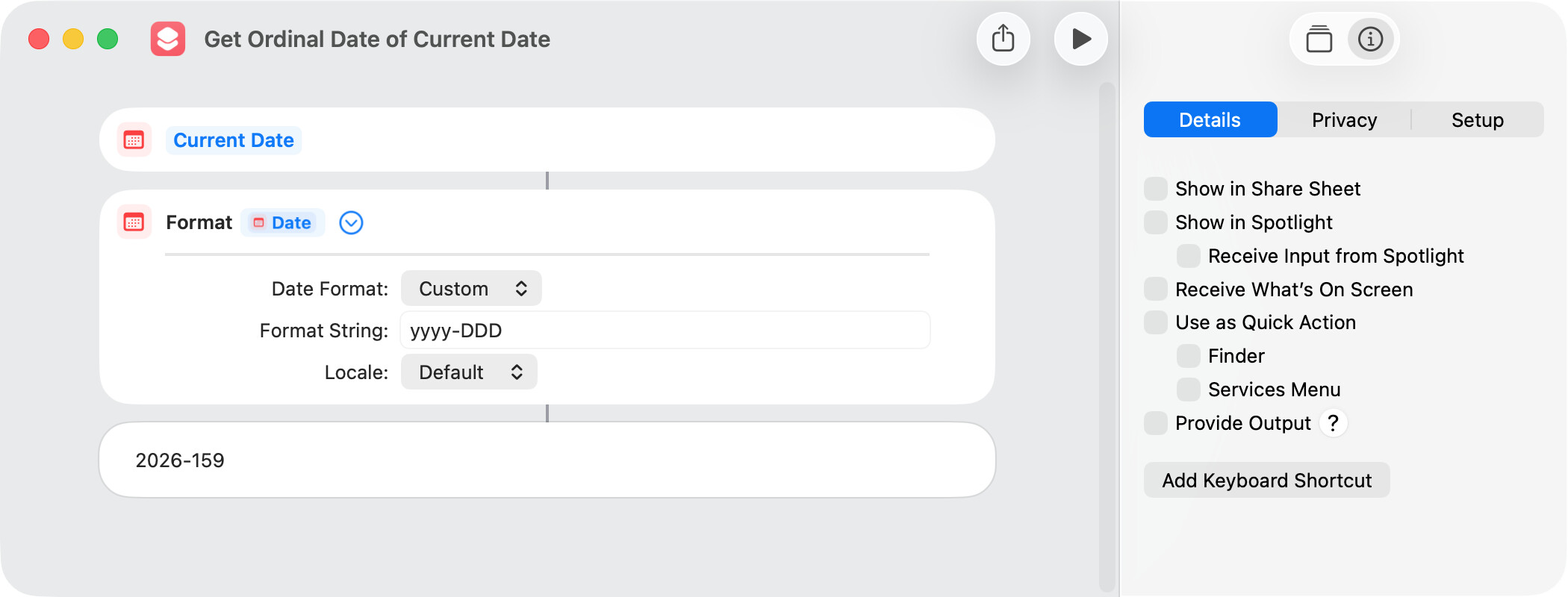
Just for learning purposes, I thought I would see how ordinal dates might be created and calculated with in a shortcut. Creating an ordinal date from a calendar date is simple:
Get Ordinal Date of Current Date.shortcut (21.6 KB)
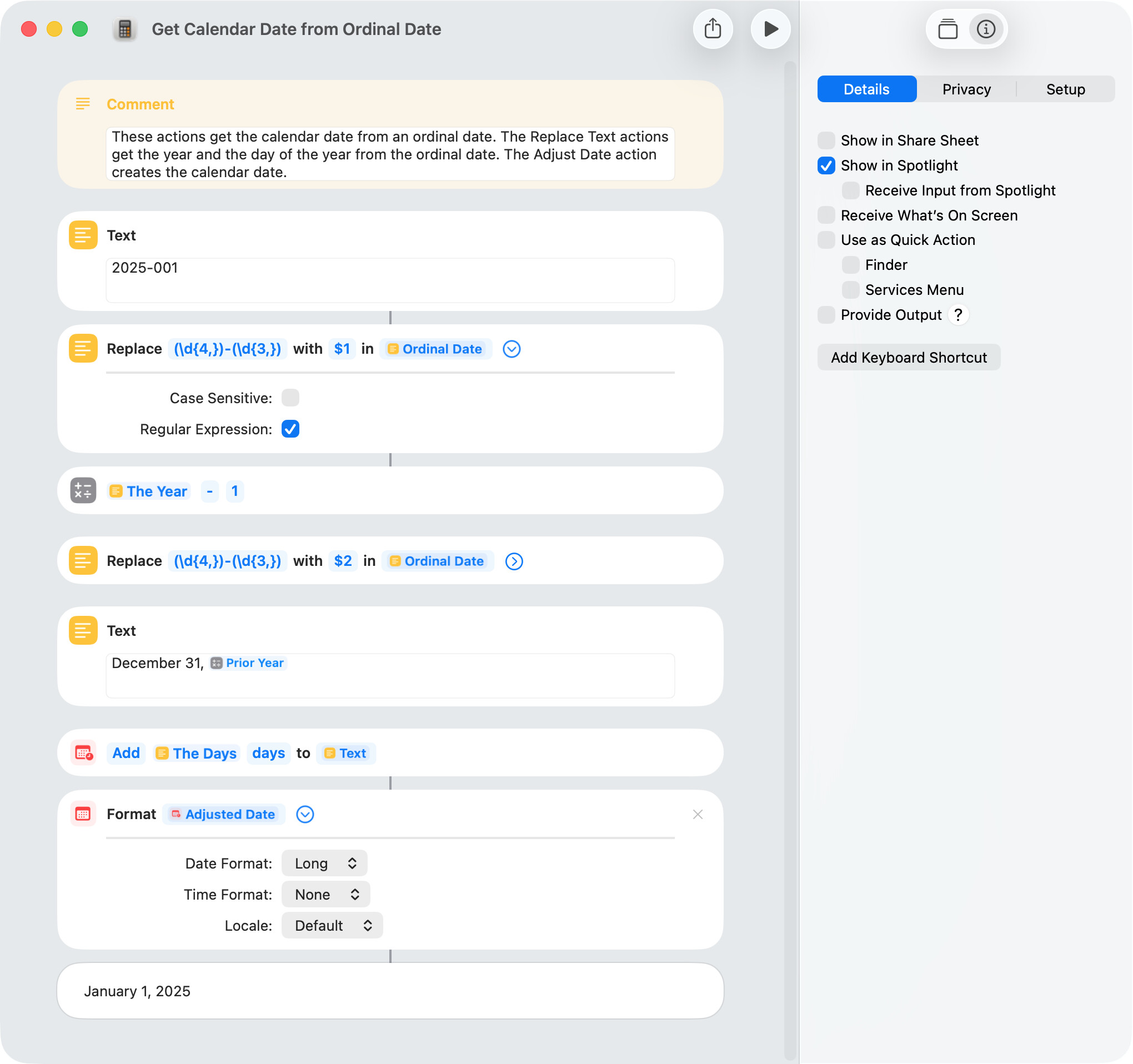
Creating a calendar date from an ordinal date involves a bit more work. From what I understand, ordinal dates normally don’t include a time component.
Get Calendar Date from Ordinal Date.shortcut (22.6 KB)
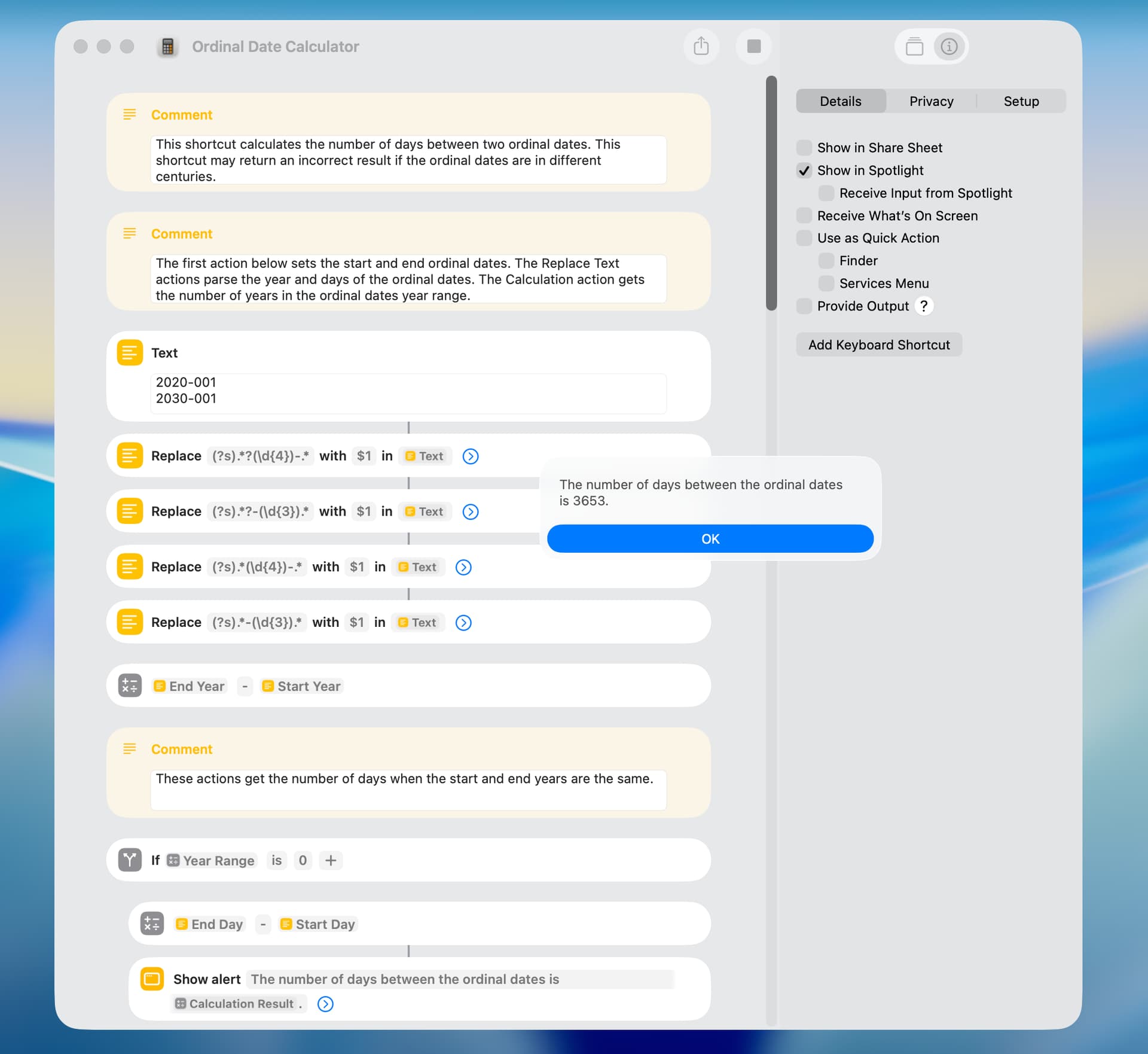
Various approaches can be used to get the number of days between two ordinal dates, and the following is one example. The timing result was 50 milliseconds.
Ordinal Date Calculation.shortcut (23.5 KB)
FYI, NSDateFormatter can create an NSDate / Applescript date from the ordinal format syntax directly
use AppleScript version "2.5"
use framework "Foundation"
use scripting additions

on ordinalDate from dateString
	set theFormatter to current application's NSDateFormatter's new()
	set theFormatter's locale to current application's NSLocale's localeWithLocaleIdentifier:"en_US_POSIX"
	set theFormatter's dateFormat to "yyyy-D"
	return (theFormatter's dateFromString:dateString) as date
end ordinallDate


set theDate to ordinalDate from "2026-160" -- date "Tuesday, 9 June 2026 at 00:00:00"
2 Likes
Another approach that can be used to get the number of days between ordinal dates is to calculate and sum the number of days in each year. The first and last year would normally be partial years, and leap years have to be considered.
The timing results for the old and new shortcuts are 40 and 10 milliseconds when the start and end dates are a few days apart. The timing results for the old and new shortcuts are 40 and 100 milliseconds when the start and end dates are 10 years apart.
I tested both shortcuts with various ordinal dates, and the results were the same. However, the calculations in the new shortcut are a bit convoluted and the result may be incorrect if the start and end dates are in different centuries (which seems unlikely).
Ordinal Date Calculator.shortcut (26.0 KB)
Just to further test my shortcut, I edited Stefan’s suggestion to return days between two ordinal dates. The returned dates were the same with the shortcut and the following.
use framework "Foundation"
use scripting additions

--Ordinal start and end dates return 1
set startDate to "2020-001"
set endDate to "2020-002"

--Ordinal start and end dates including leap year returns 366
set startDate to "2020-001"
set endDate to "2021-001"

--Ordinal start and end dates returns 365
set startDate to "2021-001"
set endDate to "2022-001"

--Ordinal start and end dates return 4017
set startDate to "2020-001"
set endDate to "2030-365"

--Create NSDates
set theFormatter to current application's NSDateFormatter's new()
set theFormatter's locale to current application's NSLocale's localeWithLocaleIdentifier:"en_US_POSIX"
set theFormatter's dateFormat to "yyyy-DDD"
set startDate to (theFormatter's dateFromString:startDate)
set endDate to (theFormatter's dateFromString:endDate)

--Calculate days between NSDates
set theCalendar to current application's NSCalendar's currentCalendar()
set dateDifference to theCalendar's components:(current application's NSCalendarUnitDay) fromDate:startDate toDate:endDate options:0
set dayDifference to dateDifference's |day|()
1 Like