I’m looking to modify the below script I found online:
tell application "Terminal"
	activate
	do script "/bin/zsh -lc 'export PATH=\"/opt/homebrew/bin:/opt/homebrew/sbin:/usr/local/bin:$PATH\";
set -e;
# Ensure Homebrew + Bundle are available
if ! command -v brew >/dev/null; then echo \"Homebrew not found in PATH\"; exit 1; fi;
brew bundle --help >/dev/null 2>&1 || brew tap homebrew/bundle;
# Create dated folder inside an archive location
STAMP_DATE=$(date +%F);
STAMP_TIME=$(date +%H-%M-%S);
DEST=\"/Users/dbrewood/Documents/_Configs & Settings/BrewFile\";
# Filename: Brewfile-YYYY-MM-DD_HH-MM-SS
OUTFILE=\"$DEST/Brewfile-${STAMP_DATE}_${STAMP_TIME}\";
# Dump Brewfile there
brew bundle dump --file=\"$OUTFILE\" --force;

# Keep the Terminal session open
# exec $SHELL'"
	tell application "Terminal" to close window 1
end tell
What I want to achieve:
- Remove the “# exec $SHELL’”" - the script errors if I remove it?
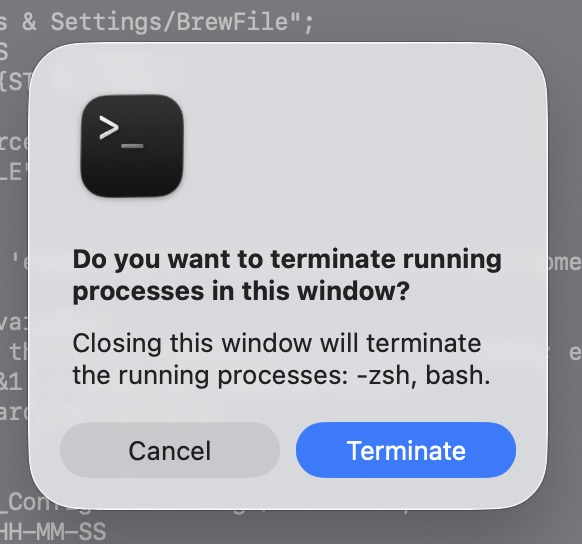
- The command to close the terminal window always presents me with a dialog box, I just want it to terminate the script and close the window.
Do you really want to run this script in terminal? It seems to do things which no require interaction. Why not run it like no terminal script?
exec $SHELL is in my opinion just to keep terminal open after finishing first part and the next step us just close terminal window- very strange.
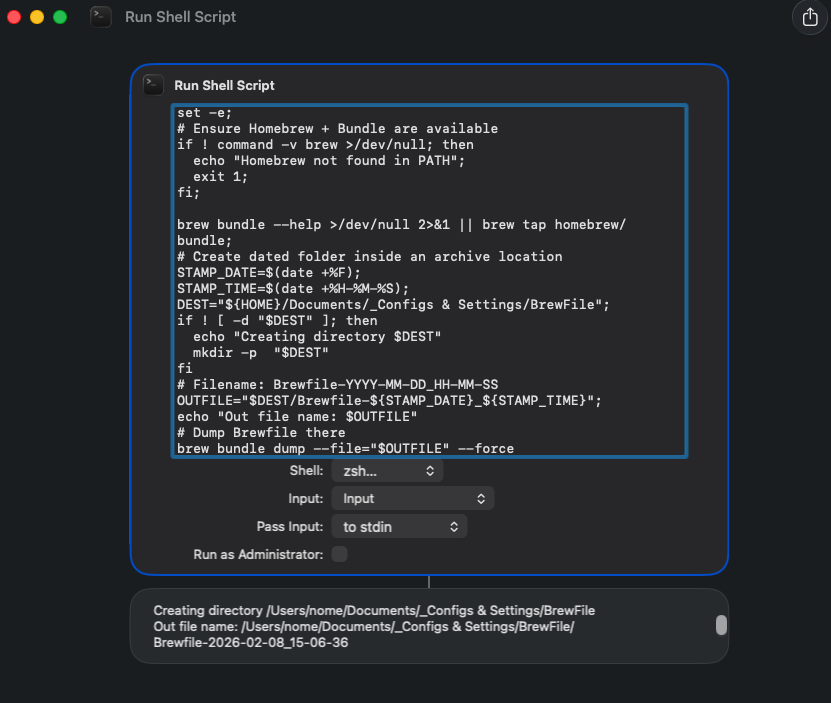
I actually want to run it inside of a Apple Shortcut (which I can schedule via Shortery) 
The original script I’m altering had the exec to keep the terminal open. I tried removing that but it gave errors. The close I added to try and close it.
I run below script (embedded in “Run shell script” shortcut action) successfully. I’ve added creating directory if not exists with message
export PATH="/opt/homebrew/bin:/opt/homebrew/sbin:/usr/local/bin:$PATH";
set -e;
# Ensure Homebrew + Bundle are available
if ! command -v brew >/dev/null; then
  echo "Homebrew not found in PATH";
  exit 1;
fi;

brew bundle --help >/dev/null 2>&1 || brew tap homebrew/bundle;
# Create dated folder inside an archive location
STAMP_DATE=$(date +%F);
STAMP_TIME=$(date +%H-%M-%S);
DEST="${HOME}/Documents/_Configs & Settings/BrewFile";
if ! [ -d "$DEST" ]; then
  echo "Creating directory $DEST"
  mkdir -p  "$DEST"
fi
# Filename: Brewfile-YYYY-MM-DD_HH-MM-SS
OUTFILE="$DEST/Brewfile-${STAMP_DATE}_${STAMP_TIME}";
echo "Out file name: $OUTFILE"
# Dump Brewfile there
brew bundle dump --file="$OUTFILE" --force
1 Like
Absolutely fantastic, it works perfectly. Many thanks.
Good
For my curiosity, which trigger of Shortery are you planning to use? I use mostly Calendar Event, which can be also serviced by another application (Rules.app), but Shortery seems to be more universal.
I’m just running it via a twice weekly timed event in Shortery.