This is something I did in Automator but which did not convert to Shortcuts or run as is on a modern Mac — and I cannot get my head around Shortcuts.
I save assorted utility and credit card bills to Downloads. I want to rename them, add the current date, and move them to respective folders. Bill A would get a Bill A name and go to the Bill A folder, etc.
They arrive in Downloads with various naming conventions but all types (gas, electricity, credit card) begin with different prefixes (text strings?). I want a separate Shortcut for each bill type. For the gas bill I would trigger the gas bill Shortcut , probably from the Services menu.
I want to avoid a clever omnibus Shortcut that would collect all the different bill types and distribute them to the relevant folders. Too complicated for me to troubleshoot or tweak.
But I can handle a “Run AppleScript with…” action. In Automator this one used to work:
on run {input, parameters}
tell application "Finder"
	move (file 1 of (path to downloads folder) whose name starts with "XX_X") to folder "Macintosh HD:Users:xxx:Bills:XX_X Bills"
end tell
return input
end run
I would be thrilled if someone can sort this! Cheers.
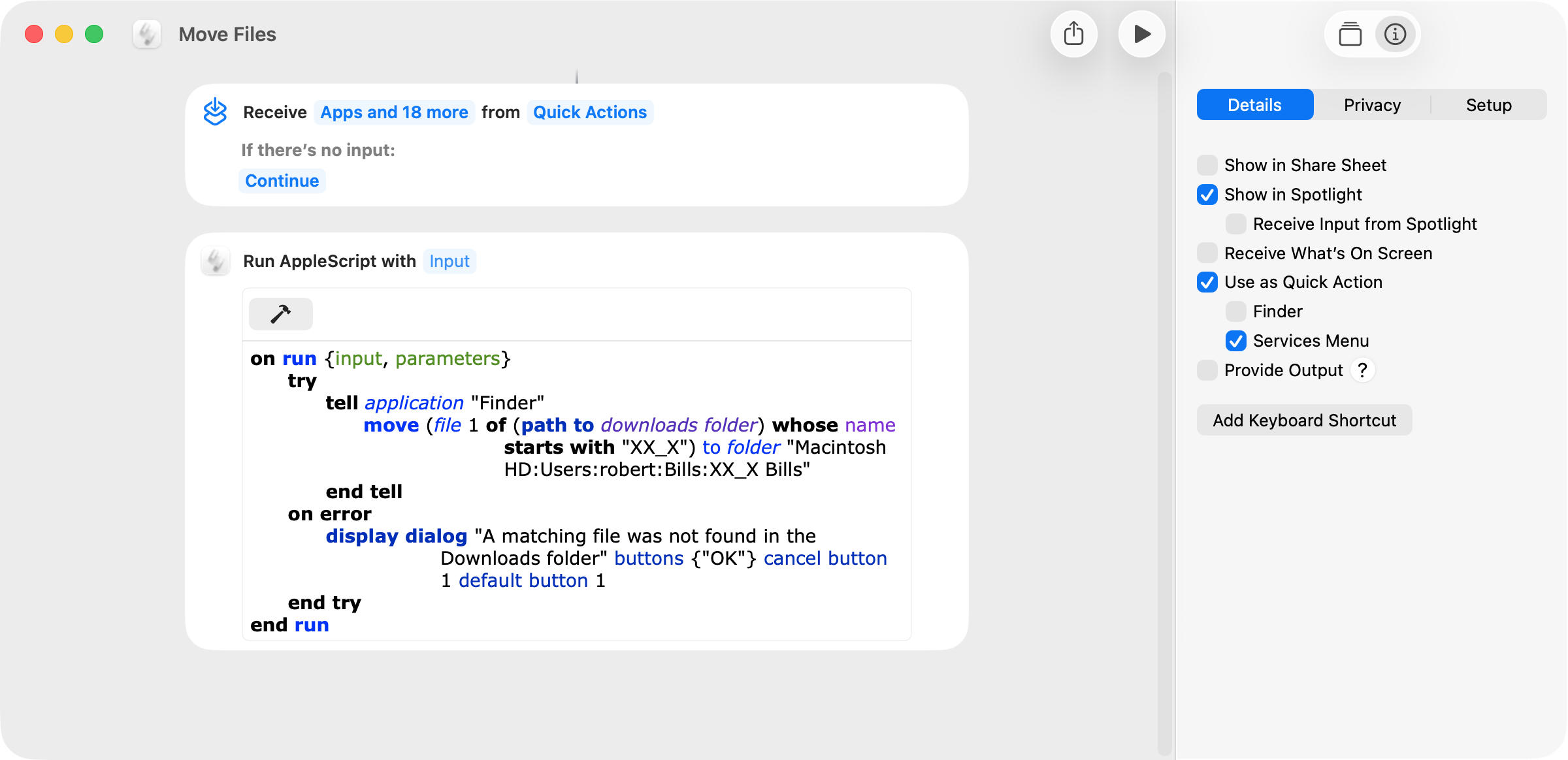
silvercoyote. It’s not clear to me if your request is for a shortcut that renames, dates, and moves files or to get the AppleScript in your post to work. If the latter is the case, the following worked on my computer. There’s no input that I can see, so the shortcut does not return any input.
Many thanks, peavine.
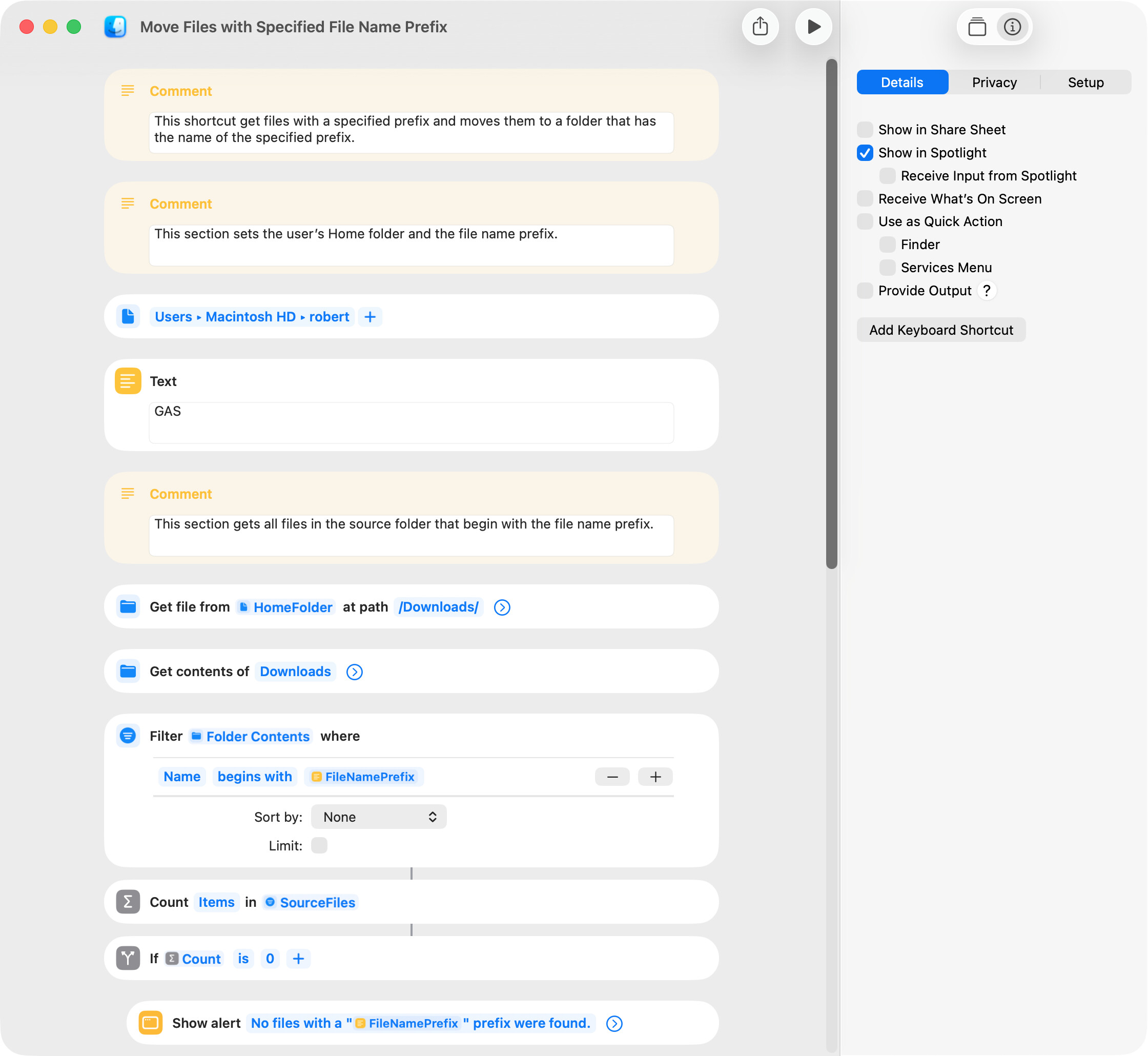
I’ve begun stumbling my way through this but it will take me some time. For a start, the term prefix may be more technical than I understood. Basically I mean just the first few letters of a file name. The script can’t find “statement.”, which is how one of the file names begins. It tells me no files with a filename prefix were found. So prefix must be the wrong term.
By the way I don’t need it to create a new folder or do repetitions. For me, “simple”.
Also, Christmas approaches and you may have better things to do — much as I appreciate your help!
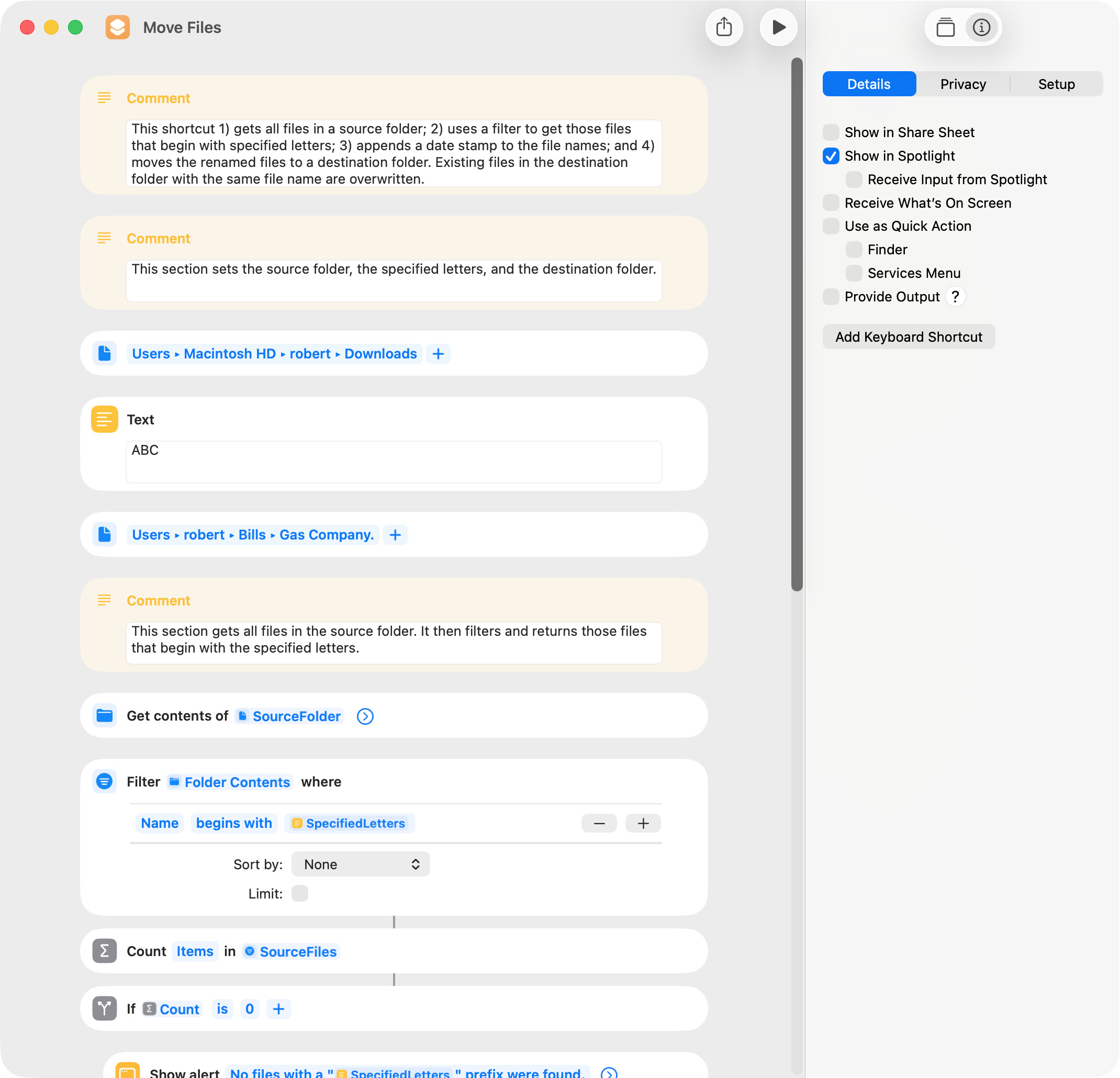
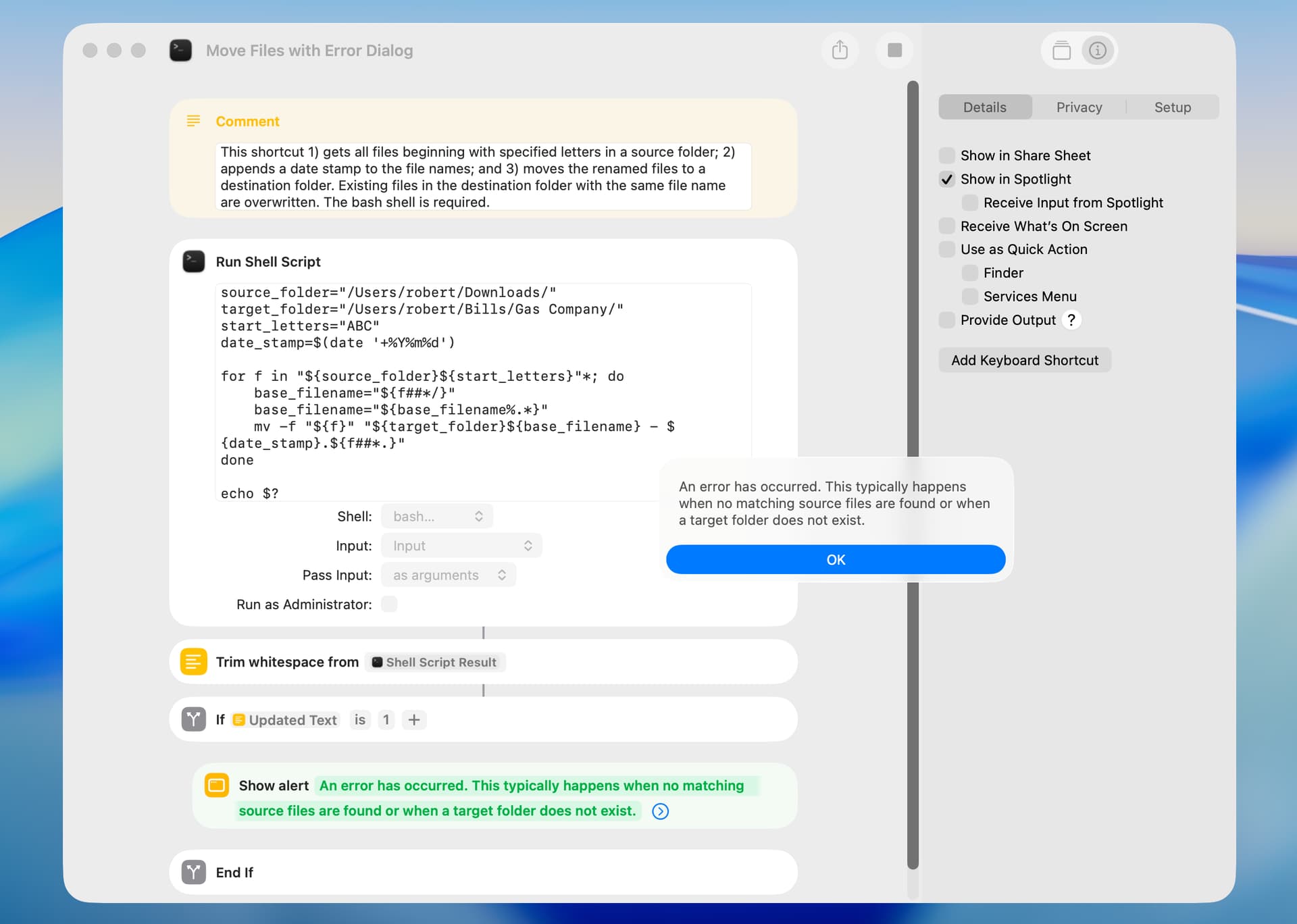
silvercoyote. I found an error in my earlier shortcut, and I rewrote it for simplicity and to work on the first letters of the file name. I do not use the term “prefix” and instead use the term “specified letters”. To test this shortcut:
Set the source and destination folders in the first section of the shortcut.
Set the text action in the first section of the shortcut to the desired letters (the current value is ABC).
Place some files in the source folder that begin with the specified letters and run the shortcut.
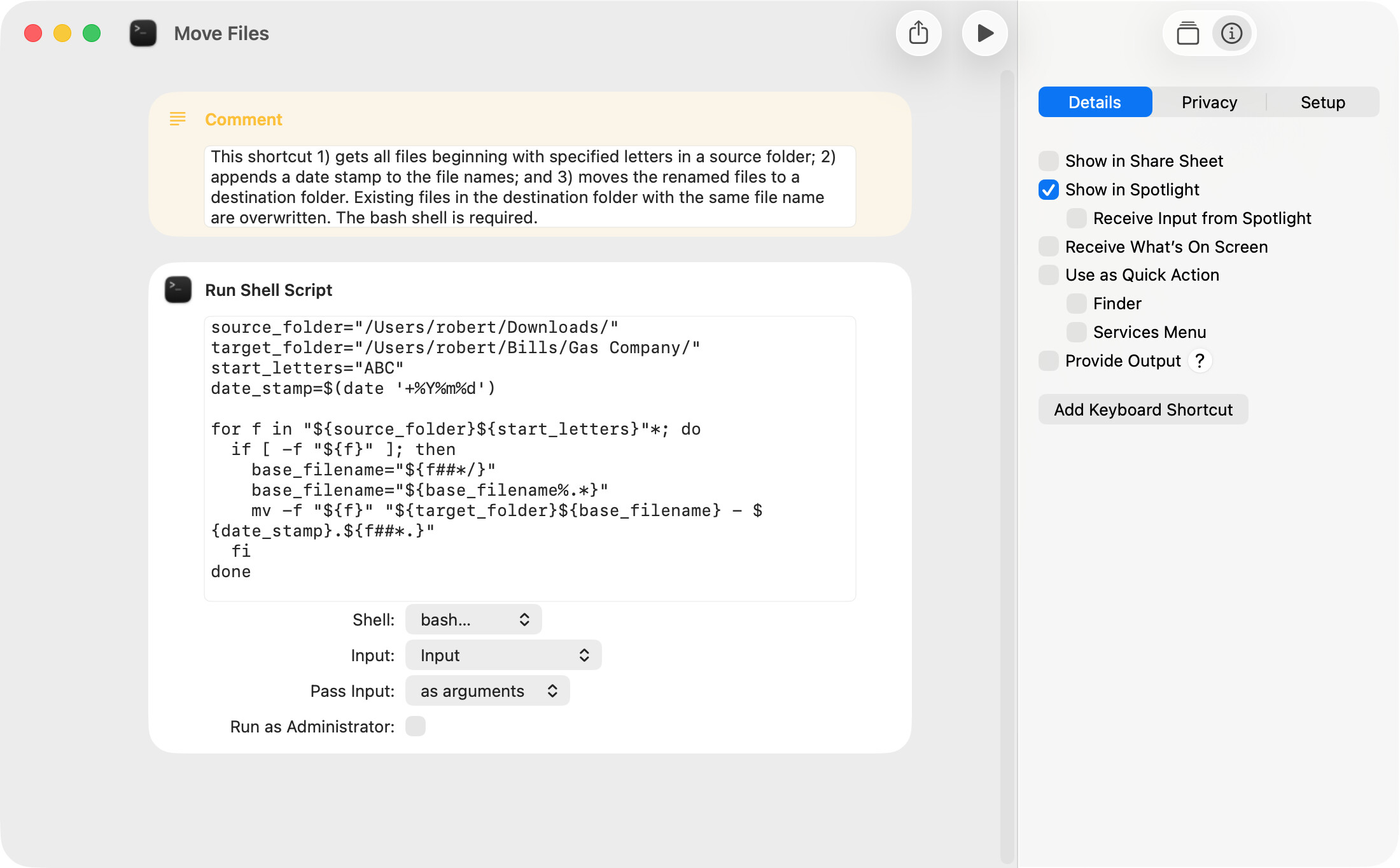
That’s fantastic, peavine! It works, complete with added date. Out of curiosity, what shell script language do you use? I’m familiar enough with AppleScript to realize it’s not that.
Regards, and many thanks.
silvercoyote. I normally use the zsh shell, which is the default in recent versions of macos. However, my script worked correctly with the bash but not the zsh shell. I need to research this.