I can’t test your script immediately without changing my date/time settings. But do you get the same results if you use AppleScript’s current, Unicode-compatible terminology?
set my_date_time to (current date) as text

set theNonSpaceCharacter to character -3 of my_date_time
set theChar to character id (id of theNonSpaceCharacter)
Apple is using a narrow no-break space between the seconds and the ante/post meridiem (am/pm) characters. The UTF-8 code for a narrow no-break space is E2 80 AF.
One can replace that offending space character in an AppleScript date string by the following code:
-- replace the UTF-8 narrow no-break space with a simple space
set adate to (current date) as text
set fixedDate to do shell script "sed 's/\\xe2\\x80\\xaf/\\x20/g' <<<" & adate's quoted form
Here is an ASObjC solution (using the narrow no-break space’s decimal Unicode code point value 8239) if one wishes to avoid the overhead of the do shell script command:
use framework "Foundation"
use scripting additions

set my_date_time to (current date) as text
set cleaned_date_time to ((current application's NSString's stringWithString:my_date_time)'s stringByReplacingOccurrencesOfString:(character id 8239) withString:space) as text
or a somewhat wordier Vanilla AppleScript solution:
set my_date_time to (current date) as text
set {tid, AppleScript's text item delimiters} to {AppleScript's text item delimiters, character id 8239}
tell my_date_time's text items
	set AppleScript's text item delimiters to space
	set {cleaned_date_time, AppleScript's text item delimiters} to {it as text, tid}
end tell
or a more terse Vanilla AppleScript solution if one is certain that there is only a single narrow no-break space and that it is at neither the beginning nor the end of the string:
set my_date_time to (current date) as text
set ox to offset of character id 8239 in my_date_time
tell my_date_time to set cleaned_date_time to text 1 thru (ox - 1) & space & text (ox + 1) thru -1
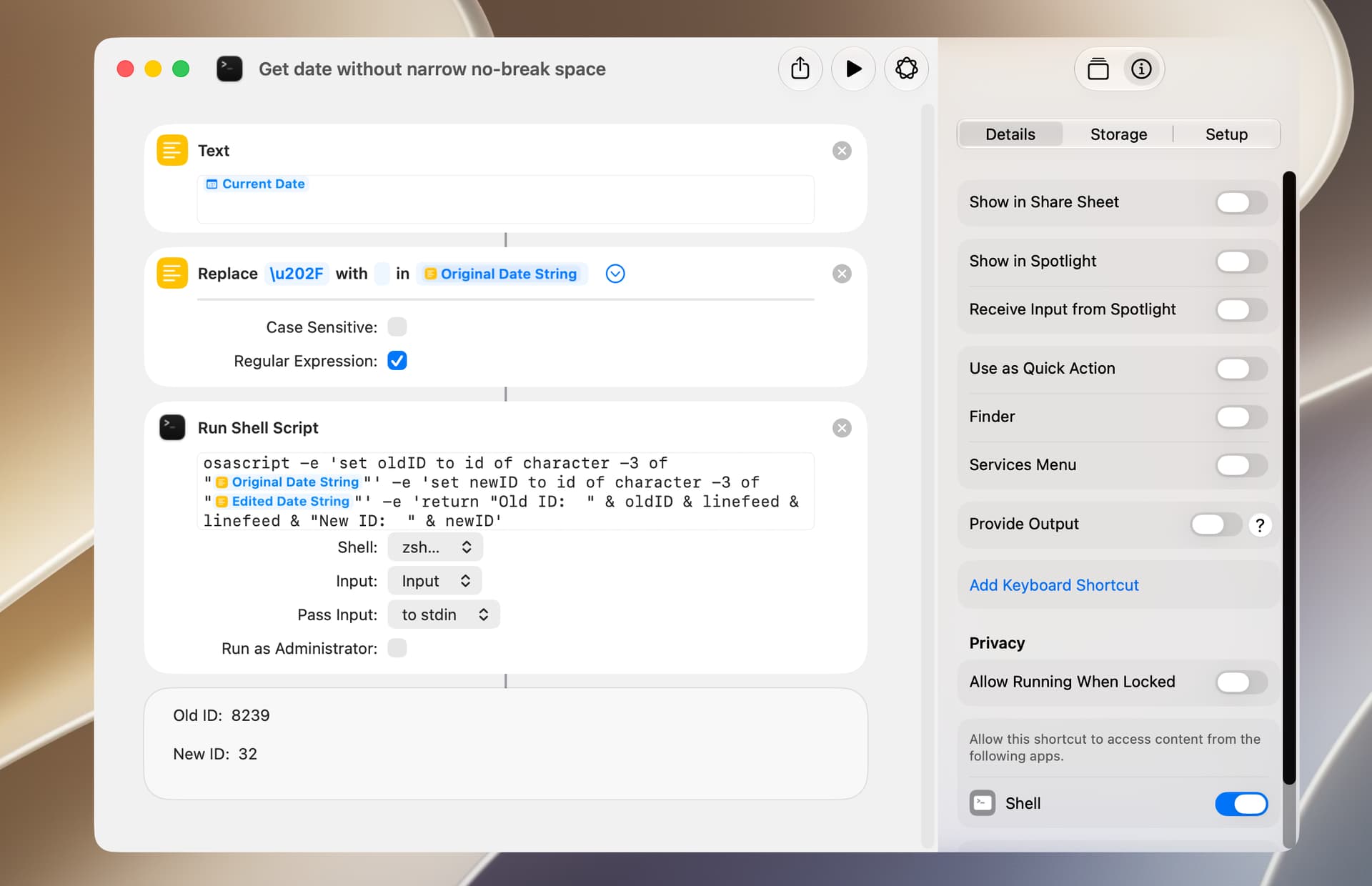
I was curious if Shortcuts also use a narrow no-break space in a current date string, and it does. The no-break space can be replaced with a regular space with the Replace Text action (the replace character also can be the literal character). The Run Shell Script action is used to get character IDs only.
Thanks. I guess someone in Apple decided this was a good idea !!. I wonder how long ago that was. My applet adds date-time to file names and replaces spaces and special characters with underscores so was easy to add non-breaking spaces to the delimiters list.
True but, can’t say I follow w.r.t. AppleScripting.
I usually just use an ISO 8601 date/time, e.g. (current date) as «class isot» as string. It is a standard format that uses 24-hour time, so there are no localizations or user settings to deal with - just grab and format the text however you want.