Hi everyone,
I’ve been using FastScripts for quite a while and it’s been working well for me. However, I’m curious to know what other tools people are using for similar purposes.
If you’ve switched to or prefer another application, I’d love to hear about it. What made you choose it over FastScripts? Are there any standout features or workflow improvements that you particularly enjoy?
My main requirements are:
- Menu bar (menulet) support
- Global keyboard shortcut assignment
- Focused on running scripts rather than being a general application launcher
I’m not looking for launcher-style tools such as Alfred, Raycast, Quicksilver, LaunchPalette, Keyboard Maestro, or similar alternatives.
Any recommendations or experiences would be greatly appreciated.
Thanks!
I don’t know of any alternatives that do all you’re asking.
Apple’s built-in script menu is the only alternative and only does some. You can activate it from Script Editor’s settings.
(Welcome to MacScripter!)
Sorry if I misunderstood your point. I’m not good at English.
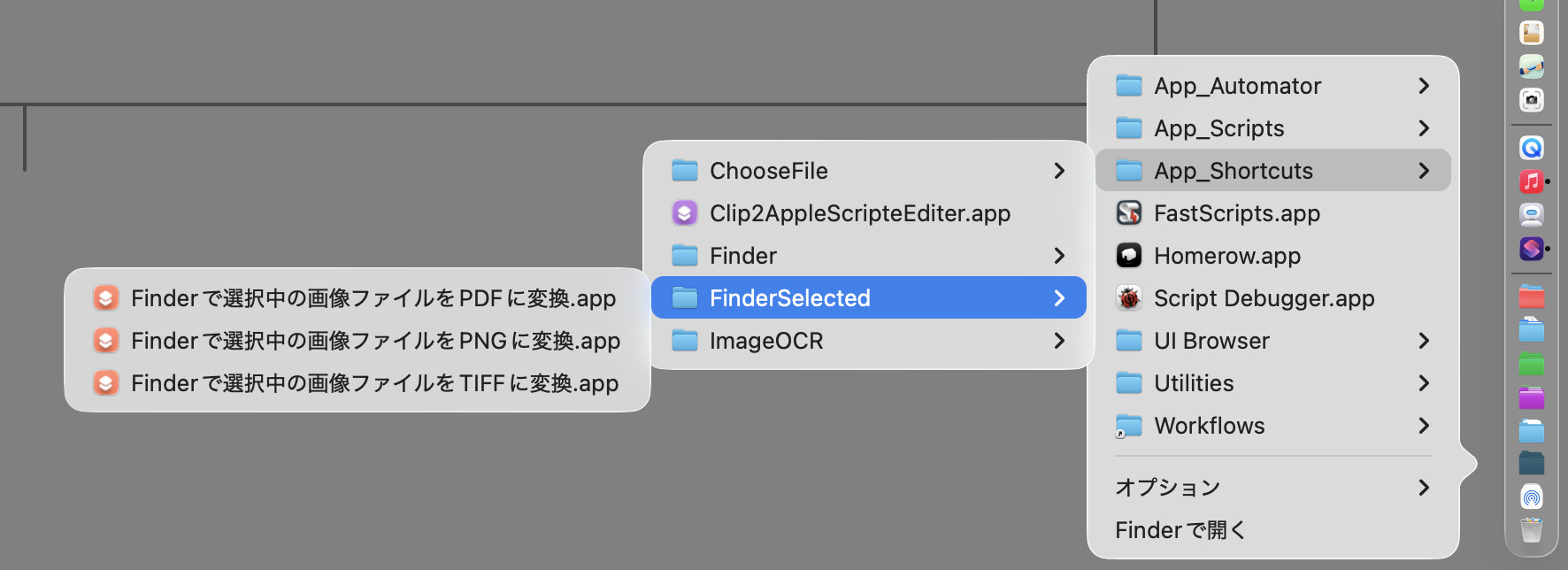
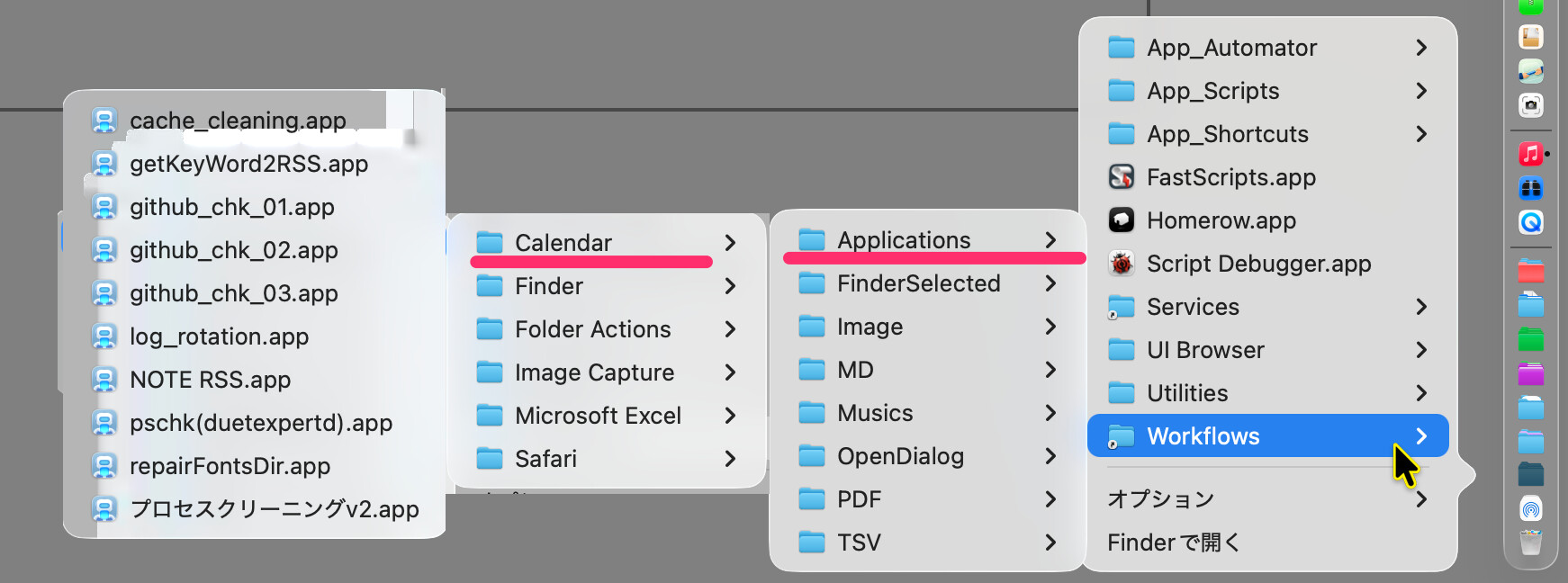
I put Shortcut apps, Automator apps, and Script apps into one folder, and add the folder to the Dock’s persistent-others. I use it like a script menu.
I also put a symbolic link to my workflow folder there. It is useful when I want to run Calendar Action apps manually, not only at scheduled times.
Even if I add many items, it does not become as slow as the Script Menu.
Maybe worth trying. 
What do you mean when write „run Calendar Action apps manually” ?
Rob Griffiths blogged about the built-in Panel Editor. Not as unobtrusive as a menu, but worth a peek.
2 Likes
Thank you for this link. This is very useful!
Calendar Actions created with Automator are Automator applications
so they can also be run individually.
I think some people may find this useful in certain situations.
Hi! I’m the developer of FastScripts so I know this market pretty well. As far as I know there is nothing to compare with FastScripts, and I don’t say that as a boastful thing, just that … well, it’s not a very common niche! Apple’s built-in menu bar extra is the closest I can think of. If you hadn’t ruled out Keyboard Maestro I would have suggested that, as it has a lot of superpowers including the ones you cited. All that said, if there’s something bugging you about FastScripts that is pushing you to look for an alternative, I’d be eager to hear more about it!
Daniel
Just to add that I have FastScripts on my own Mac, that in a former life my colleagues and I had it installed on something like 1,500 machines and that in what must be nearly 20 years I cannot remember it ever having been anything other than completely reliable. It’s easy to set up and lives up to its name. On the few occasions when we needed advice — usually about deploying sets of scripts to multiple clients — Daniel has been extremely helpful.
Of course if Daniel were to be at a loose end and wanting ideas for the future of FastScripts I for one would pay the cost again for the addition of floating palettes like the late lamented DragThing . . . .
(I do also use Keyboard Maestro for some things but that takes a lot more setting up.)
Nick
2 Likes
Just for me personally, the ability to run Shortcuts app shortcuts is something that I would like to see added to FastScripts. Right now, I use shell scripts to run shortcuts by way of FastScripts, and this works fine but is a bit tedious.
I wrote Daniel about this in February 2024, and he responded as quoted below. This sounded great to me but obviously wasn’t implemented. When all is said and done, I suspect there’s little if any interest in this by other user’s, and I accept this isn’t going to happen.
I have given some thought to how I might integrate Shortcuts into the app. One idea I had is that if I can get a list of the shortcuts from the system, I could incorporate an option in FastScripts to include the whole list as a separate “Script Collection”, and thus allow them to have keyboard shortcuts set directly just like with any script.
BTW, you can set keyboard shortcuts for Shortcuts app shortcuts directly in the Shortcuts Editor, but it has several flaws (at least for me):
- You cannot set application-specific keyboard shortcuts (except indirectly by the Shortcut Input option).
- The range of keys that can be used as keyboard shortcuts is quite limited.
- You have to enable the shortcut as a Quick Action, which clutters the Services menu.
- This approach is slow to run the shortcut.
For shortcuts-only menu, Do you know Sindre Sorhus Short Run app (Short Run — Sindre Sorhus)?
1 Like
Thanks nutilius. That looks great but it has a fatal flaw as a FastScripts replacement. From the FAQ:
Can I assign hotkeys to individual shortcuts?
No. Use Shortcuts’ own keyboard shortcuts (or Raycast/Alfred) if you want per-shortcut bindings.
However, this will be very useful as an enhanced replacement for the Shortcuts app’s drop-down menu, which is now a clunky free-standing dialog.
Just to clarify, the Short Run app does allow you to run individual shortcuts by way of the keyboard. You first select whatever keyboard key you’ve assigned to activate the app’s menu (I use F12), and you then select the keyboard key you’ve assigned to the shortcut, which runs the shortcut and closes the menu. This actually works quite well.