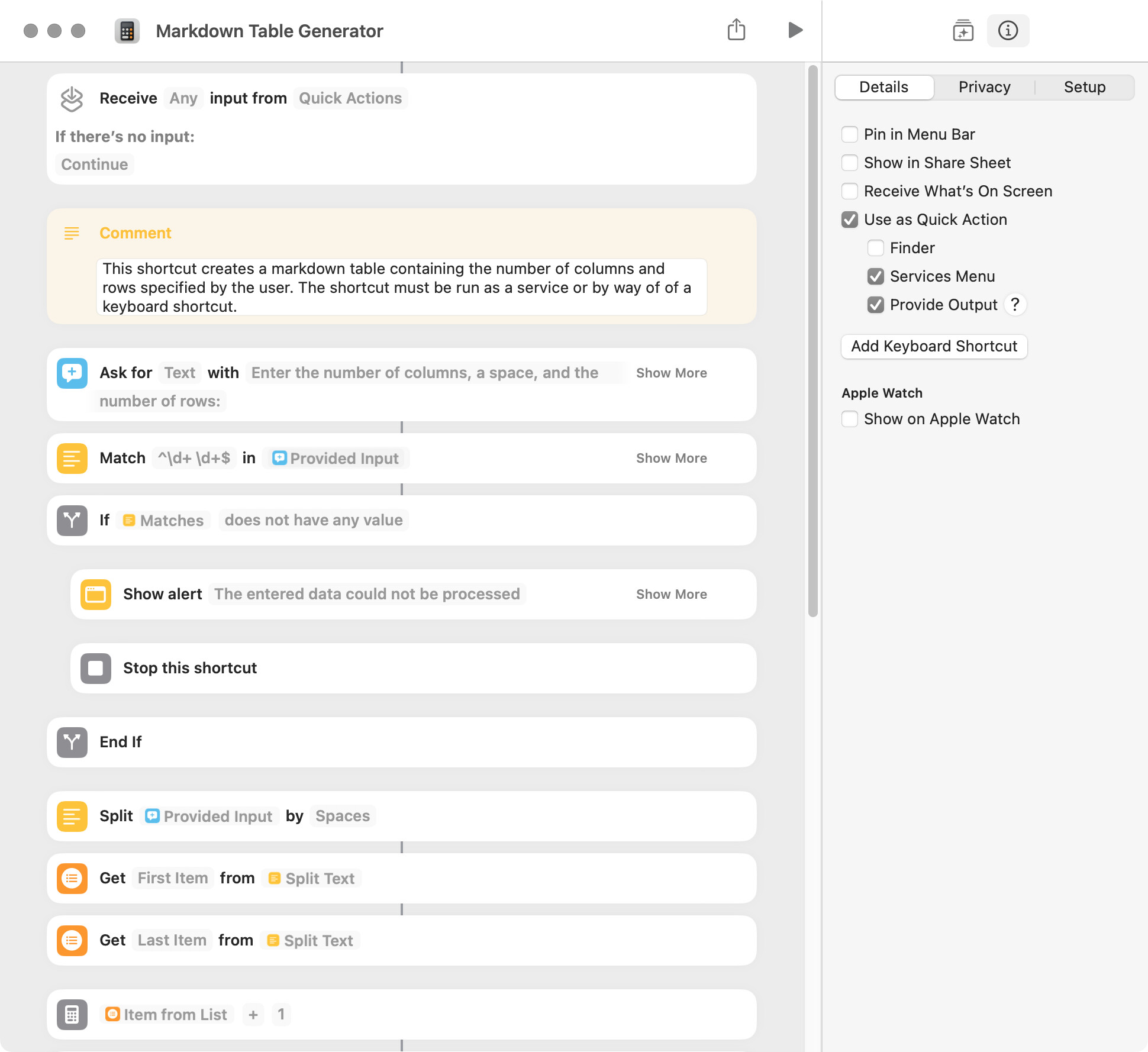
The following shortcut creates a markdown table containing the number of columns and rows specified by the user. It is run as a service or by way of a keyboard shortcut. The shortcut has an intermittent bug that causes the original dialog to appear after an error dialog is displayed. The following screenshot only shows a portion of the shortcut.
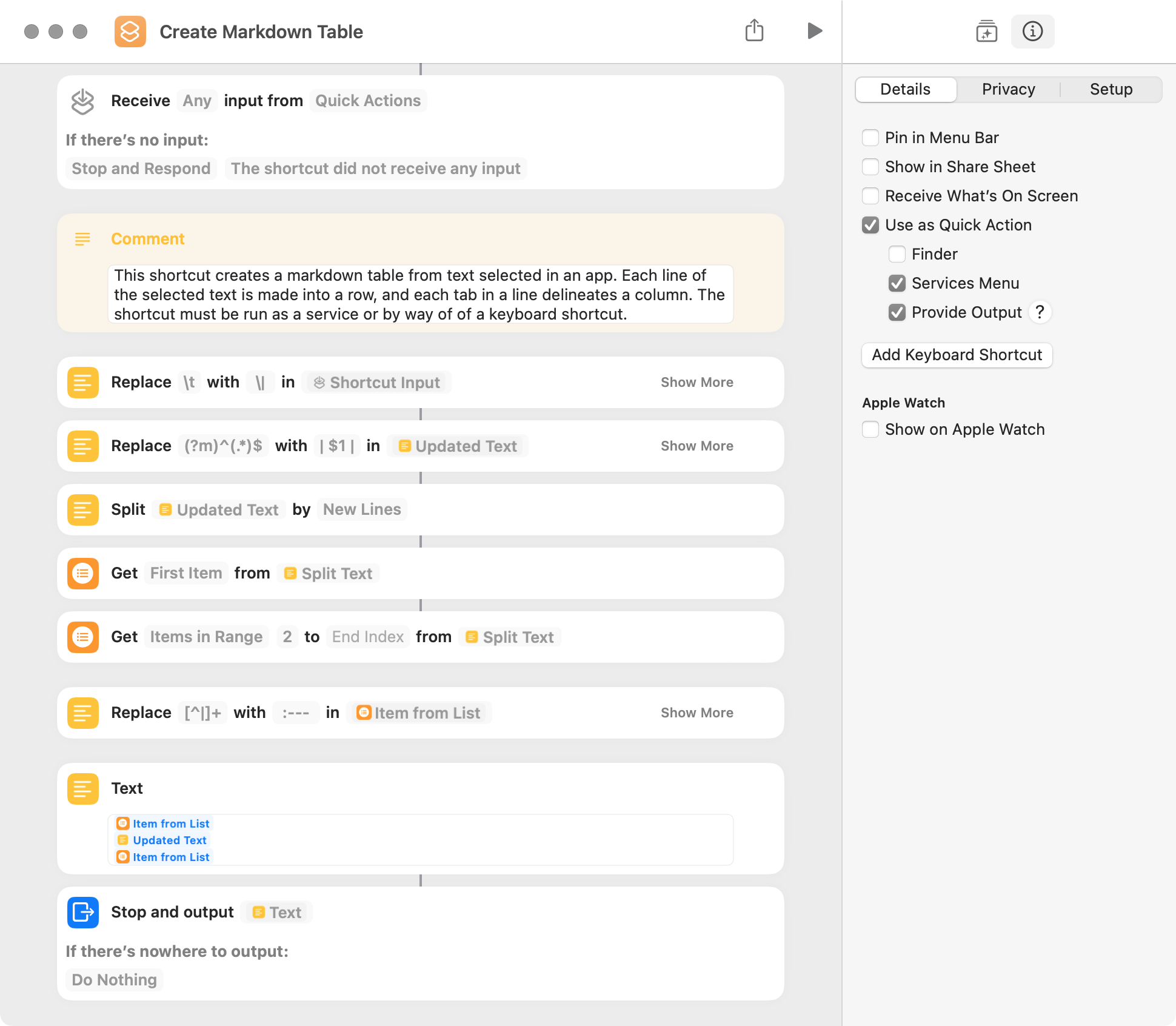
The following shortcut creates a markdown table from text selected in the active app. It is run as a service or by way of a keyboard shortcut. Each line of the selected text is made into a row, and each tab in a line delineates a column. The tab delineator can be replaced with one or more characters in the first replace action, although regex special characters (i.e. * ? + [ ( ) { } ^ $ | \ .) have to be escaped with a backslash.
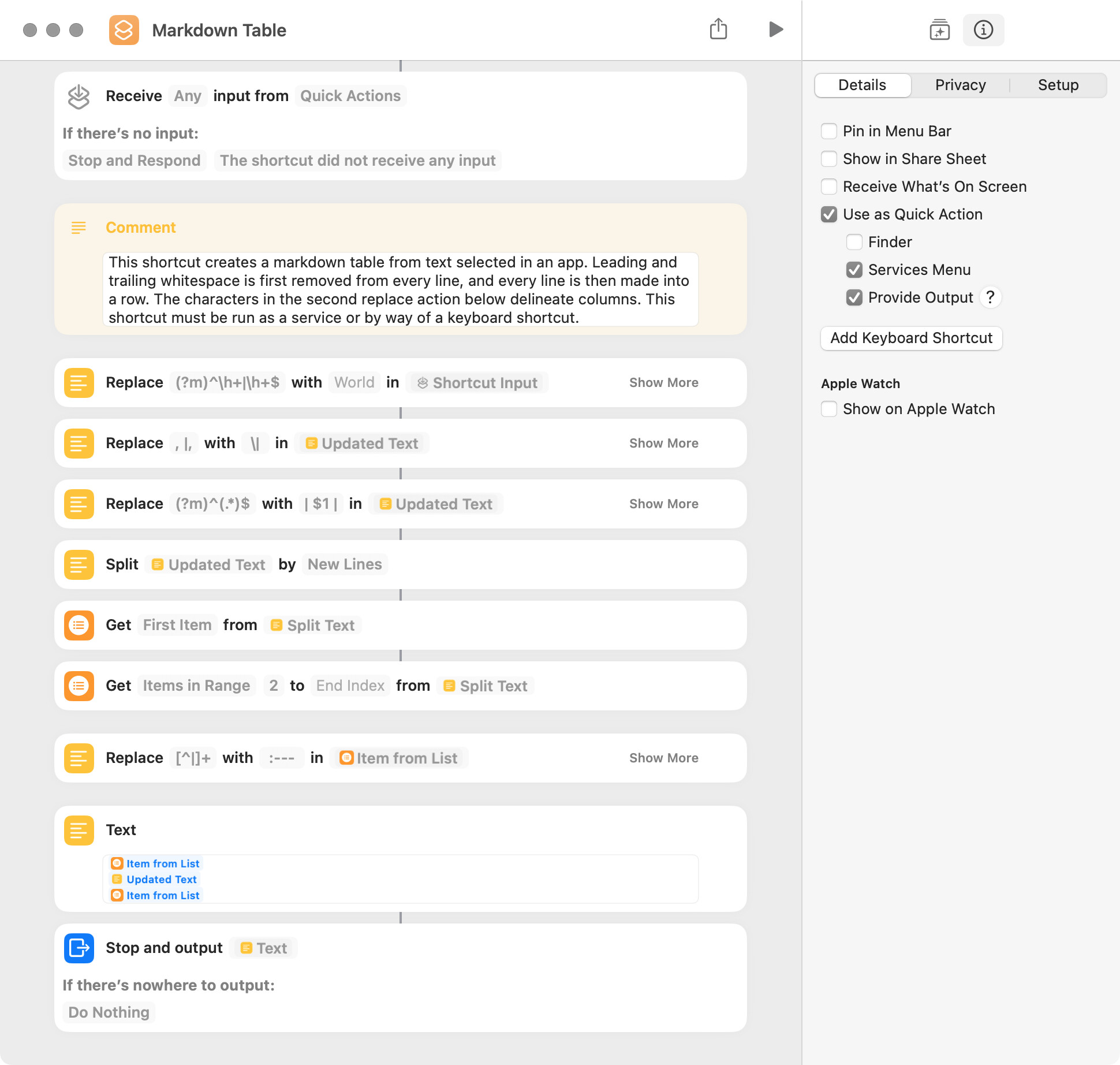
FWIW, I made a few changes to the shortcut in post 2 above. The column delineators are specified in the second replace action and are a comma followed by a space and a comma not followed by a space. Also, leading and trailing whitespace is removed from every line.
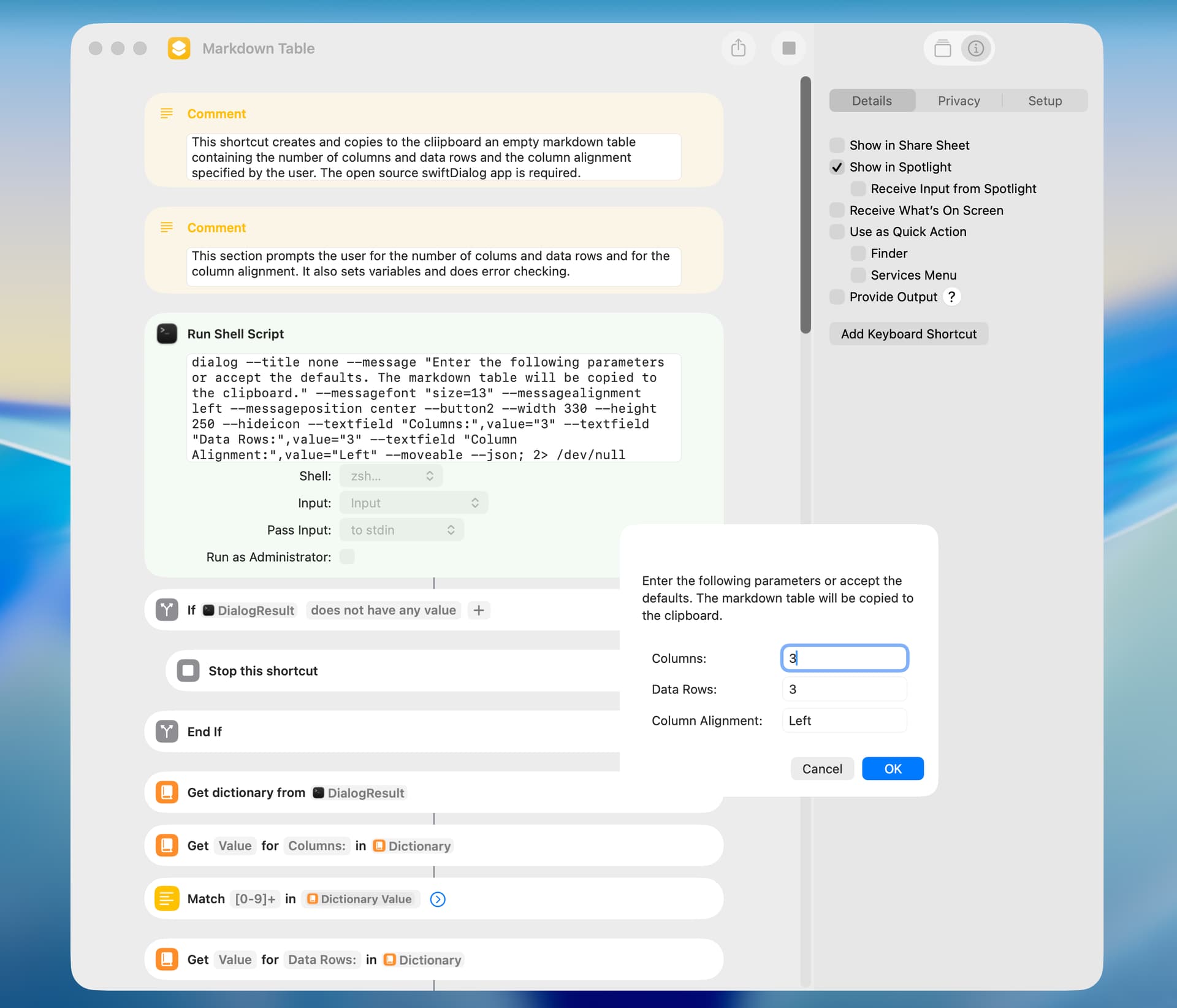
The shortcut included below creates and copies to the clipboard an empty markdown table. The shortcut uses the open source swiftDialog app (download here) and allows the user to specify the number of columns and rows and the column alignment.