I need to find all indented paragraphs in a 675-page Pages document and set the “before paragraph” spacing to 0 points. Can this be done in a script? I would not be able to do it myself in any case. If it can be done, would anyone care to try? Several of you were very helpful when I had a different challenge in this document in August.
I don’t see any way to achieve what you want in Pages via automation using AppleScript. The Pages v14.4 Scripting Dictionary is weak and excludes any reference to before/after paragraph, or indent settings. It does not use a special indent symbol before each paragraph when show invisibles is enabled.
You can select all of the content in that Pages document, and then on the Text panel, select the Layout tab. Under the indent section, if the First entry is blank, you can click once on the down increment button to make it 0 in and that immediately removes paragraph indenting document-wide.
Tested: Pages v14.4 on macOS Tahoe 26.2
If you were to export this Pages document to MS Word docx, and open it in Word, you could select all, visit Format menu > Paragraph… and in the Indentation section, set Special to (none). When you click OK, all paragraph indents vanish resulting left aligned document content.
Tested: Word v16.104, macOS Tahoe 26.2
Or… if you don’t have access to MS Word
Opening that same .docx in the free LibreOffice Writer, you can again select the entire content (cmd+A) and then from the Format menu > Paragraph… panel, select Indent & Spacing tab. In the Indent section, the First line selector will have no entry. Using the increment button, change that to 0.00" and the click OK. All of the selected paragraph indents will vanish.
Tested: LibreOffice v25.8.4.2 on macOS Tahoe 26.2
Many thanks for looking into this issue and responding quickly, VikingOSX.
I don’t want to remove indents. I need to set the paragraph spacing between every paragraph with an indent and the previous paragraph.
Doing any text manipulation in other word processors is not an option because my document has 675 pages of very carefully composed text using styles, overrides of styles, images, footnotes, table of contents, text boxes, et cet. Not everything is going to survive exporting and re-importing.
But if there is no way for a script to find indents, it doesn’t matter.
Thanks for helping.
I’m not at my Mac right now to try this, but is there a series of actions that could be scripted with a macro utility like Keyboard Maestro?
In other words, some sequence of actions to repeat for each paragraph?
Option-down-arrow should move you to the end of a paragraph. Then, a right-arrow or two should move to the beginning of the next paragraph. You could then possibly evaluate whether indent is specific in the inspector/palette. Keyboard Maestro can even let you do some screen analysis, where it essentially takes a screenshot of a specific area and matches that against an image you’ve specified.
If you can come up with a repeatable sequence, you might be able to automate it.
Copy several paragraphs of your large document into a new Pages document. Just a single page should be sufficient to test the result.
The following AppleScript updates the paragraphs in-place in an opened Pages document by indenting the gap between paragraphs by 5 spaces. It does not change any existing paragraph indent.
use scripting additions

tell application "Pages"
	tell body text of front document
		its every paragraph & return & (5 * space)
	end tell
end tell
return
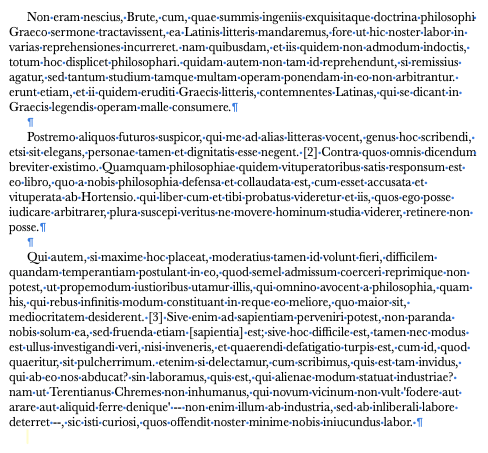
The result looks like the following. I have no control over the before/after paragraph settings other than the default return height which would inherit your existing Spacing setting.
Thanks, Krioni. I like the idea. I cannot quite see how I could make it work. The missing piece is how to tell that a paragraph is indented. I have not used Keyboard Maestro and don’t know if the image matching function would do that.
Thanks, VIkingOSX. I should have thought to share an image myself to make my need clear. This should help:
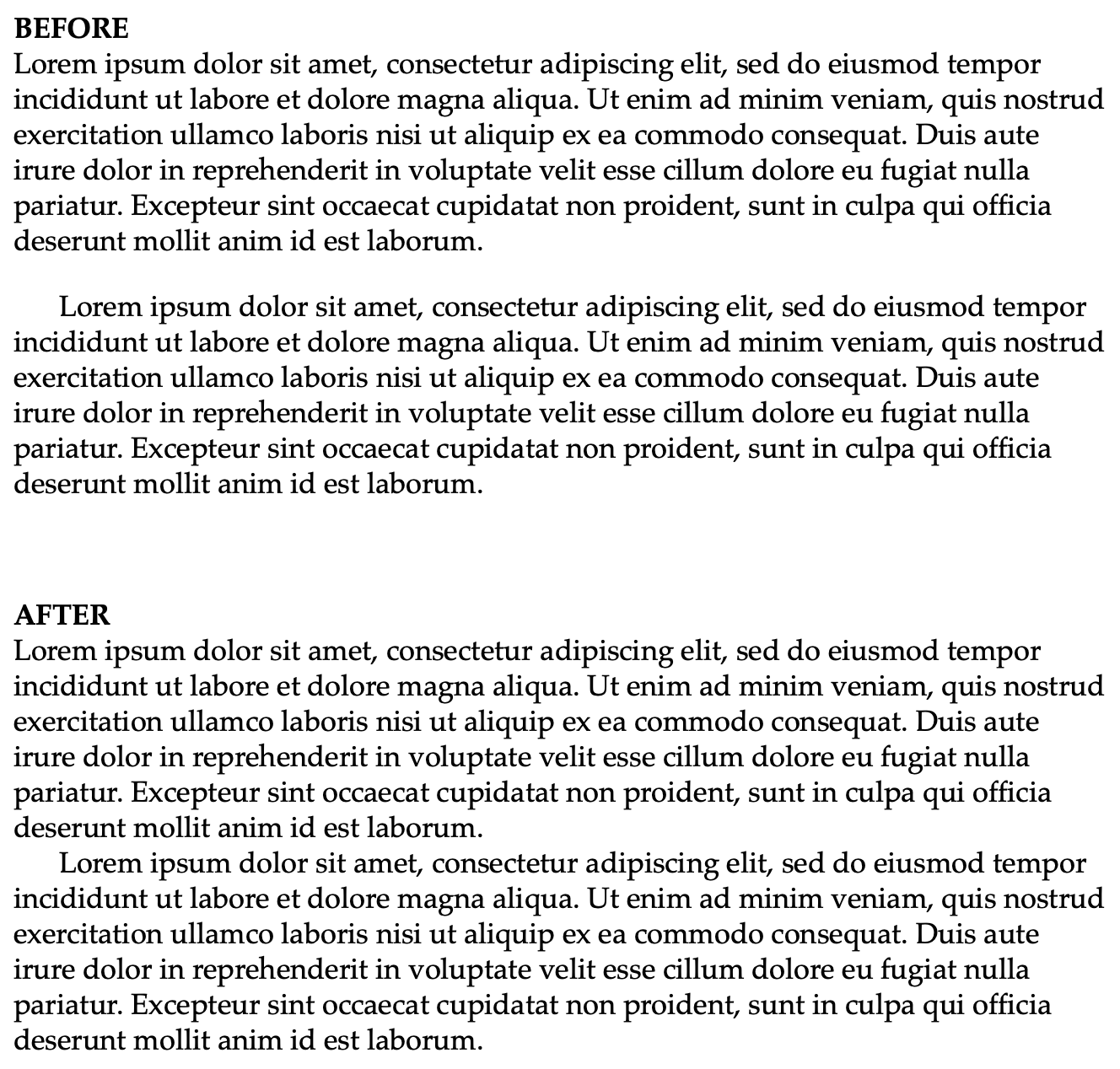
I understand that there is no way to change the spacing between paragraphs (not width of indentations) in a script.
Sorry for the delay. Had errands to run.
The following AppleScript will produce the sought result as shown in your last posted image. It simply loops through the Pages document’s paragraphs and removes the extra paragraph marks.
tell application "Pages"
	tell body text of front document
		repeat with i from (count of its paragraphs) to 1 by -1
			if paragraph i = "" then delete paragraph i
		end repeat
	end tell
end tell
return
Try this code first on your test document.
Thanks for the continued effort, VikingOSX.
There are no extra paragraphs. That space between paragraphs is set by the “before paragraph” spacing function, which is common in professional page layout. It is usually measured in points.
I didn’t stop to think that the example in my image might suggest extra paragraphs. Sorry.
I do not want to change every occurrence of this paragraph spacing, only the spacing directly above indented paragraphs. Many paragraphs are not indented.
There is no means that I am aware that AppleScript can detect the presence of Before Paragraph spacing in a Pages document where the gap between paragraphs is represented by Before Spacing and not a separate hard return between paragraphs.
I just tested a three-paragraph Pages document that used 6pt Before Spacing beween paragraphs and was unable to collapse that spacing.
I understand. Many thanks for trying.
Hey @Melvin,
Can your document survive being pasted into a textedit rich text document and then back into pages? Or being exported to rich text and then copy/pasted back into pages after processing?
And are these paragraphs indented using a ‘tab’ or by changing the ‘indents’ ‘first’ setting in the format>layout inspector?
If so, then there may be a way to do it without using scripting.
Never mind… I just saw your earlier post that answers that question.
Thanks for thinking about it, Mockman.
I can see how many users are missing the finer detail of your question. You are referring to the style attribute, which has no interaction to line feed type ‘end of line / end of paragraph / font size’ configurations.
I happen to have a 2,500+ page Pages document handy, which uses a variety of styles including a ‘space before paragraph’ of 5 points.
a straightforward ‘select all’ makes the ‘space before’ value go blank (It cannot show a range of values)
If you then alter it to zero, all lines are altered.
This goes some way to your solution.
It does not address your constraint of ‘only indented paragraphs’ however.
You do not describe the full attributes of your document.
If I assume that you use Styles for all text, as you should, then do you have a style in use for the indented paragraph versus block paragraph?
If so, then my test suggests that after removing all ‘space before’ you can then reinstate your choice of value on the necessary styles you have in place for block paragraphs.
If you need to allocate a (new) style to sections of text, then I take it you are familiar with the shortcut function you can assign to a style? It lets you move quickly through the document and assign a style.
Without knowing more about the layout of the document and the relative effort in adding or modifying styles it is difficult to provide more precise advice.
As an aside, my own experiences in converting to from Wordperfect (excellent for enabling automation) LibreOffice (also good at allowing access to arcane functionality, and (shudder) Word (I never got on with the idiosyncrasies of Word) all of them have some incompatibilities in formatting controls. The most useful standard is still ASCII text for archive, and a modern PDF/X-4 for presentation. If you are producing a print ready file for POD, then you might also want to look at LaTex for typesetting, Scribus, Inkscape and so on.
Let us know how you get on…
Thanks for your thoughtful response, YorkshiremanII.
Yes, all text is controlled by styles. Yes, I use keyboard shortcuts for styles.
I like the creativity behind the idea of changing all paragraphs then changing only certain ones back. Alas, this would require me to go through hundreds of pages to change thousands of paragraphs manually. In addition to the many block paragraphs, there are titles, subtitles, epigrams, dialogue, et cet. If I changed the before paragraph spacing of all paragraphs, I would have a massive amount of work to do. It would be much easier to go through the document and change the before spacing of just the indented paragraphs, which is the effort that I am trying to avoid. I also wanted the reliability of a script instead of the possibility of manual error.
Pages is not perfect for books. It lacks important functions that Quark XPress and Adobe InDesign provide. But it works quite well for me, and I know it well, so I would rather not learn other software. But you have made me curious. I’ve known about LaTex for years, but have never looked at it. Maybe I will now. And the others.