An option available in every shortcut is Receive Input from Spotlight (see screenshot below). I was never certain of the typical use scenario for this action and decided to investigate.
Google AI describes the purpose of this option as:
The “Receive Input from Spotlight” option allows you to pass what you type, select, or query directly into your shortcut when you run it from the macOS Spotlight search bar.
An example of a shortcut that uses this action is a calculator. To run this shortcut:
-
Activate the Spotlight Search Bar.
-
Enter the name of the shortcut and select it with the keyboard or mouse. As an alternative, Spotlight Quick Keys are an excellent way to run a frequently used shortcut.
-
The Spotlight dialog will show the name of the shortcut and allows the user to enter text at the Input placeholder (see screenshot below).
After doing the above, the entered text is processed by the shortcut. I’ll work on one or two additional examples that get input from a selection.
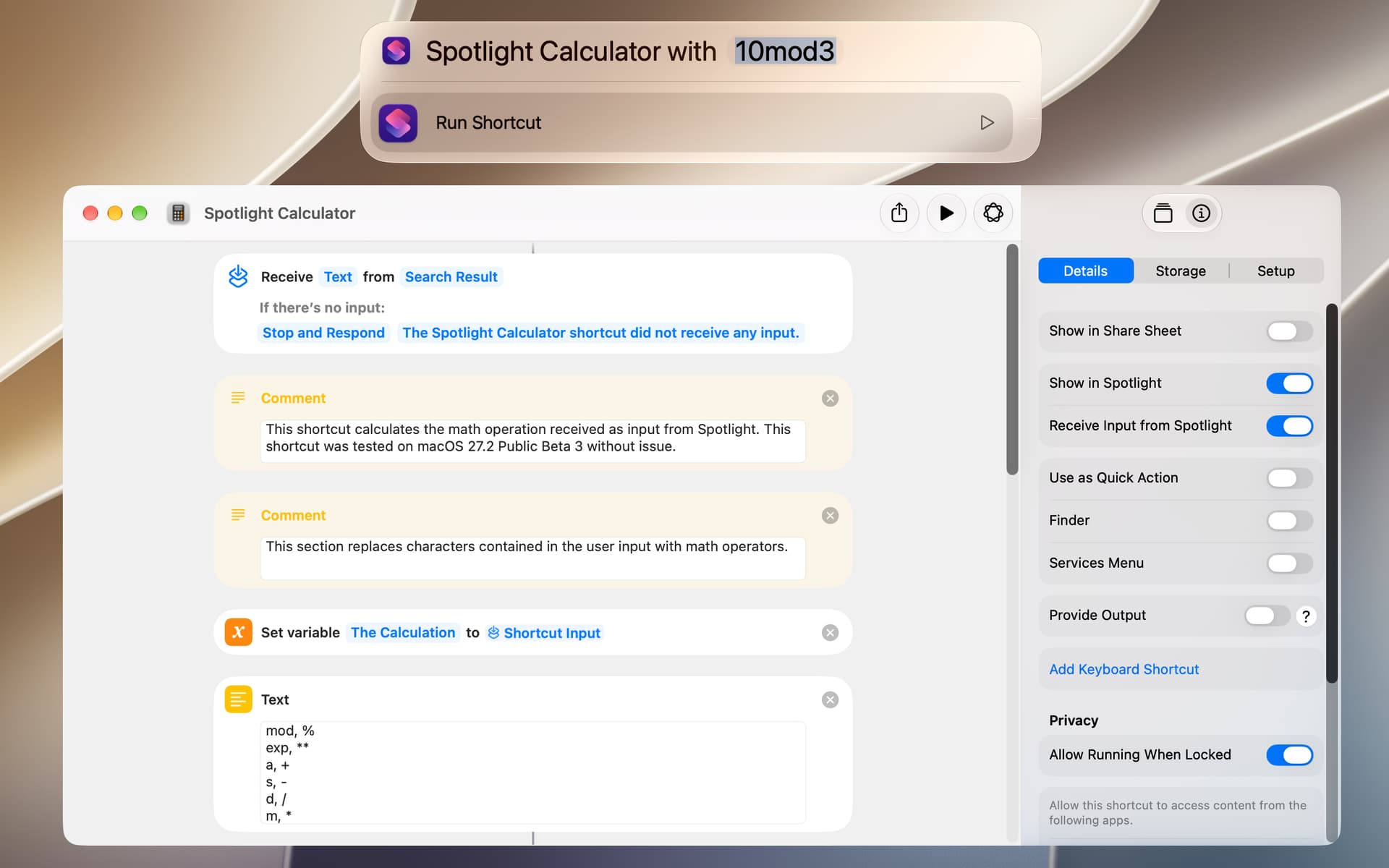
Spotlight Calculator.shortcut (23.4 KB)