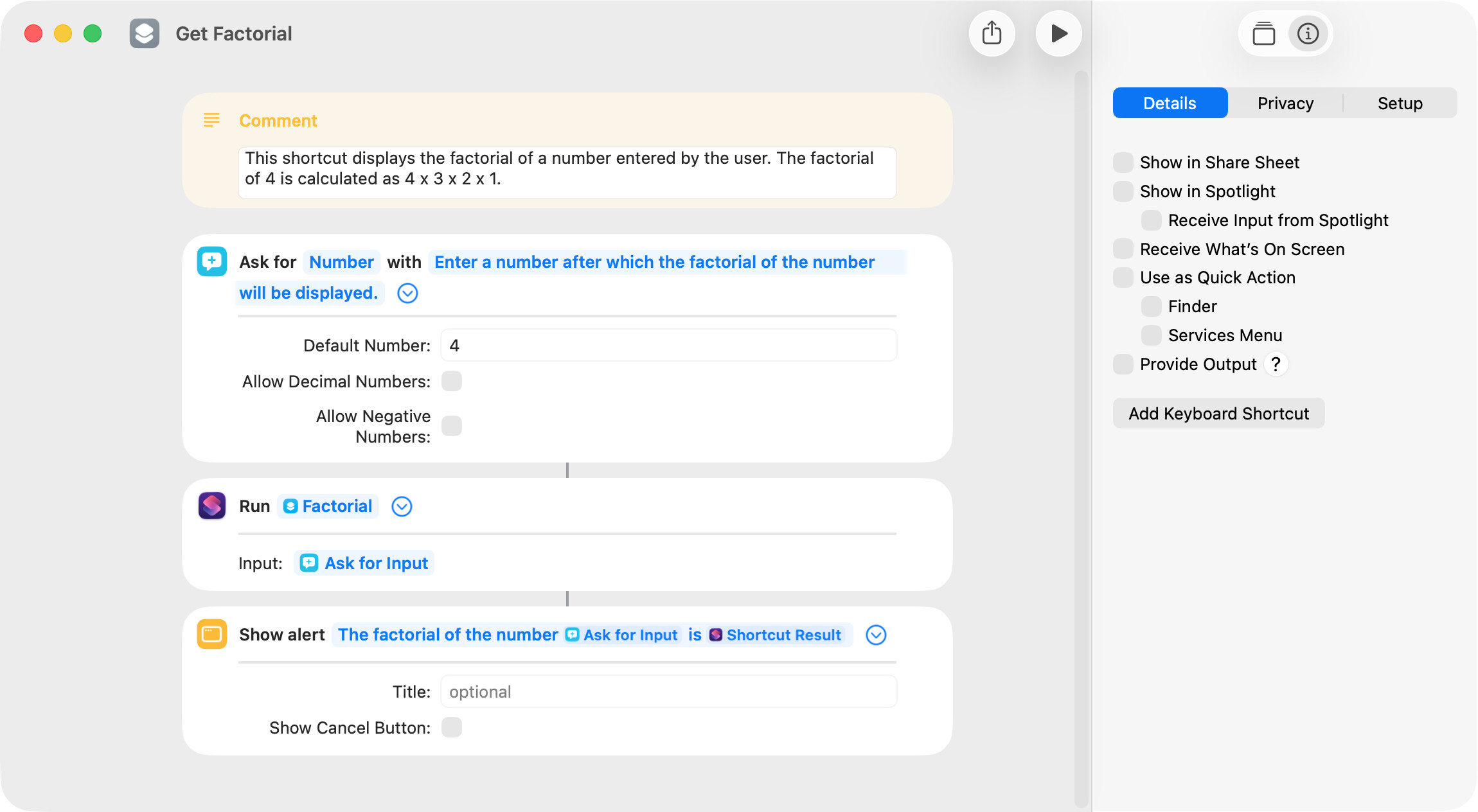
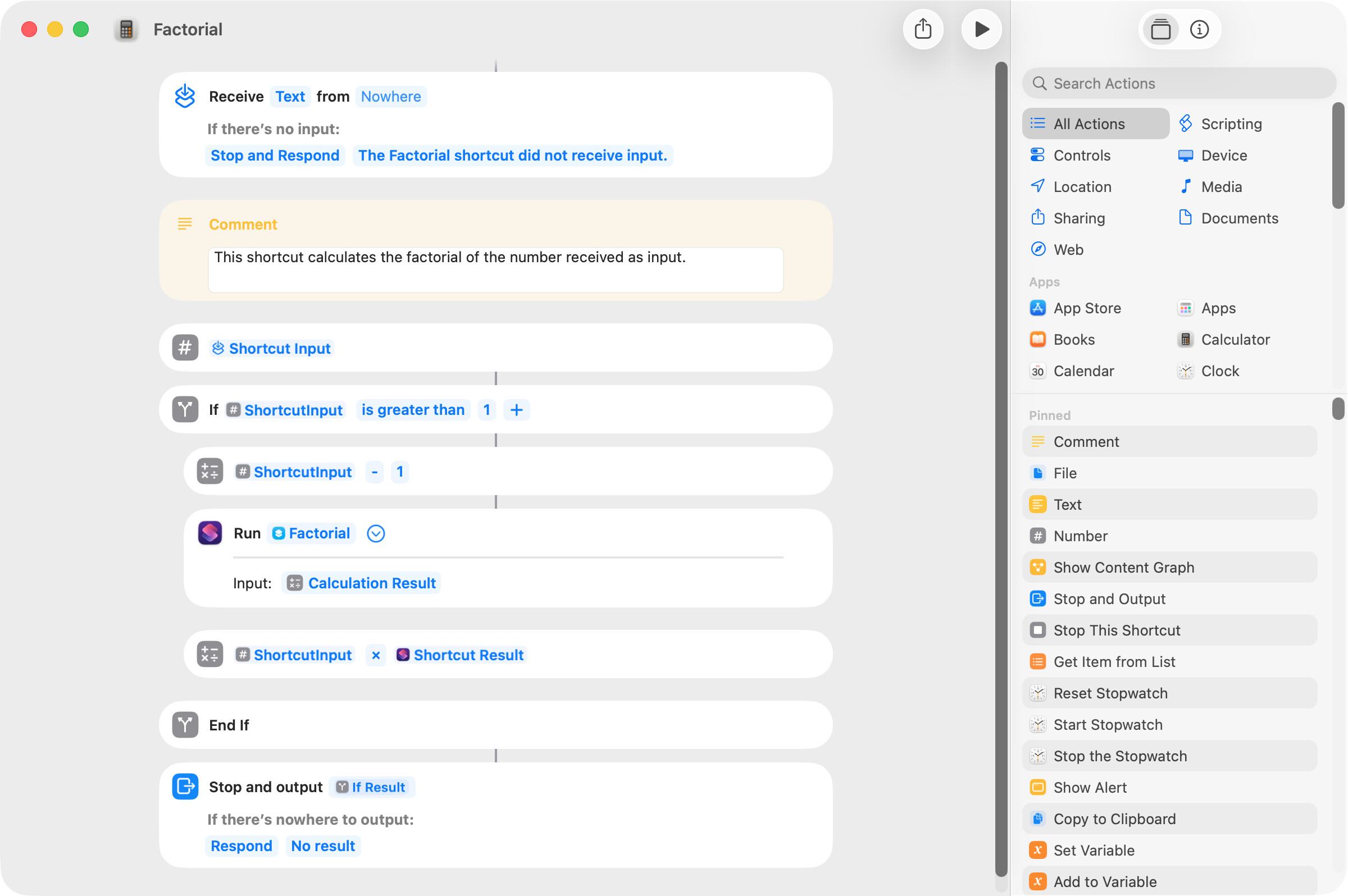
Just for learning purposes, I wrote a shortcut that calls a recursive shortcut that returns the factorial of a number. The learning part for me was the recursion.
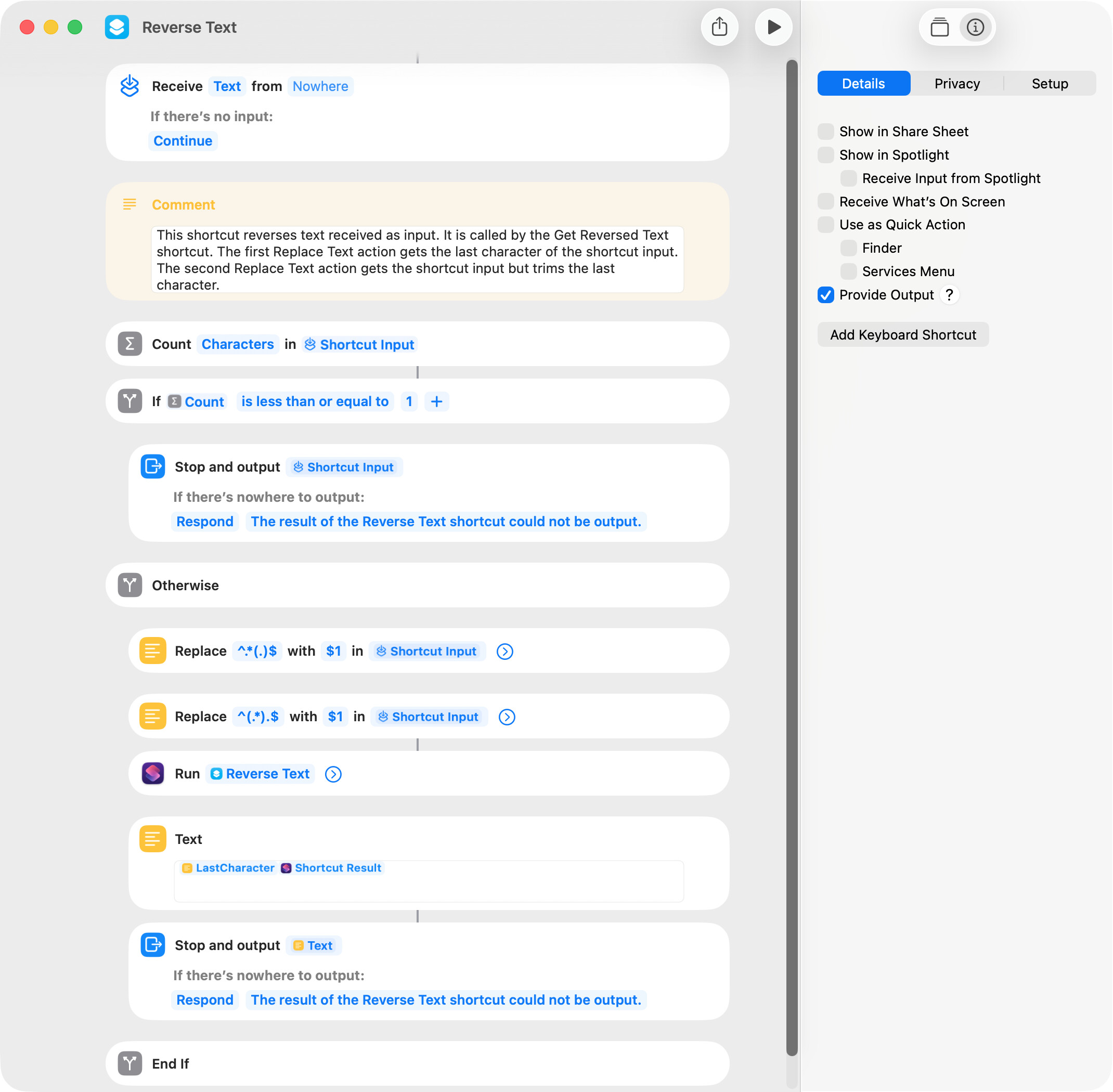
I wanted an example of a recursive handler that manipulated text, and Google AI provided the following:
set theText to "macOS"
set reversedText to reverseText(theText)

on reverseText(theText)
	if (length of theText) ≤ 1 then
		return theText
	else
		return (last character of theText) & my reverseText(text 1 thru -2 of theText)
	end if
end reverseText
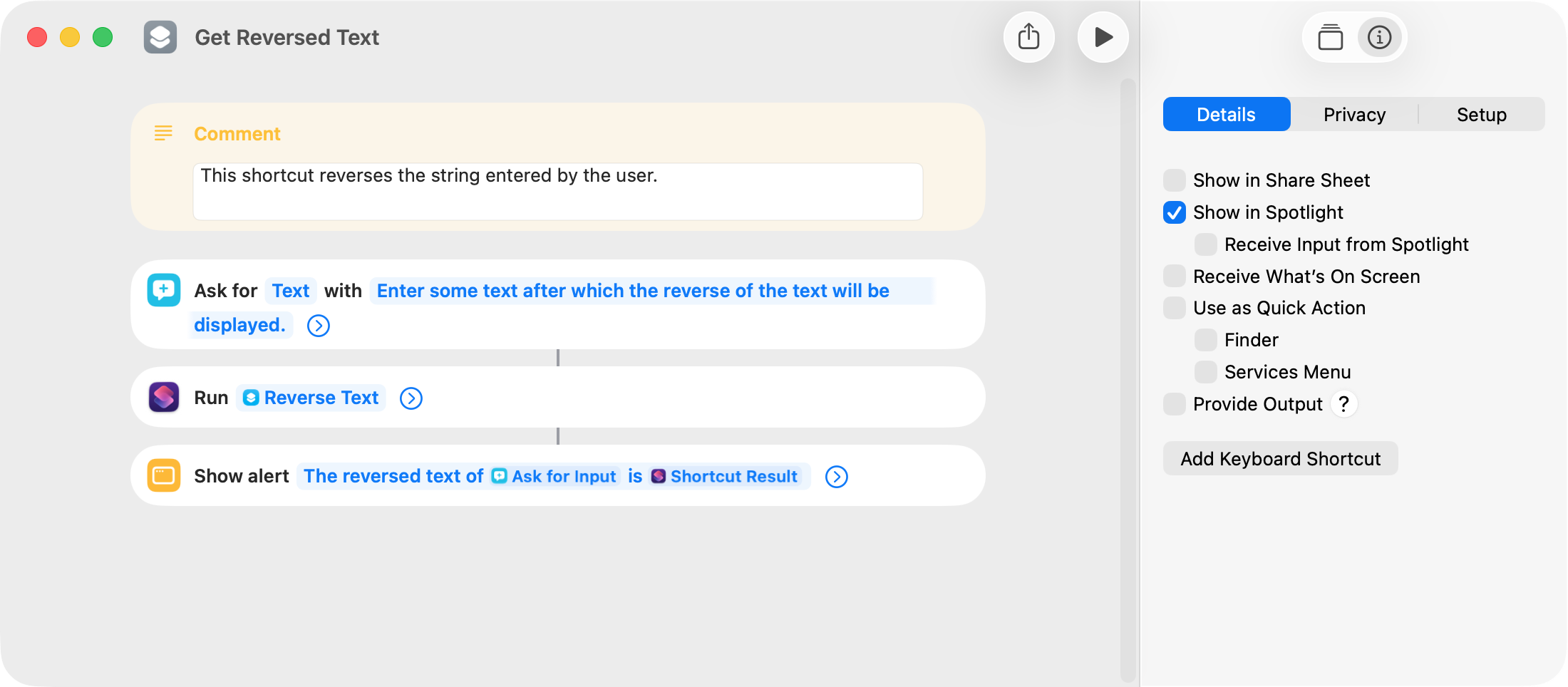
The calling shortcut of the shortcut equivalent is:
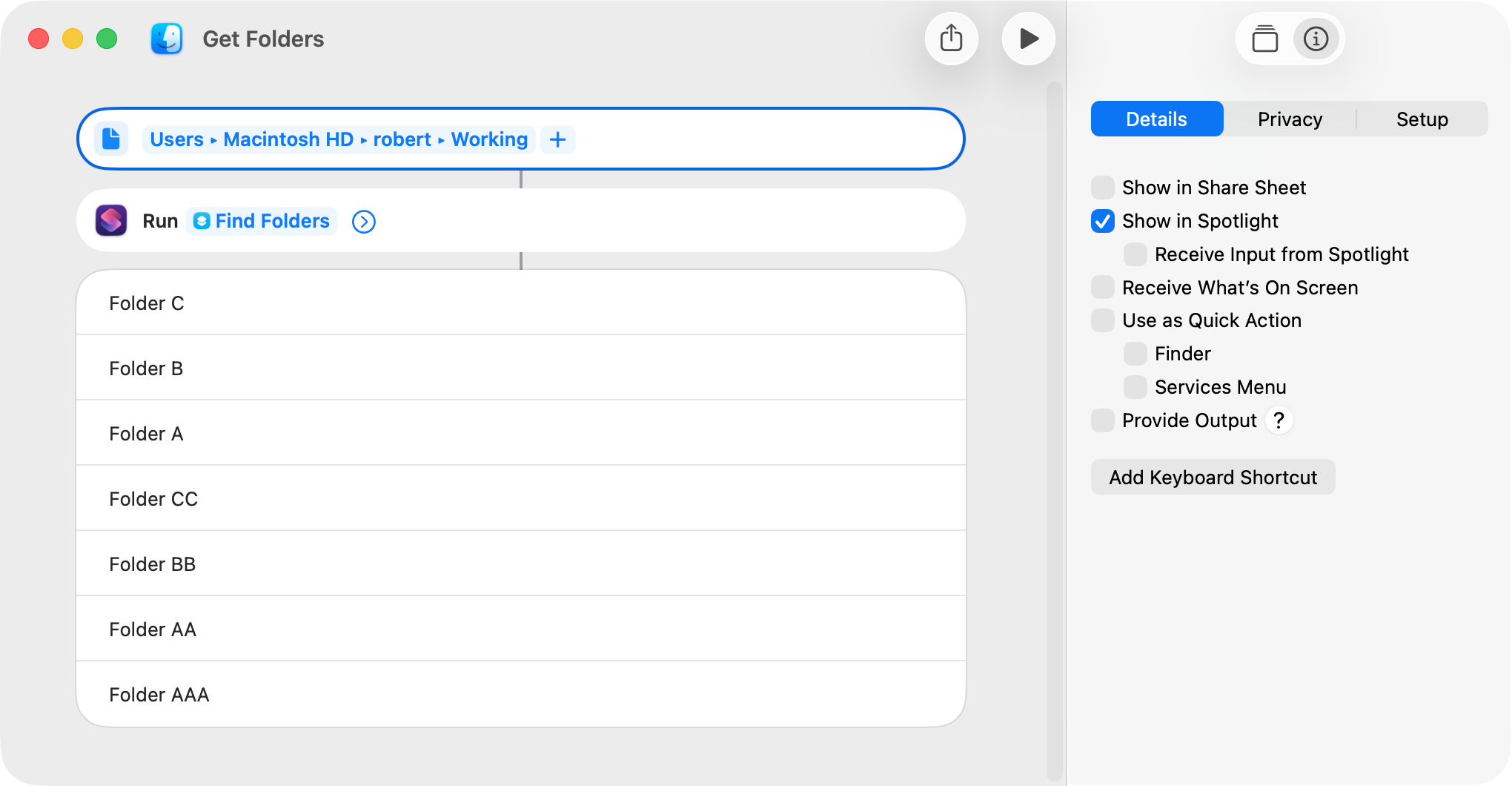
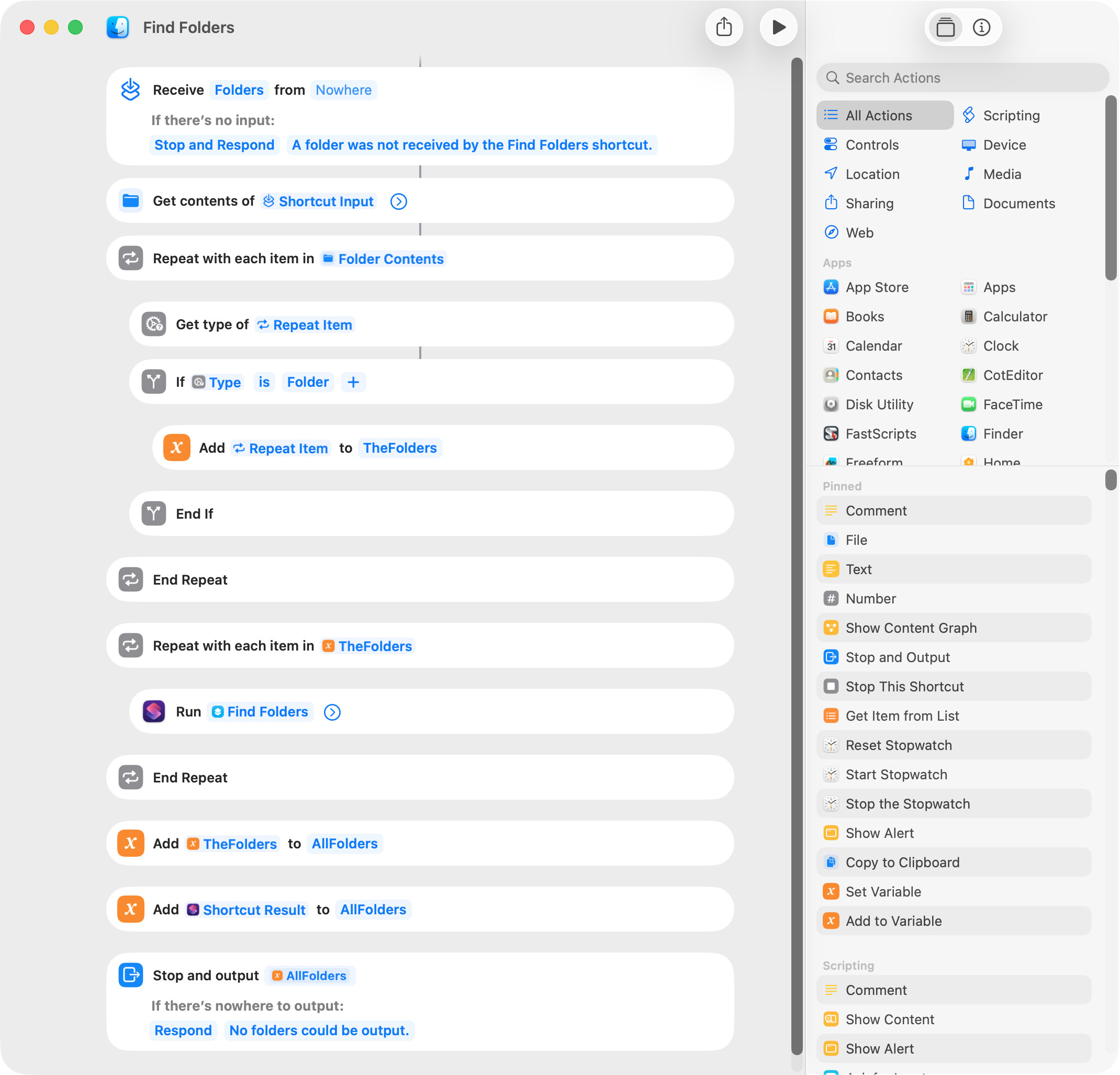
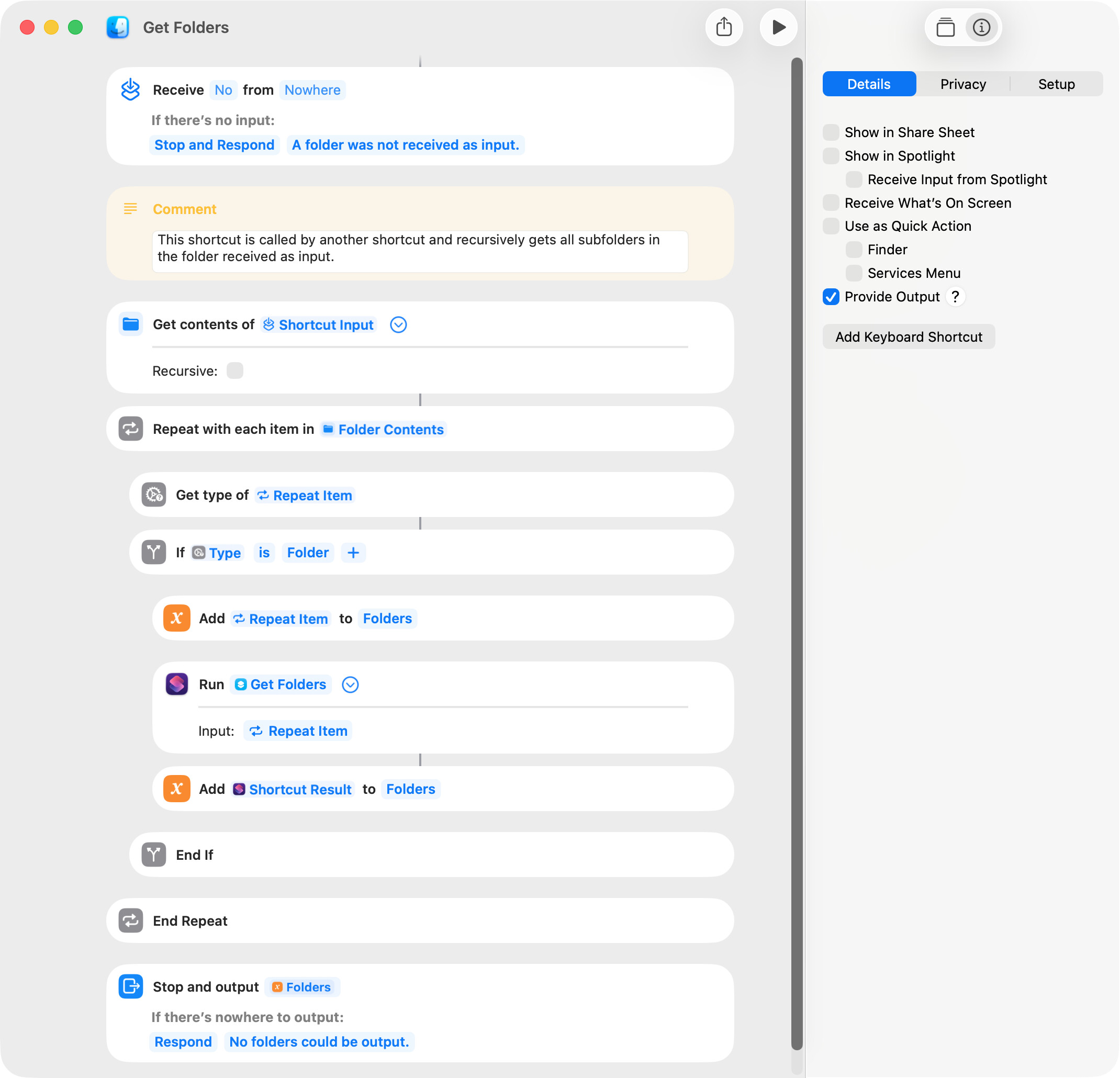
Continuing on with my learning, I wanted to write a shortcut that recursively gets all folders in a source folder. The following worked but is abysmally slow with even a moderately-sized folder. I don’t know if that’s a result of the repeat loop that removes files or if there’s some error in the recursion.
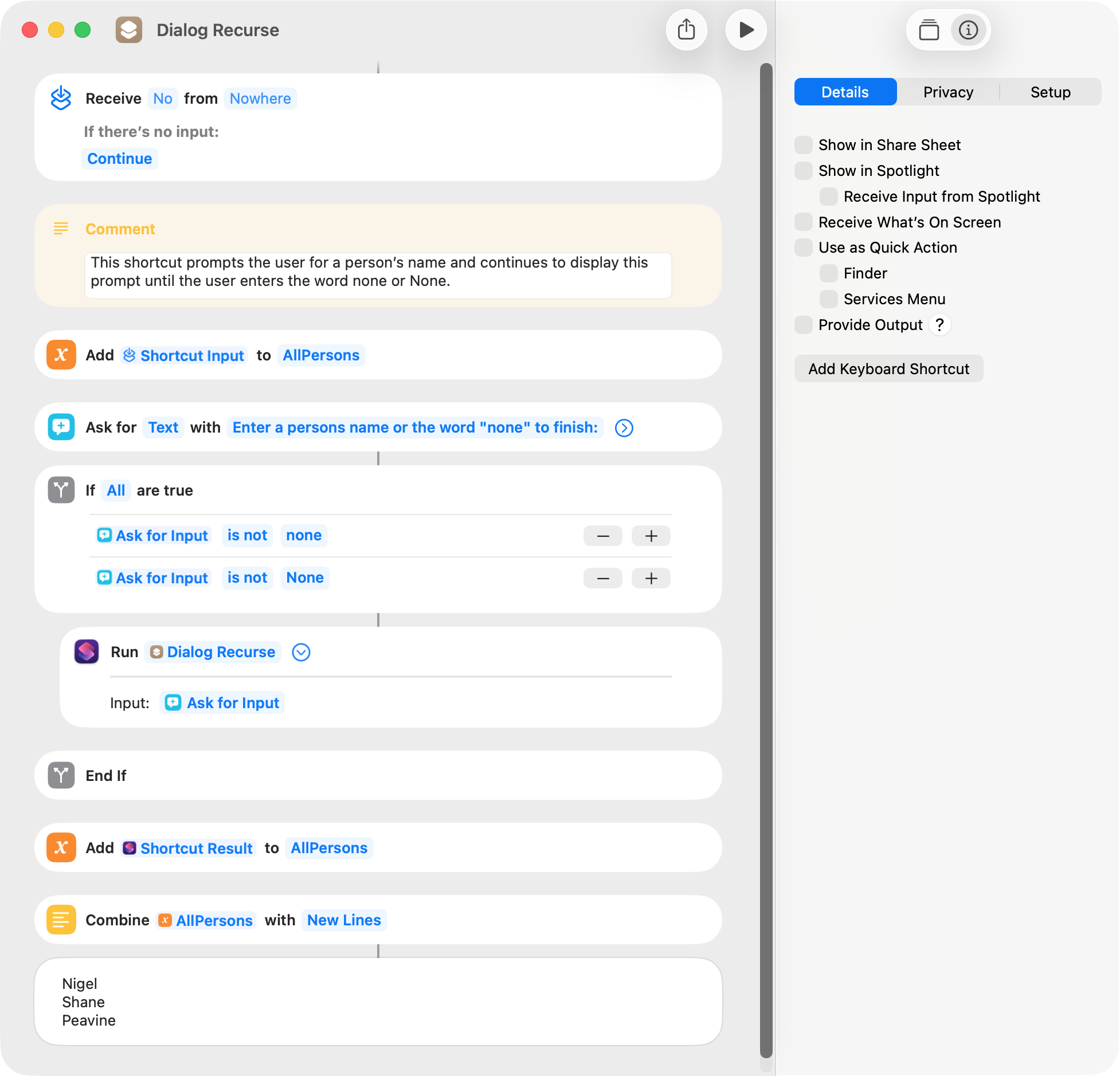
Repeat and Repeat with Each actions do not provide an exit repeat marker. If the desired task can be performed at the very beginning of the shortcut, recursion can be used. In the following example, the user is prompted to enter a person’s name and continues with the remainder of the shortcut when the user enters the word none or None.
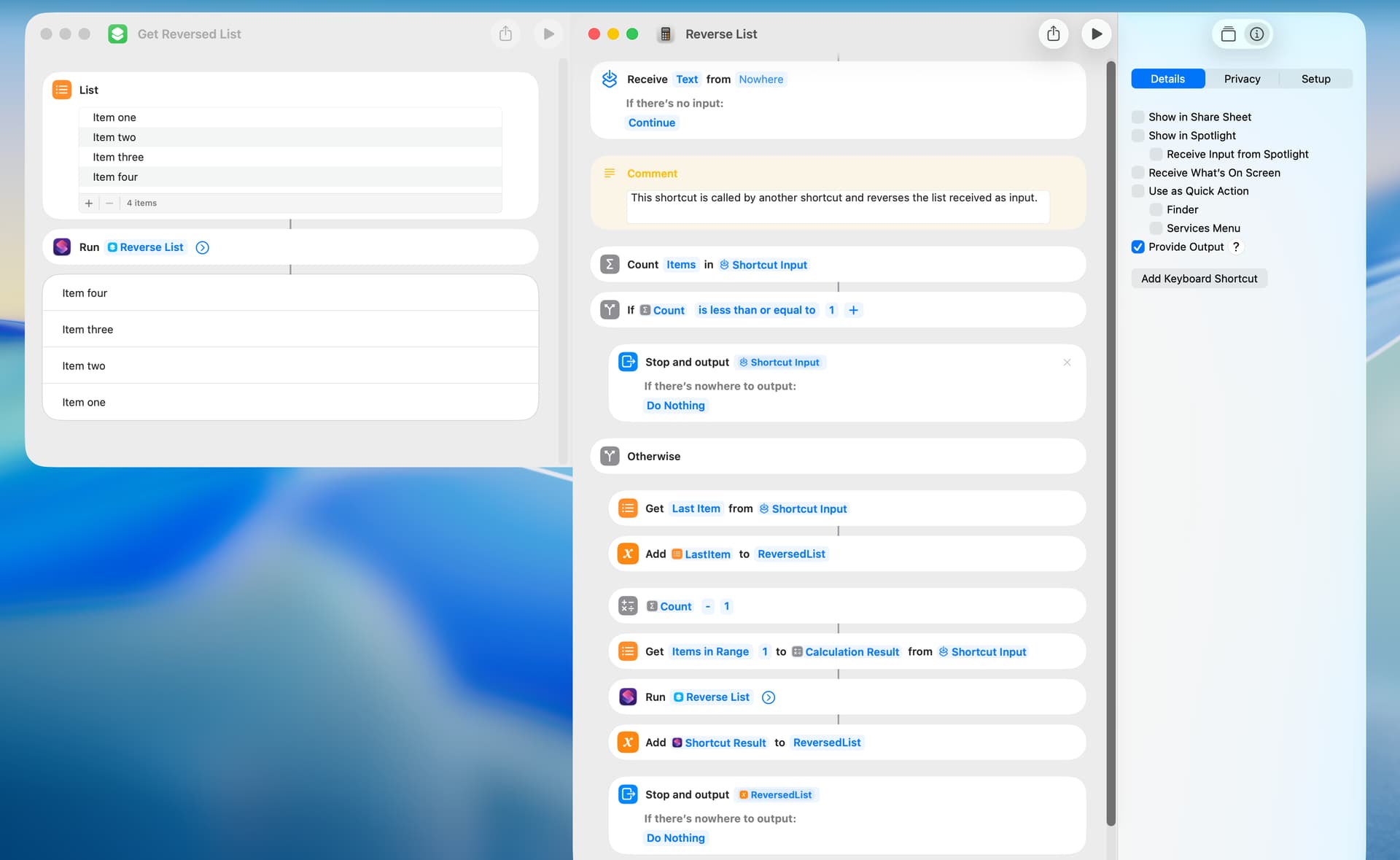
I wrote a shortcut that uses recursion to reverse a list. This is simply and quickly done with a repeat loop, and this shortcut is for learning purposes only. The recursive logic of the shortcut is shown by an AppleScript from Gemini AI:
set theList to {"Item one", "Item two", "Item three", "Item four"}

set reversedList to reverseList(theList)

on reverseList(theList)
	if (count theList) ≤ 1 then
		return theList
	else
		set lastItem to last item of theList
		set restOfList to items 1 thru -2 of theList
		return {lastItem} & reverseList(restOfList)
	end if
end reverseList -->{"Item four", "Item three", "Item two", "Item one"}
The shortcut is called by another shortcut, and the input of the called shortcut is the list: