I’m working on the following script just as a matter of general interest. The script works as I want except that I want it to return URLs instead of paths. I thought this might be accomplished by changing NSURLPathKey to a resource key that returns a URL, but I couldn’t find anything that works.
As an alternative, I rewrote the section of the script that creates an array of dictionaries to separately add the resource key values and then the URL to the dictionary. This worked OK but was slow.
Can the following be made to work by changing NSURLPathKey to a resource key for NSURLs? Thanks for the help.
use framework "Foundation"
use scripting additions

--Set source folder to current user's Home folder
set theFolder to current application's NSHomeDirectory()
set theFolder to current application's |NSURL|'s fileURLWithPath:theFolder

--Get contents of source folder
set fileManager to current application's NSFileManager's defaultManager()
set folderContents to (fileManager's enumeratorAtURL:theFolder includingPropertiesForKeys:{} options:6 errorHandler:(missing value))'s allObjects() --option 6 skips hidden items and package contents

--Set variables to resource keys
set folderKey to current application's NSURLIsDirectoryKey
set regularFileKey to current application's NSURLIsRegularFileKey
set fileKey to current application's NSURLPathKey --returns path and works OK but I want URLs

--Create array of dictionaries with resource key values
set fileData to current application's NSMutableArray's new()
repeat with anItem in folderContents
	(fileData's addObject:(anItem's resourceValuesForKeys:{folderKey, regularFileKey, fileKey} |error|:(missing value)))
end repeat

--Filter based on desired resource key
set thePredicate to current application's NSPredicate's predicateWithFormat_("%K == YES", folderKey)
# set thePredicate to current application's NSPredicate's predicateWithFormat_("%K == YES", regularFileKey)
(fileData's filterUsingPredicate:thePredicate)
return (fileData's valueForKey:fileKey) as list
I want the script to return an array of NSURLs, and, when coerced to a list, a list of file objects. I don’t understand how your suggestion would accomplish that.
BTW, there was an error in my script, and I’ve fixed that.
NSURL doesn’t have a resource for itself, but couldn’t you just add the URL to the fileData items and get the key for it? For example:
repeat with anItem in folderContents
   set itemInfo to current application's NSMutableDictionary's new()
   (itemInfo's setObject:anItem forKey:"URLKey") -- or whatever key name
   (itemInfo's addEntriesFromDictionary:(anItem's resourceValuesForKeys:{folderKey, regularFileKey, fileKey} |error|:(missing value)))
   (fileData's addObject:itemInfo)
end repeat
And then return (fileData's valueForKey:"URLKey"). Note that coercing to a list would result in AppleScript file items.
I had tried that approach but it was slow (at least compared with the approach that returned paths). I assume that the additional time is due to the time it takes to create the array of dictionaries. However, until I get the other version working, I can’t be sure of this.
It would seem a bit odd if NSURL had a resource for itself. Though, in the back of my mind, I seem to recall seeing that done.
use framework "Foundation"
use scripting additions

--Set source folder to current user's Home folder
set theFolder to current application's NSHomeDirectory()
set theFolder to current application's |NSURL|'s fileURLWithPath:theFolder

--Get contents of source folder
set fileManager to current application's NSFileManager's defaultManager()
set folderContents to (fileManager's enumeratorAtURL:theFolder includingPropertiesForKeys:{} options:6 errorHandler:(missing value))'s allObjects() --option 6 skips hidden items and package contents

--Set variables for resource keys
set folderKey to current application's NSURLIsDirectoryKey
set regularFileKey to current application's NSURLIsRegularFileKey

--Create array of dictionaries with resource key and URL values
set fileData to current application's NSMutableArray's new()
repeat with anItem in folderContents
	set dictionaryOne to (anItem's resourceValuesForKeys:{folderKey, regularFileKey} |error|:(missing value))'s mutableCopy()
	set dictionaryTwo to (current application's NSDictionary's dictionaryWithObject:anItem forKey:"URLKey")
	(dictionaryOne's addEntriesFromDictionary:dictionaryTwo)
	(fileData's addObject:dictionaryOne)
end repeat

--Filter based on desired resource key
set thePredicate to current application's NSPredicate's predicateWithFormat_("%K == YES", folderKey)
# set thePredicate to current application's NSPredicate's predicateWithFormat_("%K == YES", regularFileKey)
(fileData's filterUsingPredicate:thePredicate)
return (fileData's valueForKey:"URLKey") as list
BTW, I had some trouble getting the syntax to work correctly, so I took a minutely different approach than you suggest.
As you are using a loop anyway wouldn’t it be more efficient to do the filtering instantly in the loop?
Then you can add the current NSURL to the fileData array
And you can speed up the script a bit by including the keys in the includingPropertiesForKeys: parameter.
Something like this
use framework "Foundation"
use scripting additions

--Set source folder to current user's Home folder
set theFolder to current application's NSHomeDirectory()
set theFolder to current application's |NSURL|'s fileURLWithPath: theFolder

--Set variables for resource keys
set folderKey to current application's NSURLIsDirectoryKey
set regularFileKey to current application's NSURLIsRegularFileKey
set fileKey to current application's NSURLPathKey

--Get contents of source folder
set fileManager to current application's NSFileManager's defaultManager()
set folderContents to (fileManager's enumeratorAtURL:theFolder includingPropertiesForKeys:{folderKey, regularFileKey, fileKey} options:6 errorHandler:(missing value))'s allObjects() --option 6 skips hidden items and package contents

--Create array of dictionaries with resource key and URL values
set fileData to current application's NSMutableArray's new()
repeat with anItem in folderContents
	set theResource to (anItem's resourceValuesForKeys:{folderKey, regularFileKey, fileKey} |error|:(missing value))
	set theValue to (theResource's objectForKey:folderKey)
	if theValue as boolean then
		(fileData's addObject:anItem)
	end if
end repeat

return fileData as list
By the way: NSURL has a property hasDirectoryPath to check if the URL represents a directory
I had previously run timing tests with Script Geek. and the approach you suggest took 47 milliseconds and the approach I use above took 60 milliseconds. So, I agree with what you say, but I like to try out different ways of doing stuff.
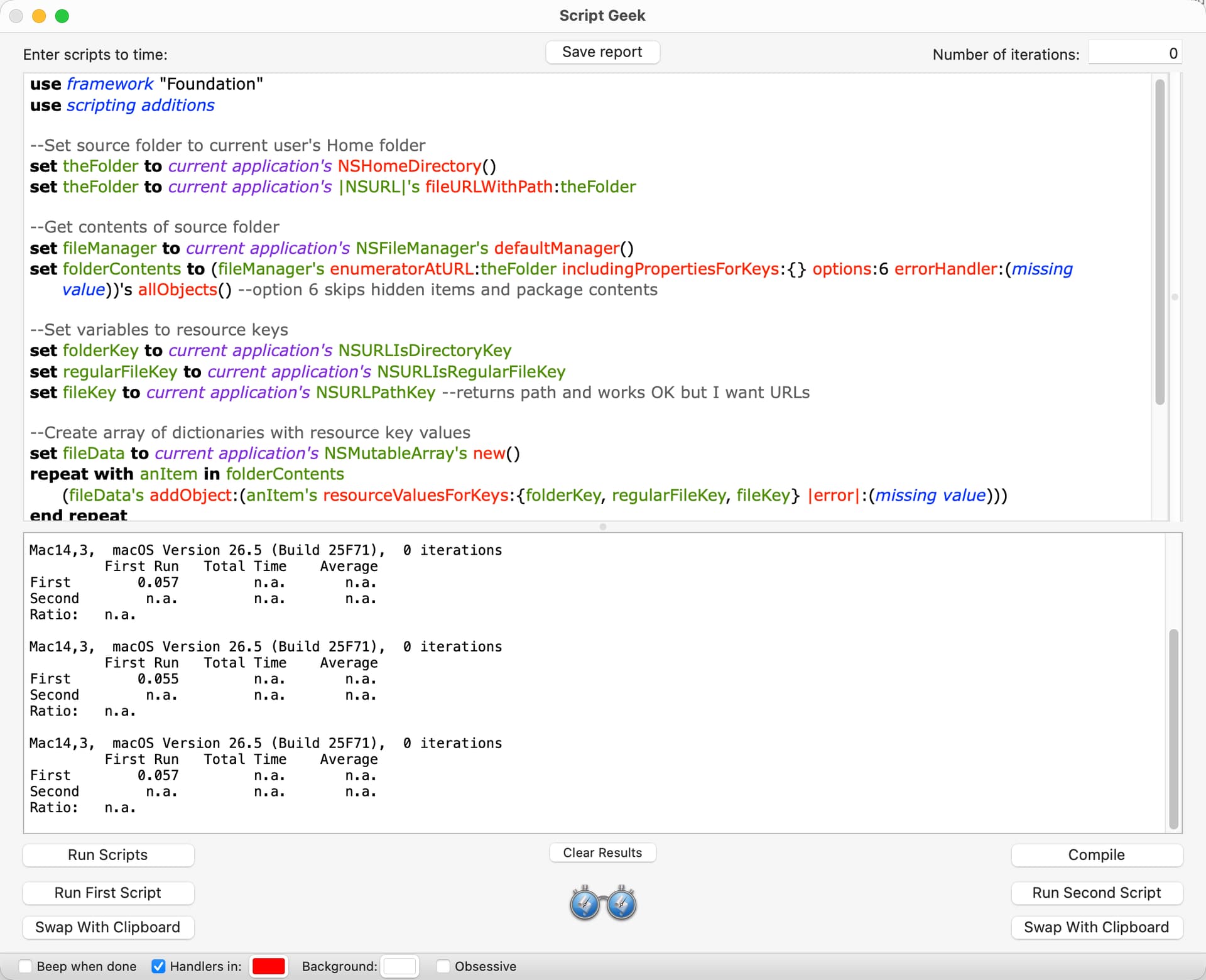
I had also previously run tests and including the keys in the includingPropertiesForKeys: parameter made absolutely no difference in the time it took for the script to run. I know this is counter intuitive but I spent a fair amount of time testing this with Script Geek.
It’s been a year or more since I ran the timing tests for including and not including the resource keys in the includingProperitesForKeys: parameter. Later today, I will rerun these tests and post the results.
on FileSystem_Convert_Objects_To_Files(fileSystemObjectList)
	try
		set fileSystemObjectList to (fileSystemObjectList) as list
		repeat with currentIndex from 1 to length of fileSystemObjectList
			set item currentIndex of fileSystemObjectList to (item currentIndex of fileSystemObjectList) as «class furl»
		end repeat
		return fileSystemObjectList
	on error errorText number errornumber partial result errorResults from errorObject to errorExpectedType
		error "<FileSystem_Convert_Objects_To_Files>" & space & errorText number errornumber partial result errorResults from errorObject to errorExpectedType
	end try
end FileSystem_Convert_Objects_To_Files
.
This will convert Aliases, NSURLs, Posix Paths, and Posix Files.
So, used in your original post…
    --Running under AppleScript 2.8, MacOS 15.7.5
    use framework "Foundation"
    use scripting additions

    --Set source folder to current user's Home folder
    set theFolder to ((current application's NSHomeDirectory()) as text) & "/Desktop"
    set theFolder to current application's |NSURL|'s fileURLWithPath:theFolder

    --Get contents of source folder
    set fileManager to current application's NSFileManager's defaultManager()
    set folderContents to (fileManager's enumeratorAtURL:theFolder includingPropertiesForKeys:{} options:6 errorHandler:(missing value))'s allObjects() --option 6 skips hidden items and package contents

    FileSystem_Convert_Objects_To_Files(folderContents)

    -->>"{file "Macintosh HD:Users:UserNameGoesHere:Desktop:IMG_3861.psd", file "Macintosh HD:Users:UserNameGoesHere:Desktop:IMG_3861.psb", file "Macintosh HD:Users:UserNameGoesHere:Desktop:Screenshot 2026-05-18 at 9.37.46 AM.png", file "Macintosh HD:Users:UserNameGoesHere:Desktop:sort:", file "Macintosh HD:Users:UserNameGoesHere:Desktop:sort:untitled folder:", file "Macintosh HD:Users:UserNameGoesHere:Desktop:sort:untitled folder:Screenshot 2026-05-14 at 5.58.21 PM.png", etc


    on FileSystem_Convert_Objects_To_Files(fileSystemObjectList)
        try
            set fileSystemObjectList to (fileSystemObjectList) as list
            repeat with currentIndex from 1 to length of fileSystemObjectList
                set item currentIndex of fileSystemObjectList to (item currentIndex of fileSystemObjectList) as «class furl»
            end repeat
            return fileSystemObjectList
        on error errorText number errornumber partial result errorResults from errorObject to errorExpectedType
            error "<FileSystem_Convert_Objects_To_Files>" & space & errorText number errornumber partial result errorResults from errorObject to errorExpectedType
        end try
    end FileSystem_Convert_Objects_To_Files
This is my test script, which uses two resource keys.
use framework "Foundation"
use scripting additions

--Set source folder to current user's Home folder
set theFolder to current application's NSHomeDirectory()
set theFolder to current application's |NSURL|'s fileURLWithPath:theFolder

--Get contents of source folder
set folderKey to current application's NSURLIsDirectoryKey
set packageKey to current application's NSURLIsPackageKey
set fileManager to current application's NSFileManager's defaultManager()
set folderContents to (fileManager's enumeratorAtURL:theFolder includingPropertiesForKeys:{folderKey, packageKey} options:6 errorHandler:(missing value))'s allObjects() --option 6 skips hidden items and package contents

--Get folders only
set theFolders to current application's NSMutableArray's new()
repeat with anItem in folderContents
	set {theResult, aFolder} to (anItem's getResourceValue:(reference) forKey:folderKey |error|:(missing value))
	if aFolder as boolean is true then
		set {theResult, aPackage} to (anItem's getResourceValue:(reference) forKey:packageKey |error|:(missing value))
		if aPackage as boolean is false then (theFolders's addObject:anItem)
	end if
end repeat
return (theFolders's valueForKey:"path") as list
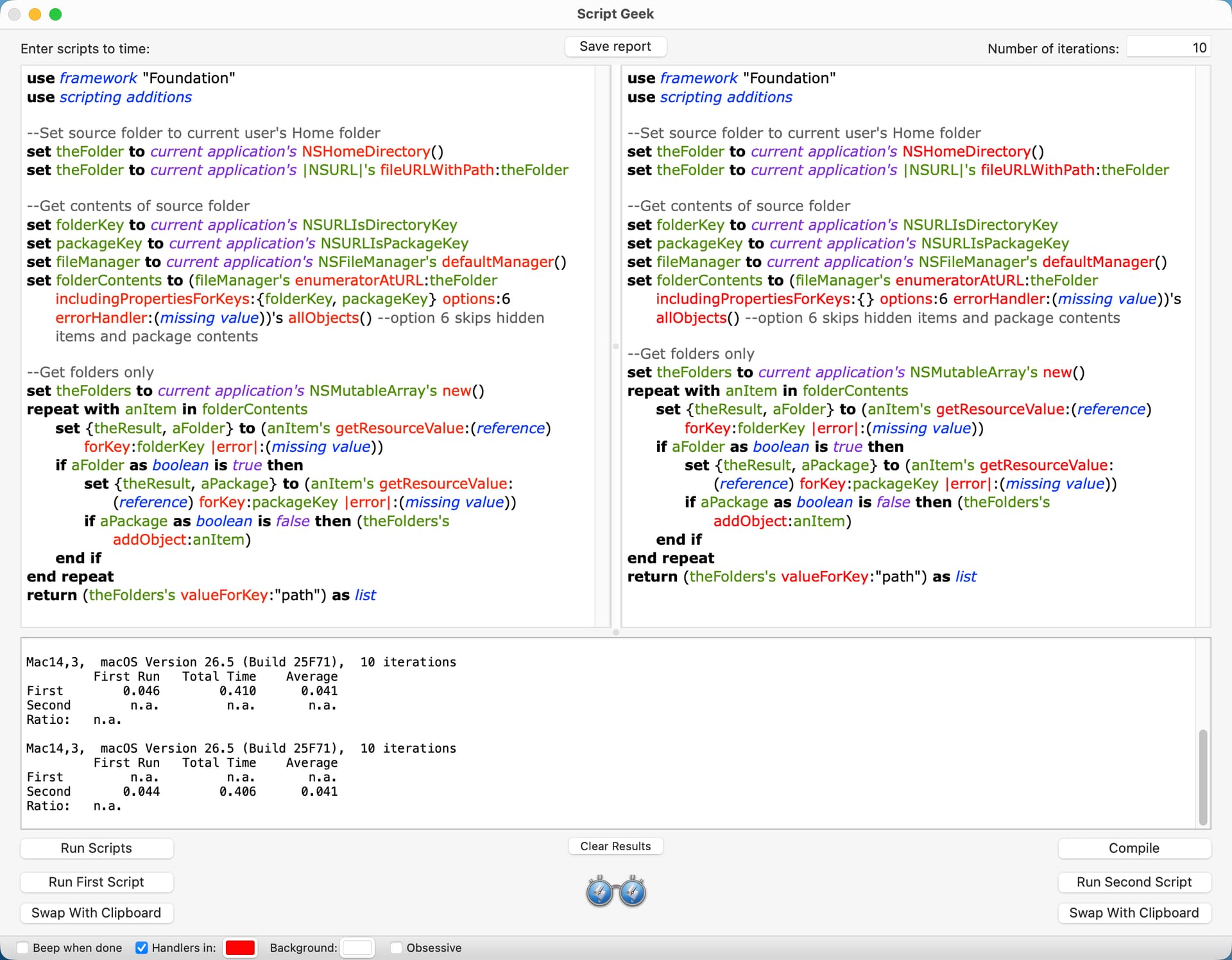
This is the result with Script Geek. The version on the left is the script above. The version on the right is identical except that it does not include the resource keys in the includingPropertiesForKeys: parameter. The version on the right is consistently faster, although only by a few milliseconds.
I looked at this approach, and it only took 18 milliseconds to get folders and packages on my Home folder. It apparently works by checking if the URL path has a trailing slash, which could be unreliable. However, in this particular case, the URL paths are generated by file manager and would seem reliable. The following script and the script included earlier both returned the same number of folders and packages in my Home folder.
use framework "Foundation"
use scripting additions

--Set source folder to current user's Home folder
set theFolder to current application's NSHomeDirectory()
set theFolder to current application's |NSURL|'s fileURLWithPath:theFolder

--Get folders and packages in the source folder
set fileManager to current application's NSFileManager's defaultManager()
set folderContents to (fileManager's enumeratorAtURL:theFolder includingPropertiesForKeys:{} options:6 errorHandler:(missing value))'s allObjects() --option 6 skips hidden items and package contents
set thePredicates to current application's NSPredicate's predicateWithFormat:"self.hasDirectoryPath == true"
set theFolders to (folderContents's filteredArrayUsingPredicate:thePredicates)
return theFolders as list
Thanks everyone for the responses. I didn’t get a direct answer to my question, and I’m sure that’s because there isn’t one (which is worthwhile to know). red_menaces suggestion is very close, though.
I was curious how well the script would work if it got every main resource key, and I’ve included that below. The timing result was 145 milliseconds, and it’s difficult for me to envision a situation where I would use this.
use framework "Foundation"
use scripting additions

--Set source folder to current user's Home folder
set theFolder to current application's NSHomeDirectory()
set theFolder to current application's |NSURL|'s fileURLWithPath:theFolder

--Get contents of source folder
set fileManager to current application's NSFileManager's defaultManager()
set folderContents to (fileManager's enumeratorAtURL:theFolder includingPropertiesForKeys:{} options:6 errorHandler:(missing value))'s allObjects() --option 6 skips hidden items and package contents

--Set variables for resource keys
set folderKey to current application's NSURLIsDirectoryKey
set regularFileKey to current application's NSURLIsRegularFileKey
set aliasKey to current application's NSURLIsAliasFileKey
set packageKey to current application's NSURLIsPackageKey
set symbolicLinkKey to current application's NSURLIsSymbolicLinkKey

--Create array of dictionaries with resource key and URL values
set theData to current application's NSMutableArray's new()
repeat with anItem in folderContents
	set dictionaryOne to (anItem's resourceValuesForKeys:{folderKey, regularFileKey, aliasKey, packageKey, symbolicLinkKey} |error|:(missing value))'s mutableCopy()
	set dictionaryTwo to (current application's NSDictionary's dictionaryWithObject:anItem forKey:"URLKey")
	(dictionaryOne's addEntriesFromDictionary:dictionaryTwo)
	(theData's addObject:dictionaryOne)
end repeat

--Folders including packages
set thePredicate to current application's NSPredicate's predicateWithFormat_("%K == YES", folderKey)
set folderData to theData's filteredArrayUsingPredicate:thePredicate
set foldersAndPackages to (folderData's valueForKey:"URLKey") as list

--Files including alias files
set thePredicate to current application's NSPredicate's predicateWithFormat_("%K == YES", regularFileKey)
set fileData to (theData's filteredArrayUsingPredicate:thePredicate)
set regularFiles to (fileData's valueForKey:"URLKey") as list

--Aliases including alias files and symbolic links
set thePredicate to current application's NSPredicate's predicateWithFormat_("%K == YES", aliasKey)
set aliasData to (theData's filteredArrayUsingPredicate:thePredicate)
set theAliases to (aliasData's valueForKey:"URLKey") as list

--Packages
set thePredicate to current application's NSPredicate's predicateWithFormat_("%K == YES", packageKey)
set packageData to (theData's filteredArrayUsingPredicate:thePredicate)
set packageFiles to (packageData's valueForKey:"URLKey") as list

--Symbolic links
set thePredicate to current application's NSPredicate's predicateWithFormat_("%K == YES", symbolicLinkKey)
set symbolicLinkData to (theData's filteredArrayUsingPredicate:thePredicate)
set symbolicLinks to (symbolicLinkData's valueForKey:"URLKey") as list
FWIW, this script separately assigns the folder contents to individual arrays for folders, packages, files, alias files, and symbolic links. The timing result on my Home folder was 71 milliseconds. Time to move on now.
use framework "Foundation"
use scripting additions

--Set source folder to current user's Home folder
set theFolder to current application's NSHomeDirectory()
set theFolder to current application's |NSURL|'s fileURLWithPath:theFolder

--Set resource keys
set folderKey to current application's NSURLIsDirectoryKey
set aliasKey to current application's NSURLIsAliasFileKey
set packageKey to current application's NSURLIsPackageKey
set symbolicLinkKey to current application's NSURLIsSymbolicLinkKey

--Get contents of source folder
set fileManager to current application's NSFileManager's defaultManager()
set folderContents to (fileManager's enumeratorAtURL:theFolder includingPropertiesForKeys:{} options:6 errorHandler:(missing value))'s allObjects() --option 6 skips hidden items and package contents

--Create arrays
set theFolders to current application's NSMutableArray's new()
set thePackages to current application's NSMutableArray's new()
set theAliasFiles to current application's NSMutableArray's new()
set theSymbolicLinks to current application's NSMutableArray's new()
set theFiles to current application's NSMutableArray's new()

--Set variables for booleans to optimize repeat loop
set booleanTrue to current application's NSNumber's numberWithBool:true
set booleanFalse to current application's NSNumber's numberWithBool:false

--Add items in folderContents to arrays
repeat with anItem in folderContents
	repeat 1 times

		--Folders and packages
		set {theResult, aFolder} to (anItem's getResourceValue:(reference) forKey:folderKey |error|:(missing value))
		if aFolder is booleanTrue then
			set {theResult, aPackage} to (anItem's getResourceValue:(reference) forKey:packageKey |error|:(missing value))
			if aPackage is booleanFalse then
				(theFolders's addObject:anItem)
			else
				(thePackages's addObject:anItem)
			end if
			exit repeat
		end if

		--Alias files and symbolic links
		set {theResult, anAlias} to (anItem's getResourceValue:(reference) forKey:aliasKey |error|:(missing value))
		if anAlias is booleanTrue then
			set {theResult, aSymbolicLink} to (anItem's getResourceValue:(reference) forKey:symbolicLinkKey |error|:(missing value))
			if aSymbolicLink is booleanFalse then
				(theAliasFiles's addObject:anItem)
			else
				(theSymbolicLinks's addObject:anItem)
			end if
			exit repeat
		end if

		--Files
		(theFiles's addObject:anItem)
	end repeat
end repeat

return theFolders as list
# return thePackages as list
# return theSymbolicLinks as list
# return theAliasFiles as list
# return theFiles as list
Some further ideas for speeding up the building of your theData array:
Assign it the necessary memory when it’s initialised:
set theData to current application's NSMutableArray's arrayWithCapacity:(count folderContents)
I think this saves having to keep assigning more memory on the fly as more slots are added. It knocks about half a second off the running time with the 267022 items (at the moment) in my home folder on my M3 Pro machine.
Initialise it fully built as a mutable copy of folderContents and simply change its contents. This goes fastest if the arrays are addressed like AppleScript lists and is about two seconds faster than your original with the same files on my machine:
set theData to folderContents's mutableCopy()
repeat with i from 1 to (count folderContents)
	set anItem to (folderContents's item i)
	set dictionaryOne to (anItem's resourceValuesForKeys:{folderKey, regularFileKey, aliasKey, packageKey, symbolicLinkKey} |error|:(missing value))'s mutableCopy()
	set dictionaryTwo to (current application's NSDictionary's dictionaryWithObject:anItem forKey:"URLKey")
	(dictionaryOne's addEntriesFromDictionary:dictionaryTwo)
	set theData's item i to dictionaryOne
end repeat
Do the above AND exploit AS and scripting bridge automatic coercions, along with an AS concatenation, to create the dictionaries. This is six seconds faster on my machine:
set theData to folderContents's mutableCopy()
repeat with i from 1 to (count folderContents)
	set anItem to (folderContents's item i)
	set theData's item i to {URLKey:anItem} & (anItem's resourceValuesForKeys:{folderKey, regularFileKey, aliasKey, packageKey, symbolicLinkKey} |error|:(missing value))
end repeat
Addendum:
I knew there was something else I’d meant to try.
Similar to 3., but making each resource value dictionary a subdictionary of a higher one containing it and the URL. I’ve labelled the subdictionary “keys” here. Doing it this way dispenses with the AppleScript concatenation and makes the repeat loop quite a bit faster still. The filter predicate then obviously needs a key path:
--Create array of dictionaries with resource key and URL values
set theData to folderContents's mutableCopy()
repeat with i from 1 to (count folderContents)
	set anItem to (folderContents's item i)
	set theData's item i to {URLKey:anItem, keys:(anItem's resourceValuesForKeys:{folderKey, regularFileKey, aliasKey, packageKey, symbolicLinkKey} |error|:(missing value))}
end repeat

--Folders including packages
set thePredicate to current application's NSPredicate's predicateWithFormat_("keys.%K == YES", folderKey)
set folderData to theData's filteredArrayUsingPredicate:thePredicate
set foldersAndPackages to (folderData's valueForKey:"URLKey") as list
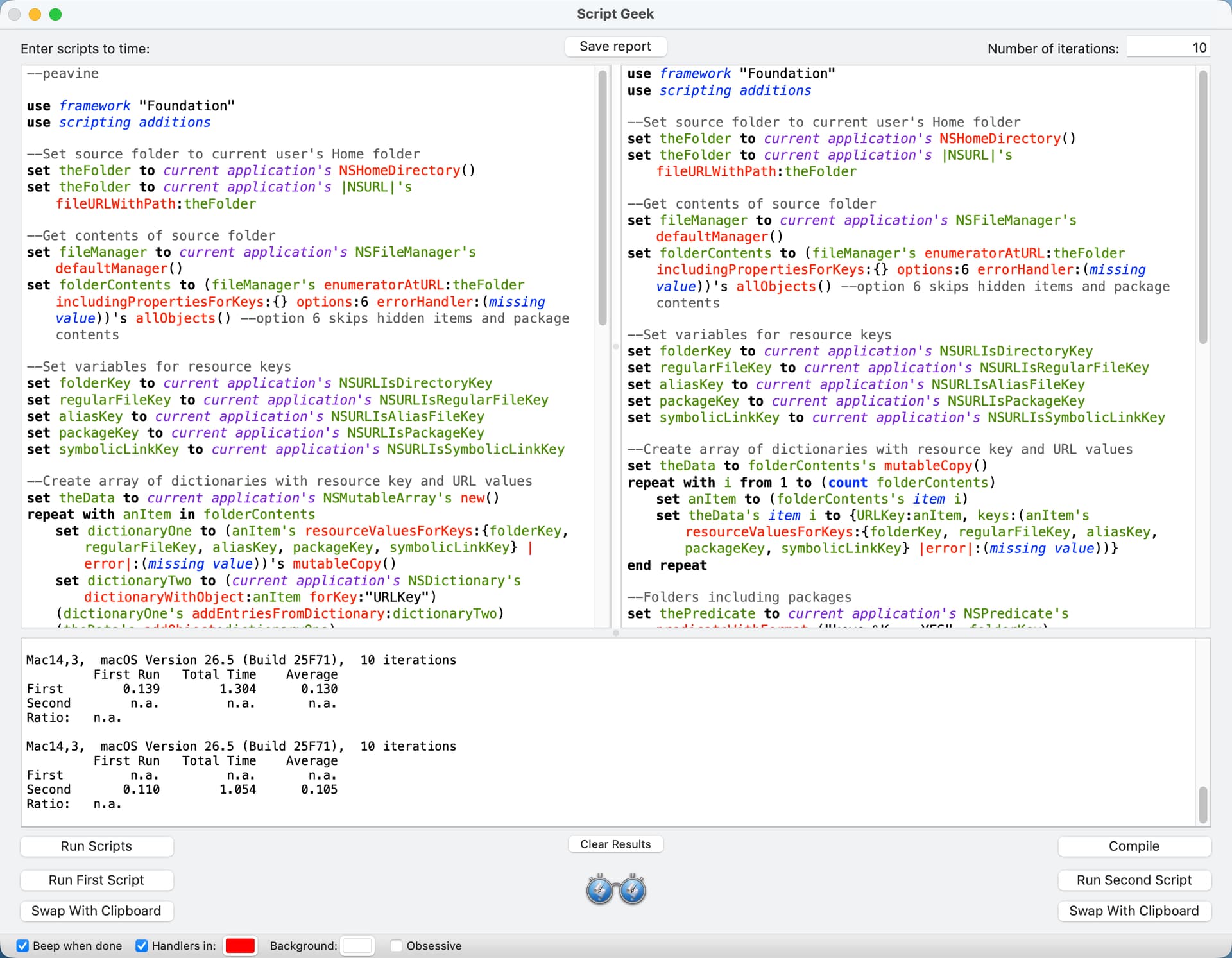
I ran timing tests with Script Geek on my M2 Mac mini. I did a clean install of macOS 26.5 on my computer yesterday, and my Home folder only has about 1020 folders, files, and packages. I set Script Geek to run 10 iterations, and I report the average below. All of the script versions returned the correct counts.
peavine - 130 milliseconds (see screenshot)
Nigel Alternate One - 126 milliseconds
Nigel Alternate Two - 108 milliseconds
Nigel Alternate Three - 105 milliseconds (see screenshot)
The Alternate Three script required a bit more editing, so:
use framework "Foundation"
use scripting additions

--Set source folder to current user's Home folder
set theFolder to current application's NSHomeDirectory()
set theFolder to current application's |NSURL|'s fileURLWithPath:theFolder

--Get contents of source folder
set fileManager to current application's NSFileManager's defaultManager()
set folderContents to (fileManager's enumeratorAtURL:theFolder includingPropertiesForKeys:{} options:6 errorHandler:(missing value))'s allObjects() --option 6 skips hidden items and package contents

--Set variables for resource keys
set folderKey to current application's NSURLIsDirectoryKey
set regularFileKey to current application's NSURLIsRegularFileKey
set aliasKey to current application's NSURLIsAliasFileKey
set packageKey to current application's NSURLIsPackageKey
set symbolicLinkKey to current application's NSURLIsSymbolicLinkKey

--Create array of dictionaries with resource key and URL values
set theData to folderContents's mutableCopy()
repeat with i from 1 to (count folderContents)
	set anItem to (folderContents's item i)
	set theData's item i to {URLKey:anItem, keys:(anItem's resourceValuesForKeys:{folderKey, regularFileKey, aliasKey, packageKey, symbolicLinkKey} |error|:(missing value))}
end repeat

--Folders including packages
set thePredicate to current application's NSPredicate's predicateWithFormat_("keys.%K == YES", folderKey)
set folderData to theData's filteredArrayUsingPredicate:thePredicate
set foldersAndPackages to (folderData's valueForKey:"URLKey") as list

--Files including alias files
set thePredicate to current application's NSPredicate's predicateWithFormat_("keys.%K == YES", regularFileKey)
set fileData to (theData's filteredArrayUsingPredicate:thePredicate)
set regularFiles to (fileData's valueForKey:"URLKey") as list

--Aliases including alias files and symbolic links
set thePredicate to current application's NSPredicate's predicateWithFormat_("keys.%K == YES", aliasKey)
set aliasData to (theData's filteredArrayUsingPredicate:thePredicate)
set theAliases to (aliasData's valueForKey:"URLKey") as list

--Packages
set thePredicate to current application's NSPredicate's predicateWithFormat_("keys.%K == YES", packageKey)
set packageData to (theData's filteredArrayUsingPredicate:thePredicate)
set packageFiles to (packageData's valueForKey:"URLKey") as list

--Symbolic links
set thePredicate to current application's NSPredicate's predicateWithFormat_("keys.%K == YES", symbolicLinkKey)
set symbolicLinkData to (theData's filteredArrayUsingPredicate:thePredicate)
set symbolicLinks to (symbolicLinkData's valueForKey:"URLKey") as list

--For testing
set everythingList to foldersAndPackages & regularFiles & packageFiles & symbolicLinks
return count everythingList
I have to study these to fully understand them, but your third approach is almost 20 percent faster, which is certainly worthwhile.
You also might want to clarify how you have set up the “home” folder you are using - my user’s ~/Library folder has over 22 thousand folders and almost 80 thousand files just by itself, so including that makes the timings quite a bit different.
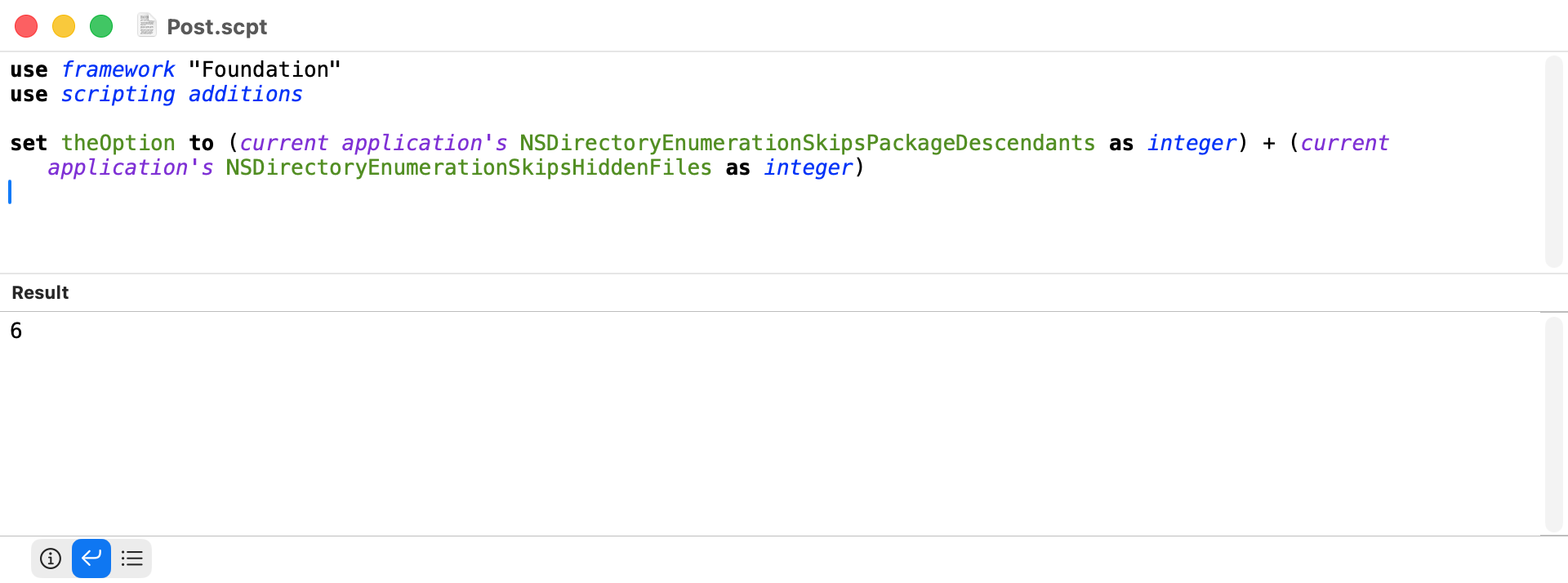
My script uses the enumeratorAtURL method to get the contents of current user’s Home folder, and my script sets the options of this method to skip package descendants and hidden files. So, the contents of the ~/Library folder are not returned.
Just in case anyone is interested where the option setting of the number 6 comes from:
There is a separate view option for the home folder to show/hide the library that would affect that option. I don’t know how many keep their library hidden, and I remember the uproar when Apple started hiding it, so that is just something else to be aware of.
In practice, of course, the extraction of the URLs for each key at the end could be by a single handler which takes the key and data array as parameters:
use framework "Foundation"
use scripting additions

--Set source folder to current user's Home folder
set theFolder to current application's NSHomeDirectory()
set theFolder to current application's |NSURL|'s fileURLWithPath:theFolder

--Get contents of source folder
set fileManager to current application's NSFileManager's defaultManager()
set folderContents to (fileManager's enumeratorAtURL:theFolder includingPropertiesForKeys:{} options:6 errorHandler:(missing value))'s allObjects() --option 6 skips hidden items and package contents

--Set variables for resource keys
set folderKey to current application's NSURLIsDirectoryKey
set regularFileKey to current application's NSURLIsRegularFileKey
set aliasKey to current application's NSURLIsAliasFileKey
set packageKey to current application's NSURLIsPackageKey
set symbolicLinkKey to current application's NSURLIsSymbolicLinkKey

--Create array of dictionaries with resource key and URL values
set theData to folderContents's mutableCopy()
repeat with i from 1 to (count folderContents)
	set anItem to (folderContents's item i)
	set theData's item i to {URLKey:anItem, keys:(anItem's resourceValuesForKeys:{folderKey, regularFileKey, aliasKey, packageKey, symbolicLinkKey} |error|:(missing value))}
end repeat

--Folders including packages
set foldersAndPackages to (my URLsForKey:folderKey fromData:theData) as list

--Files including alias files
set regularFiles to (my URLsForKey:regularFileKey fromData:theData) as list

--Aliases including alias files and symbolic links
set theAliases to (my URLsForKey:aliasKey fromData:theData) as list

--Packages
set packageFiles to (my URLsForKey:packageKey fromData:theData) as list

--Symbolic links
set symbolicLinks to (my URLsForKey:symbolicLinkKey fromData:theData) as list

--For testing
return (count foldersAndPackages) + (count regularFiles) + (count theAliases) + (count packageFiles) + (count symbolicLinks)

on URLsForKey:theKey fromData:theData
	set thePredicate to current application's NSPredicate's predicateWithFormat_("keys.%K == YES", theKey)
	return (theData's filteredArrayUsingPredicate:thePredicate)'s valueForKey:("URLKey")
end URLsForKey:fromData:
 Though, in the back of my mind, I seem to recall seeing that done.