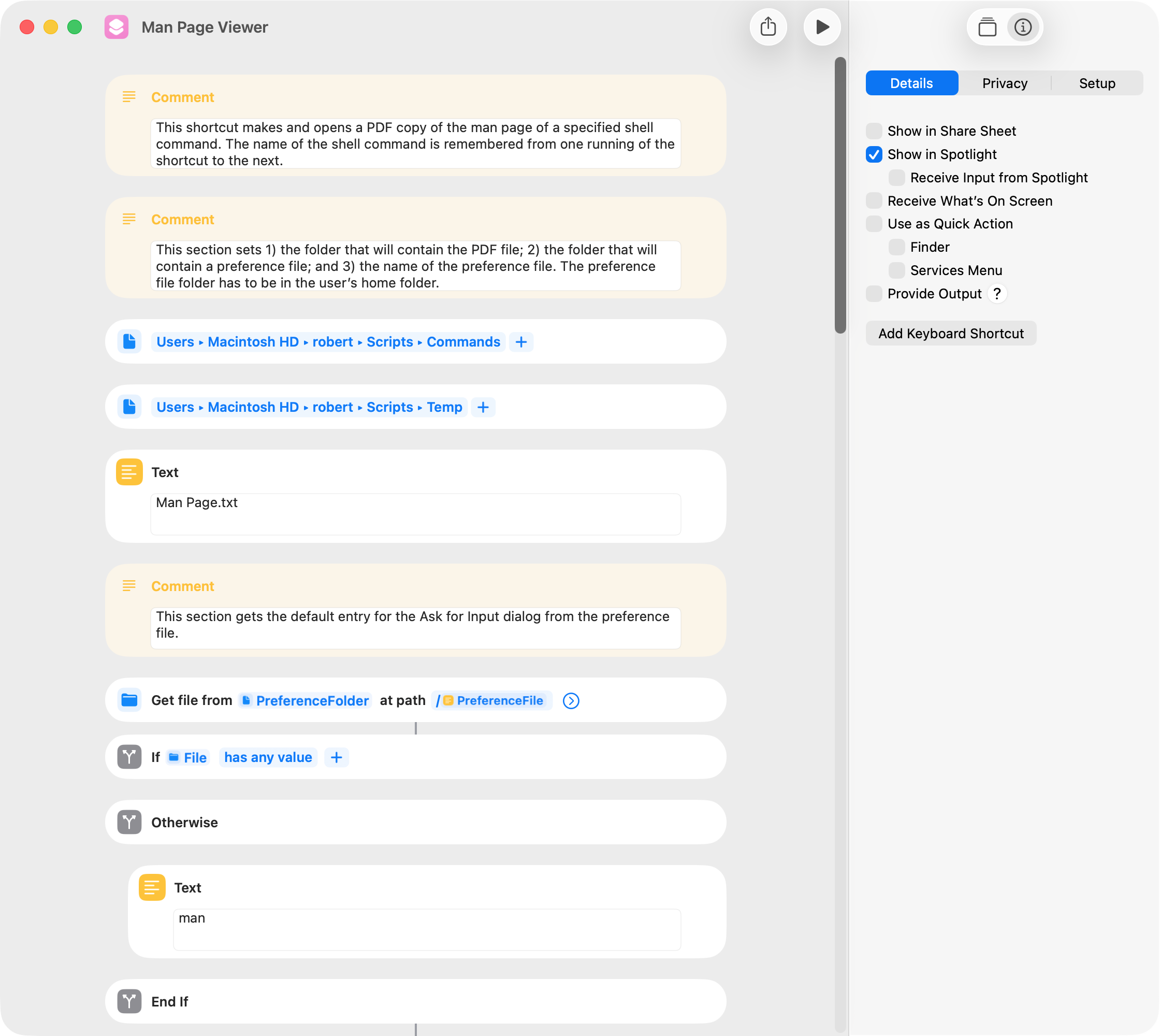
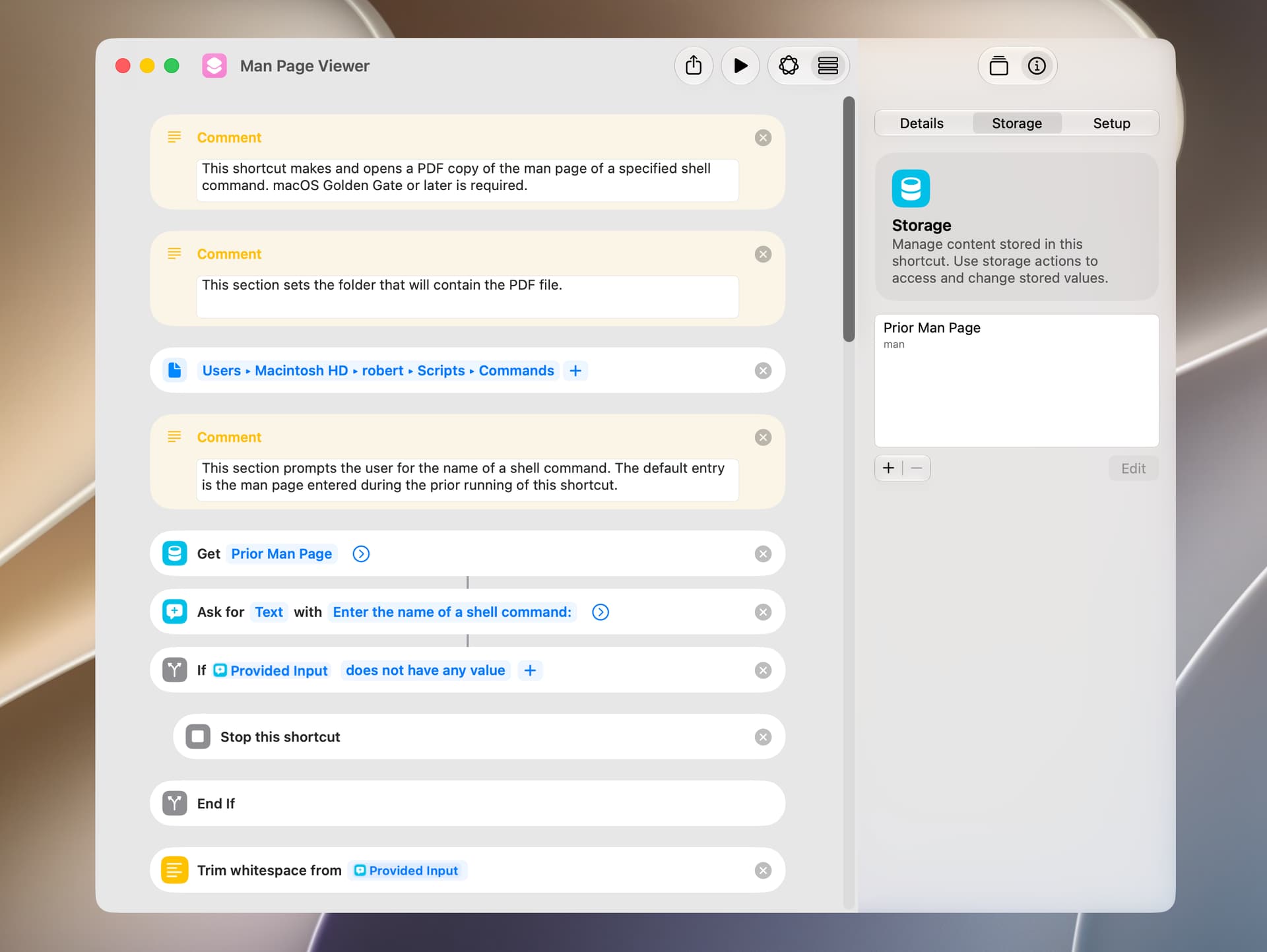
I found that I often want to view the man page of a shell command several times in succession, so I wrote a version of the shortcut that remembers the previously entered shell command. The user has to set the folders for the PDF and a preference file at the top of the shortcut. I tested using a plist instead of a text file to save the name of the shell command, but this was slower.
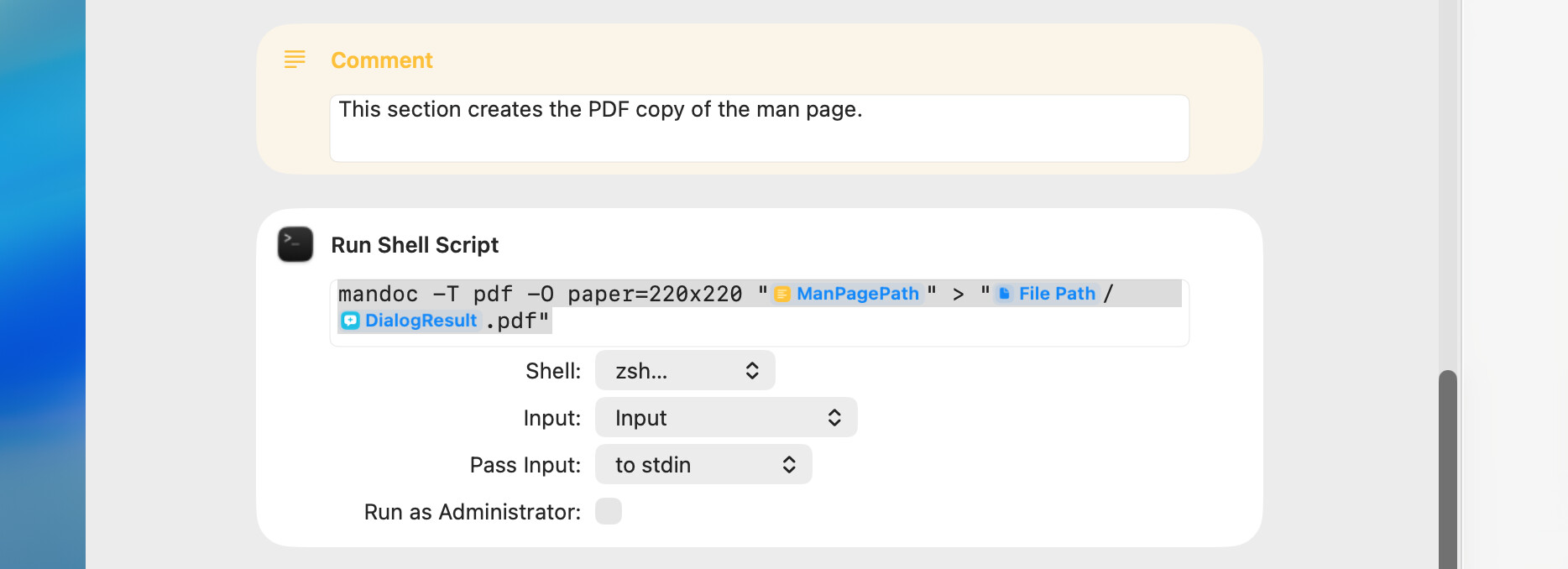
BTW, the default paper size of the PDF is letter, but this can be changed to one of several predefined paper sizes or to specific dimensions (in millimeters). The following is an example:
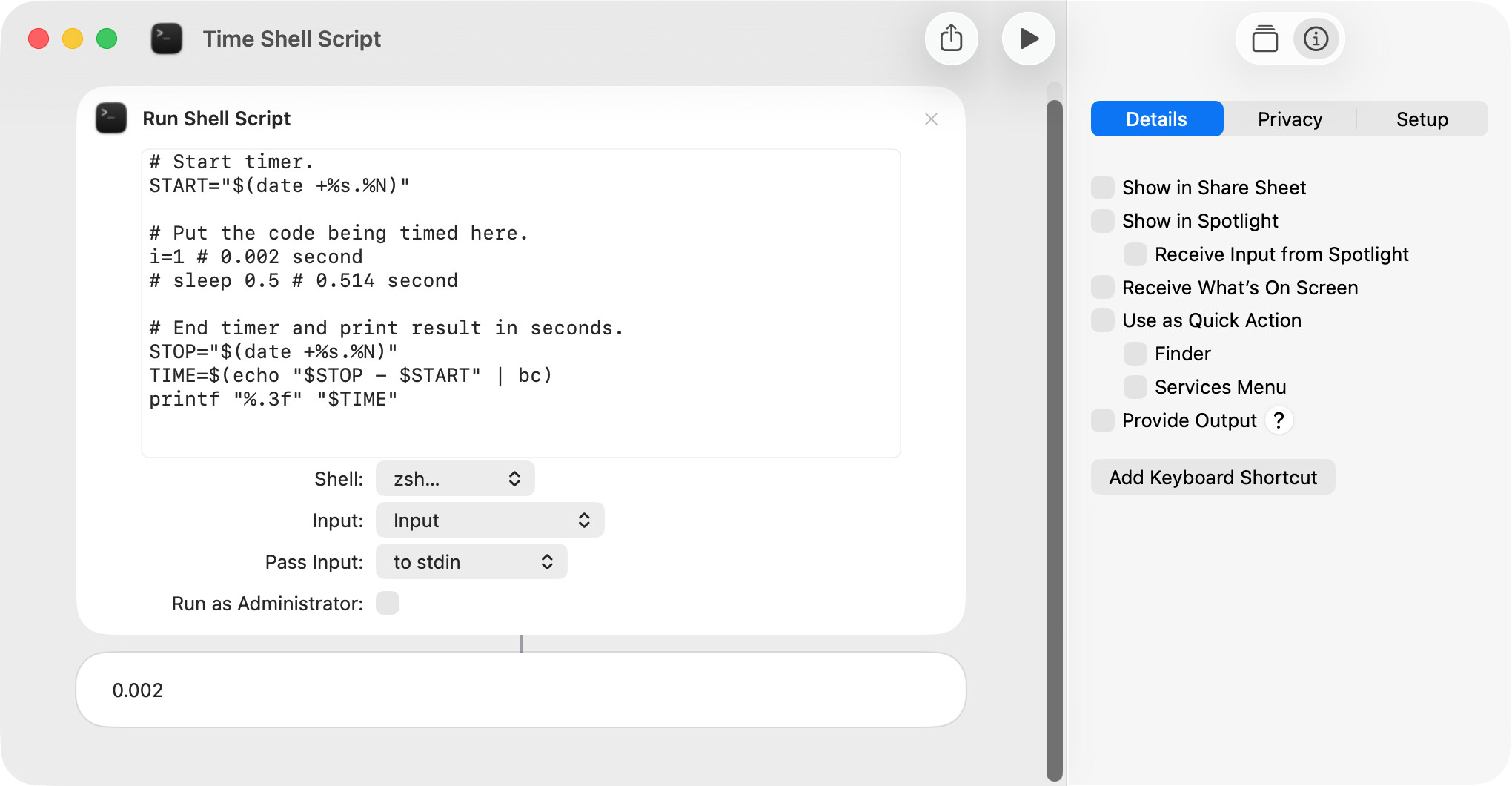
Shell scripts tend to be very fast, and there’s seldom a need to be concerned with execution speed. However, when that’s not the case, the following is a simple approach that measures the time it takes for a portion or all of a shell script to run.
The Run Shell Script action allows the user to specify one of several shells, although most users will probably select Bash or Zsh. FWIW, I’ve been using Bash but decided to switch to Zsh because:
The Bash version shipped with macOS 26 was released in 2007.
Zsh is the default in macOS, and it seems desirable to stick with one shell.
I find the The Zsh shell easier to use in a few respects.
I’ve run timing tests and did not find any difference in the time it takes to run bash and zsh scripts.
On the other hand, AppleScript’s do shell script command uses Bash, and some users might want to maintain consistency between the shell used by this command and shortcuts.
Other than the man pages, there are two sources of zsh documentation that I find helpful. The first is a fairly technical manual:
In 2007, the GPLv3 licence (GNU General Public License) was introduced. Apple apparently does not like the GPLv3.
Until then, bash was released under the GLPv2, which apple does not seem to mind.
zsh is released under a permissive licence that doesn’t seem to place any burden on anyone.
Not only is apple’s bash itself stagnant but all of the provided gnu utilties are. Only the BSD ones are updated. Of course you can generally install newer versions if they exist.
do shell script provides, by default, a ‘sh’ environment, albeit emulated in ‘bash’. But ‘sh’ is what is meaningful to any script compatibility unless you change the shell used by the script. At least, this is how it worked for many years (eg around when TN2065 was published). From your screenshots, it looks like Shortcuts has its own options.
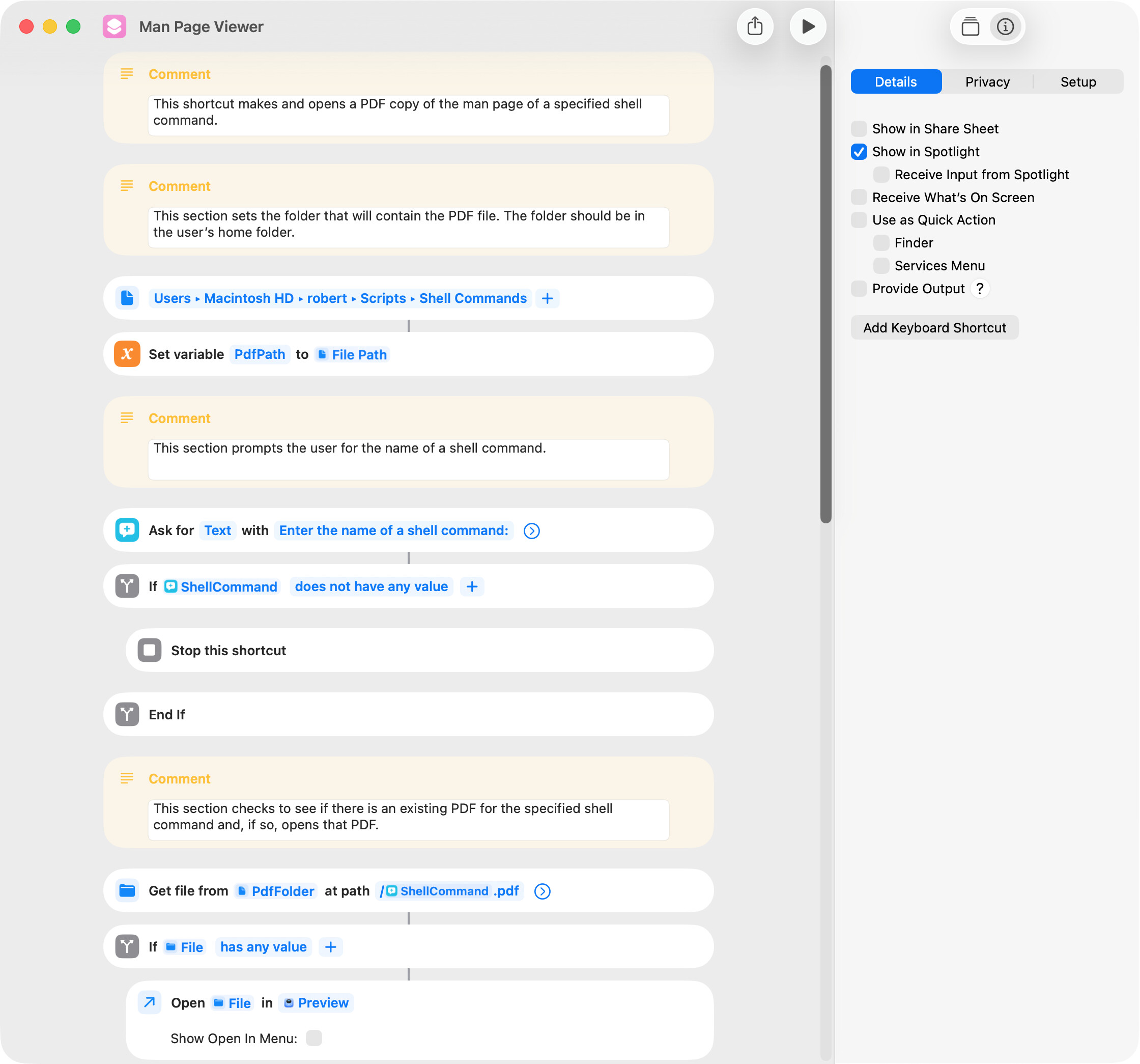
A shortcut included earlier in this thread makes and displays a PDF copy of a specified man page. Just as a small convenience, it remembers and displays the name of the previously-entered man page, and a text file is used for this purpose.
The shortcut included below is functionally the same, but it uses the Store Content and Get Stored Content actions of macOS Golden Gate to get and save the name of the man page. macOS Golden Gate or later is required for this shortcut to work as intended.