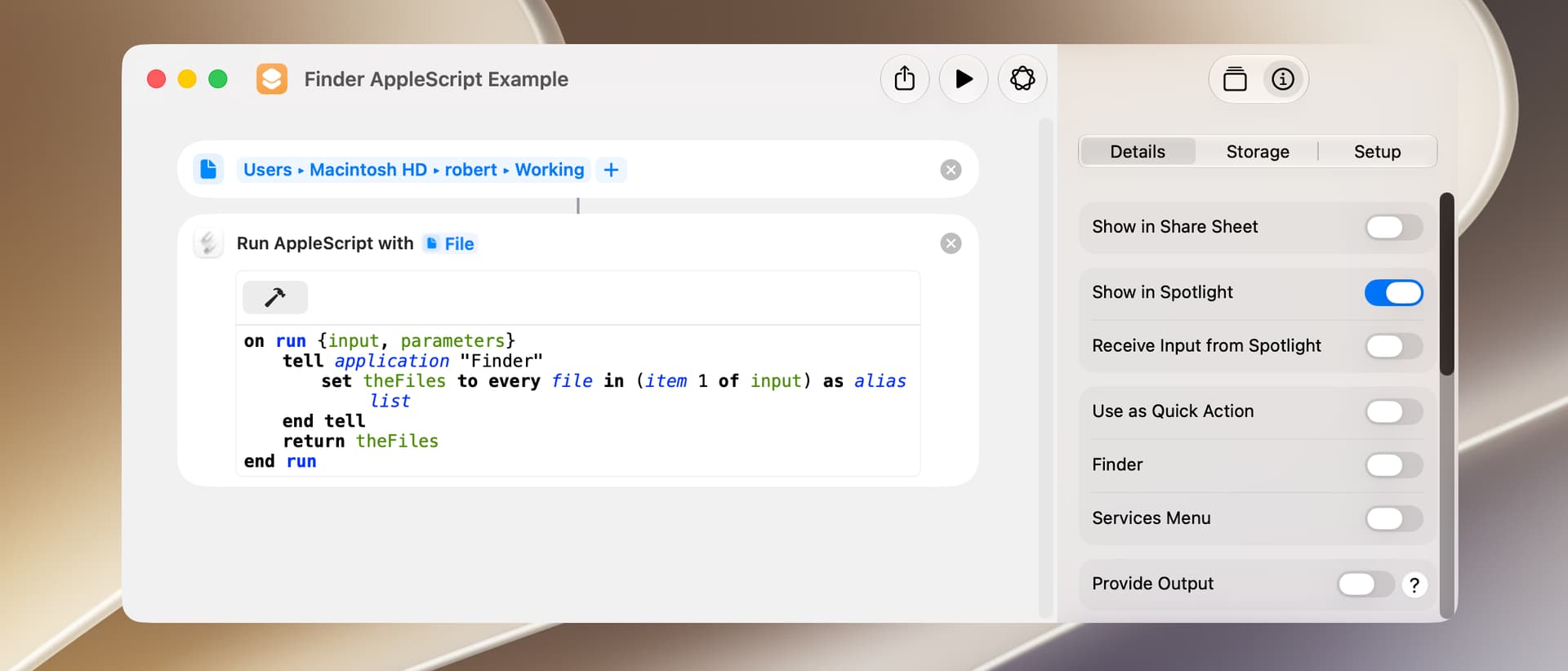
Running an AppleScript in a shortcut is normally done with a Run AppleScript action, and the following is a simple example:
Finder AppleScript Example.shortcut (21.8 KB)
The operation of this shortcut is fairly straightforward, but a few items are worthy of note:
-
Items received as input by a Run AppleScript action are generally coerced to their AppleScript equivalent. For example, a Shortcuts file object is coerced to an AppleScript alias.
-
Items output by a Run AppleScript action are generally coerced to their Shortcuts equivalent. For example, an AppleScript file object is coerced to a Shortcuts file object.
-
The parameter with the name input is often a list (even when you wouldn’t expect that to be the case).
-
The parameter with the name parameters has no use that I can find.
-
On my M2 Mac mini, the Run AppleScript action takes about 300 milliseconds to load the underlying AppleScript code. This does not include any work done by the AppleScript.
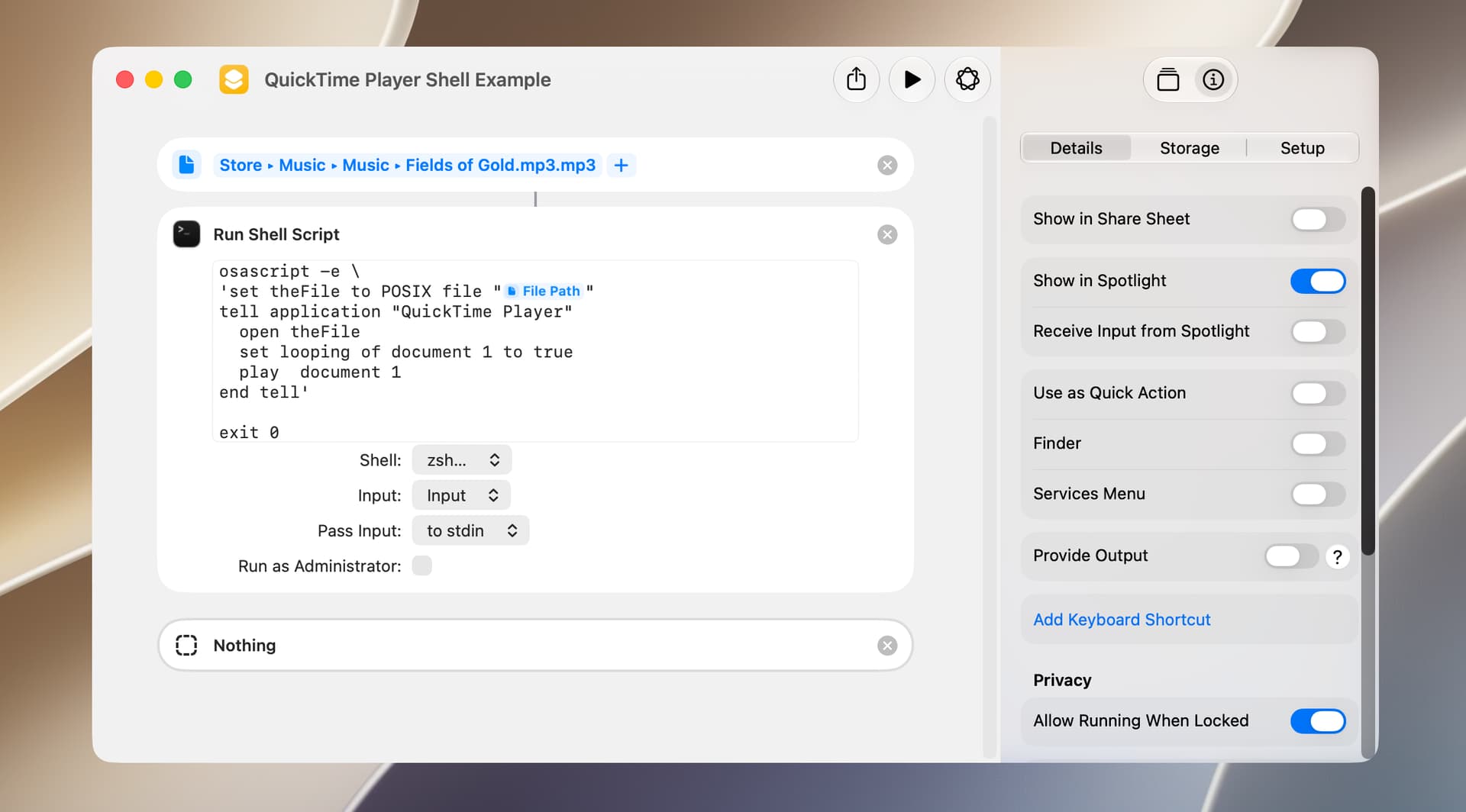
Because of the slow execution speed of the Run AppleScript action, an alternative that can be useful on occasion utilizes the osascript shell command in a Run Shell Script action. For example,
QuickTime Player Shell Example.shortcut (22.1 KB)
A few comments:
-
The input and output (if any) of the Run Shell Script action is text. In the above example, the input is a Shortcuts file object that is manually coerced to a path.
-
The Input and Pass Input options are generally not applicable in this particular use.
-
The
exit 0shell command is occasionally required to prevent the output of the Run Shell Script action from confusing a subsequent Shortcuts action. Also, the Nothing action is used to prevent the Shortcuts app from adding an unnecessary Stop and Output action to the end of the shortcut. -
The Run Shell Script action takes about 100 milliseconds to load the underlying code, yielding a net time savings of approximately 200 milliseconds.