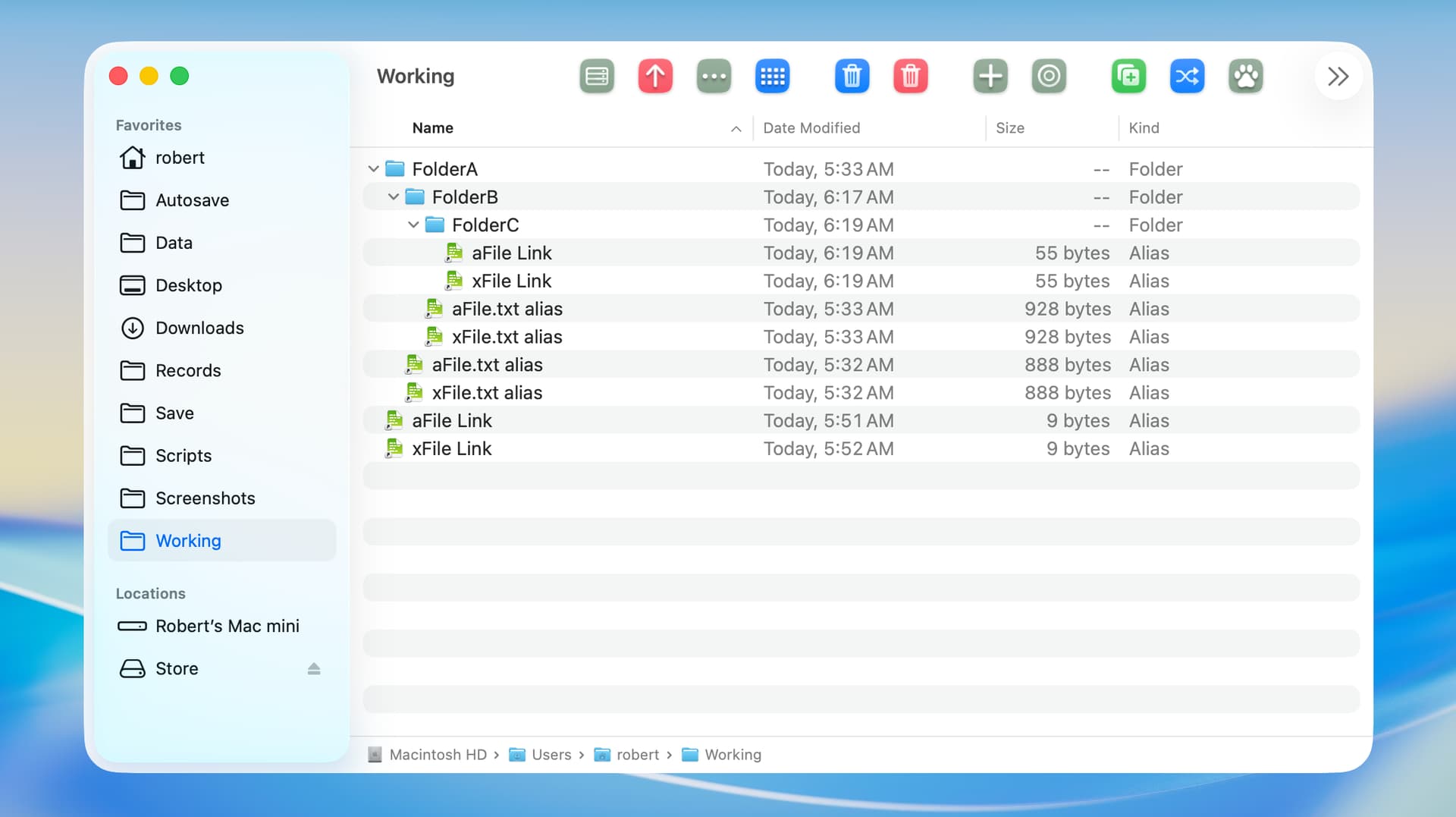
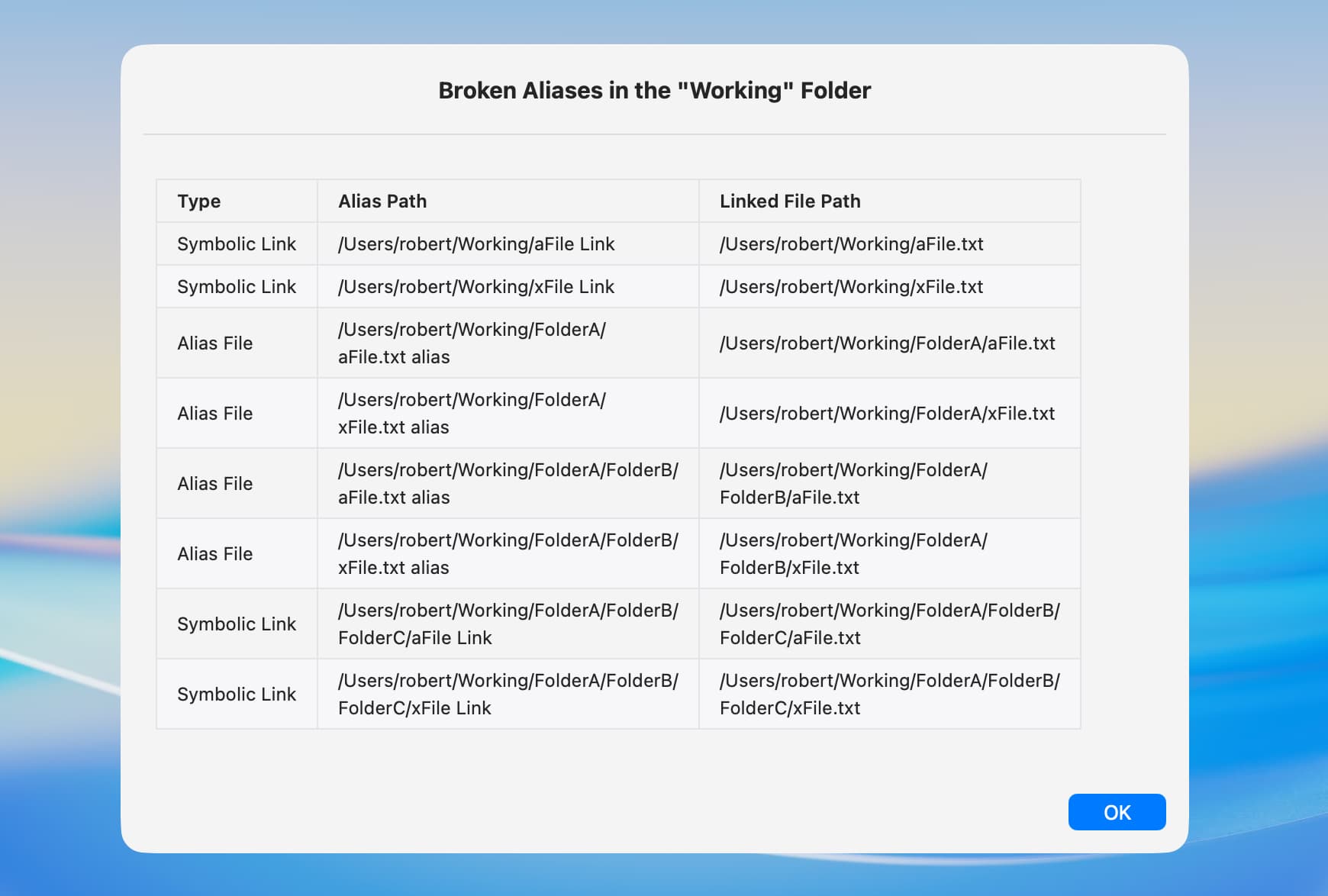
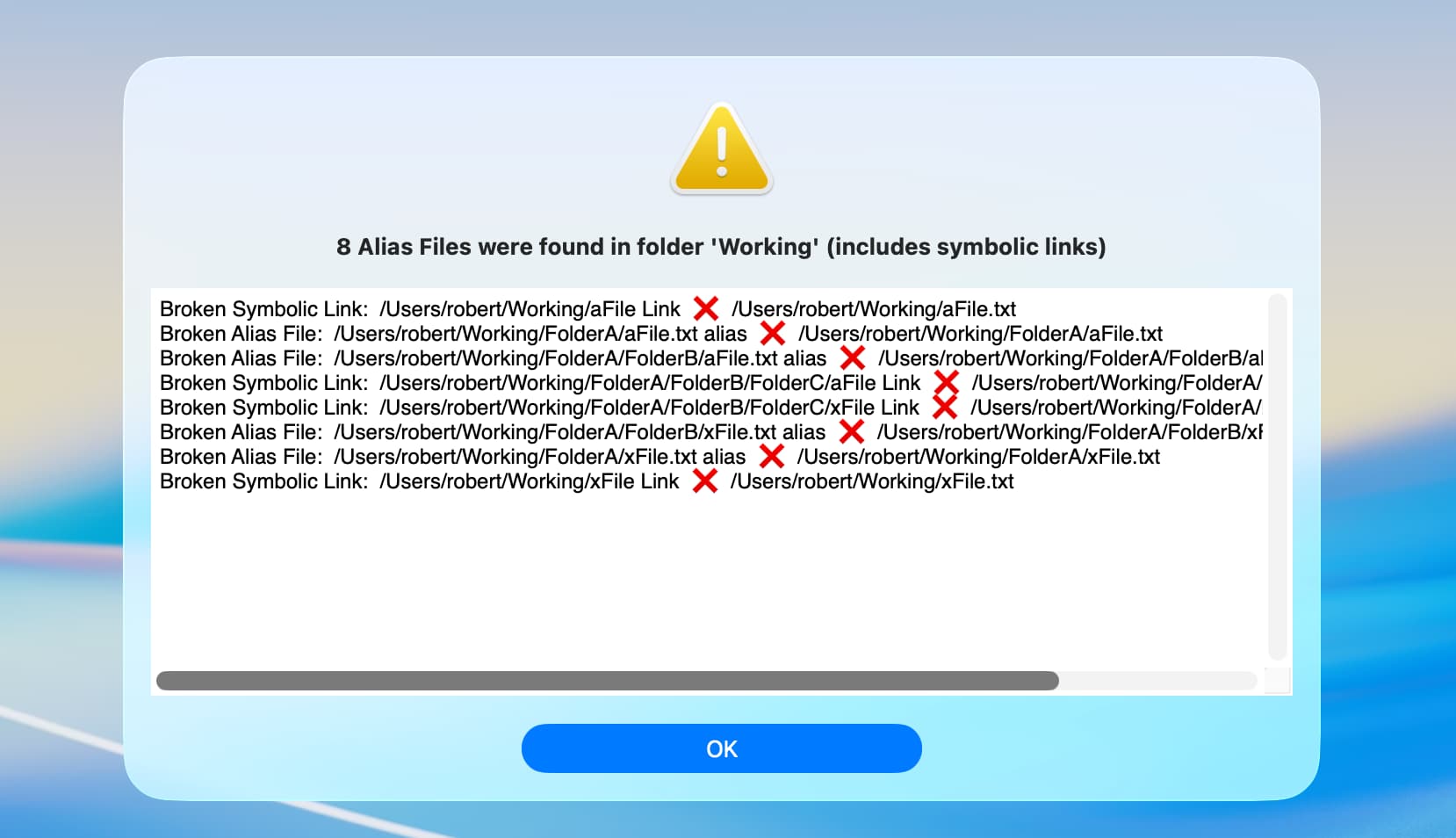
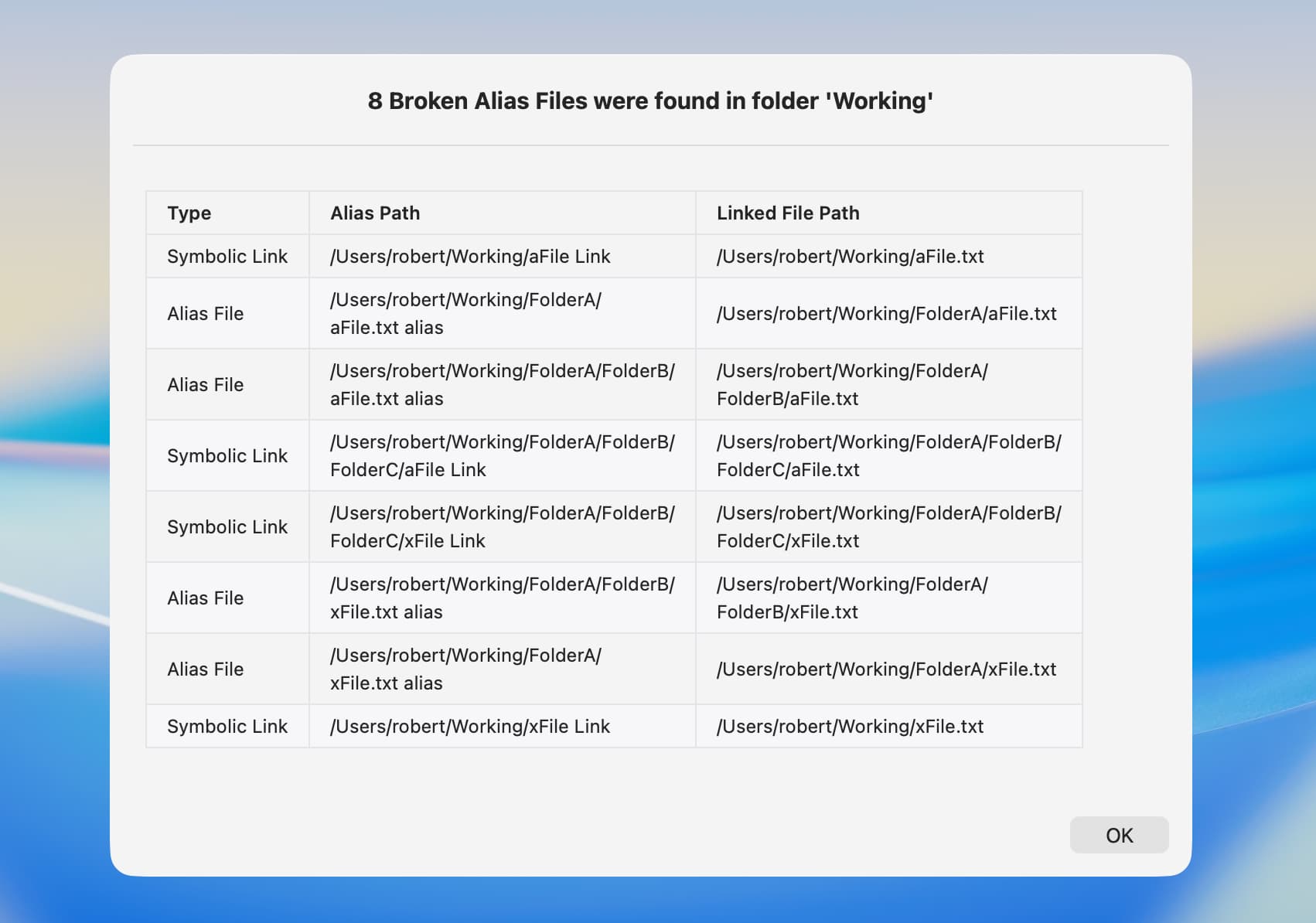
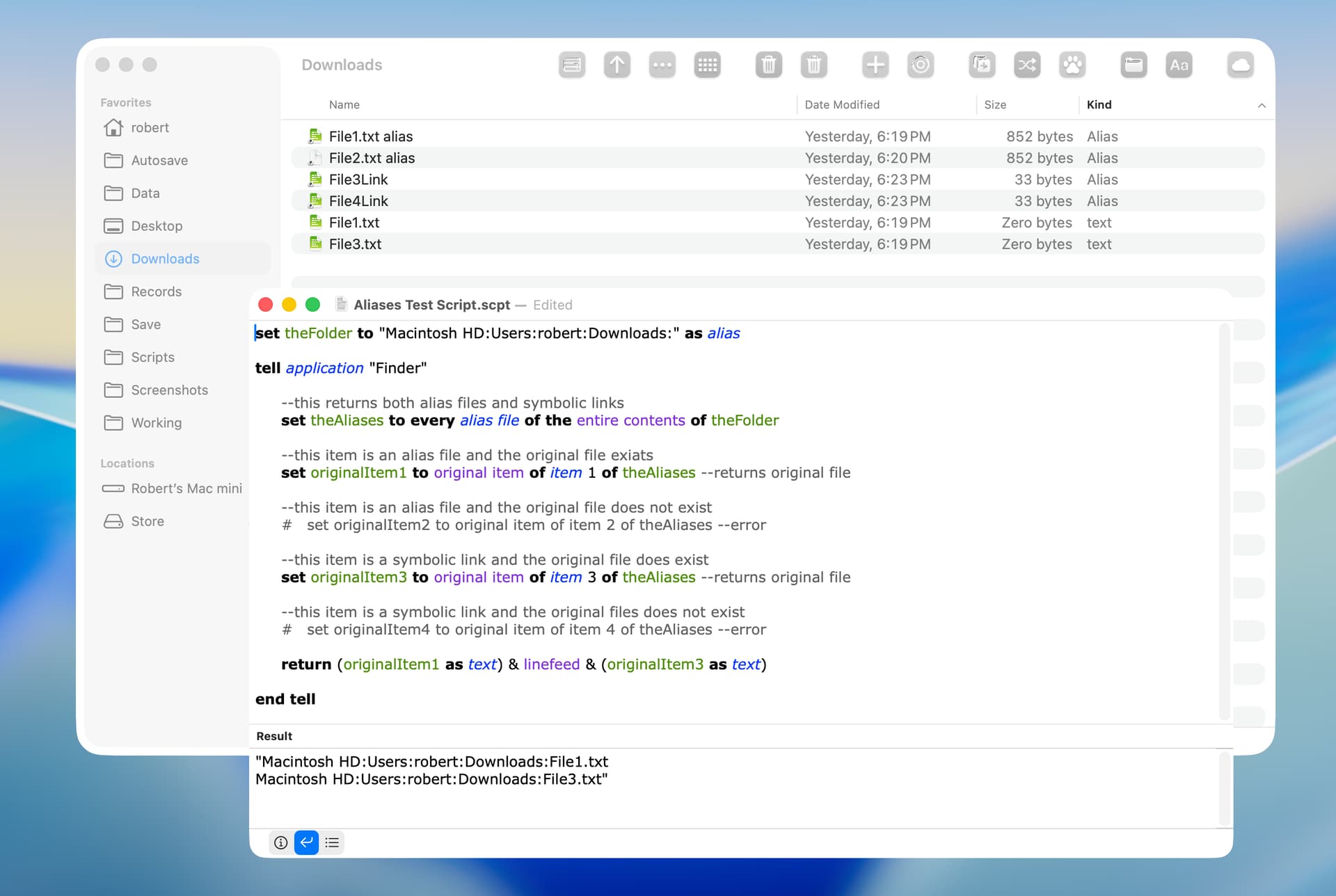
My script uses a handler that I adapted from an app that gets file information. It started out as an AppleScript back in Tiger/Leopard and its functionality has been improved over the years, mostly by doing weird stuff and looking at system files to see what breaks. I use it quite a bit these days and haven’t come across any aliases that don’t get resolved, but if you come across something specific that doesn’t work (maybe in the /System/Library folder since that should be consistent), let me know so that I can test.
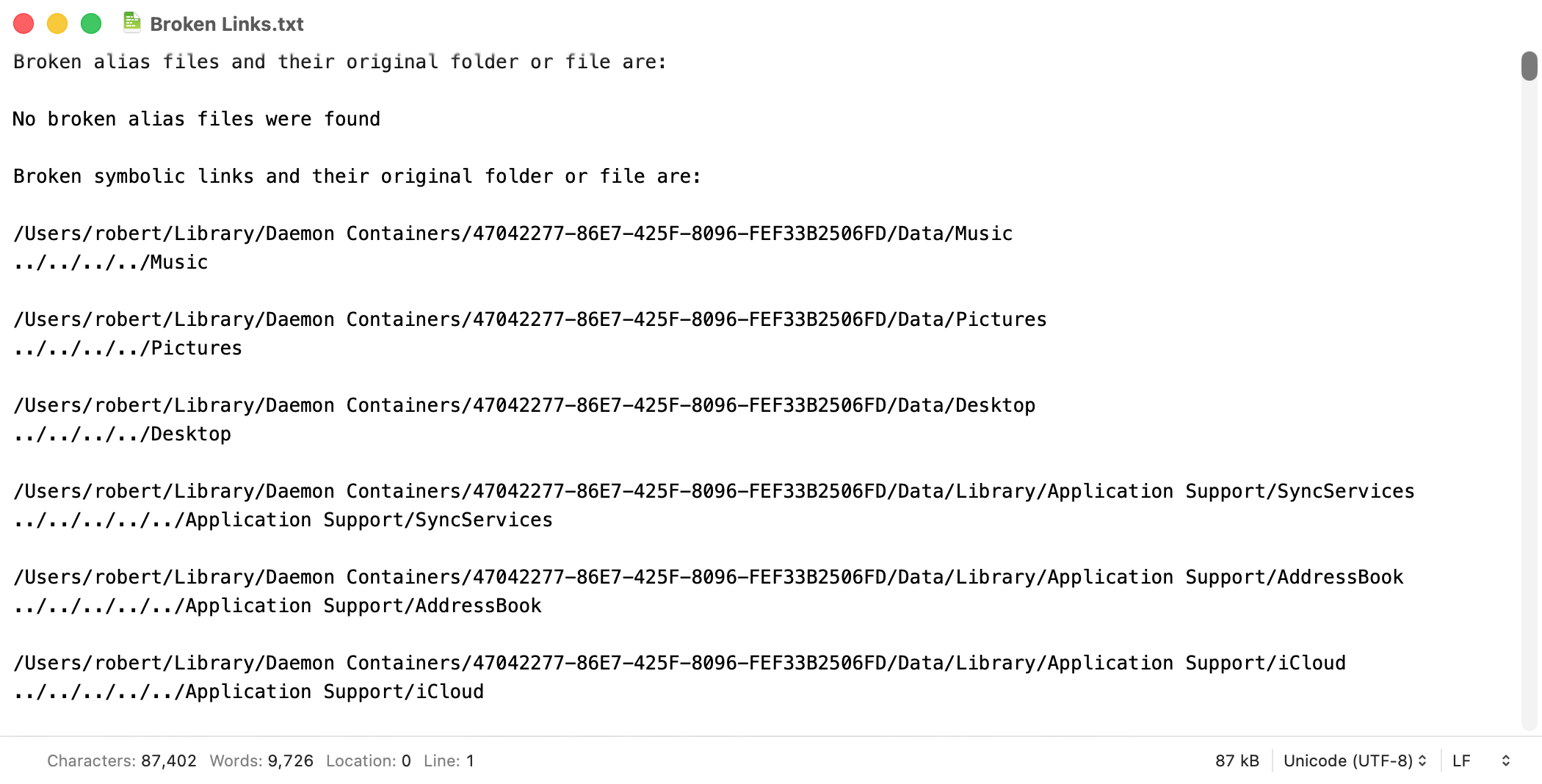
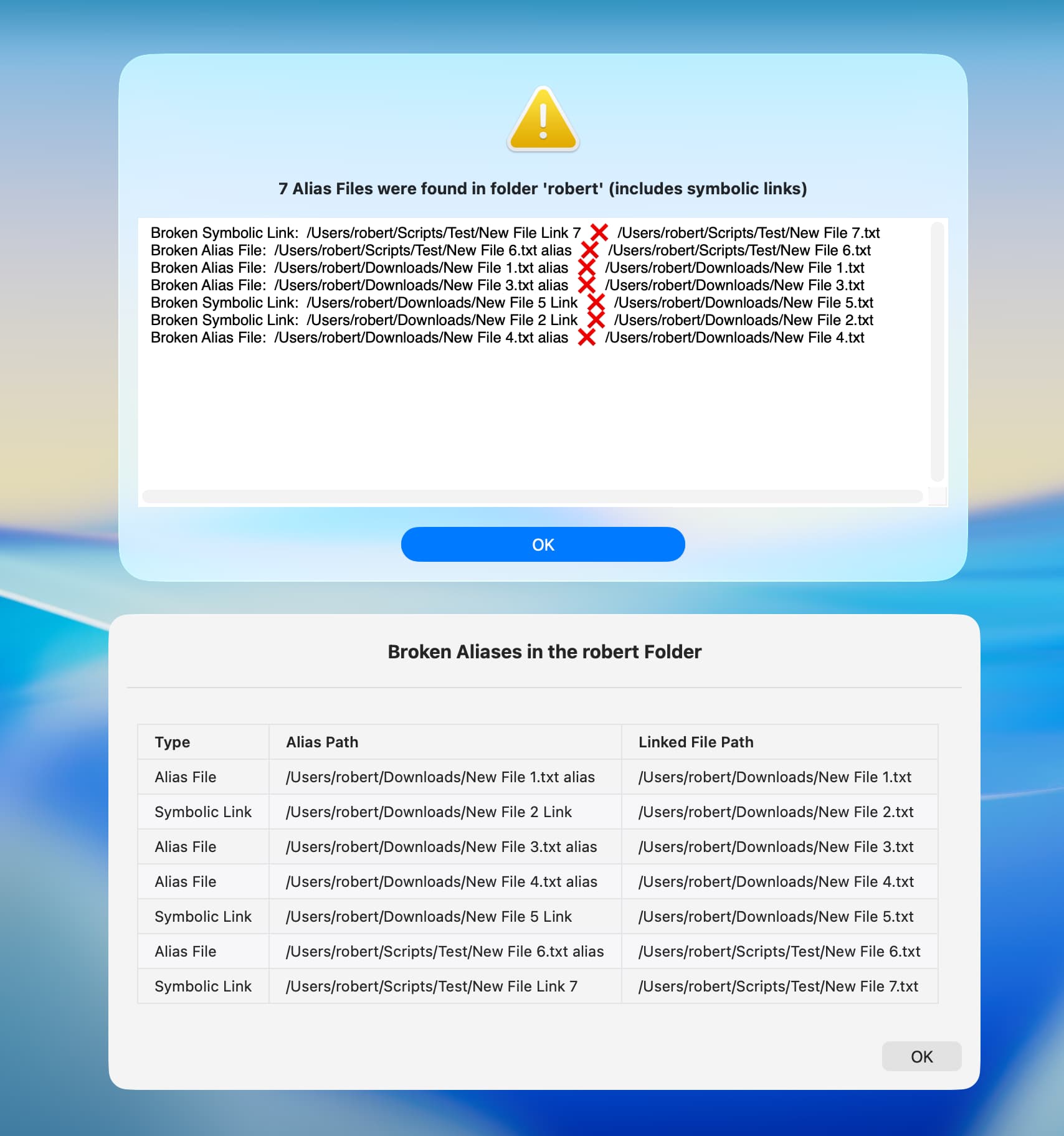
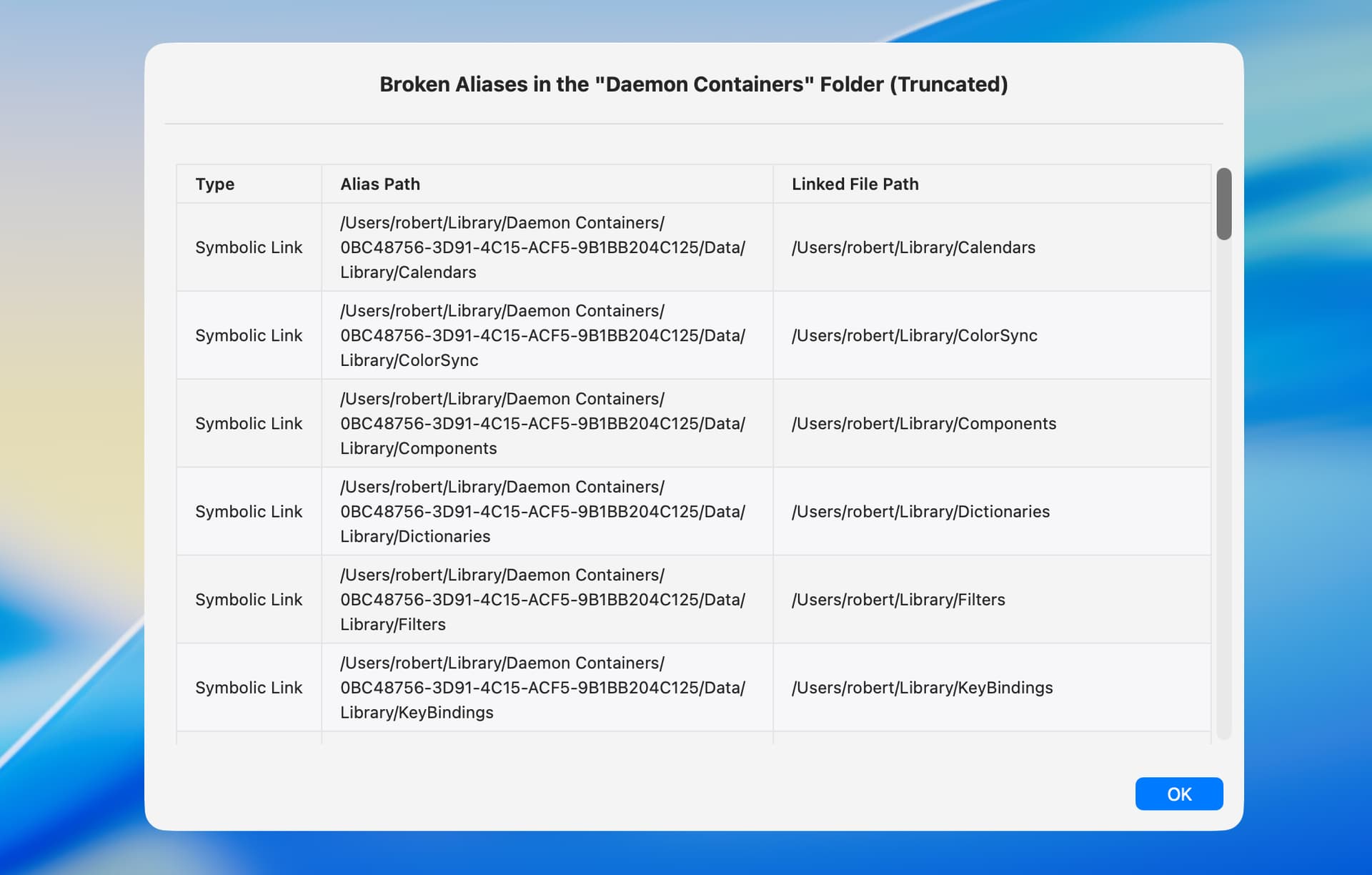
In the current version of my example, I just create a master list/array of records/dictionaries that have keys for all the various bits of information for each file such as the alias type, if the target is broken, etc, and filter the results for whatever information I want to show in the alert dialog. With my Tahoe system, there are 726 alias/symlink files out of a total of 1,588 items (including hidden and dot files) in the Daemon Containers folder.
use framework "Foundation"
use scripting additions

# Outlets
property alert : missing value
property textView : missing value
property scrollView : missing value

# Alert response values - performSelectorOnMainThread doesn't return anything
property alertReply : missing value -- the button
property failure : missing value -- error record with keys {errorMessage, errorNumber}


on run -- get an array of information dictionaries for alias files in the specified folder and its subdirectories
   try
      set symbolicLinks to true -- include symbolic links?
      set brokenOnly to false -- only show broken aliases?
      set theFolder to (choose folder with prompt "Choose a folder to get alias files from:")
      tell application "System Events" to set folderName to name of disk item (theFolder as text)
      set aliasInfo to (infoForAliases from theFolder given symbolicLinks:symbolicLinks)
      set pathDescriptor to current application's NSSortDescriptor's sortDescriptorWithKey:"aliasPath" ascending:true selector:"localizedStandardCompare:"
      set aliasInfo to aliasInfo's sortedArrayUsingDescriptors:{pathDescriptor}

      # filter the alias information as desired
      set filteredResult to current application's NSMutableArray's new()
      set what to "Alias File" -- default for no items
      repeat with theItem in aliasInfo
         if brokenOnly then
            set what to "Broken Alias File"
            tell theItem to if (its valueForKey:"isBroken") as boolean then (filteredResult's addObject:(its valueForKey:"summaryText"))
         else
            (filteredResult's addObject:(theItem's valueForKey:"summaryText"))
         end if
      end repeat

      # display the filtered information as desired
      set itemCount to (filteredResult's |count|()) as integer
      set dialogText to (filteredResult's componentsJoinedByString:linefeed) as text
      set dialogTitle to what & item (((itemCount is 1) as integer) + 1) of {"s were", " was"} & " found in folder " & quoted form of folderName & " (" & item ((symbolicLinks as integer) + 1) of {"does not include", "includes"} & " symbolic links)"
      set dialogTitle to "" & item (((itemCount is 0) as integer) + 1) of {itemCount, "No"} & " " & dialogTitle

      showAlert(dialogTitle, dialogText)
      return aliasInfo as list -- the complete list
      if failure is not missing value then error
   on error errmess number errnum
      if failure is missing value then -- use passed arguments
         display alert "Script Error " & errnum message errmess
      else -- use keys from the failure record
         display alert "Script Error " & failure's errorNumber message failure's errorMessage
      end if
   end try
end run


########################################
-->> Alias Handlers
########################################

# Get information about alias files in the specified folder and its subdirectories.
# Returns an array of dictionaries with `aliasType`, `aliasPath`, `targetPath`, `isBroken`, and `summaryText` keys
on infoForAliases from folderPath given symbolicLinks:(symbolicLinks as boolean) : true
   set aliasDictionaries to current application's NSMutableArray's new()
   repeat with anAlias in (getAliasFiles from folderPath)
      set originalPath to (resolveAlias for anAlias given symbolicLink:symbolicLinks)
      if originalPath is not in {missing value, "skipped symbolic link"} then
         set {prefix, joiner} to {"", "  🢜🠞  "}
         set theString to (current application's NSString's stringWithString:originalPath)
         set {aliasType, targetPath} to (theString's componentsSeparatedByString:":  ") as list
         if (not (current application's NSFileManager's defaultManager's fileExistsAtPath:targetPath) as boolean) then
            set {prefix, joiner} to {"Broken ", "  ❌  "}
         end if
         (aliasDictionaries's addObject:{aliasType:aliasType, aliasPath:(contents of anAlias), targetPath:targetPath, isBroken:(prefix is not ""), summaryText:(prefix & aliasType & ":  " & anAlias & joiner & targetPath)})
      end if
   end repeat
   return aliasDictionaries
end infoForAliases

# Get a list of alias files from a folder, with option to not descend into subdirectories.
to getAliasFiles from folderPath given descent:(descent as boolean) : true
   set folderURL to current application's NSURL's fileURLWithPath:(POSIX path of folderPath)
   set options to (current application's NSDirectoryEnumerationSkipsHiddenFiles as integer) + (current application's NSDirectoryEnumerationSkipsPackageDescendants as integer) + (((not descent) as integer) * (current application's NSDirectoryEnumerationSkipsSubdirectoryDescendants as integer))
   set enumerator to current application's NSFileManager's defaultManager's enumeratorAtURL:folderURL includingPropertiesForKeys:{current application's NSURLIsAliasFileKey} options:options errorHandler:(missing value)
   set aliasFiles to {}
   repeat with fileURL in (allObjects() of enumerator)
      set {success, isAlias} to (fileURL's getResourceValue:(reference) forKey:(current application's NSURLIsAliasFileKey) |error|:(missing value))
      if success and (isAlias as boolean) then set end of aliasFiles to fileURL's |path|() as text
   end repeat
   return aliasFiles
end getAliasFiles

# Resolves the path for an alias file, with options to mount a volume and to skip a symbolic link.
# Returns the original path with a type prefix, "skipped symbolic link", or missing value if an error or not found.
to resolveAlias for aliasPath given mounting:(mounting as boolean) : false, symbolicLink:(symbolicLink as boolean) : true
   set aliasURL to current application's NSURL's fileURLWithPath:(POSIX path of aliasPath)
   set bookmarkData to current application's NSURL's bookmarkDataWithContentsOfURL:aliasURL |error|:(missing value)
   if (bookmarkData is missing value) then -- non-file object (symbolic link, etc)
      if not symbolicLink then return "skipped symbolic link"
      set options to (current application's NSURLBookmarkResolutionWithoutUI as integer) + (((not mounting) as integer) * (current application's NSURLBookmarkResolutionWithoutMounting as integer))
      set originalURL to current application's NSURL's URLByResolvingAliasFileAtURL:aliasURL options:options |error|:(missing value)
      if originalURL is not missing value then return "Symbolic Link:  " & originalURL's |path| -- as text
   else -- alias file
      set originalPath to missing value
      set resourceValues to current application's NSURL's resourceValuesForKeys:{current application's NSURLPathKey} fromBookmarkData:bookmarkData
      if resourceValues is not missing value then set originalPath to resourceValues's objectForKey:(current application's NSURLPathKey)
      if originalPath is not missing value then return "Alias File:  " & originalPath -- as text
   end if
   log "Unable to resolve alias file " & quoted form of aliasPath
   return missing value
end resolveAlias


########################################
-->> NSAlert Handlers
########################################

to showAlert(dialogTitle, dialogText)
   set my textView to (makeTextView at {} given dimensions:{650, 232}, textString:dialogText)
   set my scrollView to (makeScrollView for textView without wrapping) -- embed textView into scrollView
   if current application's NSThread's isMainThread() as boolean then
      my performAlertOnMainThread:{dialogTitle, scrollView}
   else
      my performSelectorOnMainThread:"performAlertOnMainThread:" withObject:{dialogTitle, scrollView} waitUntilDone:true
   end if
end showAlert

to performAlertOnMainThread:arguments
   try
      set {dialogTitle, scrollView} to arguments as list
      set my alert to (makeAlert for dialogTitle given icon:"caution", accessory:scrollView)
      set my alertReply to (alert's runModal()) as integer -- the button result (starts at 1000)
   on error errmess number errnum
      set my failure to {errorMessage:errmess, errorNumber:errnum}
   end try
end performAlertOnMainThread:

# Make and return a NSAlert.
to makeAlert for (messageText as text) : "" given infoText:(infoText as text) : "", buttons:(buttons as list) : {"OK"}, icon:(icon as text) : "", accessory:accessory : missing value
   tell current application's NSAlert's alloc()'s init()
      its setMessageText:messageText
      its setInformativeText:infoText
      repeat with aButton in buttons
         set theButton to (its addButtonWithTitle:aButton)
      end repeat
      if icon is not "" then
         set candidate to current application's NSImage's alloc()'s initByReferencingFile:icon
         if (candidate's isValid as boolean) then -- file
            its setIcon:candidate
         else if icon is "caution" then -- system caution image
            its setIcon:(current application's NSImage's imageNamed:(current application's NSImageNameCaution))
         else if icon is "critical" then -- critical style, otherwise informational
            its setAlertStyle:(current application's NSCriticalAlertStyle)
         end if
      end if
      if accessory is not missing value then its setAccessoryView:accessory
      return it
   end tell
end makeAlert


########################################
-->> UI Handlers
########################################

# Make and return a NSTextView.
to makeTextView at (origin as list) given dimensions:(dimensions as list) : {200, 28}, textString:(textString as text) : "Testing", textFont:textFont : missing value, textColor:textColor : missing value, backgroundColor:backgroundColor : missing value, drawsBackground:(drawsBackground as boolean) : true, editable:(editable as boolean) : false, selectable:(selectable as boolean) : true
   if origin is {} then set origin to {0, 0}
   tell (current application's NSTextView's alloc's initWithFrame:{origin, dimensions})
      its setHorizontallyResizable:true
      its setTextContainerInset:{5, 5}
      if textFont is not missing value then its setFont:textFont
      if textColor is not missing value then its setTextColor:textColor
      if backgroundColor is not missing value then its setBackgroundColor:backgroundColor
      its setDrawsBackground:drawsBackground
      its setEditable:editable
      its setSelectable:selectable
      its setString:textString
      return it
   end tell
end makeTextView

# Make and return a NSScrollView and set the wrapping mode for the given textView.
to makeScrollView for textView given borderType:(borderType as integer) : 0, verticalScroller:(verticalScroller as boolean) : true, wrapping:(wrapping as boolean) : true
   tell (current application's NSScrollView's alloc's initWithFrame:(textView's frame))
      its setBorderType:borderType
      its setHasVerticalScroller:verticalScroller
      its setDocumentView:textView
      set layoutSize to current application's NSMakeSize(1.0E+5, 1.0E+5) -- no wrapping
      textView's setMaxSize:layoutSize
      textView's enclosingScrollView's setHasHorizontalScroller:true
      textView's textContainer's setWidthTracksTextView:false
      textView's textContainer's setContainerSize:layoutSize
      textView's enclosingScrollView's setNeedsDisplay:true
      return it
   end tell
end makeScrollView
Edited to add sorting.