I wrote the following shortcut as a simple (and a bit kludgey) but fast screenshot viewer. A few comments:
-
Pretty much the same task can be performed by opening the screenshot folder; selecting all files in the folder; and pressing the space bar to open the Quick Look utility.
-
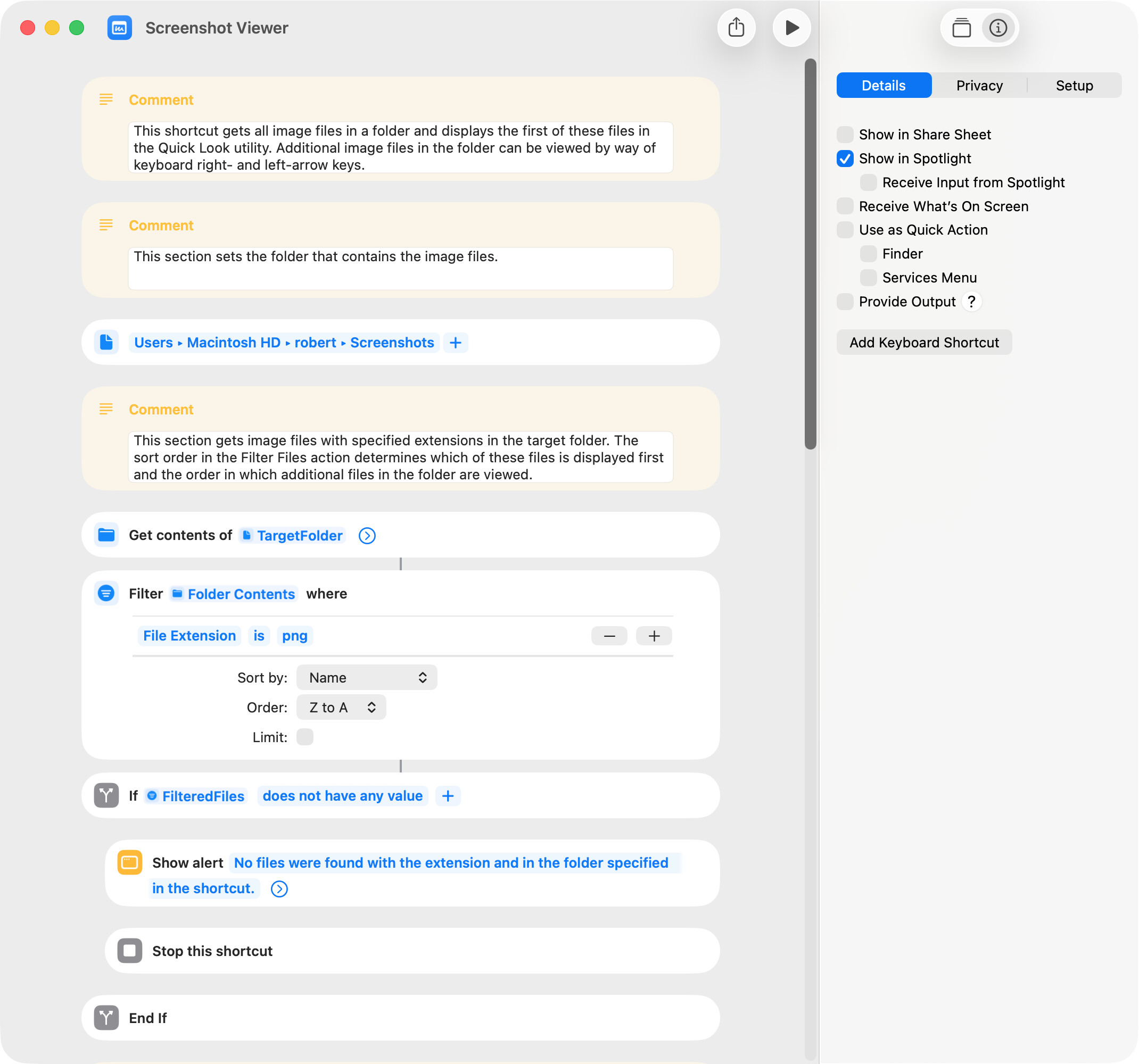
The location of the screenshot folder must be set at the beginning of the shortcut.
-
The first screenshot displayed and the order in which subsequent screenshots are viewed can be altered by changing the sort order in the shortcut. The current setting is alphabetical ascending by file name, but creation date or other options might be used.
-
The Quick Look window has the word DEBUG in the upper-left corner, and this cannot be removed (as far as I know).
-
The approach used to make the Quick Look window frontmost seems a bit involved, but I couldn’t think of a simpler and equally effective alternative. A simple Wait action could be used but might not be as reliable and would probably be marginally slower.
-
The following screenshot only shows a portion of the shortcut.
Screenshot Viewer.shortcut (24.6 KB)
