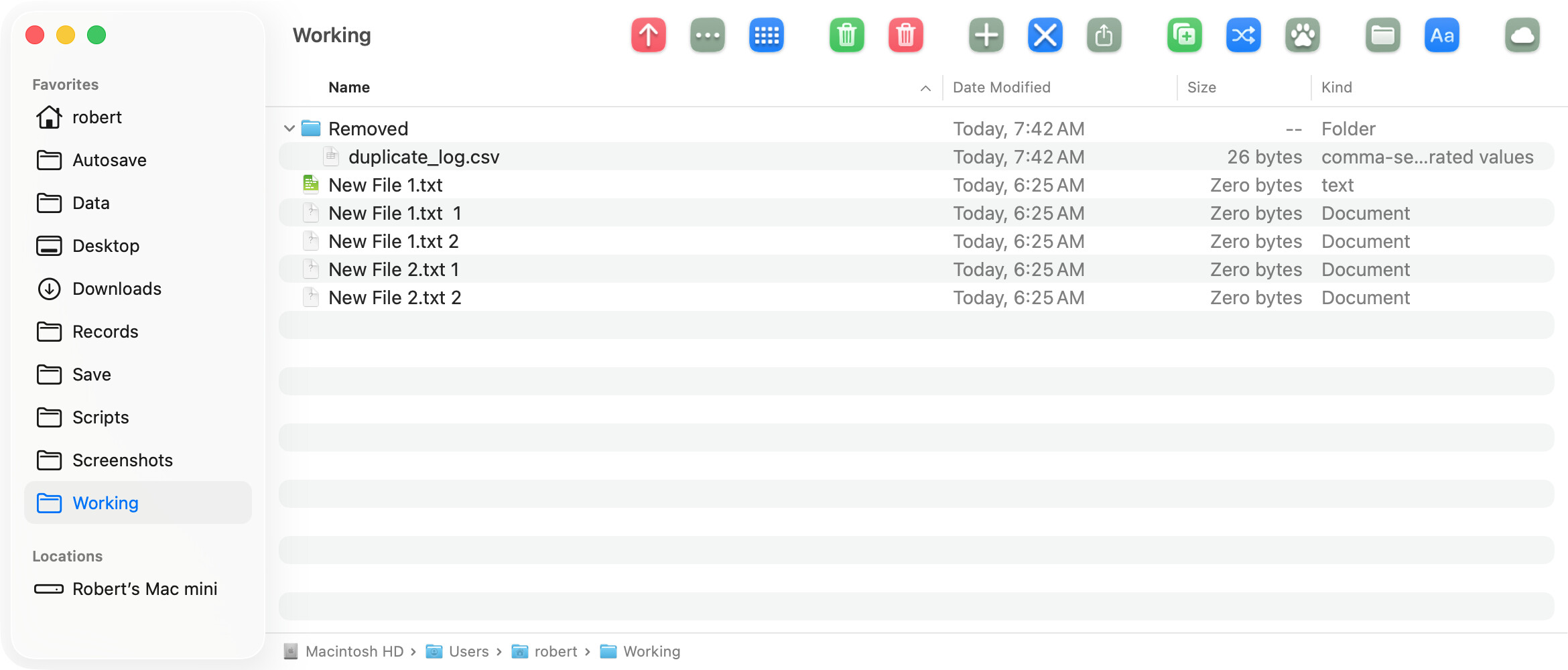
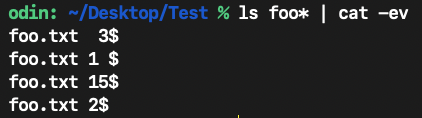
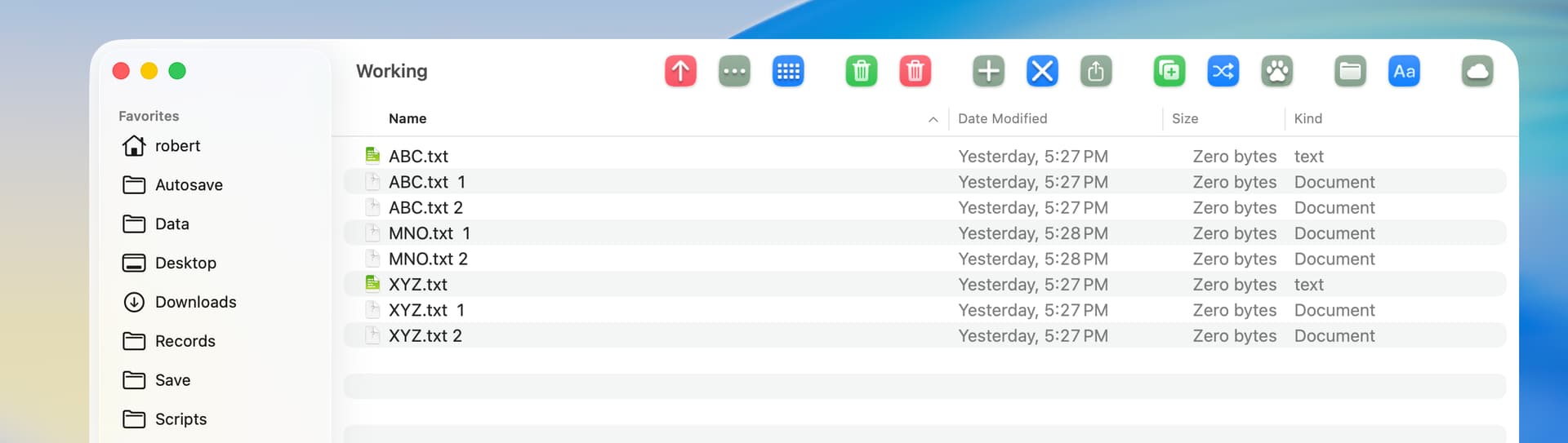
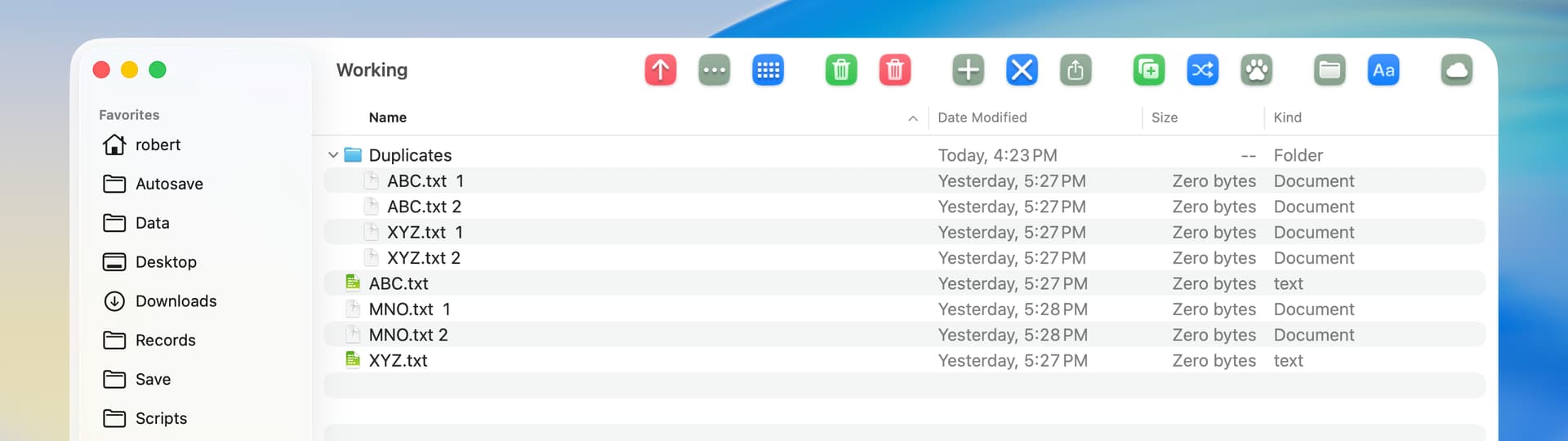
I have a folder that contains identical documents, but with numbers at the end. I explain. If the original is called XYZ.FileExtension, there are files in there called XYZ.FileExtension 1 and XYZ.FileExtension 2, etc. Some have one space before the number and some two.
The script works except that it always leaves one original and one copy with a number at the end. Mostly always the one with a 2.
I am lost as to how to fix this. Any tips ideas?
Also, it runs slowly on the Mac. The folder has about 500+ items and might take 10 minutes. Maybe that is just so, but it could be fun to fix that too if it’s easy, but I can happily live with it.
Thanks.
set targetFolder to choose folder with prompt "Select the folder to clean up:"

tell application "Finder"
	set fileList to (get name of every file of targetFolder)
	set baseNames to {}

	repeat with aFile in fileList
		set baseName to (text 1 thru ((length of aFile) - 6) of aFile) -- Get base name (excluding number and extension)

		if baseName is not missing value then
			if baseNames contains baseName then
				set fullPath to (targetFolder as text) & aFile
				delete (every file of targetFolder whose name is aFile)
			else
				set end of baseNames to baseName
			end if
		end if
	end repeat
end tell
Why did you put the numbers at the end of the filenames. By doing so the computer thinks “.FileExtension 1” is the file extension. I would have named them “XYZ(2).FileExtension” to “XYZ-2.FileExtension”
Also you have a “- 6” in your parsing. Is the file extension always the same length?
How Many files are there typically in your folder?
I also would have used text item delimiters to parse the filename.
I also would use “System Events” instead of “Finder”, as Finder is much slower doing file operations.
Here is a script I modified from yours…
local tid, targetFolder, fileList, aFile, baseName, nextName
set targetFolder to choose folder with prompt "Select the folder to clean up:"
set tid to text item delimiters
set text item delimiters to "."
tell application "System Events"
	set fileList to name of files of targetFolder
	set targetFolder to targetFolder as text
	my quickSort(fileList) -- sort the list alphabetically in ascending order
	set baseName to ""
	repeat with aFile in fileList
		set aFile to contents of aFile
		try -- skips files without an extention
			set nextName to (items 1 thru -2 of (text items of aFile)) as text -- file name without extension
			if nextName = baseName then
				set fullPath to targetFolder & aFile
				move file fullPath to trash
			else
				set baseName to nextName
			end if
		end try
	end repeat
end tell
set text item delimiters to tid

on quickSort(blist) -- Quick-Sort routine to sort in ascending order
	local px, lo, hi, L, H, sw -- px means 'Pivot Index'
	script q
		property alist : blist
		property stack : {{1, count blist}}
	end script
	--=Q
	--set end of Q's stack to {1, count Q's alist}
	repeat until (count q's stack) = 0
		set lo to item 1 of item 1 of q's stack
		set hi to item 2 of item 1 of q's stack
		set q's stack to rest of q's stack
		set px to item ((hi + lo) div 2) of q's alist -- start partitionHoare
		set L to lo
		set H to hi
		repeat
			repeat while item L of q's alist < px
				set L to L + 1
			end repeat
			repeat while item H of q's alist > px
				set H to H - 1
			end repeat
			if L ≥ H then exit repeat
			set sw to item L of q's alist
			set item L of q's alist to item H of q's alist
			set item H of q's alist to sw
			set L to L + 1
			set H to H - 1
		end repeat
		set px to H -- end of partitionHoare
		if px + 1 < hi then set beginning of q's stack to {px + 1, hi}
		if lo < px then set beginning of q's stack to {lo, px}
	end repeat
end quickSort
The following AppleScript will be faster than Finder or System Events. It will prompt you for the folder containing the files with bogus extensions, which it will cleanup. Files will be renamed from foo1.ext 2 to foo1.ext. The assumption is that the basename of all of these files is not the same, as that will cause the script to fail in the rename phase.
-- clean_ext.applescript
-- rename file1.ext 2 to file1.ext

use framework "Foundation"
use AppleScript version "2.8"
use scripting additions

property ca : current application

set theDir to POSIX path of (choose folder default location (path to desktop)) as text

set dirURL to ca's NSURL's fileURLWithPath:theDir
set enumOpts to (ca's NSDirectoryEnumerationSkipsPackageDescendants as integer) + (ca's NSDirectoryEnumerationSkipsHiddenFiles as integer)

-- omit any numbers or spaces in file extension
set regex to ca's NSString's stringWithString:"^.*\\.[[:alpha:]]*"
set fileArray to ca's NSMutableArray's array()

set fm to ca's NSFileManager's defaultManager()
fileArray's addObjectsFromArray:(((fm's enumeratorAtURL:dirURL includingPropertiesForKeys:{} options:enumOpts errorHandler:(missing value))'s allObjects())'s valueForKey:"path")


repeat with afile in fileArray
	set match to (afile's rangeOfString:regex options:(ca's NSRegularExpressionSearch))
	(fm's moveItemAtPath:afile toPath:(afile's substringWithRange:match) |error|:(missing value))
end repeat

-- cleanup the array of original filenames
fileArray's removeAllObjects()
display dialog "File renaming complete."
return
As I’m not exactly exactly sure what the objective here is, this script will cycle through files with bad names and do three things:
If no corresponding file with a clean name exists, it will rename the bad file
If such a clean file already exists, it will delete the bad file
It will list all the files that get deleted and separately, those renamed
Let me know if requirments are otherwise. It seems fairly quick but I don’t have a large file set to test. Note that it doesn’t actually do anything with the created lists. I used these to confirm that the results matched expectations. They could always be dumped to files if desired.
set what to choose folder with prompt "Select the folder to clean up:"

tell application "System Events"
	set badFiles to (files of what whose name extension is "")

	set AppleScript's text item delimiters to space
	set ftDelete to {} -- files to delete
	set ftRename to {} -- files to rename
	repeat with x in badFiles -- x means bad
		set xName to "" & name of x
		-- log "xname: " & xName

		set yName to (text items 1 thru -2 of xName) as text -- y means good
		if exists file yName of what then
			set end of ftDelete to xName
			delete x
		else
			set end of ftRename to xName
			set name of x to yName
		end if
	end repeat
end tell
It determines whether a file is bad by whether it has a name extension or not. For such files it then splits the name on the last space
Thanks, RobertFern for your post. It is much appreciated.
You are absolutely right, my mistake with the titles of the files. I should have written: XYZ 1.FileExtension, XYZ 2.FileExtension etc.
The file extension tends to be the same length but not necessarily. I had learned this long ago in an old script and maybe that is not the correct approach.
Again, a bad habit from the past, not using “System Events” instead of “Finder”. Learned something again. Thanks.
Unfortunately, the script runs but does not now clean out any of the duplicates. As a result, it shows: {“”}
Remember my aim is to delete files that have the same name, but through duplication have become version 1 and 2 and 3 etc.
set what to choose folder with prompt "Select the folder to clean up:"

tell application "System Events"
	set badFiles to (files of what whose name extension is "")

	set AppleScript's text item delimiters to "" -- Resetting delimiters
	set ftDelete to {} -- Files to delete
	set ftRename to {} -- Files to rename

	repeat with x in badFiles -- x means bad
		set xName to name of x

		-- Check if the file name has at least two characters
		if (length of xName) > 1 then
			set yName to (text items 1 thru -2 of xName) as text -- y means good
			if exists file yName of what then
				set end of ftDelete to xName
				delete x
			else
				set end of ftRename to xName
				set name of x to yName
			end if
		end if
	end repeat
end tell
Thanks, VikingOSX sorry to say your script does not remove any of the duplicate files. And I cannot see presently how to fix it as my script skills are a bit limited.
The .DS_Store files are automatically created when you do something that affects a folder/window. For example, changing some view settings or (I think) even just resizing the window. Somewhere in the web, there is likely a page that explains exactly what triggers its creation.
In this context, they don’t have an extension so they get picked up along with your broken files, and since their name has no space, they generate an error when the script tryies to parse the string.
There a few things you could do, such as deleting them in advance (or within the script) but the easiest solution is probably to just ignore them by filtering them out along with any healthy files.
Try changing the whose line to this:
set badFiles to (files of what whose name extension is "" and name is not ".DS_Store")
I decide to ask AI for help and it suggested this route which works.
set theDir to POSIX path of (choose folder with prompt "Select a folder to clean up:")
set removedDir to theDir & "Removed"
do shell script "mkdir -p " & quoted form of removedDir

set logFile to removedDir & "/duplicate_log.csv"
do shell script "echo 'Folder,Filename,Timestamp' > " & quoted form of logFile

set shellScript to "cd " & quoted form of theDir & " && " & ¬
	"for f in *; do " & ¬
	"  [ -f \"$f\" ] || continue; " & ¬
	"  base=\"${f%.*}\"; ext=\"${f##*.}\"; " & ¬
	"  if [[ ! $base =~ [[:space:]]-[[:space:]]?[0-9]+$ && ! $base =~ [[:space:]][0-9]+$ ]]; then " & ¬
	"    originals+=(\"$base\"); " & ¬
	"  fi; " & ¬
	"done; " & ¬
	"for f in *; do " & ¬
	"  [ -f \"$f\" ] || continue; " & ¬
	"  for orig in \"${originals[@]}\"; do " & ¬
	"    if [[ \"$f\" =~ ^$orig[[:space:]]*-?[[:space:]]?[0-9]+ ]]; then " & ¬
	"      mv \"$f\" " & quoted form of removedDir & "; " & ¬
	"      echo \"" & removedDir & ",$f,$(date '+%Y-%m-%d %H:%M:%S')\" >> " & quoted form of logFile & "; " & ¬
	"    fi; " & ¬
	"  done; " & ¬
	"done"

do shell script shellScript

display dialog "Duplicate cleanup complete! Originals preserved; numbered duplicates moved. Log saved to Removed/duplicate_log.csv"
A interesting approach that I do not follow completely but it works. Thanks for your help folks as the scripts you posted here helped me change mine and so lead to this solution.
SW108 has a solution, but I wrote the following and decided to post it FWIW. If tested, please do so on copies of the source files.
Duplicates are defined as files that end with 1 or 2 spaces and 1 or 2 digits. Duplicates are moved to the trash if there are existing files that have the same name but without the trailing spaces and digits.
use framework "Foundation"
use scripting additions

--get files with paths that end with one or two spaces and one or two digits
set theFolder to POSIX path of (choose folder)
set theFolder to current application's |NSURL|'s fileURLWithPath:theFolder
set fileManager to current application's NSFileManager's defaultManager()
set folderContents to fileManager's contentsOfDirectoryAtURL:theFolder includingPropertiesForKeys:{} options:4 |error|:(missing value)
set thePredicate to current application's NSPredicate's predicateWithFormat:"path MATCHES '^.* {1,2}[0-9]{1,2}$'"
set duplicateFiles to (folderContents's filteredArrayUsingPredicate:thePredicate)

--check for existing original file and move duplicates to trash
repeat with aFile in duplicateFiles
	set aPath to aFile's |path|()
	set existingPath to (aPath's stringByReplacingOccurrencesOfString:" {1,2}[0-9]{1,2}$" withString:"" options:1024 range:{0, aPath's |length|()})
	set existingFile to (current application's |NSURL|'s fileURLWithPath:existingPath)
	set fileExists to (existingFile's checkResourceIsReachableAndReturnError:(missing value))
	if fileExists is true then
		(fileManager's trashItemAtURL:aFile resultingItemURL:(missing value) |error|:(missing value))
	end if
end repeat
I tested with the following and the second and third files were moved to the trash. The second file ends with 2 spaces and the number 1 and the third file ends with 1 space and the number 2. In another test, I changed the third file to end with the number 22, and that also worked.
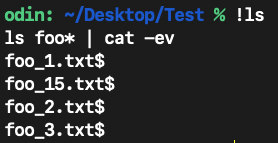
As I stated in the first post, if all of the basenames of the files are identical, then the script isn’t going to work. However, if all of the base filenames are identical and you want to borrow the extension’s number suffix to append to the basename, and clean up the extension, then the following script will do that.
NSString’s pathExtension methods do not work on bogus file extensions so I had to use alternative means.
--clean_ext.applescript
-- rename identical basenames with variable extensions
-- handles extra and trailing spaces in extension
-- foo.txt 2 foo.txt 5 to foo_2.txt and foo_5.txt

use framework "Foundation"
use AppleScript version "2.8"
use scripting additions

property ca : current application

set theDir to POSIX path of (choose folder default location (path to desktop)) as text

set dirURL to ca's NSURL's fileURLWithPath:theDir
set enumOpts to (ca's NSDirectoryEnumerationSkipsPackageDescendants as integer) + (ca's NSDirectoryEnumerationSkipsHiddenFiles as integer)

set fileArray to ca's NSMutableArray's array()
set basefn to ca's NSMutableString's |string|()
set extNum to ca's NSString's stringWithString:"(\\d+)"
set extNorm to ca's NSString's stringWithString:"[[:alpha:]]*"

set fm to ca's NSFileManager's defaultManager()
fileArray's addObjectsFromArray:(((fm's enumeratorAtURL:dirURL includingPropertiesForKeys:{} options:enumOpts errorHandler:(missing value))'s allObjects())'s valueForKey:"path")

repeat with afile in fileArray
	repeat 1 times
		-- because NSString's pathExtension methods fail on bogus extension names
		set ext to (afile's componentsSeparatedByString:".")'s lastObject()
		if ext = missing value or ext = "" then exit repeat
		-- the number in the extension
		set matchNum to (ext's substringWithRange:(ext's rangeOfString:extNum options:(ca's NSRegularExpressionSearch)))

		-- the extension without spaces or numbers
		set matchExt to (ext's substringWithRange:(ext's rangeOfString:extNorm options:(ca's NSRegularExpressionSearch)))

		-- build a proper filename and extension
		(basefn's setString:(afile's substringToIndex:((afile's localizedStandardRangeOfString:".")'s location())))
		basefn's appendFormat_("_%@.%@", matchNum, matchExt)
		(fm's moveItemAtPath:afile toPath:basefn |error|:(missing value))
	end repeat
end repeat

-- cleanup the array of original filenames
fileArray's removeAllObjects()
display dialog "File renaming complete."
return
The OP has an AppleScript that works, and, just for an interesting project, I wrote a shortcut solution. To find duplicates, file paths are used. However, the Move action does not work with paths, so I used the shell instead. Just as a matter of personal preference, I wrote the shortcut to move the duplicates to a Duplicates folder instead of the trash.
The following screenshots are before and after running the shortcut.