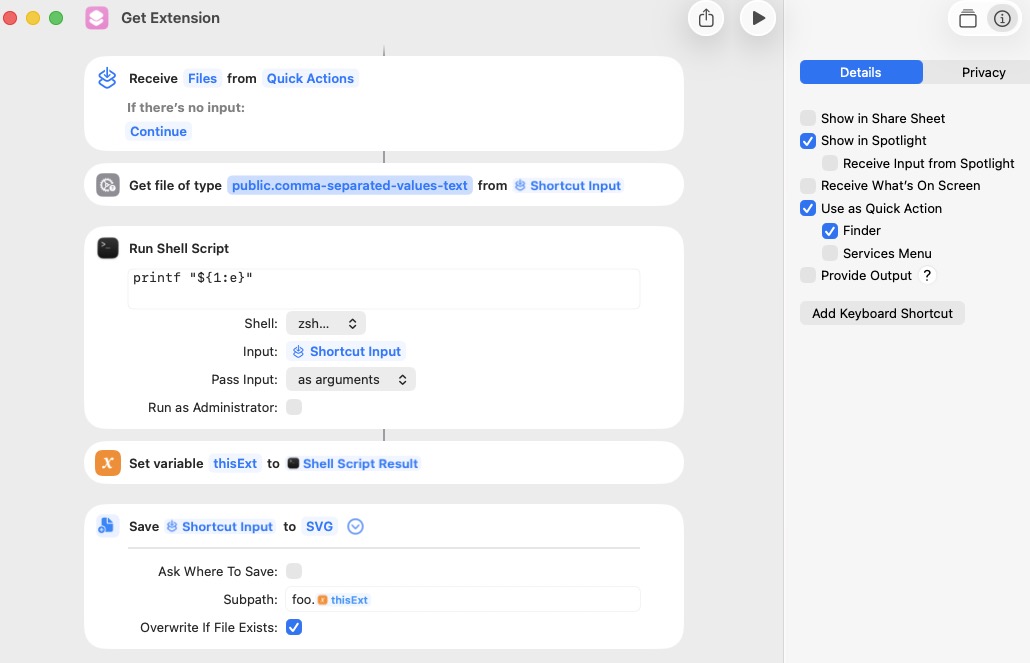
The Save File action does not allow the user to set the extension of the saved file. Instead it makes a determination as to content of the file and uses what it considers to be the correct file extension. In this example, the Save File action ignored the desired CSV file extension and used a TXT file extension instead.

There are a number of workarounds, but the simplest may be to use the Rename File action. The Get Name action may not be required depending on how the rest of the shortcut works.

These tests were run with macOS 27.0 Golden Gate Public Beta 5.