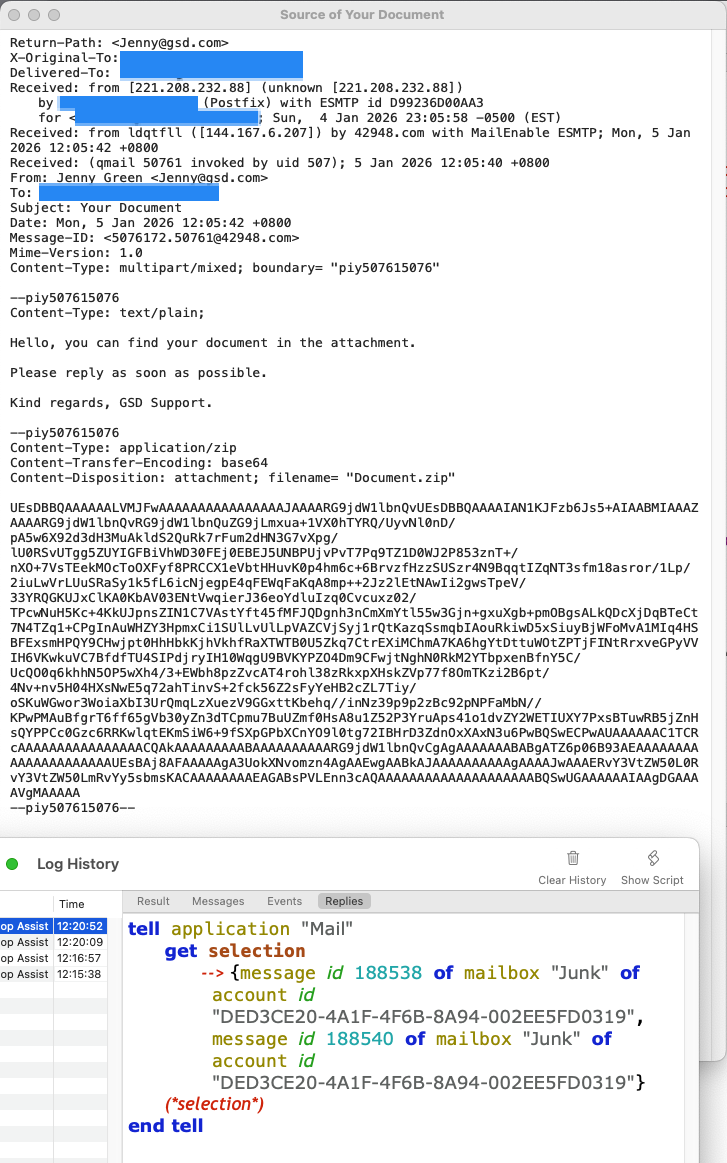
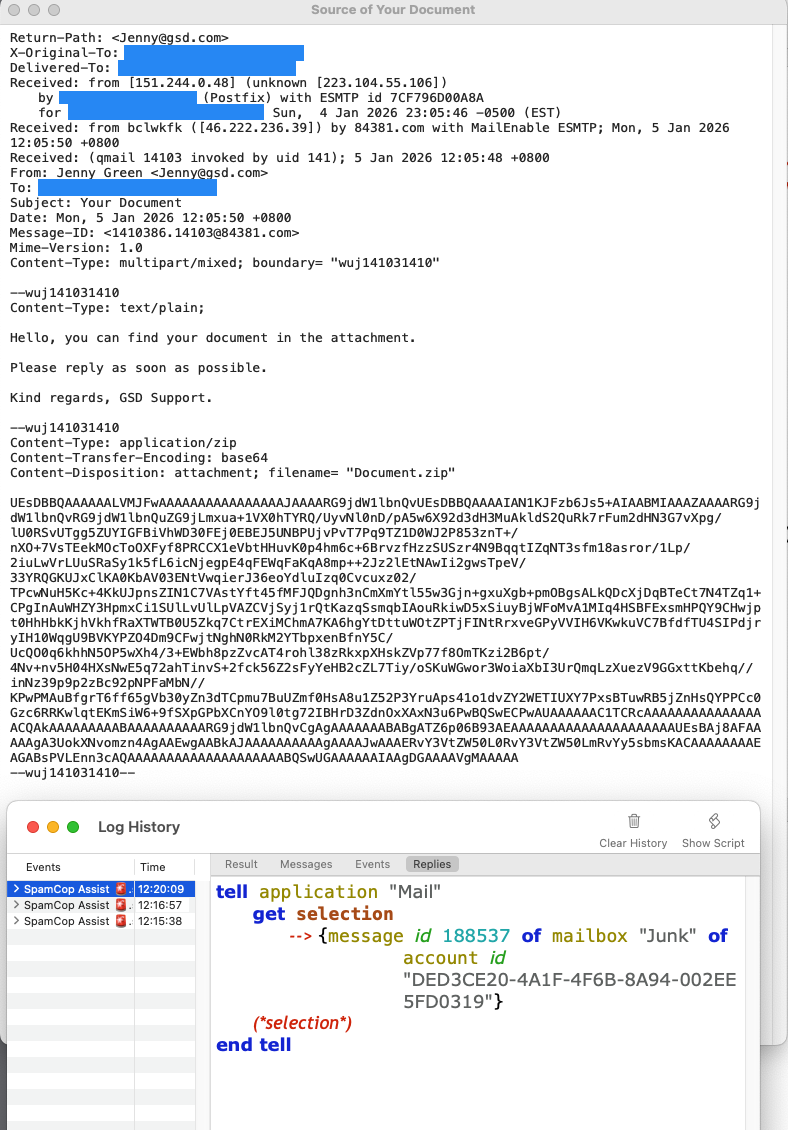
For me its not two messages showing as two messages.
Its one message showing as two. Also fun fact, I’m discovering that sometimes it’s three. I’m looking at one of those messages right now.
I only use my script ON spam messages, so I don’t know how often it happens to ‘regular’ emails. However these junk mails do look normal and I don’t really know what to make of this.
Here is the applescript and result from one of the triple emails:
tell application "Mail" to get selection
Result:
{message id 189417 of mailbox "Junk" of account id "2BA5AC83-3B87-486A-8787-0C85E301E6D8" of application "Mail",
message id 189420 of mailbox "Junk" of account id "2BA5AC83-3B87-486A-8787-0C85E301E6D8" of application "Mail",
message id 189419 of mailbox "Junk" of account id "2BA5AC83-3B87-486A-8787-0C85E301E6D8" of application "Mail"}
The email, raw source below, is a multipart message with a plain text portion and an html portion. But the very next email in this mailbox has the same multipart setup with two pieces, and it displays as one email, not two or three, when selected.
X-Original-To: [redacted]
Delivered-To: [redacted]
Received: from akron.kapomelyn.digital (unknown [98.159.108.178])
by mail.macfixer.com (Postfix) with ESMTP id 86FAE6D8C495
for <[redacted]>; Wed, 14 Jan 2026 13:11:14 -0500 (EST)
DKIM-Signature: v=1; a=rsa-sha1; c=relaxed/relaxed; s=k1; d=kapomelyn.digital;
h=Mime-Version:Content-Type:Date:From:Reply-To:Subject:To:Message-ID; i=newsletter@kapomelyn.digital;
bh=MbasMIFi1wPpM1F/pQtROcs66n0=;
b=ouCiX5Xa1nVxbodUG/RcS/EaktwUV1kJ2m/PLD3N1rB3Mr52CLnK0rG1PnxXU7o9XozOXMqqdqg2P62VcNty08bthod2ZNJo7UvmAckG/xbNKBvrUsqP0Y4rCXSpT8RvSD3K5KroY+9JhtHB1MWc46BOAAPVxrwCKWLFgZX2JBJqHDn2cGQhpwWt8ZY0j24LgJGxHo1N/wIl/GW1i8bw0cLMAY984qke1+RBYQ5UoJAozlCYCoQrWjT7EDqMWRExtMZ5w6xs9Y4uXa0qA3QXVjJCB/pNFVVy3AP0nrZKiB8/a5HkgnYzG0gG7ihTsoGXcklDtN/yMWYHy4y/buY57Q==
DomainKey-Signature: a=rsa-sha1; c=nofws; q=dns; s=k1; d=kapomelyn.digital;
b=phO2JMcv5CnHM/4zd+Wi5rqNfianOv/VoWOLHJUQNap+4qrrXOqQqrR6amfvBigvWm9IXVM5mxN5wbNgxYmPnBRIpwvDmv41h20IDHOxxcbR7m26bCf4MH/G34HKx7mNvxOzIihy1Vpf1ZoTiqAEmWI2DZJ/Y1PixPHcIZfs0aEd/P3GW8Aey3cABOsT94KAPfkEMthpQFBUO4H/GcqOPuhG+qai1ZPNbWY5khnq3vktvHciaP2TzacoS10AmlJSvABsG9fjq79RbNUYb20fgeh6I70cuZzll/dt/iYDmsy6nKz1yWN54MP0GoPDc44EEvzzH9h5GGI6cNu+I+Jw0A==;
Mime-Version: 1.0
Content-Type: multipart/alternative; boundary="fad7c3320fcb5023c5649bee70420988"
Date: Wed, 14 Jan 2026 12:11:11 -0600
From: "Swollen Prostate" <newsletter@kapomelyn.digital>
Reply-To: "Swollen Prostate" <newsletter@kapomelyn.digital>
Subject: BPH complication forced me to find the prostate relief
To: <[redacted]>
Message-ID: <qw9hxv44dpavv473-h54ri2sbfgho60nu-1e3@kapomelyn.digital>
--fad7c3320fcb5023c5649bee70420988
Content-Type: text/plain;
Content-Transfer-Encoding: 8bit
This email must be viewed in HTML mode.
--fad7c3320fcb5023c5649bee70420988
Content-Type: text/html;
Content-Transfer-Encoding: 8bit
<html>
<head>
<title></title>
</head>
<body><a href="http://kapomelyn.digital/m3vArYyuFbcsrVpLc2a311T-fcJHlK_27ZVKMMEz-d3i"><img border="0" src="http://kapomelyn.digital/XyPbH0wdv49aHvAMgzb04q8KWtNWwe7kjSrq4di4YU4u" /> </a>
<div style="width:650px;font:18px;text-align:justify;"><br />
<br />
<span style="color:#000000; font-size:18px;font-family: Times New Roman;">Hi,</span><br />
<br />
<span style="color:#000000; font-size:18px;font-family: Times New Roman;">A team of rogue scientists has recently discovered a <strong><a href="http://kapomelyn.digital/Q9gIiw_aLVESq8c0_F8eDIvtJWbXbW1TDA5xsiSnVDO6">controversial anti-mold protocol</a></strong> that not only helps you pee like a racehorse, but it also shrinks your inflamed prostate almost overnight. </span><br />
<br />
<span style="color:#000000; font-size:18px;font-family: Times New Roman;">This method has already helped 34,500 men to finally get rid of painful, frequent urination, and gave them back their self-confidence and dignity. </span><br />
<br />
<span style="color:#000000; font-size:18px;font-family: Times New Roman;">The best part is that anyone can try this morning protocol from the comfort of their homes. </span><br />
<br />
<span style="color:#000000; font-size:18px;font-family: Times New Roman;">No need for toxic medication, risky surgery or embarrassing checkups. </span><br />
<br />
<span style="color:#000000; font-size:18px;font-family: Times New Roman;">Visit the link below to find out all about it: </span><br />
<br />
<span style="color:#000000; font-size:18px;font-family: Times New Roman;"><strong>=> <a href="http://kapomelyn.digital/Q9gIiw_aLVESq8c0_F8eDIvtJWbXbW1TDA5xsiSnVDO6">Get Rid Of Your Prostate Problems With This Controversial Anti-Mold Protocol</a></strong> </span><br />
<br />
<a href="http://kapomelyn.digital/Q9gIiw_aLVESq8c0_F8eDIvtJWbXbW1TDA5xsiSnVDO6"><img src="http://kapomelyn.digital/0f0f7c690804b0df58.jpg" /></a><br />
<br />
<br />
<span style="color:#000000; font-size:18px;font-family: Times New Roman;">To your health,<br />
David</span>
<div style="width:600px;padding:2px;"><br />
<br />
<br />
<br />
<br />
<table border="0" cellpadding="0" cellspacing="0" style="width:565px;border-collapse:collapse;">
<tbody>
<tr valign="bottom">
<td align="left" style="font-family:Arial,Verdana,Helvetica,sans-serif;font-size:10px;color:#ffffff;padding:2px;"> </td>
</tr>
<tr>
<td align="left" style="font-family:Arial,Verdana,Helvetica,sans-serif;font-size:15px;color:#000000;padding:2px;"><a href="http://kapomelyn.digital/OT8XSMMLpFKIi1q_f-Ab-HHgO5ho9XRTaDMKHJ7Ey3Y"><img alt="Unlist_Here" src="http://kapomelyn.digital/3d19b86055b39b7bc9.jpg" /></a></td>
</tr>
<tr>
</tr>
</tbody>
</table>
</div>
</div>
<br />
<br />
<br />
<br />
<br />
<br />
<br />
<br />
<br />
<br />
<br />
<br />
<br />
<br />
<br />
<br />
<br />
<br />
<br />
<br />
<br />
<br />
<br />
<br />
<br />
<br />
<br />
<br />
<br />
<br />
<br />
<br />
<br />
<br />
<br />
<br />
<br />
<br />
<br />
<br />
<br />
<br />
<br />
<br />
<br />
<span class="size_Ramirez" style="color:#ffffff;">"There you are, a much-loved member of the family has gone missing," said Barastoc, "and two thousand credits is enough for us to pay attention." The inspector wandered off, and Ellen checked the tracking device Alf had given her. The signal had vanished for a couple of hours after Alf had been thrown in the van but had reappeared and had been static for some time. She had been able to access routine satellite pictures of the area with a surprisingly good resolution without anyone asking questions. There was nothing immediately obvious at the location, but on looking closely, Ellen realized that a rough vehicle track led up to the spot and then vanished. Under magnification, she could see a hint here and there of the edges of a carefully camouflaged roof – enough to mark out its area. Wherever Alf had ended up, someone was taking great pains to conceal what was happening. How interesting! </span><br />
<br />
<br />
<br />
<br />
<br />
<br />
<br />
<br />
<br />
<br />
<br />
<br />
<br />
<br />
<br />
<br />
<br />
<br />
<br />
<br />
<br />
<br />
<br />
<br />
<br />
<br />
<br />
<br />
<br />
<br />
<br />
<br />
<br />
<br />
<br />
<br />
<br />
<br />
<br />
<br />
<br />
<br />
<br />
<br />
<br />
<br />
<br />
<br />
<br />
<br />
<br />
<br />
<br />
<br />
<br />
<br />
<br />
<br />
<br />
<br />
<br />
<br />
<br />
<br />
<br />
<br />
<p align="left"><a href="http://kapomelyn.digital/Om3p8xfELMUmOpgTdNjX7FiVa-PzHHIho5oTtW3spRPH"><img src="http://kapomelyn.digital/64e16431d378c7af92.jpg" /></a></p>
</body>
</html>
--fad7c3320fcb5023c5649bee70420988--```

 )
)