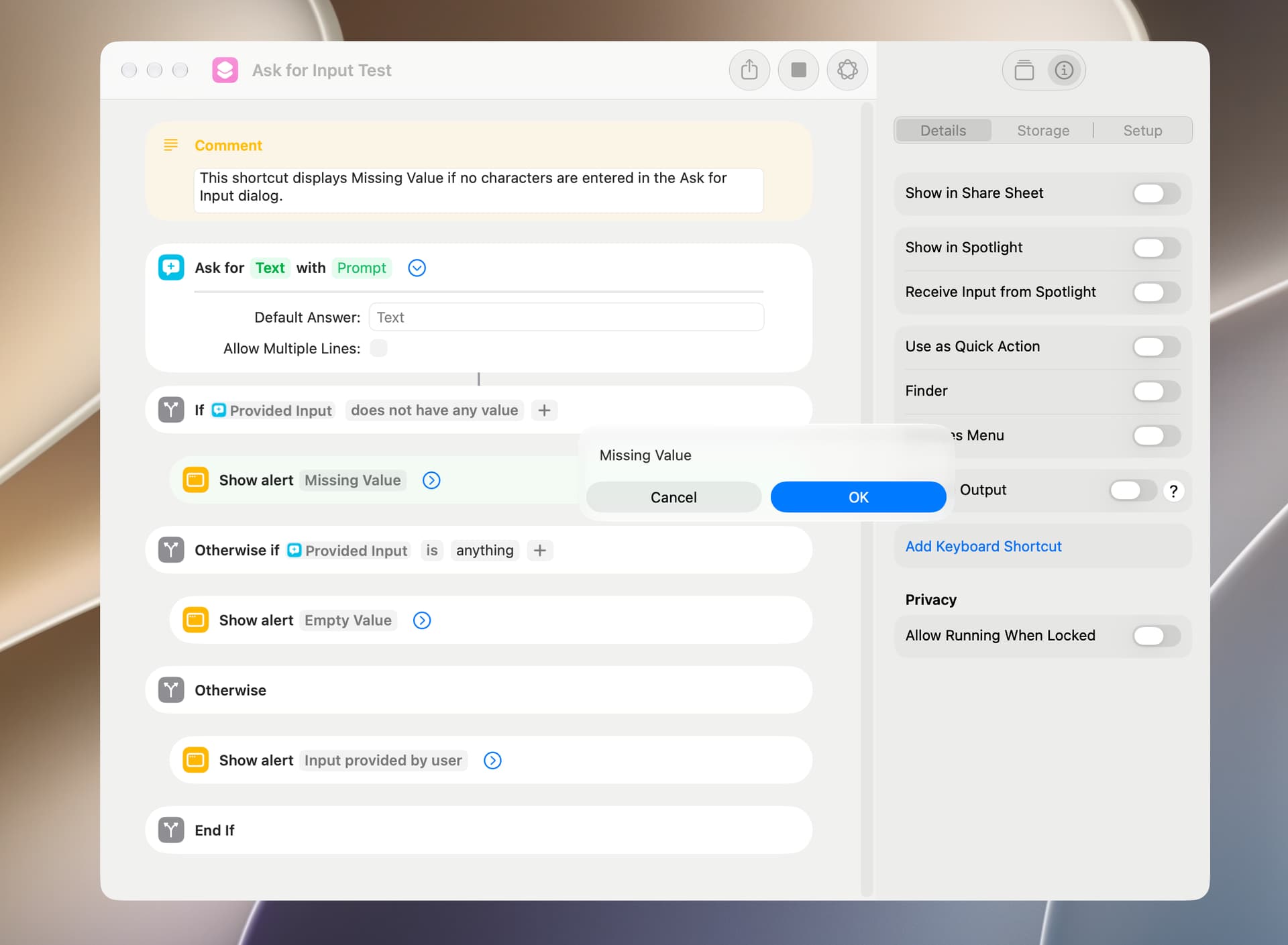
An If action may return an unexpected result, and this can arise from the difference between what might generically be referred to as a missing or null value and an empty or blank value. This will be encountered when testing for all sorts of conditions, but I will use a Text action to demonstrate.
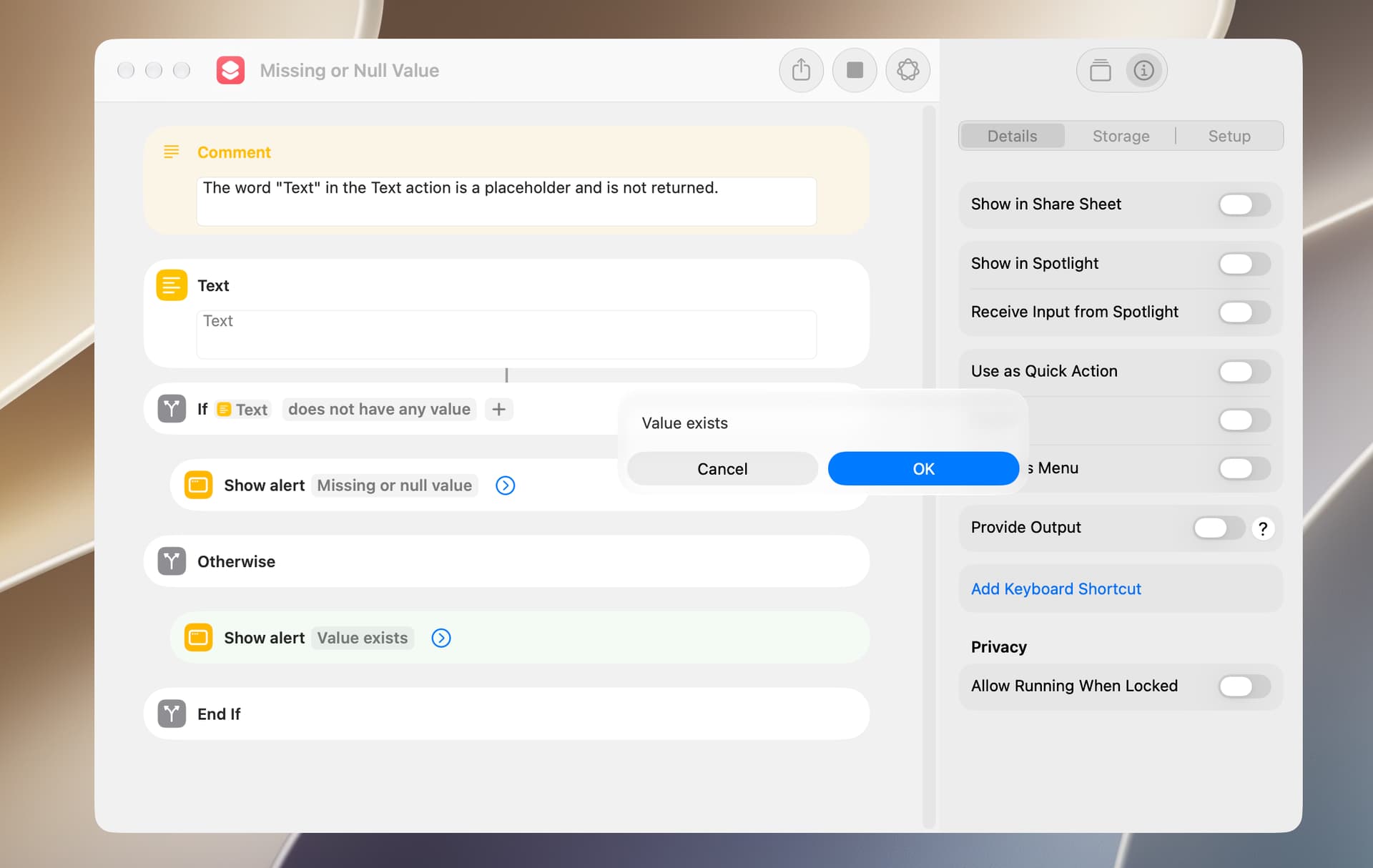
The following is a test for a missing or null value and will always return Value exists. The reason is that an empty string is a value.
The following is a test for an empty or blank value and will return a response that depends on whether the Text action contains characters or not. In this example, the Text action contains no characters, so Empty or blank value is returned.
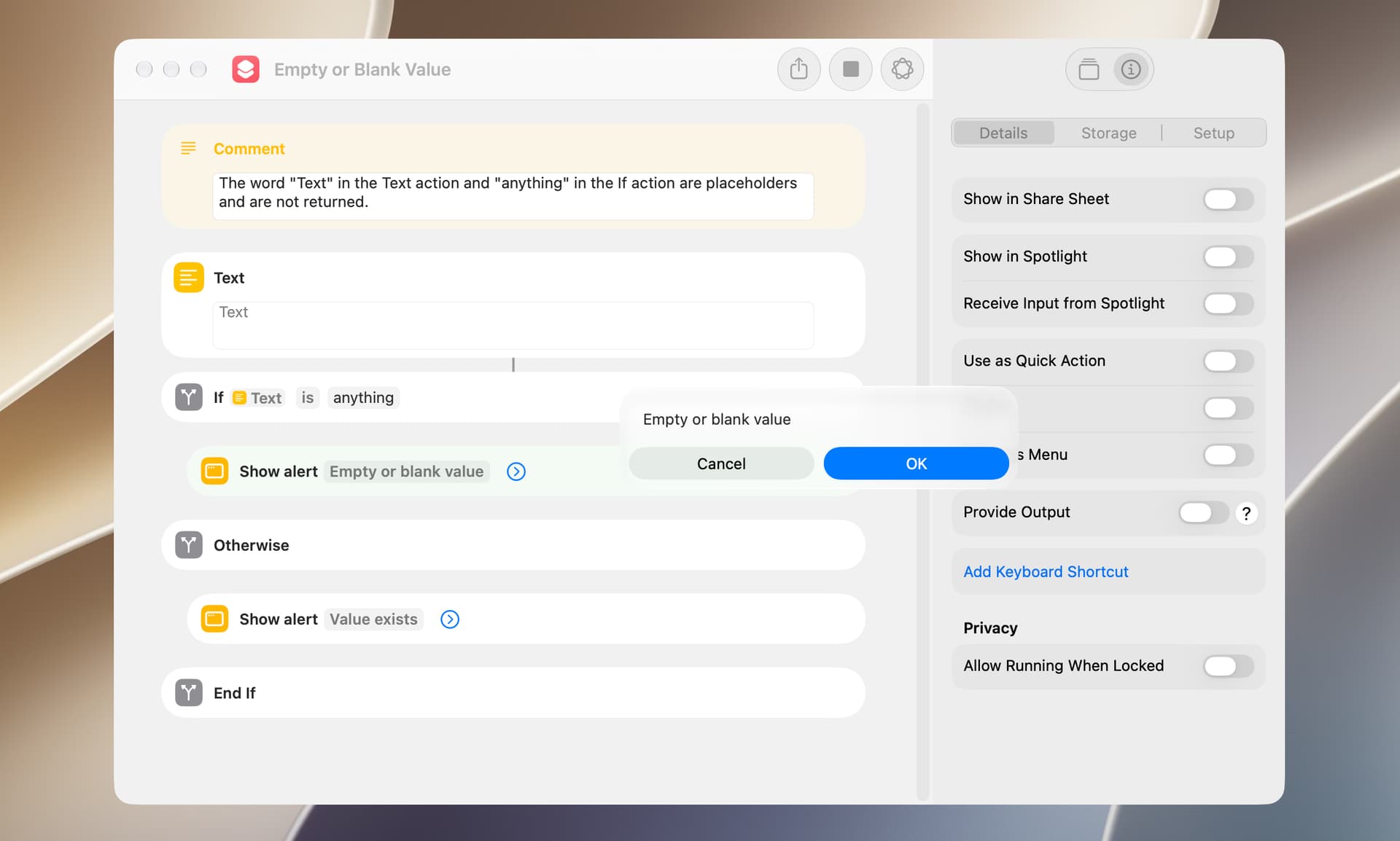
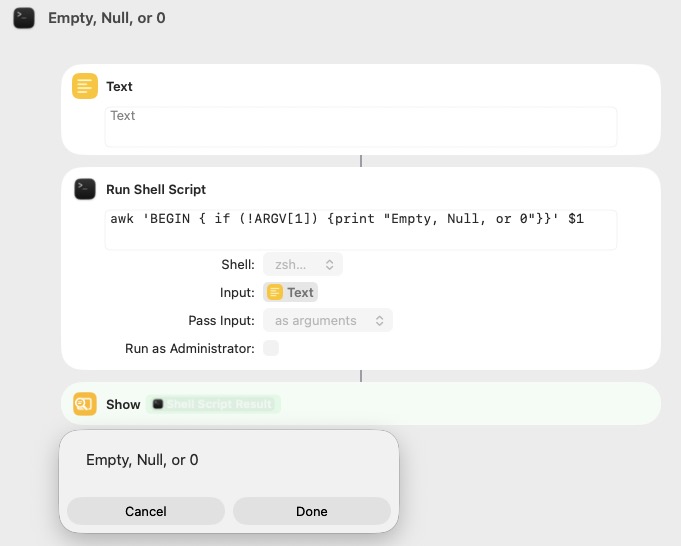
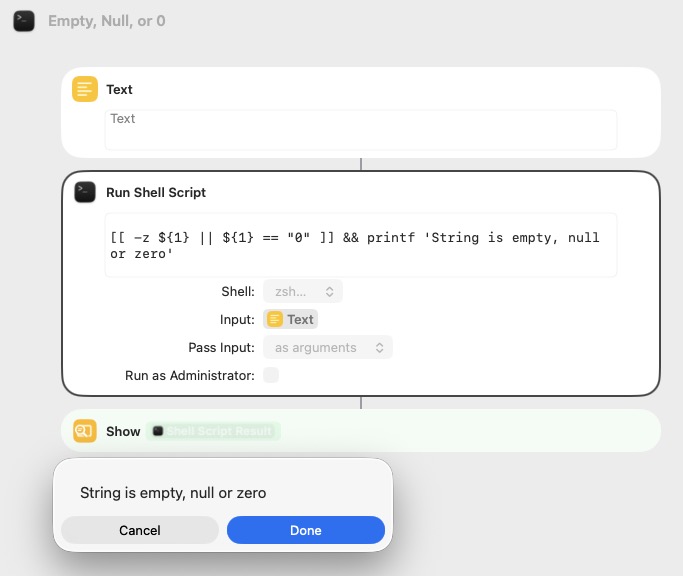
Occasionally it’s not clear which of the above circumstances applies, but a simple test should clarify. As an alternative, the following approach should work in almost all circumstances and could be used for temporary troubleshooting purposes.
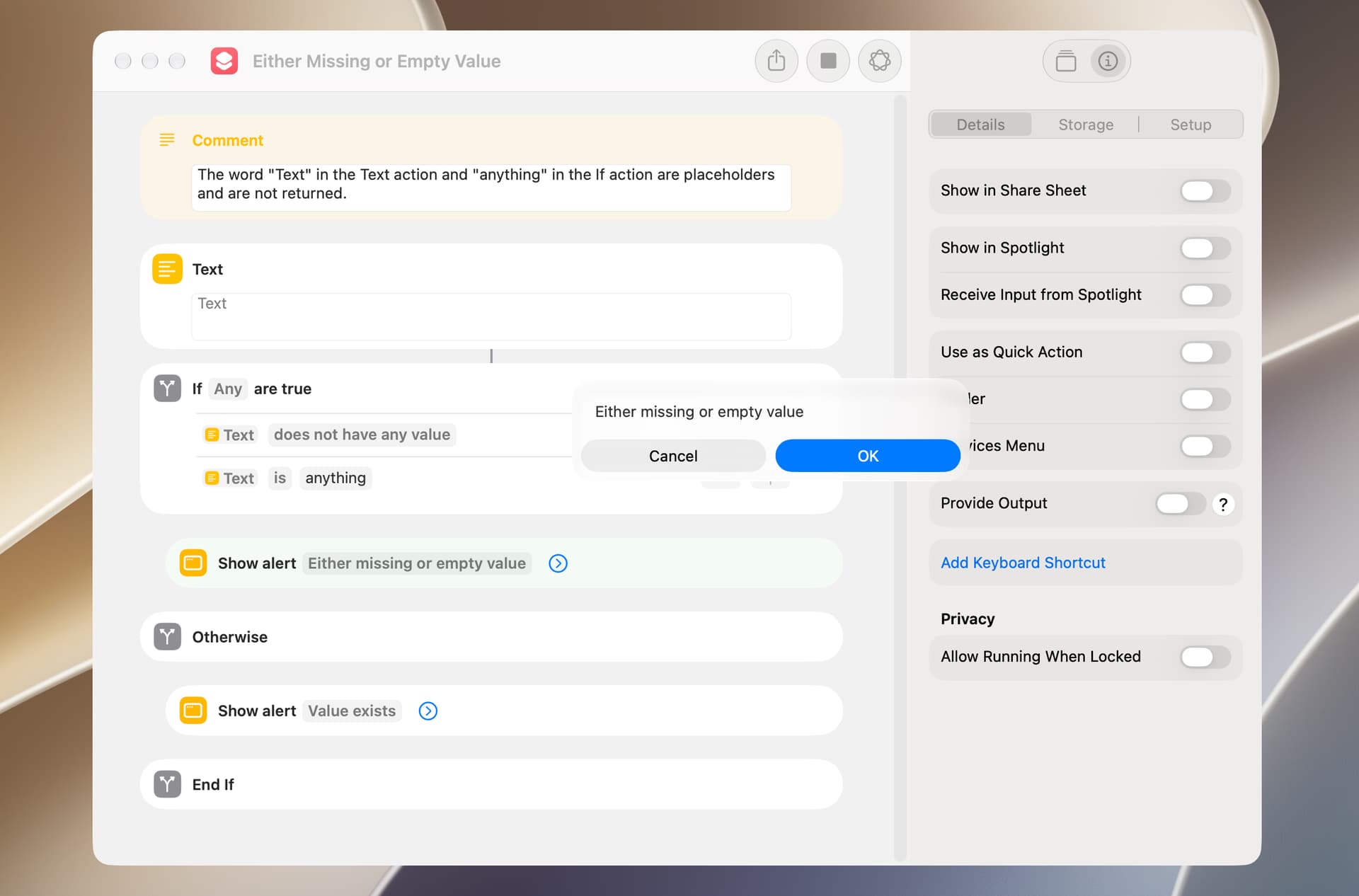
BTW, in some cases the Shortcuts Editor will make available only those conditions that are applicable to the value being tested. This did not always work well in earlier versions of the Shortcuts app but is much improved in macOS 27.0.