Troubleshooting Lengthy Shortcuts

Shortcuts can become quite lengthy, and troubleshooting a problematic shortcut can be frustrating. For those new to the Shortcuts app, I thought I would briefly mention a few approaches that can be helpful.

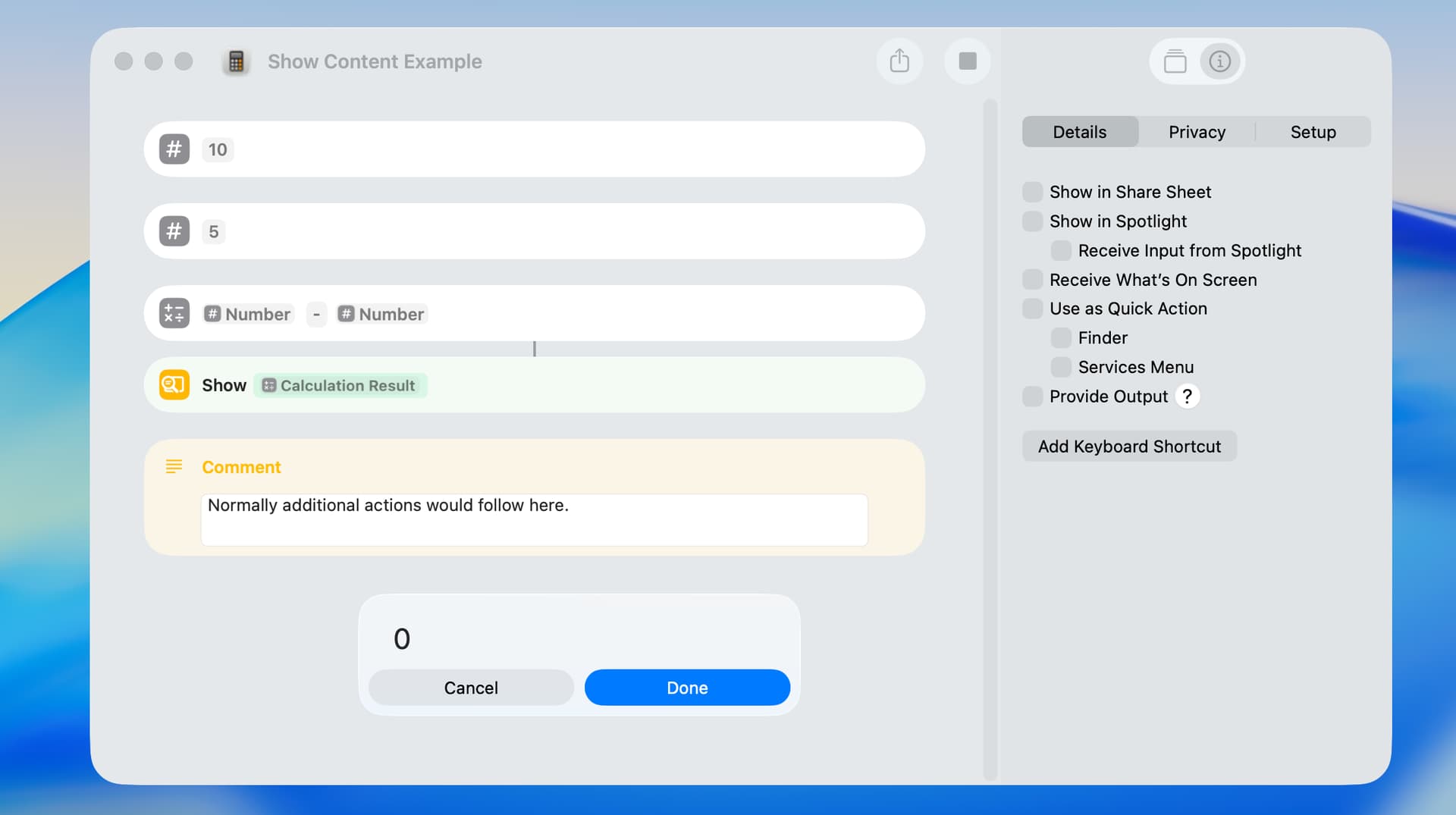
The approach I use most often involves the Show Content action, which previews input received from another action. The content of the preview varies and can be the first page of a PDF, the name of a folder, or the items in a list. In the following example, the result of a calculation is displayed.
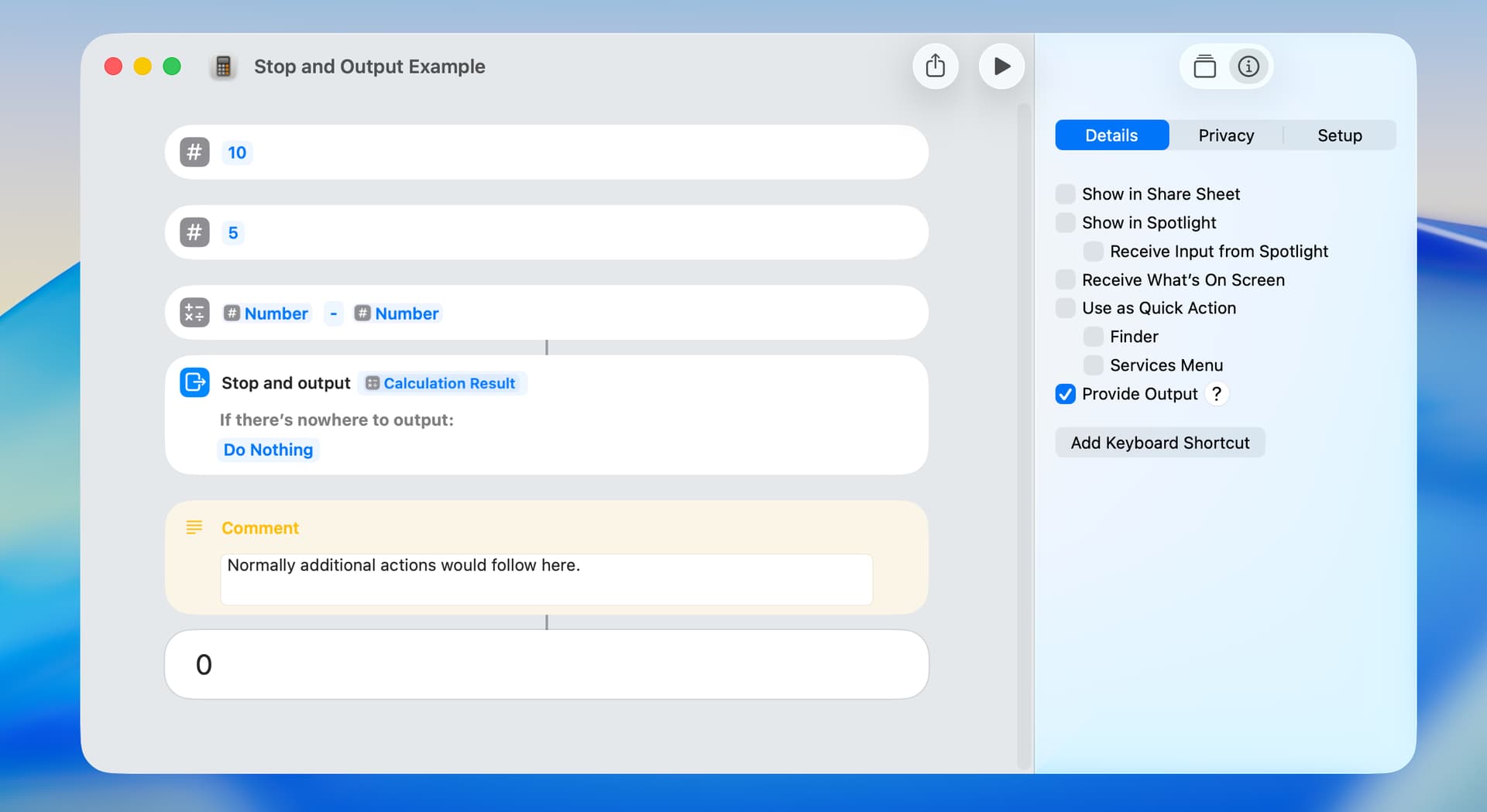
A similar approach is the Stop and Output action. The primary difference is that the input is previewed in the Shortcuts Editor at the end of the shortcut instead of in a dialog.
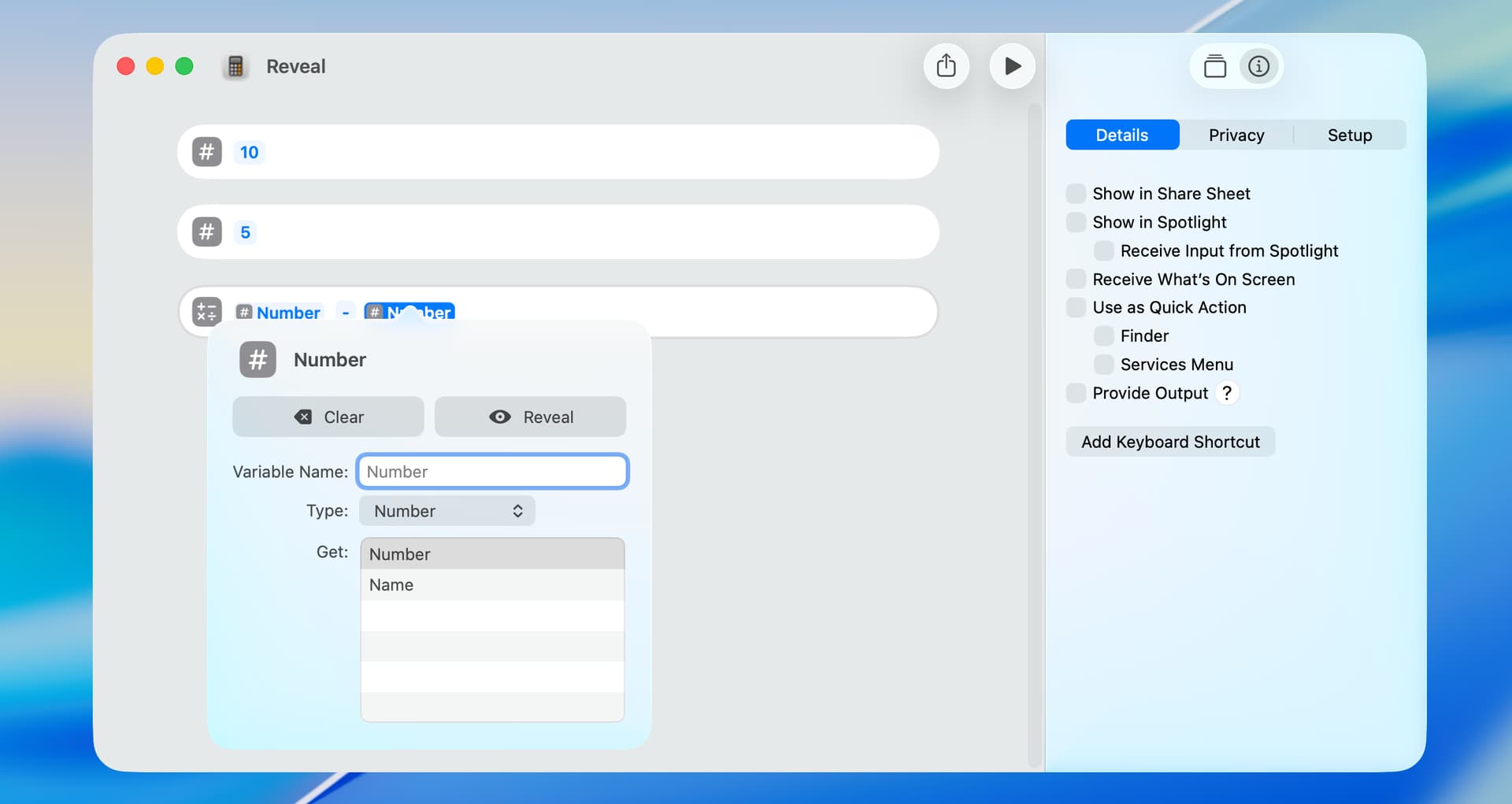
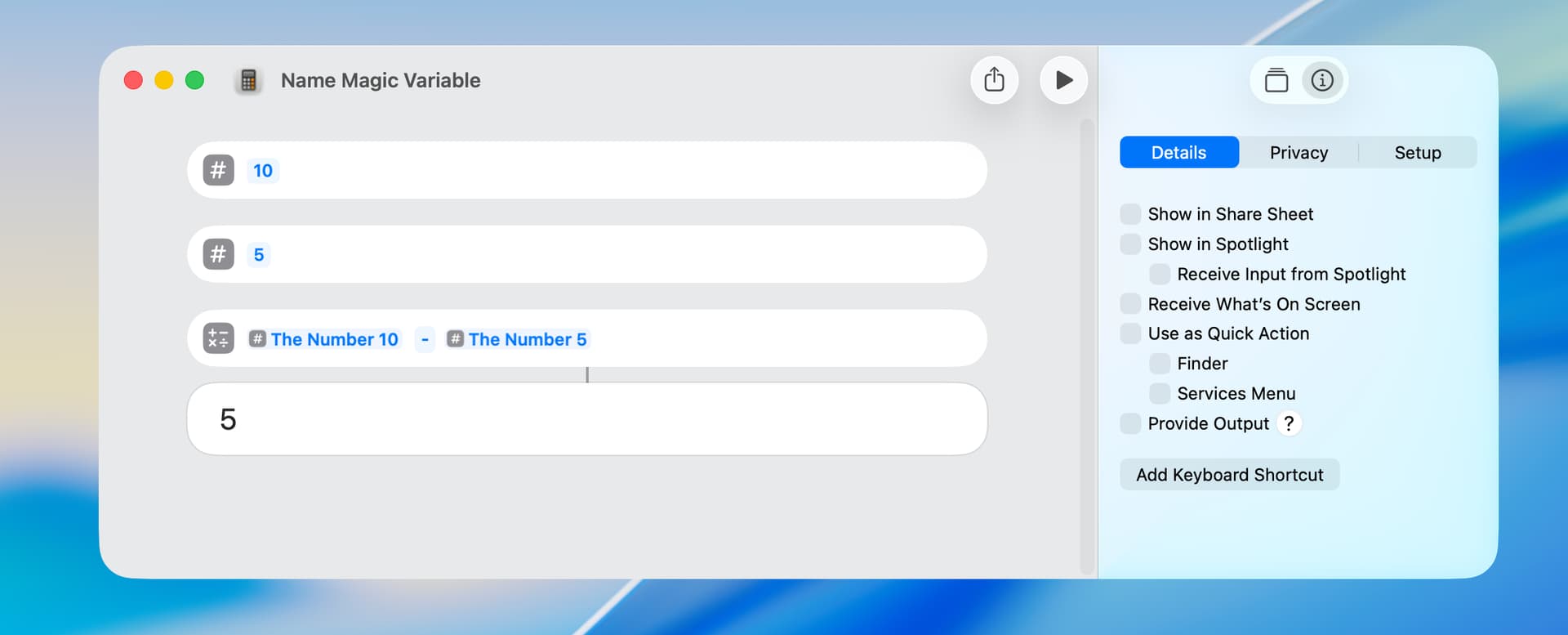
A shortcut error can often arise from a magic variable not referencing the intended action. In the following example, the third action has two magic variables, and they both incorrectly reference the first action of the shortcut (i.e. the number 10). Magic variable reference errors are easily checked by clicking on the magic variable, which displays the Variable Editor. You can then click on the Reveal button, and the Shortcuts Editor will show and faintly (too faintly IMO) highlight the referenced action.
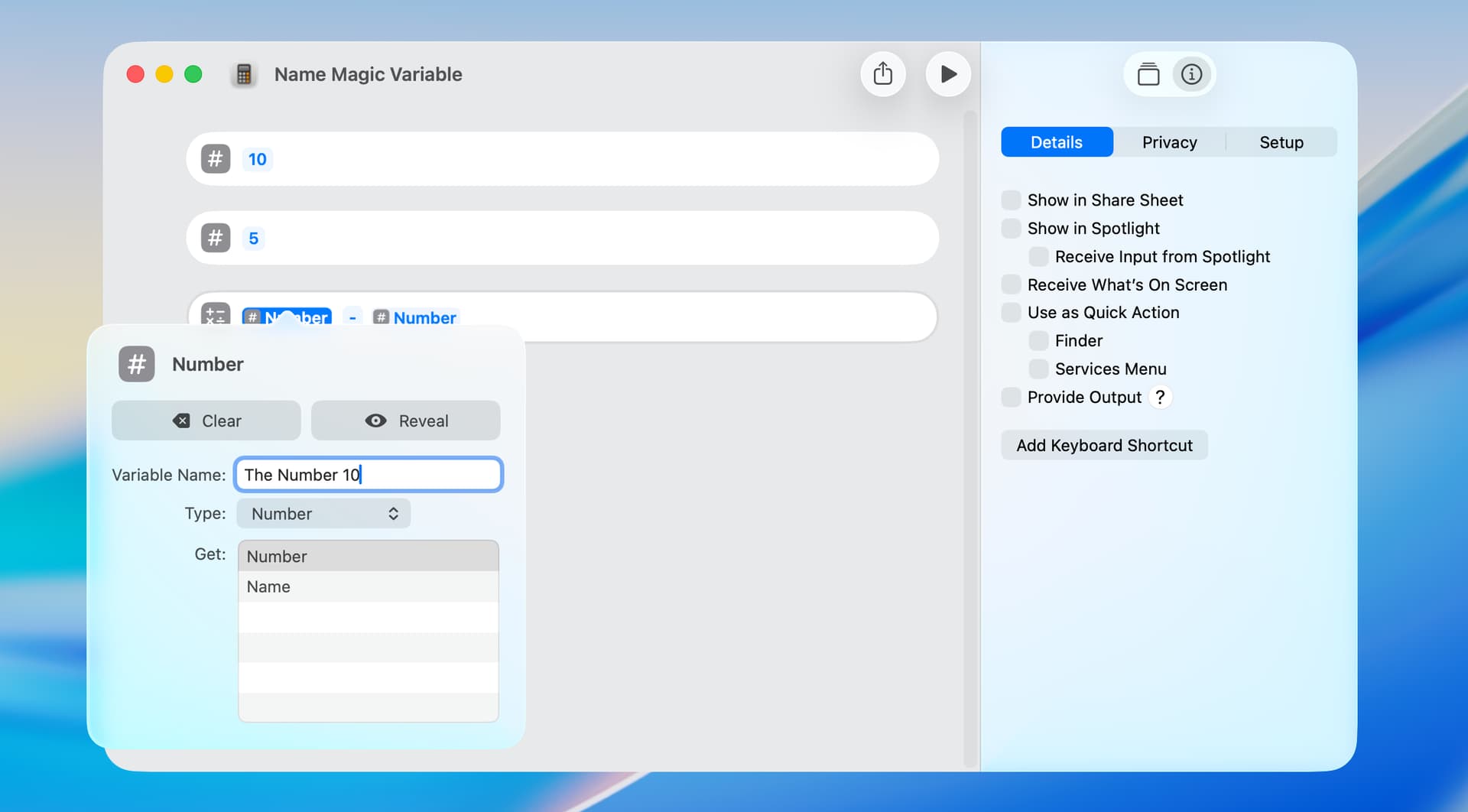
Magic variable reference errors can also be checked by naming magic variables (which is a good idea regardless). In the following example, the default name for both of the magic variables in the Calculate action is Number. When I renamed the first magic variable to The Number 10, the second magic variable was also renamed to The Number 10. This made clear a reference error.
After fixing the reference error, I renamed each Magic Variable as follows:
Another troubleshooting tool is the Show Content Graph action, which displays a dialog describing the result of the previous action. Clicking on a description shows a content graph for that item. I don’t use this action often, but it can be helpful in some circumstances.

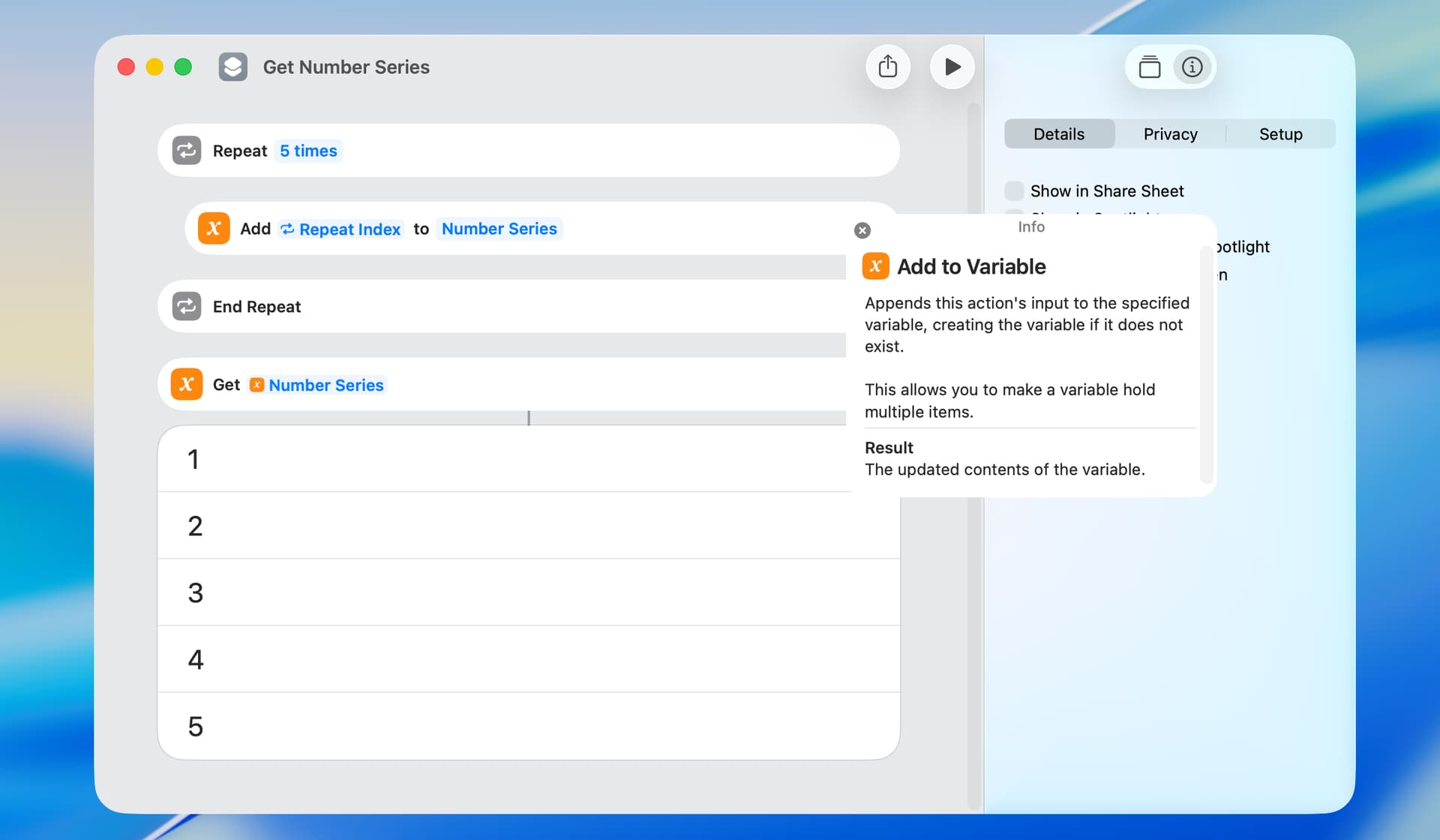
Finally, consulting the documentation can help. Each action has an Info pane which explains the operation of the action. For example,
Also, the Shortcuts User Guide is excellent and can be found here.
1 Like

I thought I would add a post on data types and properties, which can occasionally cause an issue.

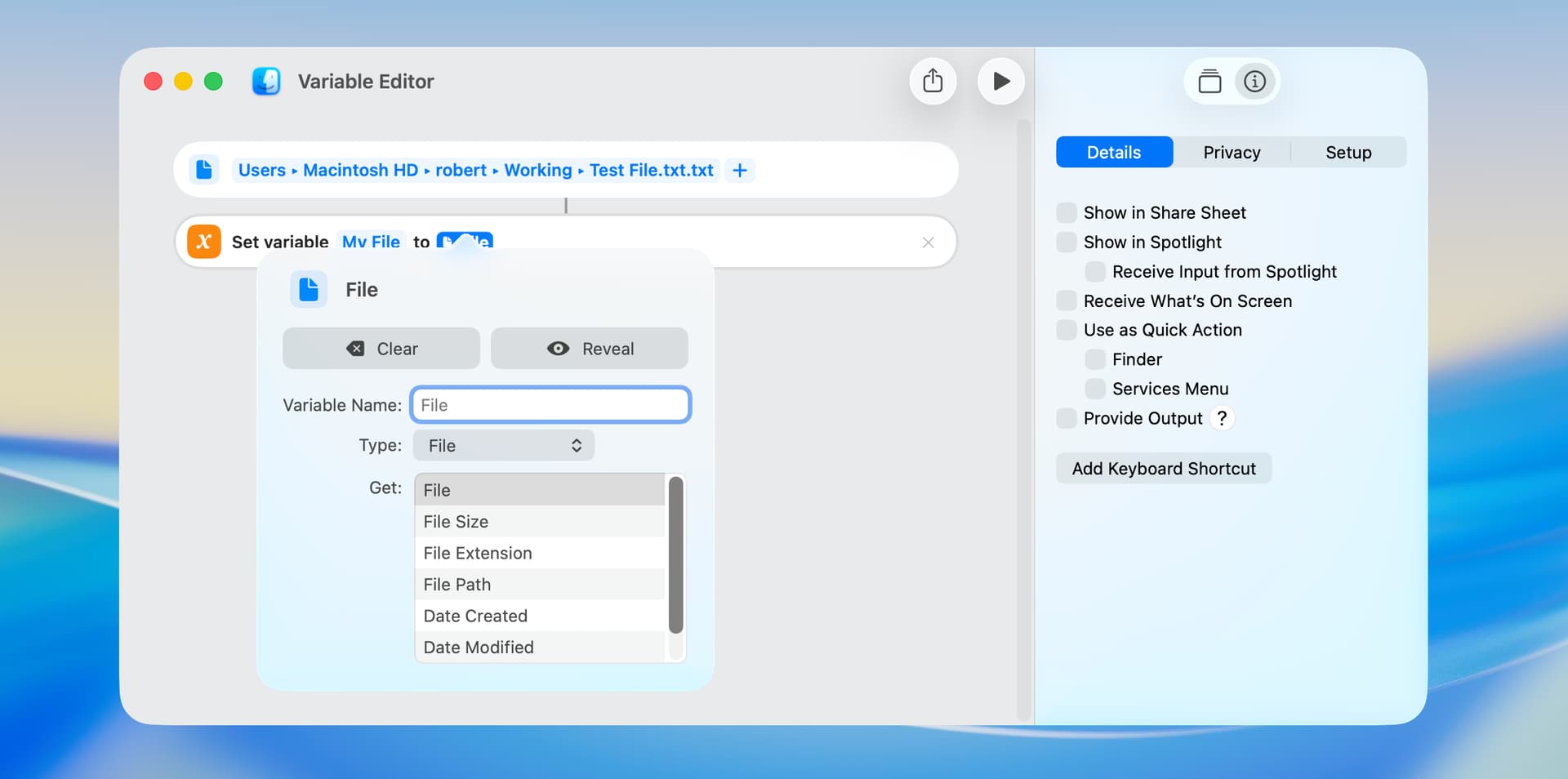
The Variable Editor displays and allows the user to make changes to the data type and properties of a variable.

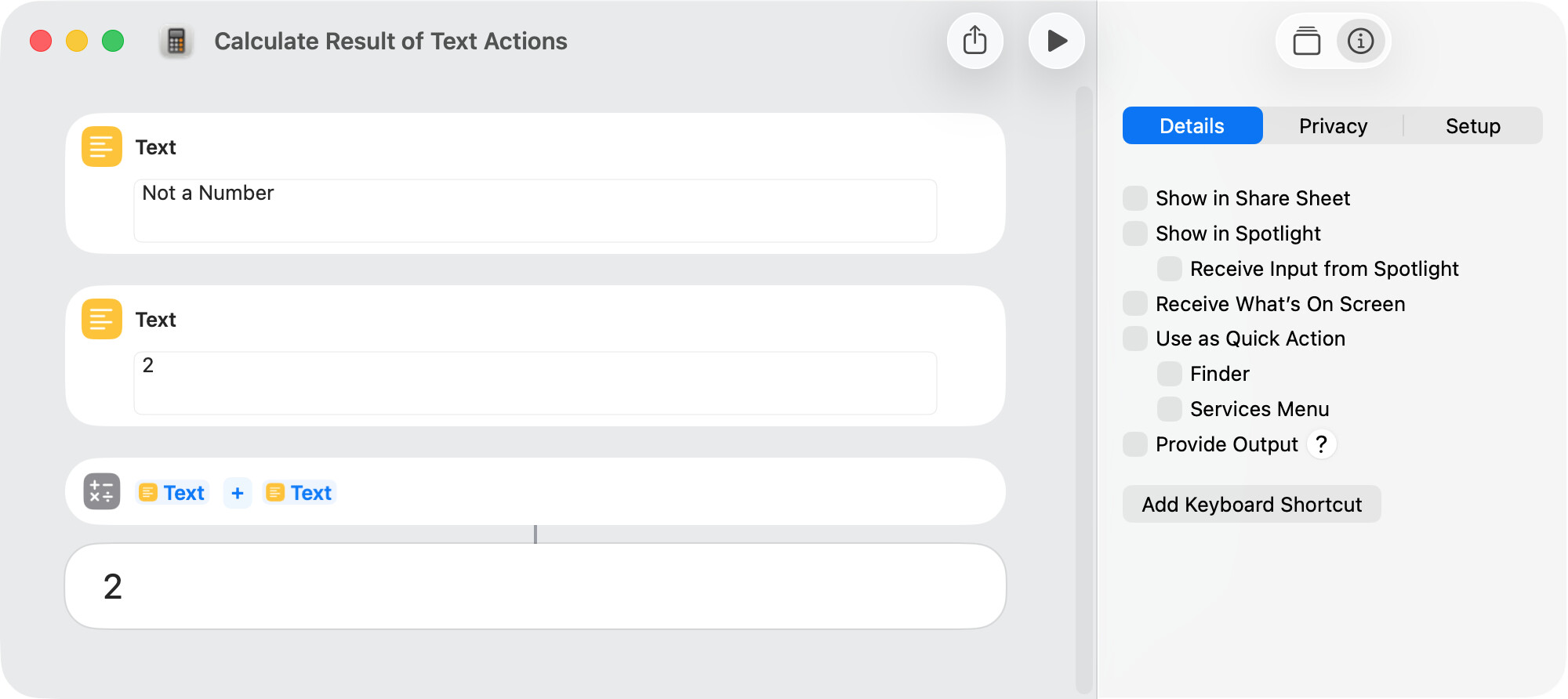
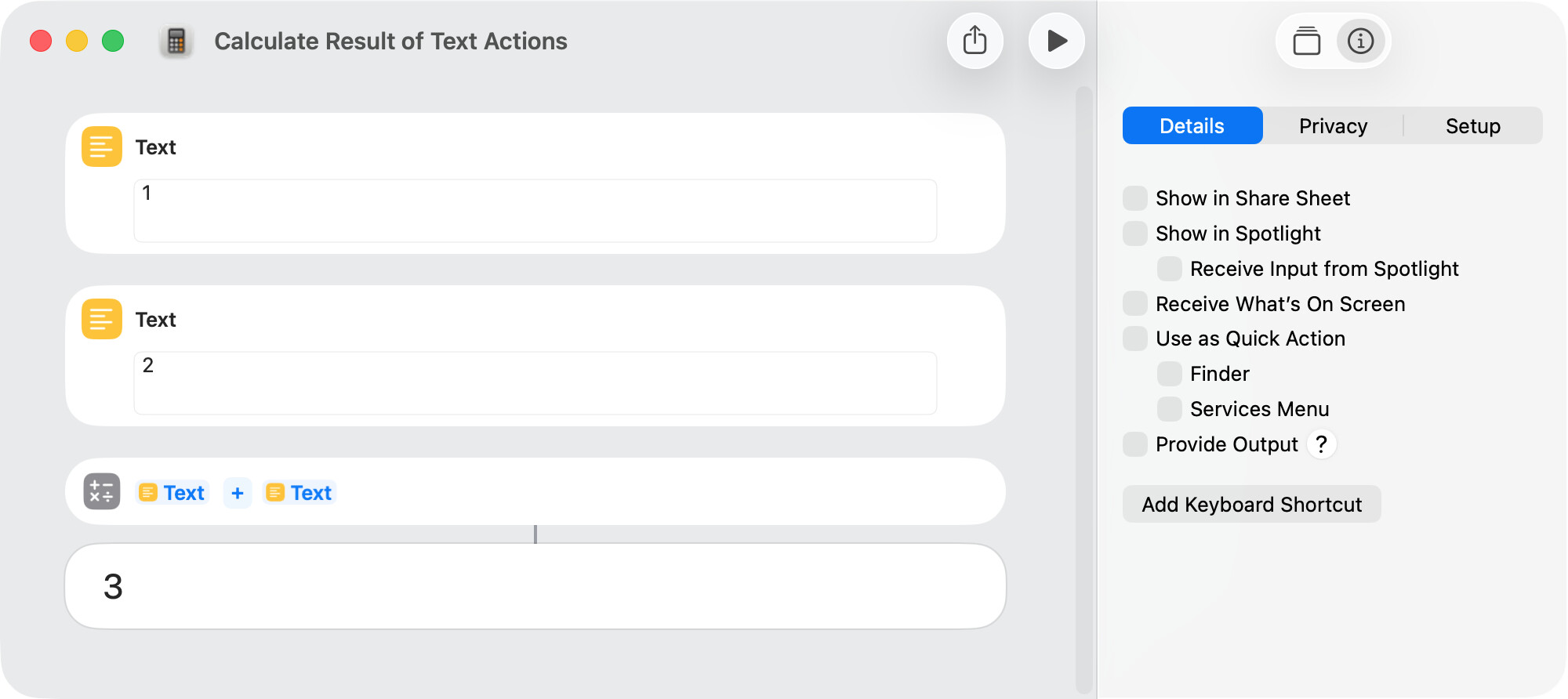
One reason that data types and properties are not a significant issue is because necessary conversions are often made automatically. In the following example, the Calculate action expects numbers as input and makes the necessary conversions from text.

Apple explains this conversion in the Shortcuts User Guide as follows:

Much of the magic of Shortcuts comes from its Content Graph engine, which intelligently converts data into shortcut actions on the fly. When an action expects one type of content and you pass it another type of content, the Content Graph automatically converts that content to the appropriate type.

The following is one example where a data-type issue can arise. If a conversion cannot be made, the input may simply be ignored.

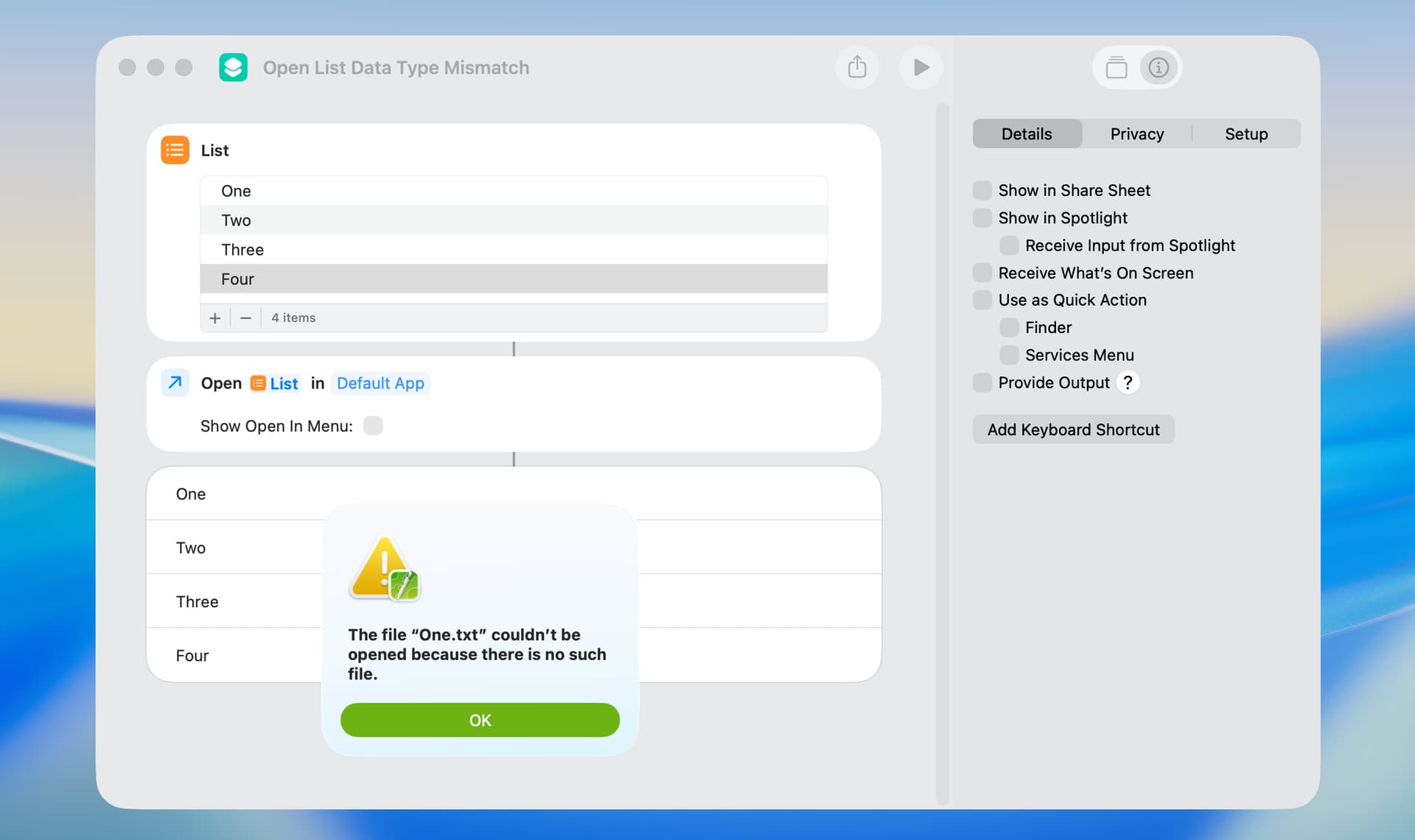
In other circumstances, an error may be displayed. In this example, the Open File action is unable to open a List action and an error is reported. Unfortunately, error messages do not always accurately describe the source of the error.

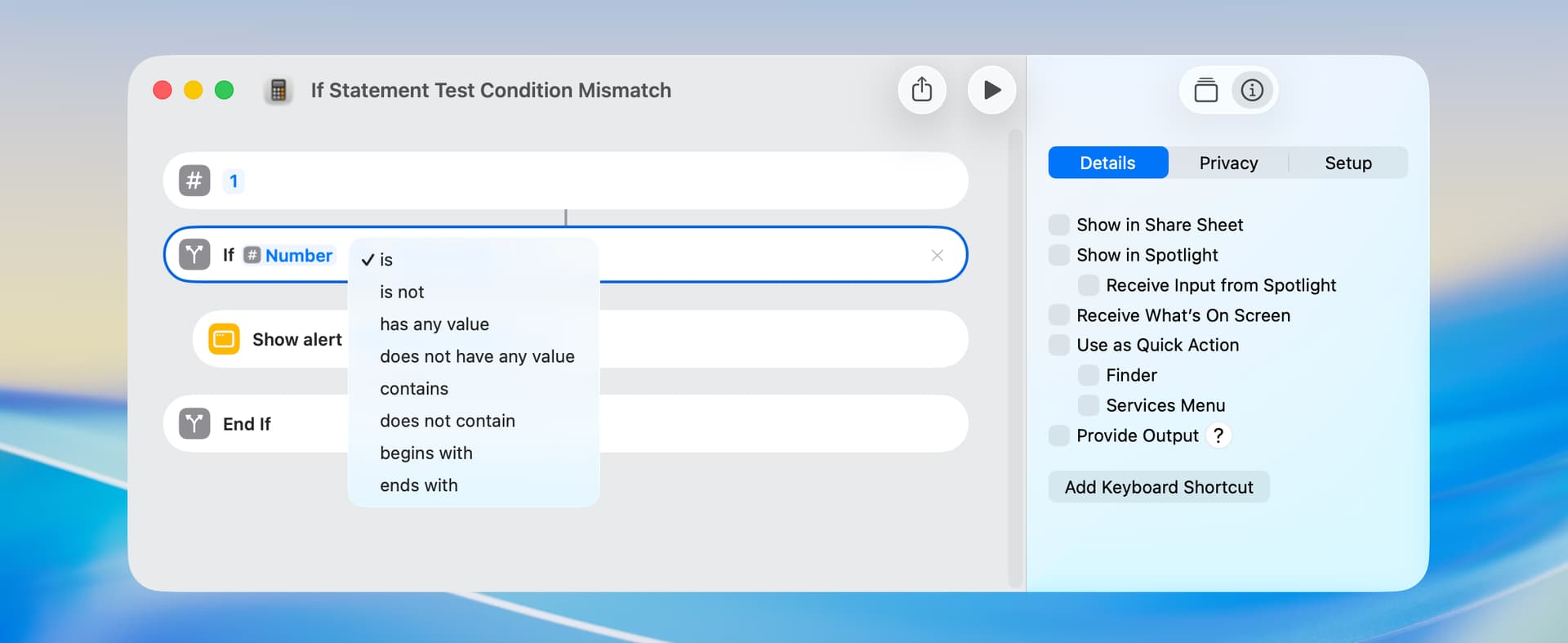
An incorrect data type can also be an issue when using an If action, resulting in test conditions that are not applicable. In the following example, the input is a number, but the test conditions are those applicable to text. This was easily fixed by way of the Variable Editor, but that’s not always the case.

The Shortcuts app occasionally adds a Stop and Output action to the end of a shortcut. I happened to find an explanation for this on the site of the Short Run app:

The Shortcuts app automatically inserts a “Stop and Output” action when a shortcut doesn’t have a clear final output. This ensures the shortcut has something to return when executed, preventing execution errors. The action appears when shortcuts contain actions that don’t naturally produce output, like opening apps. This is not ideal, but it’s out of my control.

I’ve found that putting a Nothing action at the end of the shortcut prevents this behavior.