Use a Shortcut to parse and extract data for a specific city from an Air Quality RSS feed

Given a web-based RSS feed of Air Quality data for multiple cities, extract the data for a specific city and correct the HTML representations °, ´, " and remove
tags from the result.

The first step is to understand the structure of the RSS content so one can properly format the xmllint XPATH request. This can be achieved with curl and the RSS feed html address:

/usr/bin/curl -s "https://uk-air.defra.gov.uk/assets/rss/forecast.xml" > uk.rss

That structure is:

//rss/channel/item/description/text()

and a typical entry is of the format:

<rss version="2.0">
  <channel>
      <item>
           <title>LONDON CITY AIRPORT</title>
          <description><!CDATA[Location: 51&deg;30&acute;17.28&quot;N    0&deg;03&a
   cute;28.80&quot;E <br />index levels are forecast to be  <br />Thu: 3 Fri: 3 Sat: 3 Sun: 3
  Mon: 3 ]]></description>
          <pubDate>Thu, 19 Mar 2026 06:00:00 +0000</pubDate>
     </item>
  ⋮
  </channel>
</rss>

Now that I have the RSS structure, if I want the Air Quality data for the CITY OF LONDON, I can form an XPATH like this:

/usr/bin/xmllint --xpath "string(//rss/channel/item[title='CITY OF LONDON']/description/text())" --format -

where the text() component gets the content of the CDATA.

When I pipe the output of curl into this xmllint xpath, I get:

Location: 51&deg;30&acute;36.72&quot;N    0&deg;05&acute;1.32&quot;W <br />index levels are forecast to be  <br />Thu: 3 Fri: 3 Sat: 3 Sun: 3 Mon: 3

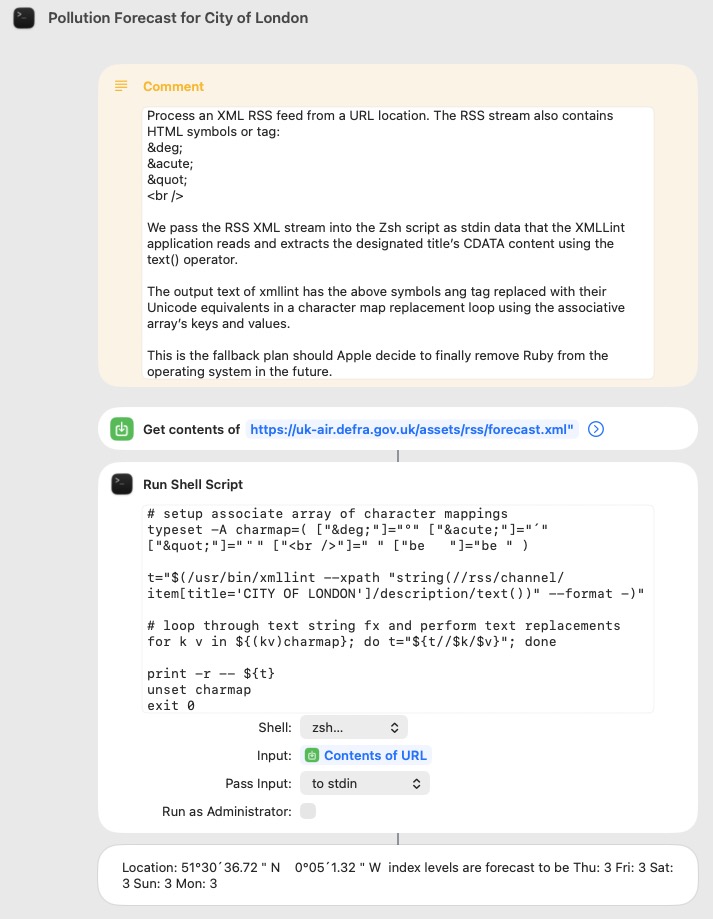
Too make this more legible, I use a Zsh associative array to replace the HTML jargon with their character equivalents:

Location: 51°30´36.72"N    0°05´1.32"W  index levels are forecast to be Thu: 3 Fri: 3 Sat: 3 Sun: 3 Mon: 3 

The Shortcut to achieve the above does not use curl but a Shortcut Get action and a Run Shell Script that takes that input from STDIN.
2 Likes

Here is a AppleScript that does the above.

use AppleScript version "2.4" -- Yosemite (10.10) or later
use scripting additions

property recString : missing value

local xml, the_xml, anElement, aTitle
set xml to do shell script "/usr/bin/curl -s \"https://uk-air.defra.gov.uk/assets/rss/forecast.xml\"" without altering line endings
set progress description to "RSS Data…"
set progress total steps to -1
tell application "System Events"
	set the_xml to make new XML data
	set text of the_xml to xml
	set i to 1
	repeat
		set anElement to XML element i of XML element "channel" of XML element "rss" of the_xml whose name is "item"
		set aTitle to value of XML element "title" of anElement
		if aTitle = "LONDON CITY AIRPORT" then exit repeat
		if (i mod 10) = 0 then set my progress additional description to "(" & i & ") " & aTitle
		set i to i + 1
	end repeat
	set recString to value of XML element "description" of anElement
end tell
set recString to swapHTML(recString)

on swapHTML(aString)
	local i, tid
	set tid to text item delimiters
	repeat with i in {{"°", "&deg;"}, {"´", "&acute;"}, {"\"", "&quot;"}, {" ", "<br />"}}
		set text item delimiters to contents of i
		set aString to (text items of aString) as text
	end repeat
	set text item delimiters to tid
	return aString
end swapHTML

Here is a much faster version without a repeat loop.
Especially if the City is near the end of the file.

use AppleScript version "2.4" -- Yosemite (10.10) or later
use scripting additions

property recString : missing value

local xml, the_xml, anElement, aTitle, theTitles, theData
set xml to do shell script "/usr/bin/curl -s \"https://uk-air.defra.gov.uk/assets/rss/forecast.xml\"" without altering line endings
set progress description to "RSS Data…"
set progress total steps to -1
tell application "System Events"
	set the_xml to make new XML data
	set text of the_xml to xml
	set anElement to XML element 1 of XML element "channel" of XML element "rss" of the_xml whose name is "item" and value of XML element "title" is "LONDON CITY AIRPORT"
	set recString to value of XML element "description" of anElement
end tell
set recString to swapHTML(recString)

on swapHTML(aString)
	local i, tid
	set tid to text item delimiters
	repeat with i in {{"°", "&deg;"}, {"´", "&acute;"}, {"\"", "&quot;"}, {" ", "<br />"}}
		set text item delimiters to contents of i
		set aString to (text items of aString) as text
	end repeat
	set text item delimiters to tid
	return aString
end swapHTML

Robert,

Yes, that is an alternative approach in pure AppleScript, and just fine for those comfortable in that language approach. I simply was not.

However, in this particular RSS feed, you will need to parse 2313 title tags before you match “LONDON CITY AIRPORT” and exit that repeat loop. I directly index that 2313th tag in the xmllint xpath statement.

For me, four lines of code, if you count the final print statement were simpler and probably much quicker than using AppleScript.

My second script does it almost instantaneously

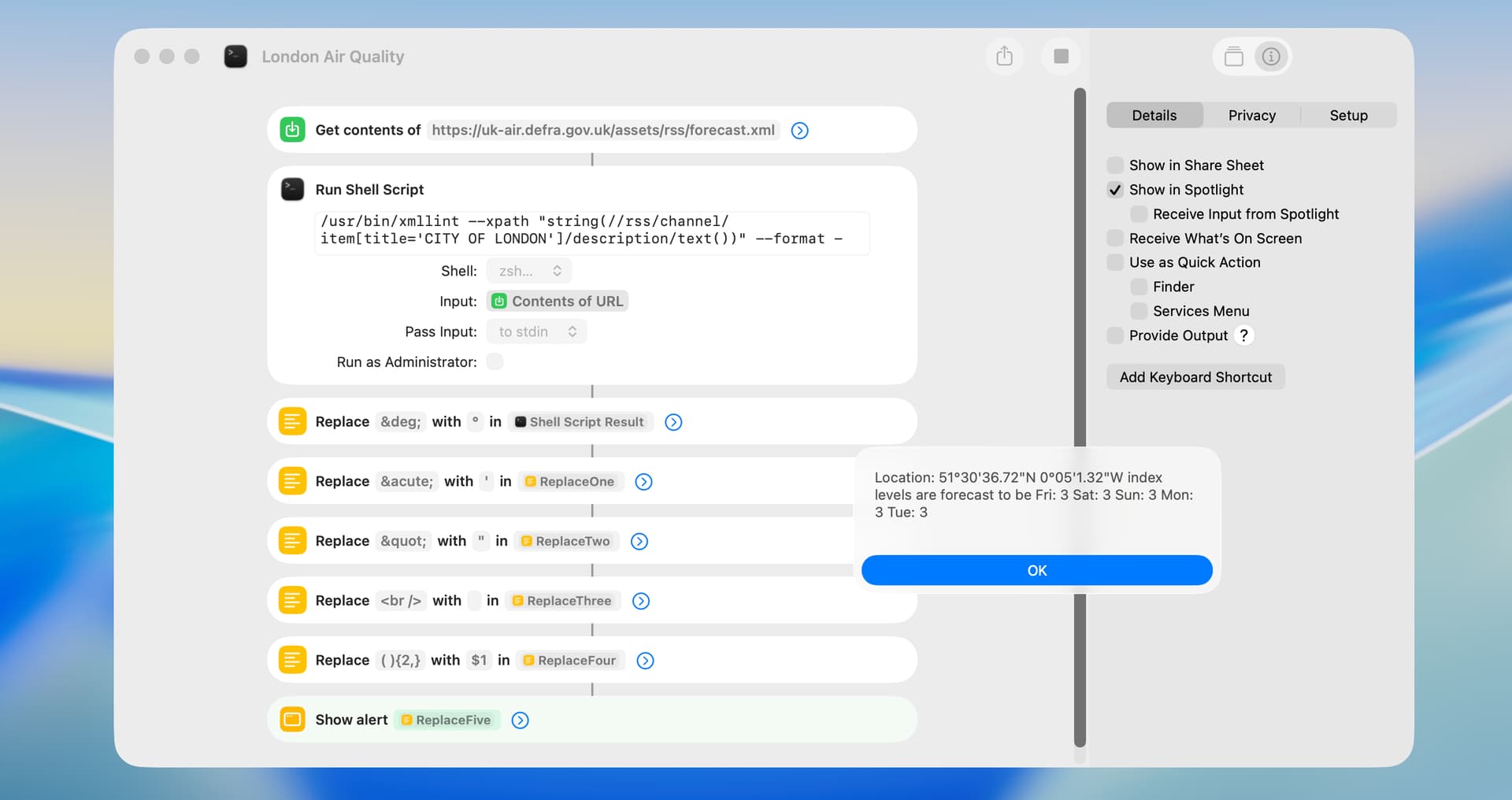
Just for an interesting project, I rewrote VikingOSX’s excellent suggestion to use shortcut actions to edit the output from the xmllint utility. I first put the replace-text items in a list and used a repeat loop, but I decided simpler is better (if a bit kludgey) in this particular case. The timing result for my suggestion was 1.3 second, and I would expect VikingOSX’s suggestion to be faster (but couldn’t test it). BTW, I wasn’t aware of the xmllint utility but it seems quite useful.

London Air Quality.shortcut (22.6 KB)

Just an aside but out of curiosity, if you’re making changes, why use the acute accent and the straight quotes instead of the prime symbols?

′ ″ ‴

′
PRIME
Unicode: U+2032, UTF-8: E2 80 B2

″
DOUBLE PRIME
Unicode: U+2033, UTF-8: E2 80 B3

‴
TRIPLE PRIME
Unicode: U+2034, UTF-8: E2 80 B4

Their html entities are, respectively:

&prime;
&Prime;
&tprime;

Note the case.

There is actually a quadruple prime as well, but I can’t say what it might be used for (&qprime;).

⁗
QUADRUPLE PRIME
Unicode: U+2057, UTF-8: E2 81 97

Mockman. I don’t know if your post was directed to me, but Unicode U+2032 and U+2033 didn’t display correctly with a shortcut Show Alert dialog. The cause of this may have been the Replace Text action.

I edited my suggestion above to use straight single and double quotes, which avoids this issue.

Now you can test it.

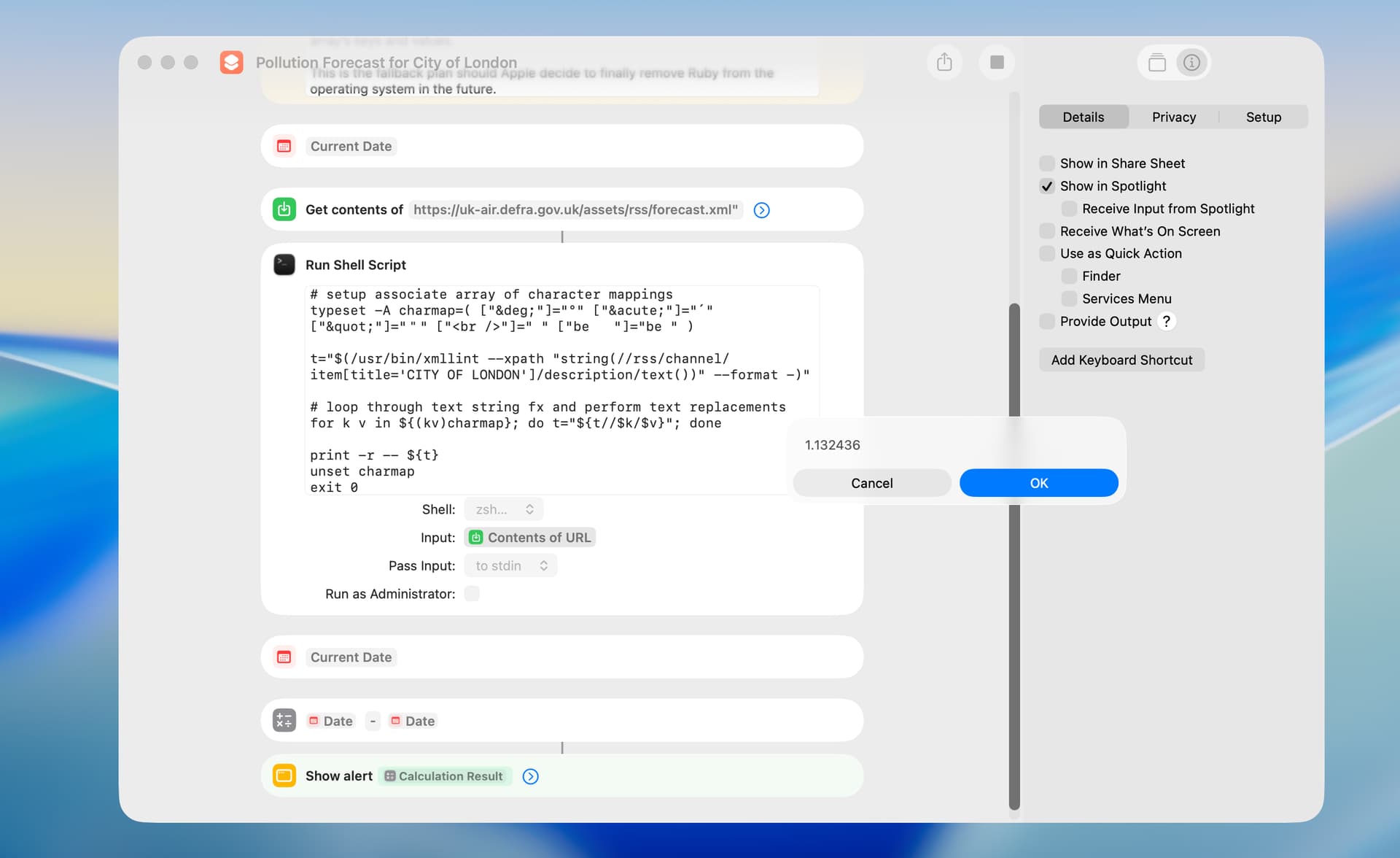
Pollution Forecast for City of London

The HTML entities that I replaced (e.g. acute, quot) do not map to prime or double prime characters, or I would have used those replacements. There is a visual similarity but the acute and prime entities are not identical characters.

VikingOSX. Thanks for the shortcut for testing.

It’s difficult running timing tests because so much time is taken by the Get Contents of URL action, and the time it takes to actually get the data from the URL varies so much. However, after several runs, your shortcut was about 150 milliseconds faster than my suggestion.

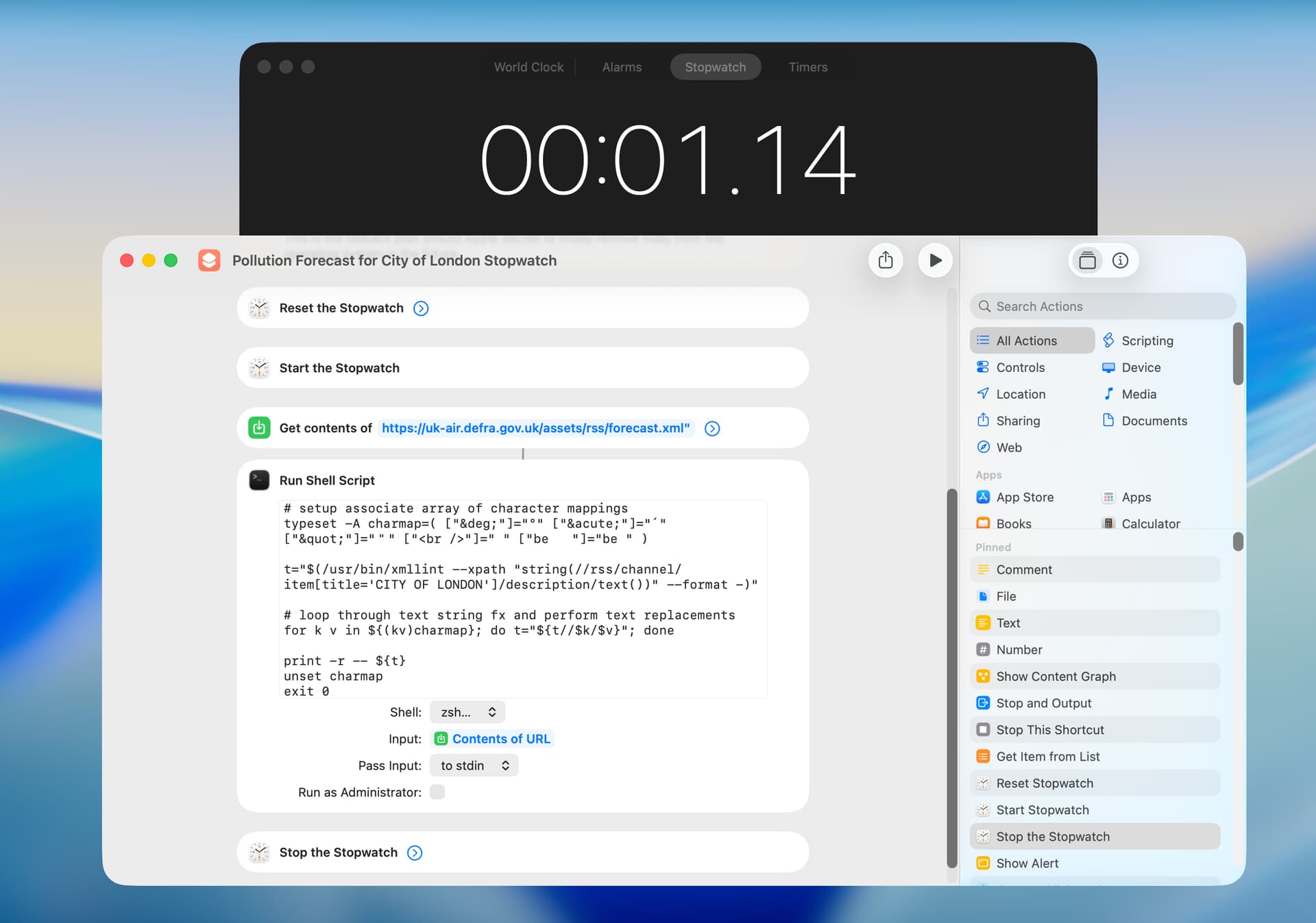
I also got similar results when timing with the Stopwatch app:

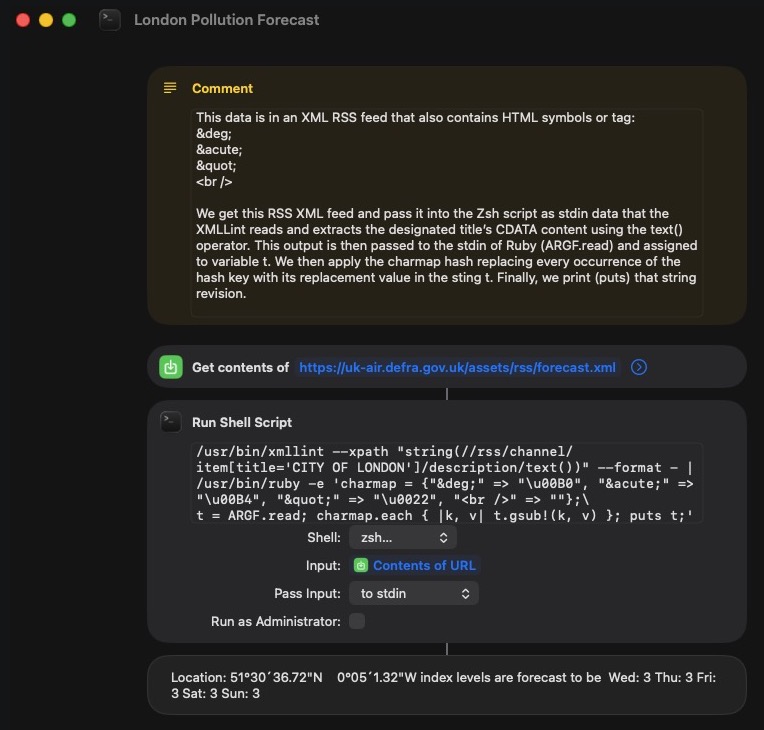
And using the Tahoe 26.3.1 Ruby 2.6.p210 for HTML entity replacement using a Hash instead of Zsh. This is more of a mental exercise as using a four-year-old deprecated Ruby solution is asking for it in the neck as Apple stated as far back as Catalina that they would remove Ruby in a future macOS distribution.

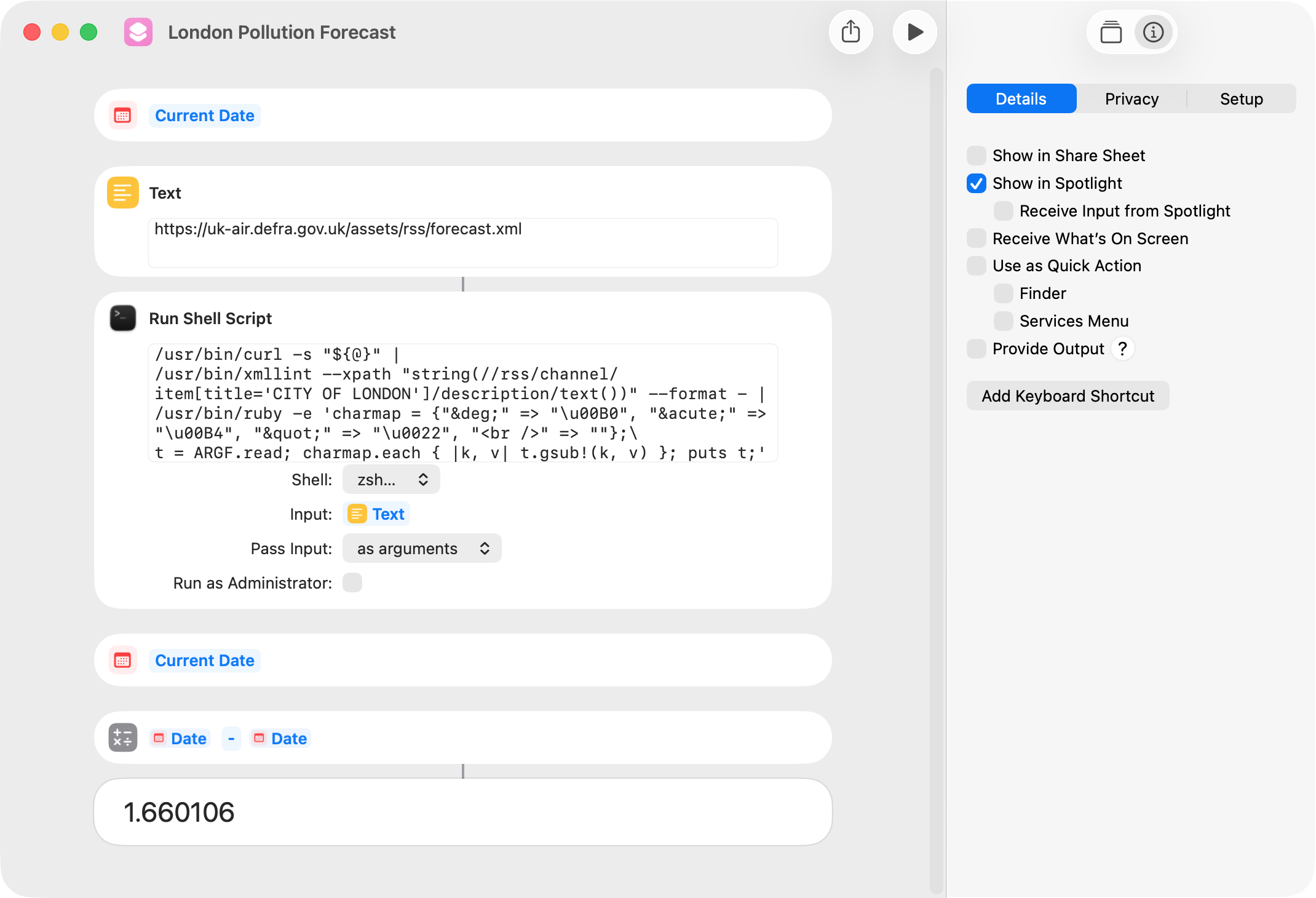
I suspect the Get action for that URL and the huge volume of RSS data transacting over the variable web responses are the bottleneck. One could pass the URL string as an argument into the Run Shell Script. There one could use cURL -s “${1}” and pipe that output directly to the STDIN of xmllint. Is this quicker?

That revised Shortcut

VikingOSX. The Get Contents of URL action is actually about a half a second faster then using the curl utility. This seems to be the case if this utility is run in an AppleScript (with do shell script) or in a Run Shell Script action in a shortcut. Your shortcut in post 1 seems optimal to me–I retested and got about 1.15 second.

Anyways, your new shortcut took 1.66 second.

My point was rather that for minutes and seconds, the prime and double prime are the correct characters and since you’re changing the characters to some that are more awkward to use than straight quotes, you might consider using the primes.

I agree that the proper symbols to use in Lat/Long expressions for minutes and seconds are prime and double-prime. The person that designed the HTML content of that RSS stream apparently was not aware of this, and my goal was to map the acute and quot to their actual characters. A bug for bug port if you will.

1 Like

However, in this particular RSS feed, you will need to parse 2313 title tags before you match “LONDON CITY AIRPORT” and exit that repeat loop. I directly index that 2313th tag in the xmllint xpath statement.

Not really:

set tid to “LONDON CITY AIRPORT”
set l to text item 2 of my text

You would have to select the next text item to mark the end of the “item”.