So I thought the following was going to be the winner. Simple, very fast, and eliminated plenty of lines of applescript code:
ls /Volumes/bloop/stress_test/*.txt | sort -R
However when I run that command, I get “Argument list too long”
Googling that, I get lots of discussions of there being too many results due to the * and that is filling up the output buffer.
Theres just one problem. If I CD into the directory first, then run:
ls *.txt | sort -R
instead, I get al 9965 results, and no error. So what is going on here? Also if I skip the *.txt entirely, I still get all 9965 results PLUS one extra one thats being filtered. So it doesn’t make sense to me that the problem is filling up the pipe/output buffer?
Note: Any time I’m getting the Argument list too long" error, I get that error even if I omit the pipe and the sort and just do ls /path. Its as if it’s seeing a space in my path and turning it in to two arguments instead of one. But its all just standard non white space characters so I don’t get it.
I don’t understand. In your original post, you never mentioned having the list sorted.
Also, did you test to see how fast my pure AppleScript script ran?
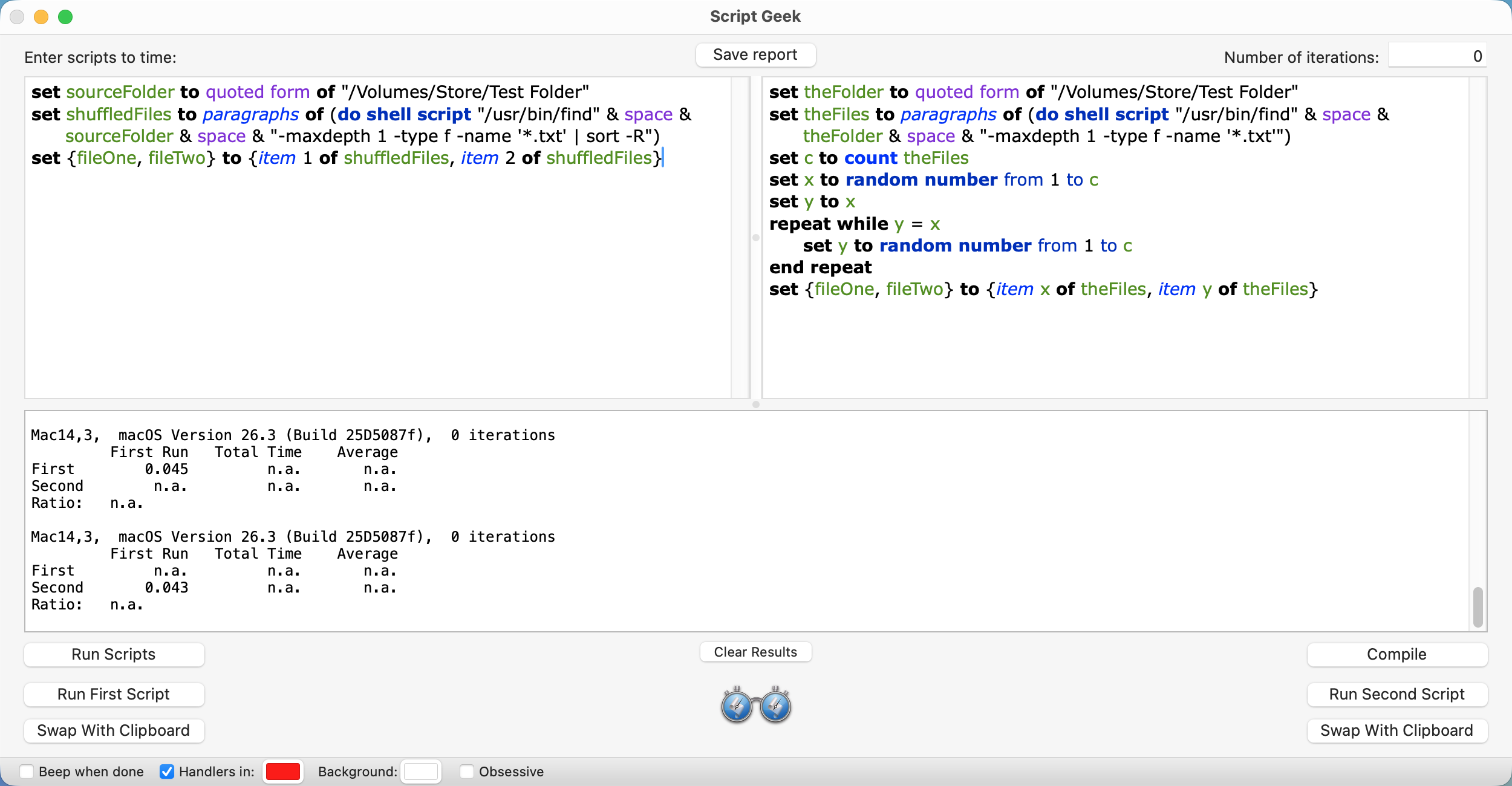
1008com. When dealing with that many files, you may need to use a different approach. Stefan’s and Mockman’s suggestions to use the find command are easily edited to do what you want. The timing result with a folder containing 10,000 TXT files was 42 miilliseconds.
set sourceFolder to quoted form of "/Volumes/Store/Test Folder"
set shuffledFiles to paragraphs of (do shell script "/usr/bin/find" & space & sourceFolder & space & "-maxdepth 1 -type f -name '*.txt' | sort -R")
set {fileOne, fileTwo} to {item 1 of shuffledFiles, item 2 of shuffledFiles}
I don’t really need the list sorted persay. But shuffling the list makes it super easy to select two unique random items from the list. I can just shuffle before I load it in to applescript, and then choose item 1 and item 2.
My original implementation loaded the list into applescript, then filtered it to only text files, then picked a random item from it, then picked another random item from it and repeated of the two randos were the same.
It took about 5 seconds to do all that in applescript, but pre-filtering and pre-shuffling in the shell command is essentially instant and eliminates a lot of lines of applescript code.
Set c to count fileList
Set x to random number from 1 to c
Set y to x
Repeat while y = x
    Set y to random number from 1 to c
End repeat
Set x to item x of fileList
Set y to item y of fileList
Robert. Your suggestion is an interesting one. I tested it with the find shell command and ran timing tests comparing it with the suggestion that uses both the find and sort commands. Your suggestion was faster, but only by a few milliseconds.
set theFolder to quoted form of "/Volumes/Store/Test Folder"
set theFiles to paragraphs of (do shell script "/usr/bin/find" & space & theFolder & space & "-maxdepth 1 -type f -name '*.txt'")
set c to count theFiles
set x to random number from 1 to c
set y to x
repeat while y = x
	set y to random number from 1 to c
end repeat
set {fileOne, fileTwo} to {item x of theFiles, item y of theFiles}