I’m revising an AppleScript that displays the Safari Export as PDF dialog. Except as noted below, this script works exactly as I want and is generally reliable:
--set filename
set {year:y, month:m, day:d, hours:h, minutes:min, seconds:s} to (current date)
set theDate to ((y * 10000) + ((m as integer) * 100) + d) as text
set theTime to text 2 thru -1 of ((1000000 + (h * 10000) + (min * 100) + s) as text)
set fileName to "Safari (" & theDate & " " & theTime & ")"

--confirm Safari is open with URL
tell application "Safari" to set theURL to URL of front document
if theURL is missing value then display dialog "The frontmost Safari window could not be found or did not return a URL." buttons {"OK"} cancel button 1 default button 1

--I normally run this script by way of FastScripts with Safari active
--as a result, the following is normally not necessary and is for testing only
tell application "System Events" to tell process "Safari"
	set frontmost to true
	delay 1
end tell

--confirm "Export as "PDF dialog is available then display
set repeatNumber to 6
tell application "System Events" to tell process "Safari"
	repeat with i from 1 to repeatNumber
		set menuAvailable to enabled of menu item "Export as PDF…" of menu "File" of menu bar 1
		if menuAvailable is true then
			exit repeat
		else if i = repeatNumber then
			display dialog "The \"Export as PDF\" menu item was not available." buttons {"OK"} cancel button 1 default button 1
		else
			delay 0.5
		end if
	end repeat
	click menu item "Export as PDF…" of menu "File" of menu bar 1
	delay 1 --a smaller number doesn't work for me
	keystroke fileName
	delay 0.5
end tell
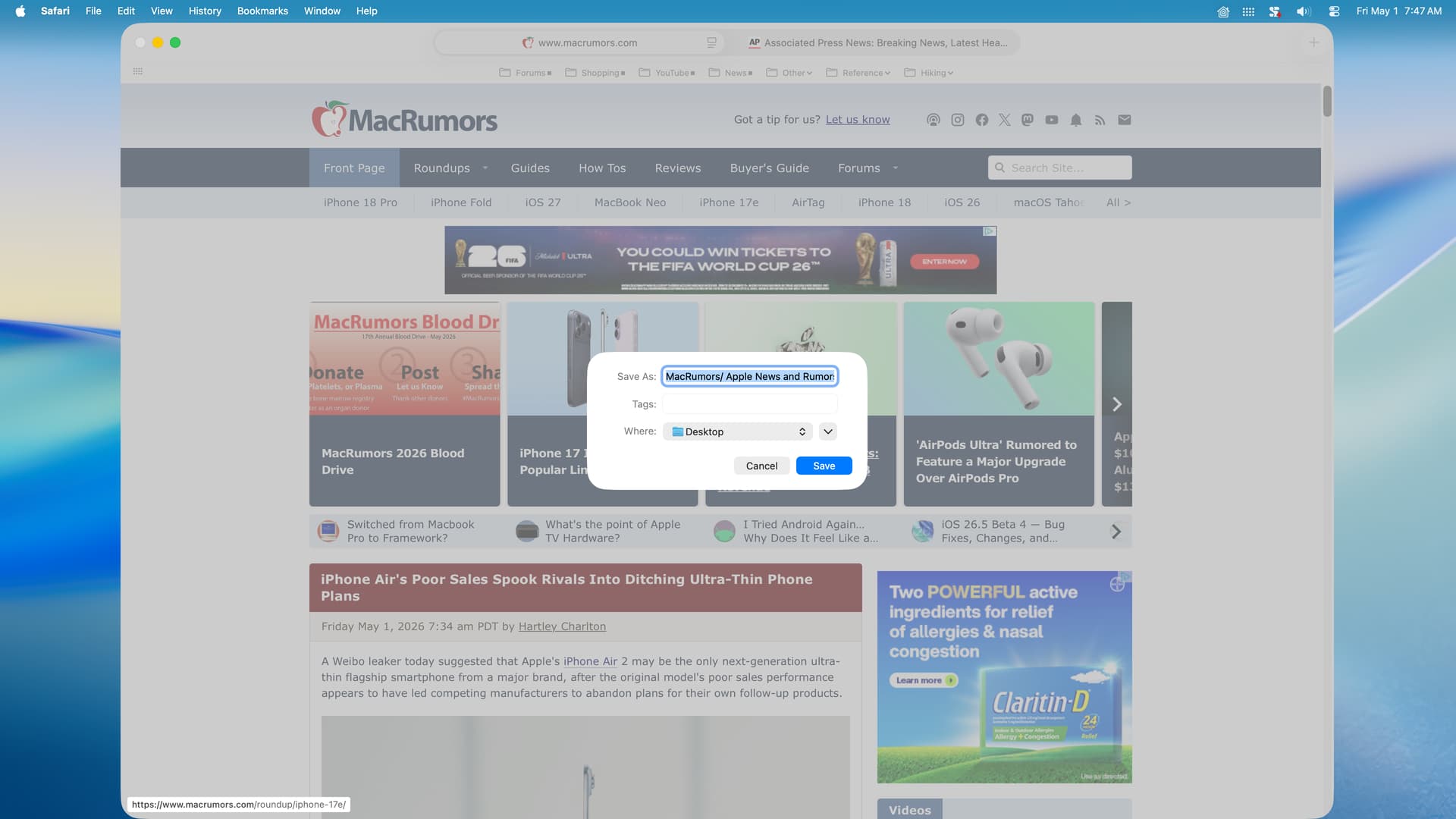
The following is a screenshot of the dialog after the script is run:
I would like to reduce the 1-second delay at the end of the script but don’t know how to do that. If I simply reduce the delay to a 0.5 second, the script doesn’t work reliably.
Instead of using a delay, can the script test for the existence of the dialog in a repeat loop before the keystroke fileName code line? Or, as an alternative, would it be more reliable to directly address the Save As entry to insert the file name?
BTW, there is occasionally a significant and unpredictable delay from the time a web page appears loaded and the point at which the Export as PDF menu item becomes available. So, testing for this menu item seems unavoidable. I thought testing for when the web page loading is complete as suggested by akim might be a better approach. Akims’s script worked well but did not reliably indicate when the Export as PDF menu item is available.
In Japanese environment, input method switching happens, so I needed to add one return, but other than that it worked perfectly as is.
macOS26.4.1
safari 26.4 (21624.1.16.11.4)
----[ADD]Retrieve the localized names used in the UI
tell application "Safari"
	set strFile to (localized string ("83.title") from table ("MainMenu")) as text
	set strExportPDF to (localized string ("1059.title") from table ("MainMenu")) as text
end tell

--set filename
set {year:y, month:m, day:d, hours:h, minutes:min, seconds:s} to (current date)
set theDate to ((y * 10000) + ((m as integer) * 100) + d) as text
set theTime to text 2 thru -1 of ((1000000 + (h * 10000) + (min * 100) + s) as text)
set fileName to "Safari (" & theDate & " " & theTime & ")"

--confirm Safari is open with URL
tell application "Safari" to set theURL to URL of front document
if theURL is missing value then display dialog "The frontmost Safari window could not be found or did not return a URL." buttons {"OK"} cancel button 1 default button 1

--I normally run this script by way of FastScripts with Safari active
--as a result, the following is normally not necessary and is for testing only
tell application "System Events" to tell process "Safari"
	set frontmost to true
	delay 1
end tell

--confirm "Export as "PDF dialog is available then display
set repeatNumber to 6
tell application "System Events" to tell process "Safari"
	repeat with i from 1 to repeatNumber
		----[ADD] localized names
		set menuAvailable to enabled of menu item strExportPDF of menu strFile of menu bar 1
		if menuAvailable is true then
			exit repeat
		else if i = repeatNumber then
			display dialog "The \"Export as PDF\" menu item was not available." buttons {"OK"} cancel button 1 default button 1
		else
			delay 0.5
		end if
	end repeat
	click menu item strExportPDF of menu strFile of menu bar 1
	delay 1 --a smaller number doesn't work for me
	keystroke fileName
	----[ADD] using localized imput method return is required here.
	keystroke return
	delay 0.5
end tell
The usual way is to wait for the appearance of the sheet with a loop and instead of the keystroke you could set the value of the text field
--set filename
set {year:y, month:m, day:d, hours:h, minutes:min, seconds:s} to (current date)
set theDate to ((y * 10000) + ((m as integer) * 100) + d) as text
set theTime to text 2 thru -1 of ((1000000 + (h * 10000) + (min * 100) + s) as text)
set fileName to "Safari (" & theDate & " " & theTime & ")"

--confirm Safari is open with URL
tell application "Safari" to set theURL to URL of front document
if theURL is missing value then display dialog "The frontmost Safari window could not be found or did not return a URL." buttons {"OK"} cancel button 1 default button 1

--I normally run this script by way of FastScripts with Safari active
--as a result, the following is normally not necessary and is for testing only
tell application "System Events" to tell process "Safari"
	set frontmost to true
	delay 1
end tell

--confirm "Export as "PDF dialog is available then display
set repeatNumber to 6
tell application "System Events" to tell process "Safari"
	repeat with i from 1 to repeatNumber
		set menuAvailable to enabled of menu item "Export as PDF…" of menu "File" of menu bar 1
		if menuAvailable is true then
			exit repeat
		else if i = repeatNumber then
			display dialog "The \"Export as PDF\" menu item was not available." buttons {"OK"} cancel button 1 default button 1
		else
			delay 0.5
		end if
	end repeat
	click menu item "Export as PDF…" of menu "File" of menu bar 1
	repeat until exists sheet 1 of window 1
		delay 0.2
	end repeat
	tell sheet 1 of window 1
		set value of text field 1 of splitter group 1 to fileName
	end tell
end tell
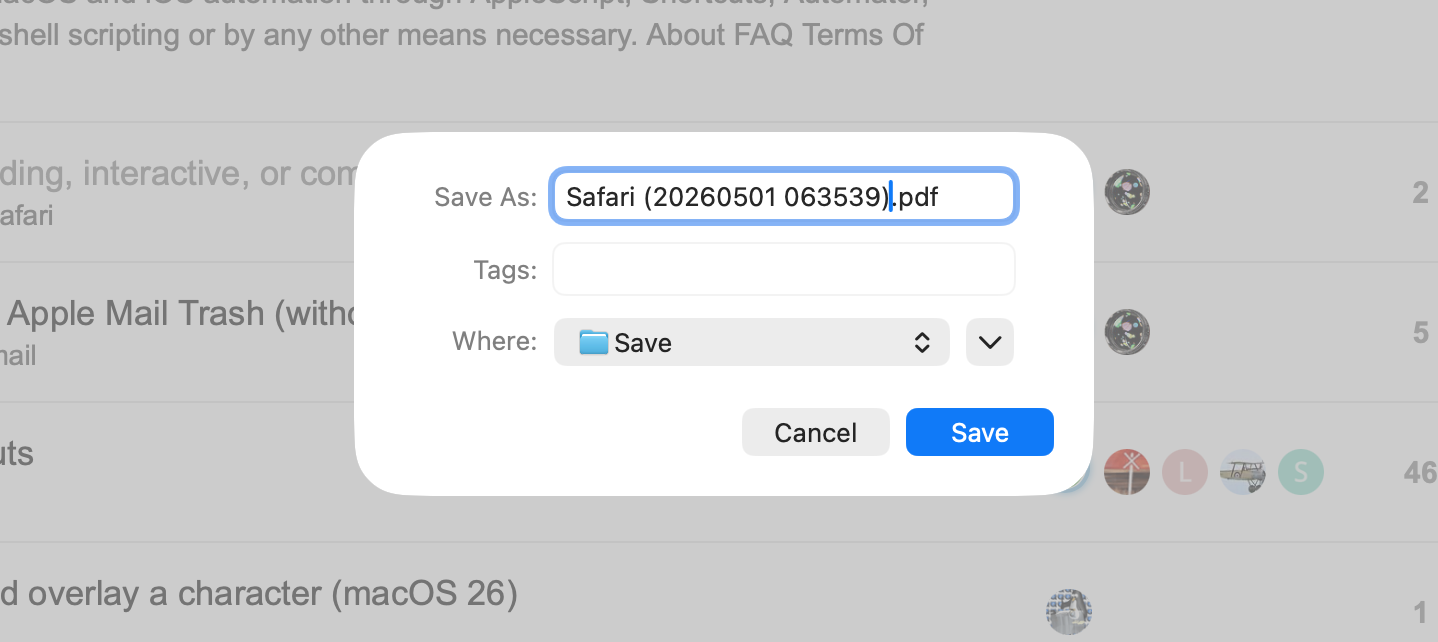
I tested your suggestion with the macrumors.com and apnews.com sites–both of which are often problematic-- and your suggestion displays the dialog but as often as not does not insert the file name. For example:
Agree with you that GUI scripting in general and with Preview is horrible. I wrote one of these in 2021 that would open the Export panel, select PDF/A, apply a PDF/A custom tag, and export the PDF. It worked on every version of Preview until now with Tahoe 26.4.1 because Apple changed the internal GUI layout.
Seems like the free, third-party Coherent PDF (cpdf) command line tool combined with the date(1) tool could be used in a script to replace Peavine’s GUI scripting solution.
Interesting, I wasn’t aware of that tool. Can Coherent PDF create PDF from a web page? I went through the info on their website briefly but couldn’t seem to find anything related to this functionality.
When I run your script, it generates an unpaginated, continuous, and narrow aspect PDF of the current web page. As much as I (personally) frown on GUI scripting, here is a script that produces a paginated, full size PDF from the current web page by invoking Reader mode.
Tested with Safari 26.4 on macOS Tahoe 26.4.1.
-- Safari_reader_pdf.applescript

-- Using GUI scripting (cough), for Safari into Reader mode
-- so that we can have a paginated PDF of the current web page.
-- force the fileName into the Save As text field and a return
-- to click the Save button.
-- date codes: https://pubs.opengroup.org/onlinepubs/007908799/xsh/strftime.html

use scripting additions

-- replace the 12-hour clock (%I) with 24-hour clock (%H) if needed.
set dt to (do shell script "date -j \"+%Y%m%dT%I%M%S\"")
set fileName to "Safari (" & dt & ")" & ".pdf"
log (fileName) as text

tell application "Safari" to activate
tell application "System Events"
	tell process "Safari"
		set frontmost to true
		-- 1. Enter Reader Mode so we can have paginated PDF output
		keystroke "r" using {command down, shift down}
		delay 1 -- Allow time to render

		-- 2. Trigger "Export as PDF"
		click menu item "Export as PDF…" of menu 1 of menu bar item "File" of menu bar 1

		-- 3. Handle the Save dialog (adjust delay for speed)
		repeat until exists sheet 1 of window 1
			delay 1
		end repeat

		keystroke fileName
		delay 1
		keystroke return
	end tell
end tell
Of course, after I posted this GUI script example, I ran it on the macrumors site and it only captures the first article on that site, not the entire landing page. So, back to the drawing board, when I have time.
I try to never use long delays. I instead test for GUI items existing to control program flow like so…
use scripting additions

-- replace the 12-hour clock (%I) with 24-hour clock (%H) if needed.
set dt to (do shell script "date -j \"+%Y%m%dT%I%M%S\"")
set fileName to "Safari (" & dt & ")" & ".pdf"
log (fileName) as text

tell application "Safari" to activate
tell application "System Events"
	tell process "Safari"
		-- set frontmost to true -- not needed, the activate command above already does this
		-- 1. Enter Reader Mode so we can have paginated PDF output
		try
			click menu item "Show Reader" of menu 1 of menu bar item "View" of menu bar 1
			repeat until exists menu item "Hide Reader" of menu 1 of menu bar item "View" of menu bar 1
				delay 0.5 -- Allow time to render
			end repeat
		end try

		-- 2. Trigger "Export as PDF"
		click menu item "Export as PDF…" of menu 1 of menu bar item "File" of menu bar 1

		-- 3. Handle the Save dialog (adjust delay for speed)
		repeat until exists sheet 1 of window 1
			delay 0.5
		end repeat
		if (value of attribute "AXIdentifier" of sheet 1 of window 1) = "save-panel" then
			set value of text field "Save As:" of sheet 1 of window 1 to fileName
			delay 0.5
			click button "Save" of sheet 1 of window 1
		end if
	end tell
end tell
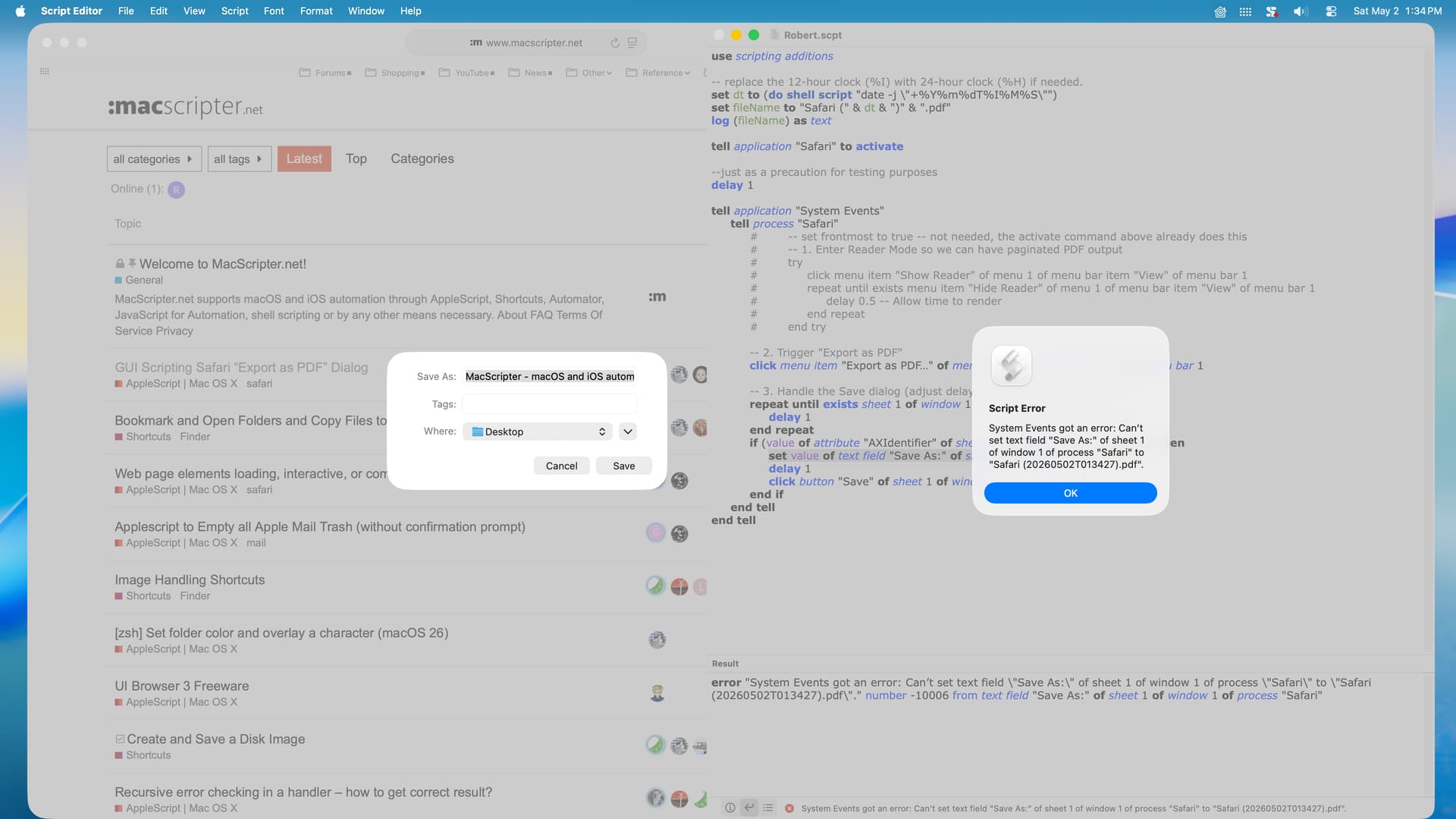
In my particular circumstance, the PDF cannot be paginated. The reason is that the content of the web page is financial data in a tabular format and splitting the PDF into pages is very undesirable. So, I simply disabled the reader portion of your script, but an error is returned. I assume that sheet 1 of window 1 is the issue, but that’s just a guess. BTW, I lengthened the delays to 1 second just for testing.
Try this script. It’s running fine here but I’m on Sequoia.
-- build the name of the pdf file
set {{a, b, c}, {d, e, f}} to {words of short date string, words of time string} of (current date)
set theName to c & "-" & b & "-" & c & " at " & d & "." & e & "." & f & ".pdf"
set thePath to ("" & (path to desktop) & theName)

tell application "Safari" to activate
tell application "System Events" to tell process "Safari"

	-- click menu item to open the 'save as pdf' panel
	set aMenu to a reference to (menu item 1 of menu 1 of menu bar item 3 of menu bar 1 whose name contains "export") -- chage "export" to suite your language
	if not (exists aMenu) then return "can't find export menu"
	click aMenu

	-- wait for sheet to open, returning error if it takes more than 2 seconds
	repeat with i from 1 to 20
		if exists sheet 1 of window 1 then exit repeat
		delay 0.1
	end repeat
	if i = 20 then return "save as panel can't open"

	-- in this sequence, you may need to add delays
	set value of text field 1 of sheet 1 of window 1 to theName -- the 'save as' text field is always the first
	click pop up button 1 of sheet 1 of window 1 -- there is only 1 popup button
	click menu item 1 of menu 1 of pop up button 1 of sheet 1 of window 1 -- the first is the desktop
	click button -1 of sheet 1 of window 1 -- the 'ok' button is always the last

end tell

delay 1 -- wait for the file to be available

tell application id "com.apple.Preview"
	activate
	open thePath
end tell
Be aware that with the AP site, I got 2 issues:
1- needed to scroll down the page at first to get all images in the pdf.
2- the pdf shows nothing in Acrobat DC but is perfect in Preview.