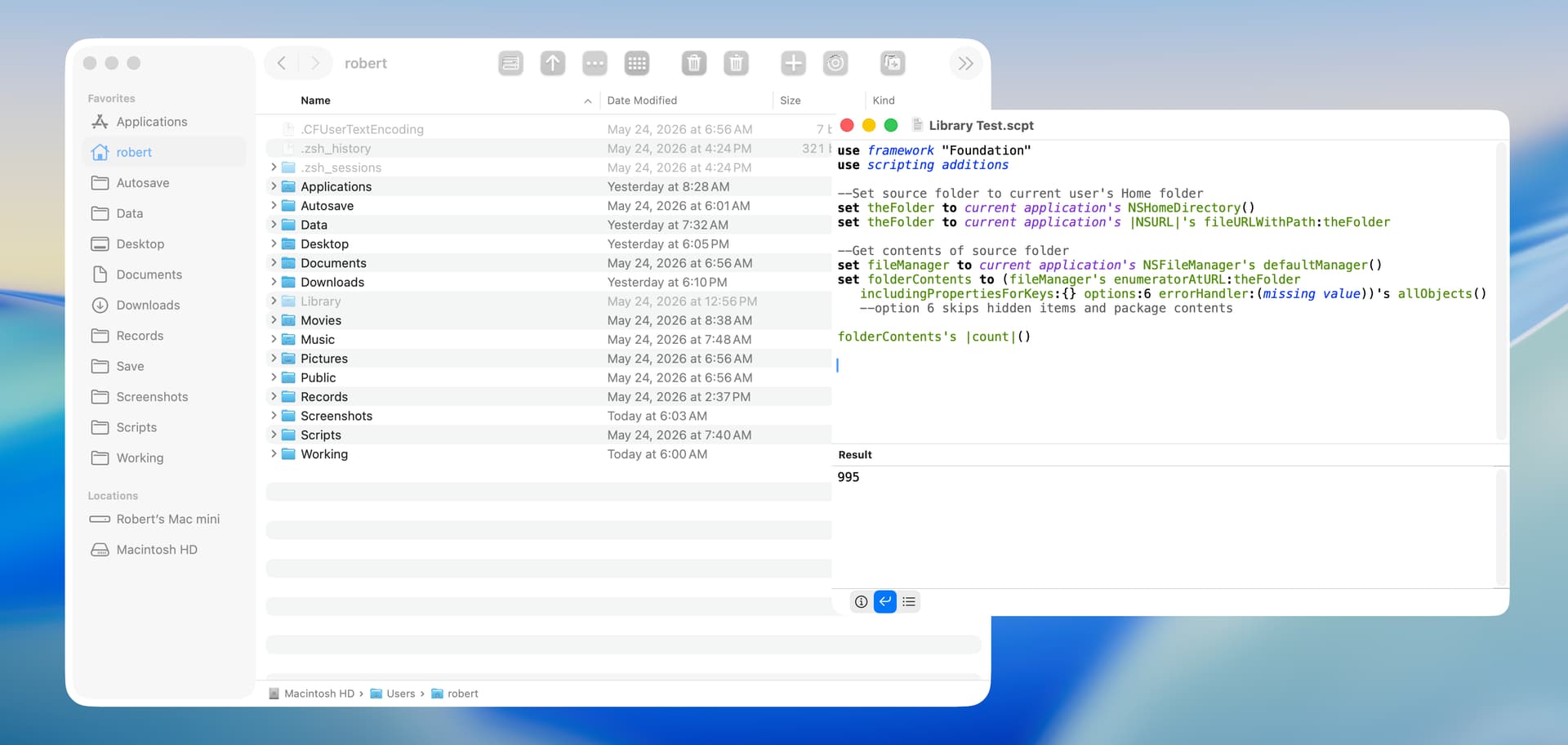
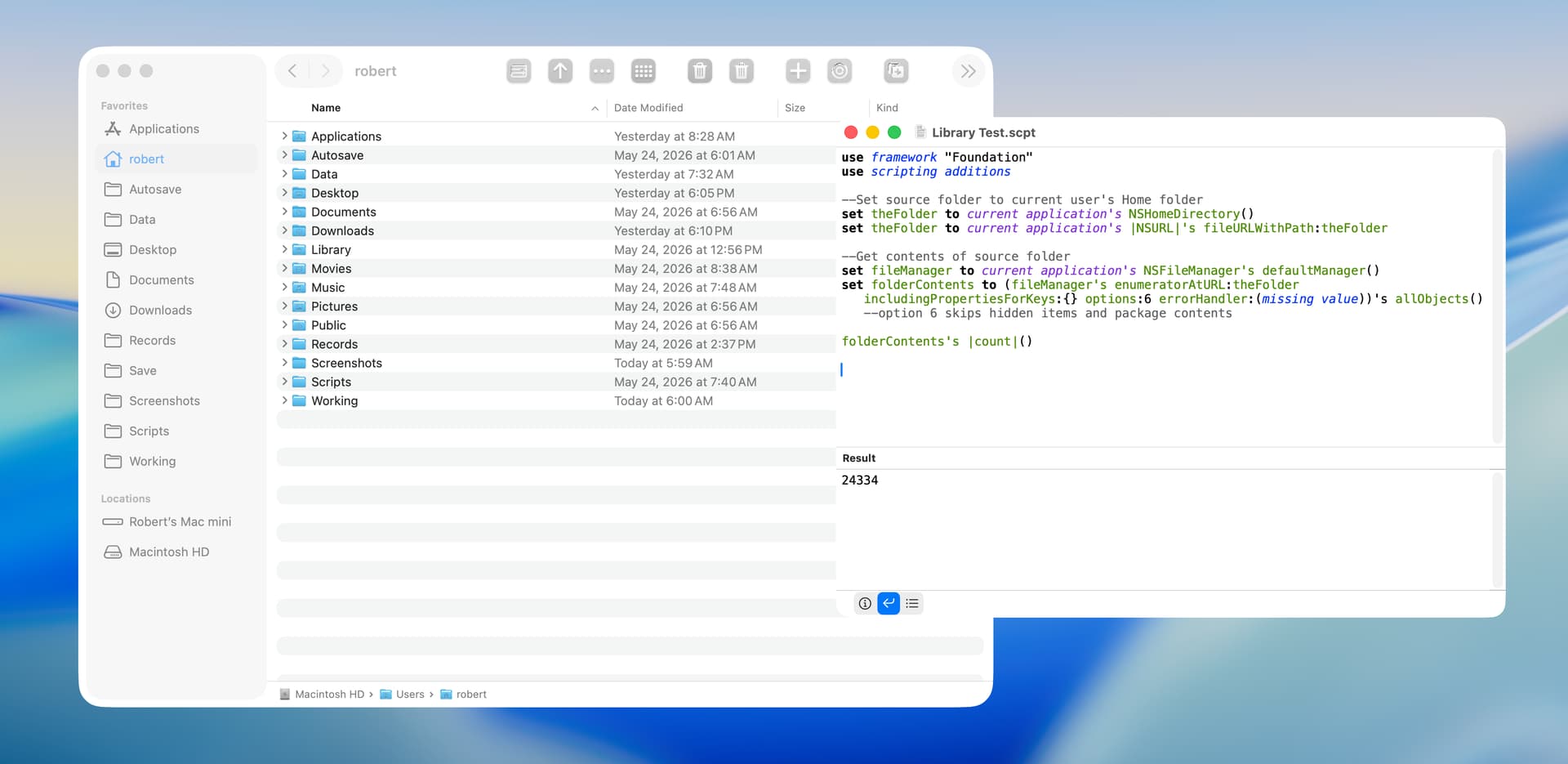
Resource Key for NSURLs

As you are using a loop anyway wouldn’t it be more efficient to do the filtering instantly in the loop?
Then you can add the current NSURL to the fileData array

And you can speed up the script a bit by including the keys in the includingPropertiesForKeys: parameter.

Something like this

use framework "Foundation"
use scripting additions

--Set source folder to current user's Home folder
set theFolder to current application's NSHomeDirectory()
set theFolder to current application's |NSURL|'s fileURLWithPath: theFolder

--Set variables for resource keys
set folderKey to current application's NSURLIsDirectoryKey
set regularFileKey to current application's NSURLIsRegularFileKey
set fileKey to current application's NSURLPathKey

--Get contents of source folder
set fileManager to current application's NSFileManager's defaultManager()
set folderContents to (fileManager's enumeratorAtURL:theFolder includingPropertiesForKeys:{folderKey, regularFileKey, fileKey} options:6 errorHandler:(missing value))'s allObjects() --option 6 skips hidden items and package contents

--Create array of dictionaries with resource key and URL values
set fileData to current application's NSMutableArray's new()
repeat with anItem in folderContents
	set theResource to (anItem's resourceValuesForKeys:{folderKey, regularFileKey, fileKey} |error|:(missing value))
	set theValue to (theResource's objectForKey:folderKey)
	if theValue as boolean then
		(fileData's addObject:anItem)
	end if
end repeat

return fileData as list

By the way: NSURL has a property hasDirectoryPath to check if the URL represents a directory

1 Like

Stefan. Thanks for the response.

I had previously run timing tests with Script Geek. and the approach you suggest took 47 milliseconds and the approach I use above took 60 milliseconds. So, I agree with what you say, but I like to try out different ways of doing stuff.

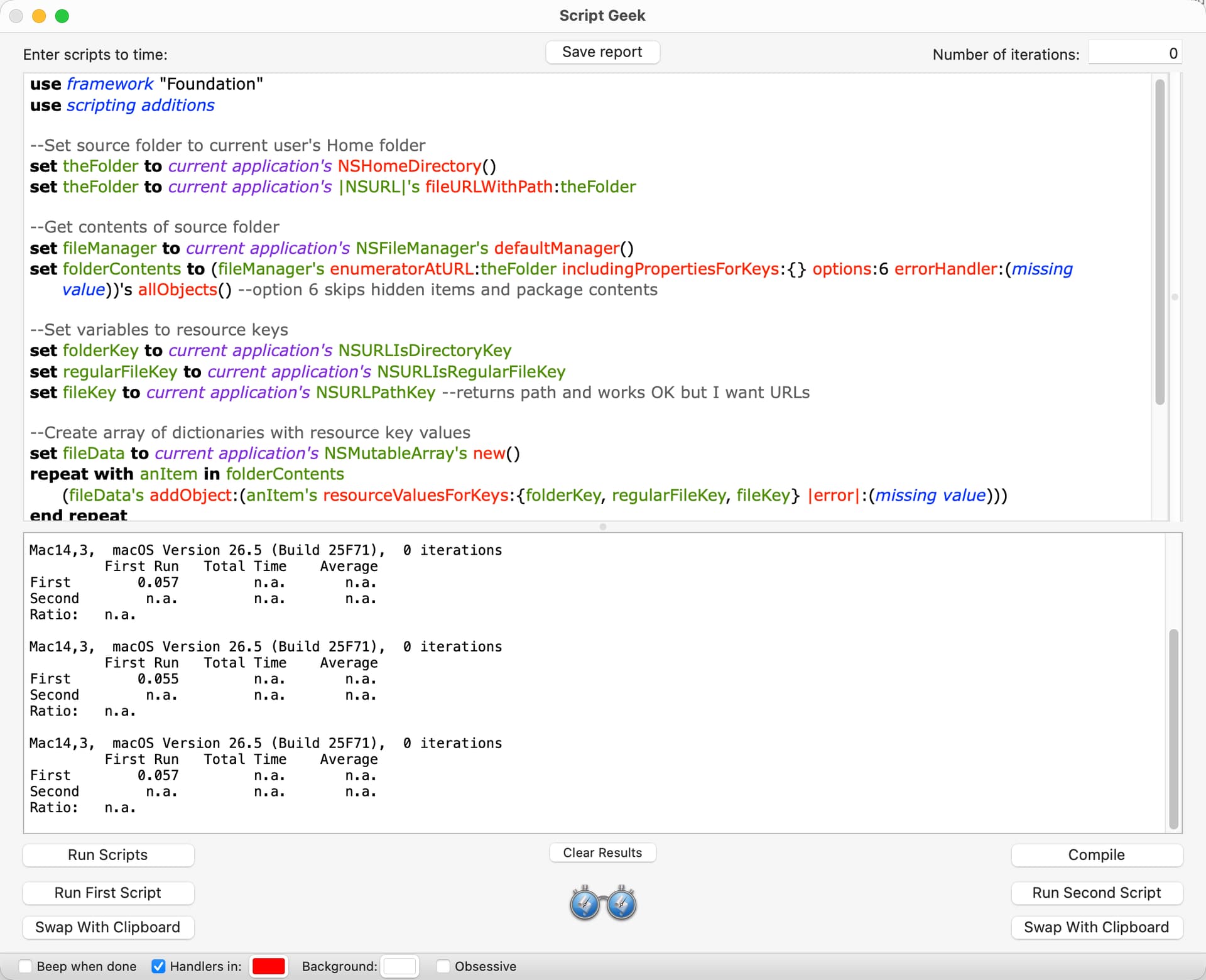
I had also previously run tests and including the keys in the includingPropertiesForKeys: parameter made absolutely no difference in the time it took for the script to run. I know this is counter intuitive but I spent a fair amount of time testing this with Script Geek.

Interesting. The documentation of NSFileMaker says

The values for these keys are cached in the corresponding NSURL objects.

so you can assume that retrieving the values takes less time.

Have you run the script on your home folder which likely takes more time than 60 ms? :wink:

I have a really-small Home folder.

It’s been a year or more since I ran the timing tests for including and not including the resource keys in the includingProperitesForKeys: parameter. Later today, I will rerun these tests and post the results.

I’m doing this…

on FileSystem_Convert_Objects_To_Files(fileSystemObjectList)
	try
		set fileSystemObjectList to (fileSystemObjectList) as list
		repeat with currentIndex from 1 to length of fileSystemObjectList
			set item currentIndex of fileSystemObjectList to (item currentIndex of fileSystemObjectList) as «class furl»
		end repeat
		return fileSystemObjectList
	on error errorText number errornumber partial result errorResults from errorObject to errorExpectedType
		error "<FileSystem_Convert_Objects_To_Files>" & space & errorText number errornumber partial result errorResults from errorObject to errorExpectedType
	end try
end FileSystem_Convert_Objects_To_Files

.
This will convert Aliases, NSURLs, Posix Paths, and Posix Files.

So, used in your original post…

    --Running under AppleScript 2.8, MacOS 15.7.5
    use framework "Foundation"
    use scripting additions
    
    --Set source folder to current user's Home folder
    set theFolder to ((current application's NSHomeDirectory()) as text) & "/Desktop"
    set theFolder to current application's |NSURL|'s fileURLWithPath:theFolder
    
    --Get contents of source folder
    set fileManager to current application's NSFileManager's defaultManager()
    set folderContents to (fileManager's enumeratorAtURL:theFolder includingPropertiesForKeys:{} options:6 errorHandler:(missing value))'s allObjects() --option 6 skips hidden items and package contents
    
    FileSystem_Convert_Objects_To_Files(folderContents)

    -->>"{file "Macintosh HD:Users:UserNameGoesHere:Desktop:IMG_3861.psd", file "Macintosh HD:Users:UserNameGoesHere:Desktop:IMG_3861.psb", file "Macintosh HD:Users:UserNameGoesHere:Desktop:Screenshot 2026-05-18 at 9.37.46 AM.png", file "Macintosh HD:Users:UserNameGoesHere:Desktop:sort:", file "Macintosh HD:Users:UserNameGoesHere:Desktop:sort:untitled folder:", file "Macintosh HD:Users:UserNameGoesHere:Desktop:sort:untitled folder:Screenshot 2026-05-14 at 5.58.21 PM.png", etc


    on FileSystem_Convert_Objects_To_Files(fileSystemObjectList)
        try
            set fileSystemObjectList to (fileSystemObjectList) as list
            repeat with currentIndex from 1 to length of fileSystemObjectList
                set item currentIndex of fileSystemObjectList to (item currentIndex of fileSystemObjectList) as «class furl»
            end repeat
            return fileSystemObjectList
        on error errorText number errornumber partial result errorResults from errorObject to errorExpectedType
            error "<FileSystem_Convert_Objects_To_Files>" & space & errorText number errornumber partial result errorResults from errorObject to errorExpectedType
        end try
    end FileSystem_Convert_Objects_To_Files
    
1 Like

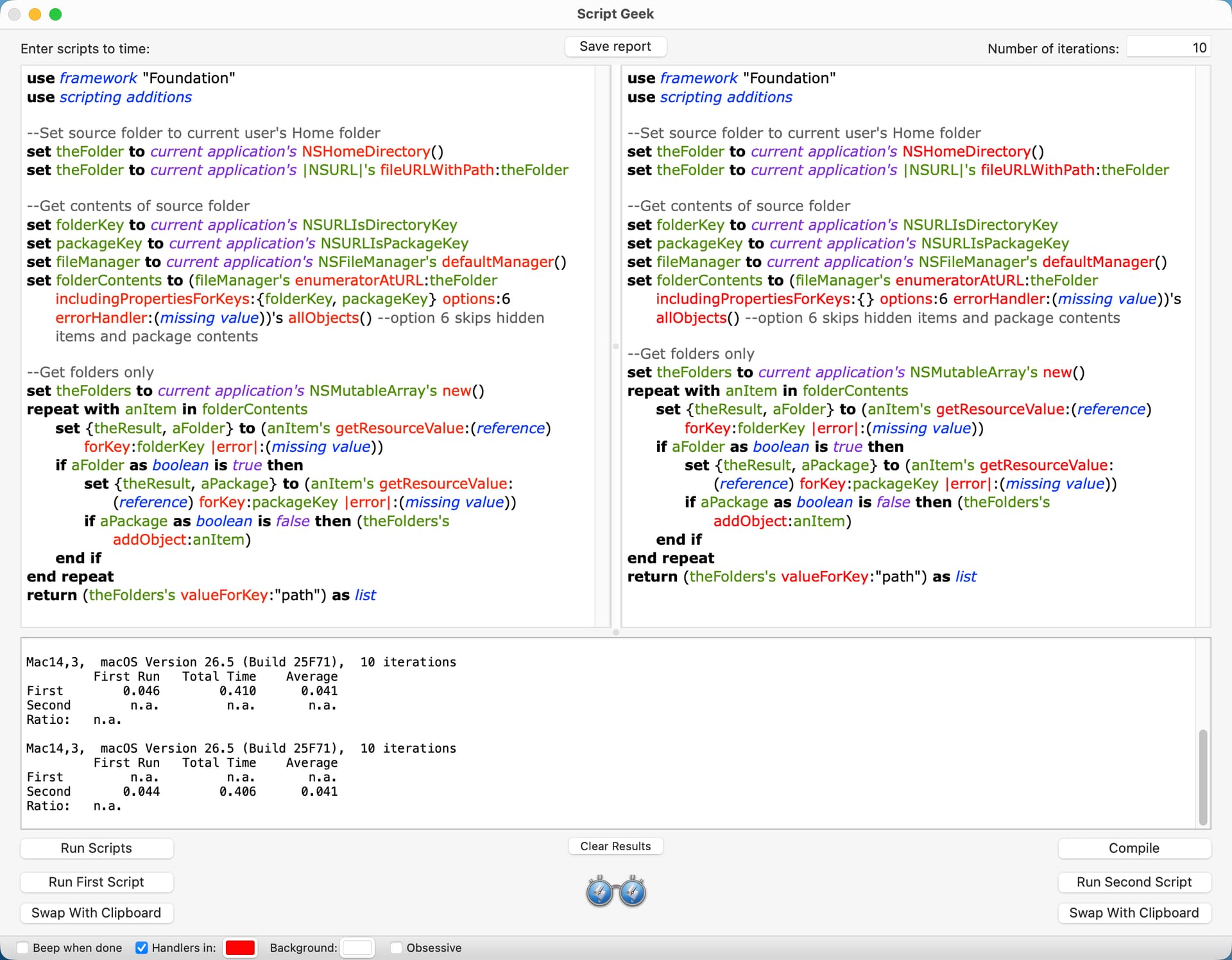
This is my test script, which uses two resource keys.

use framework "Foundation"
use scripting additions

--Set source folder to current user's Home folder
set theFolder to current application's NSHomeDirectory()
set theFolder to current application's |NSURL|'s fileURLWithPath:theFolder

--Get contents of source folder
set folderKey to current application's NSURLIsDirectoryKey
set packageKey to current application's NSURLIsPackageKey
set fileManager to current application's NSFileManager's defaultManager()
set folderContents to (fileManager's enumeratorAtURL:theFolder includingPropertiesForKeys:{folderKey, packageKey} options:6 errorHandler:(missing value))'s allObjects() --option 6 skips hidden items and package contents

--Get folders only
set theFolders to current application's NSMutableArray's new()
repeat with anItem in folderContents
	set {theResult, aFolder} to (anItem's getResourceValue:(reference) forKey:folderKey |error|:(missing value))
	if aFolder as boolean is true then
		set {theResult, aPackage} to (anItem's getResourceValue:(reference) forKey:packageKey |error|:(missing value))
		if aPackage as boolean is false then (theFolders's addObject:anItem)
	end if
end repeat
return (theFolders's valueForKey:"path") as list

This is the result with Script Geek. The version on the left is the script above. The version on the right is identical except that it does not include the resource keys in the includingPropertiesForKeys: parameter. The version on the right is consistently faster, although only by a few milliseconds.

Thanks Paul. I tested your script and it works well.

I looked at this approach, and it only took 18 milliseconds to get folders and packages on my Home folder. It apparently works by checking if the URL path has a trailing slash, which could be unreliable. However, in this particular case, the URL paths are generated by file manager and would seem reliable. The following script and the script included earlier both returned the same number of folders and packages in my Home folder.

use framework "Foundation"
use scripting additions

--Set source folder to current user's Home folder
set theFolder to current application's NSHomeDirectory()
set theFolder to current application's |NSURL|'s fileURLWithPath:theFolder

--Get folders and packages in the source folder
set fileManager to current application's NSFileManager's defaultManager()
set folderContents to (fileManager's enumeratorAtURL:theFolder includingPropertiesForKeys:{} options:6 errorHandler:(missing value))'s allObjects() --option 6 skips hidden items and package contents
set thePredicates to current application's NSPredicate's predicateWithFormat:"self.hasDirectoryPath == true"
set theFolders to (folderContents's filteredArrayUsingPredicate:thePredicates)
return theFolders as list

Thanks everyone for the responses. I didn’t get a direct answer to my question, and I’m sure that’s because there isn’t one (which is worthwhile to know). red_menaces suggestion is very close, though.

I was curious how well the script would work if it got every main resource key, and I’ve included that below. The timing result was 145 milliseconds, and it’s difficult for me to envision a situation where I would use this.

use framework "Foundation"
use scripting additions

--Set source folder to current user's Home folder
set theFolder to current application's NSHomeDirectory()
set theFolder to current application's |NSURL|'s fileURLWithPath:theFolder

--Get contents of source folder
set fileManager to current application's NSFileManager's defaultManager()
set folderContents to (fileManager's enumeratorAtURL:theFolder includingPropertiesForKeys:{} options:6 errorHandler:(missing value))'s allObjects() --option 6 skips hidden items and package contents

--Set variables for resource keys
set folderKey to current application's NSURLIsDirectoryKey
set regularFileKey to current application's NSURLIsRegularFileKey
set aliasKey to current application's NSURLIsAliasFileKey
set packageKey to current application's NSURLIsPackageKey
set symbolicLinkKey to current application's NSURLIsSymbolicLinkKey

--Create array of dictionaries with resource key and URL values
set theData to current application's NSMutableArray's new()
repeat with anItem in folderContents
	set dictionaryOne to (anItem's resourceValuesForKeys:{folderKey, regularFileKey, aliasKey, packageKey, symbolicLinkKey} |error|:(missing value))'s mutableCopy()
	set dictionaryTwo to (current application's NSDictionary's dictionaryWithObject:anItem forKey:"URLKey")
	(dictionaryOne's addEntriesFromDictionary:dictionaryTwo)
	(theData's addObject:dictionaryOne)
end repeat

--Folders including packages
set thePredicate to current application's NSPredicate's predicateWithFormat_("%K == YES", folderKey)
set folderData to theData's filteredArrayUsingPredicate:thePredicate
set foldersAndPackages to (folderData's valueForKey:"URLKey") as list

--Files including alias files
set thePredicate to current application's NSPredicate's predicateWithFormat_("%K == YES", regularFileKey)
set fileData to (theData's filteredArrayUsingPredicate:thePredicate)
set regularFiles to (fileData's valueForKey:"URLKey") as list

--Aliases including alias files and symbolic links
set thePredicate to current application's NSPredicate's predicateWithFormat_("%K == YES", aliasKey)
set aliasData to (theData's filteredArrayUsingPredicate:thePredicate)
set theAliases to (aliasData's valueForKey:"URLKey") as list

--Packages
set thePredicate to current application's NSPredicate's predicateWithFormat_("%K == YES", packageKey)
set packageData to (theData's filteredArrayUsingPredicate:thePredicate)
set packageFiles to (packageData's valueForKey:"URLKey") as list

--Symbolic links
set thePredicate to current application's NSPredicate's predicateWithFormat_("%K == YES", symbolicLinkKey)
set symbolicLinkData to (theData's filteredArrayUsingPredicate:thePredicate)
set symbolicLinks to (symbolicLinkData's valueForKey:"URLKey") as list

FWIW, this script separately assigns the folder contents to individual arrays for folders, packages, files, alias files, and symbolic links. The timing result on my Home folder was 71 milliseconds. Time to move on now. :smile:

use framework "Foundation"
use scripting additions

--Set source folder to current user's Home folder
set theFolder to current application's NSHomeDirectory()
set theFolder to current application's |NSURL|'s fileURLWithPath:theFolder

--Set resource keys
set folderKey to current application's NSURLIsDirectoryKey
set aliasKey to current application's NSURLIsAliasFileKey
set packageKey to current application's NSURLIsPackageKey
set symbolicLinkKey to current application's NSURLIsSymbolicLinkKey

--Get contents of source folder
set fileManager to current application's NSFileManager's defaultManager()
set folderContents to (fileManager's enumeratorAtURL:theFolder includingPropertiesForKeys:{} options:6 errorHandler:(missing value))'s allObjects() --option 6 skips hidden items and package contents

--Create arrays
set theFolders to current application's NSMutableArray's new()
set thePackages to current application's NSMutableArray's new()
set theAliasFiles to current application's NSMutableArray's new()
set theSymbolicLinks to current application's NSMutableArray's new()
set theFiles to current application's NSMutableArray's new()

--Set variables for booleans to optimize repeat loop
set booleanTrue to current application's NSNumber's numberWithBool:true
set booleanFalse to current application's NSNumber's numberWithBool:false

--Add items in folderContents to arrays
repeat with anItem in folderContents
	repeat 1 times
		
		--Folders and packages
		set {theResult, aFolder} to (anItem's getResourceValue:(reference) forKey:folderKey |error|:(missing value))
		if aFolder is booleanTrue then
			set {theResult, aPackage} to (anItem's getResourceValue:(reference) forKey:packageKey |error|:(missing value))
			if aPackage is booleanFalse then
				(theFolders's addObject:anItem)
			else
				(thePackages's addObject:anItem)
			end if
			exit repeat
		end if
		
		--Alias files and symbolic links		
		set {theResult, anAlias} to (anItem's getResourceValue:(reference) forKey:aliasKey |error|:(missing value))
		if anAlias is booleanTrue then
			set {theResult, aSymbolicLink} to (anItem's getResourceValue:(reference) forKey:symbolicLinkKey |error|:(missing value))
			if aSymbolicLink is booleanFalse then
				(theAliasFiles's addObject:anItem)
			else
				(theSymbolicLinks's addObject:anItem)
			end if
			exit repeat
		end if
		
		--Files
		(theFiles's addObject:anItem)
	end repeat
end repeat

return theFolders as list
# return thePackages as list
# return theSymbolicLinks as list
# return theAliasFiles as list
# return theFiles as list

Hi @peavine.

Some further ideas for speeding up the building of your theData array:

  1. Assign it the necessary memory when it’s initialised:
set theData to current application's NSMutableArray's arrayWithCapacity:(count folderContents)

I think this saves having to keep assigning more memory on the fly as more slots are added. It knocks about half a second off the running time with the 267022 items (at the moment) in my home folder on my M3 Pro machine.

  1. Initialise it fully built as a mutable copy of folderContents and simply change its contents. This goes fastest if the arrays are addressed like AppleScript lists and is about two seconds faster than your original with the same files on my machine:
set theData to folderContents's mutableCopy() 
repeat with i from 1 to (count folderContents)
	set anItem to (folderContents's item i)
	set dictionaryOne to (anItem's resourceValuesForKeys:{folderKey, regularFileKey, aliasKey, packageKey, symbolicLinkKey} |error|:(missing value))'s mutableCopy()
	set dictionaryTwo to (current application's NSDictionary's dictionaryWithObject:anItem forKey:"URLKey")
	(dictionaryOne's addEntriesFromDictionary:dictionaryTwo)
	set theData's item i to dictionaryOne
end repeat
  1. Do the above AND exploit AS and scripting bridge automatic coercions, along with an AS concatenation, to create the dictionaries. This is six seconds faster on my machine:
set theData to folderContents's mutableCopy()
repeat with i from 1 to (count folderContents)
	set anItem to (folderContents's item i)
	set theData's item i to {URLKey:anItem} & (anItem's resourceValuesForKeys:{folderKey, regularFileKey, aliasKey, packageKey, symbolicLinkKey} |error|:(missing value))
end repeat

Addendum:

I knew there was something else I’d meant to try. :roll_eyes:

  1. Similar to 3., but making each resource value dictionary a subdictionary of a higher one containing it and the URL. I’ve labelled the subdictionary “keys” here. Doing it this way dispenses with the AppleScript concatenation and makes the repeat loop quite a bit faster still. The filter predicate then obviously needs a key path:
--Create array of dictionaries with resource key and URL values
set theData to folderContents's mutableCopy()
repeat with i from 1 to (count folderContents)
	set anItem to (folderContents's item i)
	set theData's item i to {URLKey:anItem, keys:(anItem's resourceValuesForKeys:{folderKey, regularFileKey, aliasKey, packageKey, symbolicLinkKey} |error|:(missing value))}
end repeat

--Folders including packages
set thePredicate to current application's NSPredicate's predicateWithFormat_("keys.%K == YES", folderKey)
set folderData to theData's filteredArrayUsingPredicate:thePredicate
set foldersAndPackages to (folderData's valueForKey:"URLKey") as list
1 Like

Thanks Nigel for the suggestions.

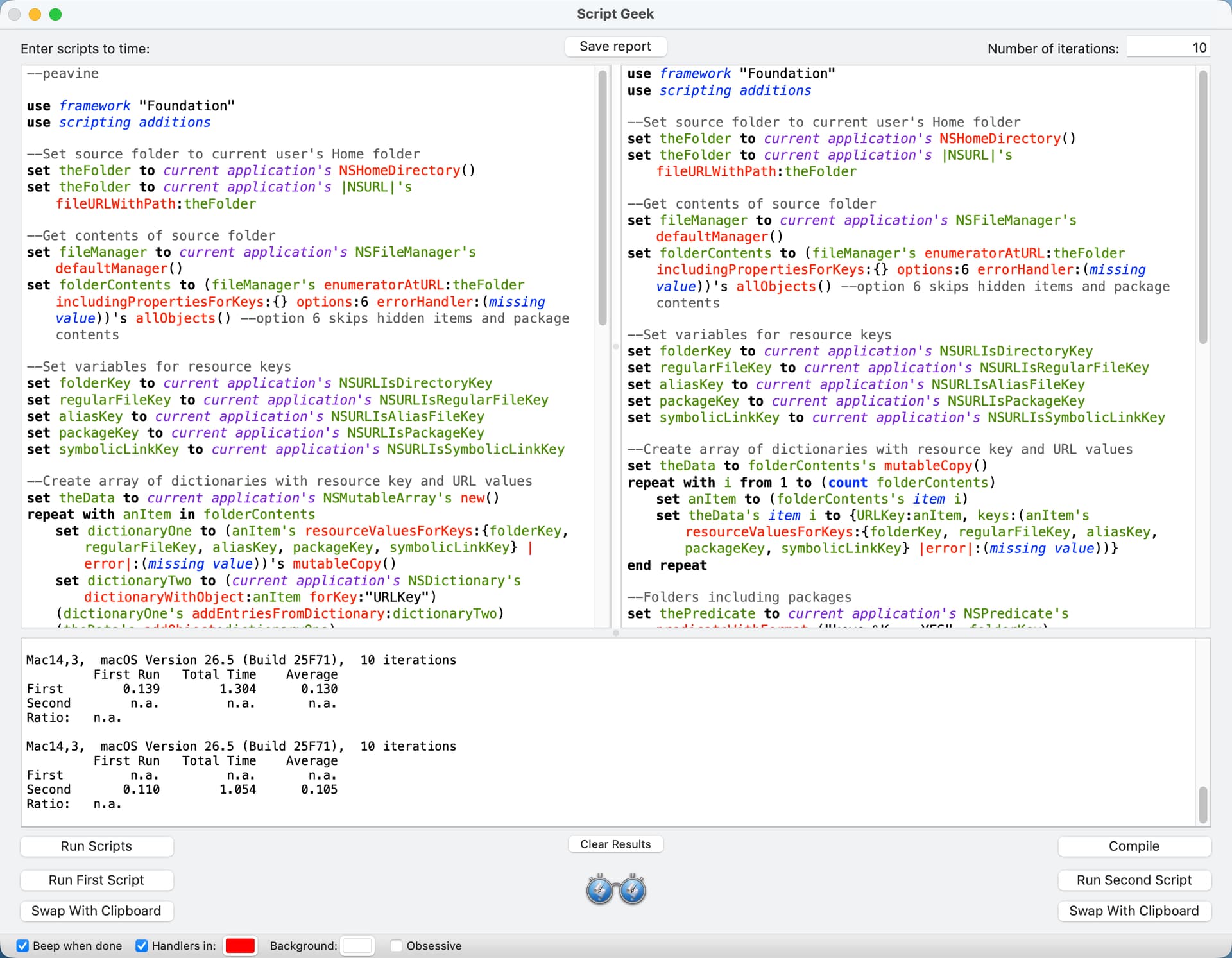
I ran timing tests with Script Geek on my M2 Mac mini. I did a clean install of macOS 26.5 on my computer yesterday, and my Home folder only has about 1020 folders, files, and packages. I set Script Geek to run 10 iterations, and I report the average below. All of the script versions returned the correct counts.

peavine - 130 milliseconds (see screenshot)

Nigel Alternate One - 126 milliseconds

Nigel Alternate Two - 108 milliseconds

Nigel Alternate Three - 105 milliseconds (see screenshot)

The Alternate Three script required a bit more editing, so:

use framework "Foundation"
use scripting additions

--Set source folder to current user's Home folder
set theFolder to current application's NSHomeDirectory()
set theFolder to current application's |NSURL|'s fileURLWithPath:theFolder

--Get contents of source folder
set fileManager to current application's NSFileManager's defaultManager()
set folderContents to (fileManager's enumeratorAtURL:theFolder includingPropertiesForKeys:{} options:6 errorHandler:(missing value))'s allObjects() --option 6 skips hidden items and package contents

--Set variables for resource keys
set folderKey to current application's NSURLIsDirectoryKey
set regularFileKey to current application's NSURLIsRegularFileKey
set aliasKey to current application's NSURLIsAliasFileKey
set packageKey to current application's NSURLIsPackageKey
set symbolicLinkKey to current application's NSURLIsSymbolicLinkKey

--Create array of dictionaries with resource key and URL values
set theData to folderContents's mutableCopy()
repeat with i from 1 to (count folderContents)
	set anItem to (folderContents's item i)
	set theData's item i to {URLKey:anItem, keys:(anItem's resourceValuesForKeys:{folderKey, regularFileKey, aliasKey, packageKey, symbolicLinkKey} |error|:(missing value))}
end repeat

--Folders including packages
set thePredicate to current application's NSPredicate's predicateWithFormat_("keys.%K == YES", folderKey)
set folderData to theData's filteredArrayUsingPredicate:thePredicate
set foldersAndPackages to (folderData's valueForKey:"URLKey") as list

--Files including alias files
set thePredicate to current application's NSPredicate's predicateWithFormat_("keys.%K == YES", regularFileKey)
set fileData to (theData's filteredArrayUsingPredicate:thePredicate)
set regularFiles to (fileData's valueForKey:"URLKey") as list

--Aliases including alias files and symbolic links
set thePredicate to current application's NSPredicate's predicateWithFormat_("keys.%K == YES", aliasKey)
set aliasData to (theData's filteredArrayUsingPredicate:thePredicate)
set theAliases to (aliasData's valueForKey:"URLKey") as list

--Packages
set thePredicate to current application's NSPredicate's predicateWithFormat_("keys.%K == YES", packageKey)
set packageData to (theData's filteredArrayUsingPredicate:thePredicate)
set packageFiles to (packageData's valueForKey:"URLKey") as list

--Symbolic links
set thePredicate to current application's NSPredicate's predicateWithFormat_("keys.%K == YES", symbolicLinkKey)
set symbolicLinkData to (theData's filteredArrayUsingPredicate:thePredicate)
set symbolicLinks to (symbolicLinkData's valueForKey:"URLKey") as list

--For testing
set everythingList to foldersAndPackages & regularFiles & packageFiles & symbolicLinks
return count everythingList

I have to study these to fully understand them, but your third approach is almost 20 percent faster, which is certainly worthwhile.

You also might want to clarify how you have set up the “home” folder you are using - my user’s ~/Library folder has over 22 thousand folders and almost 80 thousand files just by itself, so including that makes the timings quite a bit different.

red_menace. Thanks for raising this issue.

My script uses the enumeratorAtURL method to get the contents of current user’s Home folder, and my script sets the options of this method to skip package descendants and hidden files. So, the contents of the ~/Library folder are not returned.

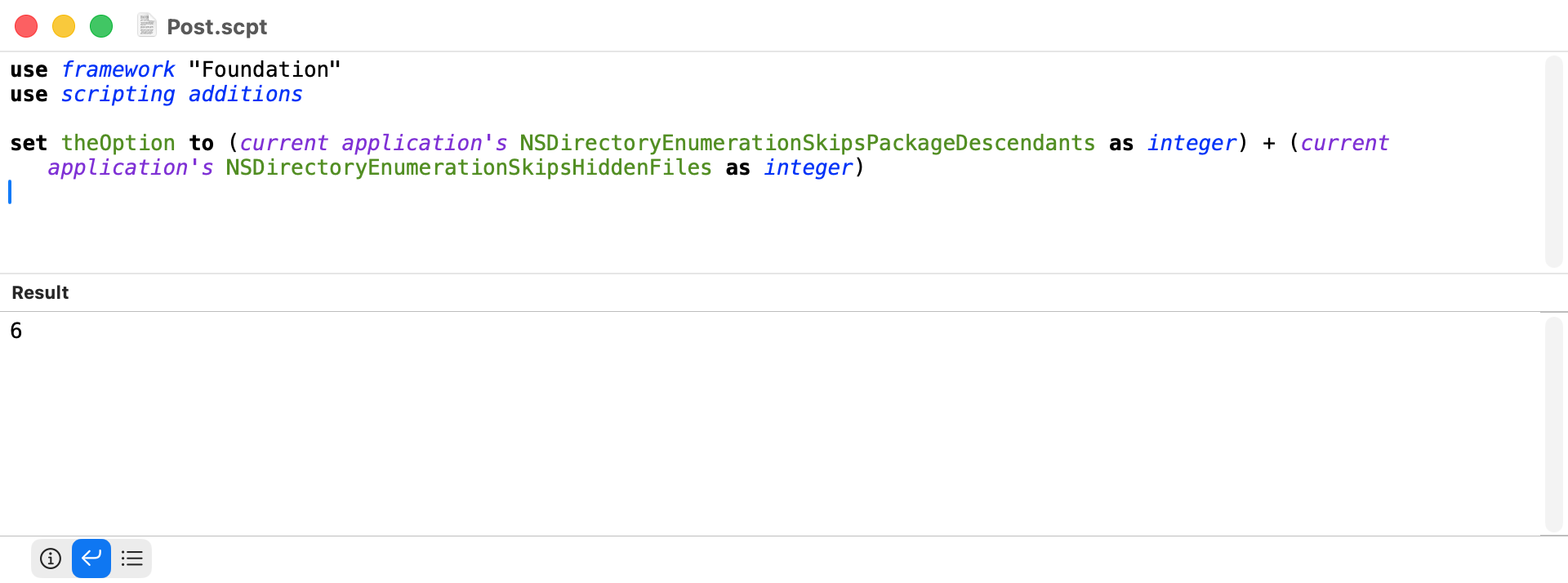
Just in case anyone is interested where the option setting of the number 6 comes from:

There is a separate view option for the home folder to show/hide the library that would affect that option. I don’t know how many keep their library hidden, and I remember the uproar when Apple started hiding it, so that is just something else to be aware of.

In practice, of course, the extraction of the URLs for each key at the end could be by a single handler which takes the key and data array as parameters:

use framework "Foundation"
use scripting additions

--Set source folder to current user's Home folder
set theFolder to current application's NSHomeDirectory()
set theFolder to current application's |NSURL|'s fileURLWithPath:theFolder

--Get contents of source folder
set fileManager to current application's NSFileManager's defaultManager()
set folderContents to (fileManager's enumeratorAtURL:theFolder includingPropertiesForKeys:{} options:6 errorHandler:(missing value))'s allObjects() --option 6 skips hidden items and package contents

--Set variables for resource keys
set folderKey to current application's NSURLIsDirectoryKey
set regularFileKey to current application's NSURLIsRegularFileKey
set aliasKey to current application's NSURLIsAliasFileKey
set packageKey to current application's NSURLIsPackageKey
set symbolicLinkKey to current application's NSURLIsSymbolicLinkKey

--Create array of dictionaries with resource key and URL values
set theData to folderContents's mutableCopy()
repeat with i from 1 to (count folderContents)
	set anItem to (folderContents's item i)
	set theData's item i to {URLKey:anItem, keys:(anItem's resourceValuesForKeys:{folderKey, regularFileKey, aliasKey, packageKey, symbolicLinkKey} |error|:(missing value))}
end repeat

--Folders including packages
set foldersAndPackages to (my URLsForKey:folderKey fromData:theData) as list

--Files including alias files
set regularFiles to (my URLsForKey:regularFileKey fromData:theData) as list

--Aliases including alias files and symbolic links
set theAliases to (my URLsForKey:aliasKey fromData:theData) as list

--Packages
set packageFiles to (my URLsForKey:packageKey fromData:theData) as list

--Symbolic links
set symbolicLinks to (my URLsForKey:symbolicLinkKey fromData:theData) as list

--For testing
return (count foldersAndPackages) + (count regularFiles) + (count theAliases) + (count packageFiles) + (count symbolicLinks)

on URLsForKey:theKey fromData:theData
	set thePredicate to current application's NSPredicate's predicateWithFormat_("keys.%K == YES", theKey)
	return (theData's filteredArrayUsingPredicate:thePredicate)'s valueForKey:("URLKey")
end URLsForKey:fromData:

The trouble with your return line above, however, is that symbolic links seem to be a subset of aliases, so your sum counts symbolic links twice.
If you want to know the number of “real” alias files, you should subtract the number of symbolic links from the number of aliases …
I got curious when the respective item counts in my test run where 90223 and 90288, astonishingly. And, BTW, my ~/Library is not hidden, so it got included here (as well as a folder of old SDKs which use symbolic links a lot).

Ah. Thanks. peavine’s original doesn’t count the aliases. I just stuck them in.

Thanks red_menace and pjh for the information on the ~/Library folder. I learned something new.

I always view hidden files by way of the Shift-Command-. (aka Shift-Command-Period) keyboard shortcut, and when I do that hidden files are not returned by the enumeratorAtURL method with the option enabled to skip hidden files.

However, when the Show Library Folder option in the Finder Show View Options pane is checked, the contents of the Library folder are returned. I guess this makes sense, because the Library folder is no longer hidden. Anyways, I agree that when discussing file count of the Home folder it’s probably a good idea to note whether the Library folder is visible or not

BTW, I set the Library folder to be visible and reran my timing tests on my script and Nigel’s most recent script. Both scripts returned 62,288 items. Nigel’s script took 3.038 seconds and my script took 3.782 seconds. The speed advantage of Nigel’s script is almost 20 percent, which is the same figure I obtained with the Library folder not visible.

This thread has given me a massive performance boost from my previous methods! Big thanks to all especially @peavine for your thoroughness on this topic! Incorporating peavine’s methods and Nigels dictionary revisions ( #4) I made the following subroutines.

These subroutines receive an array of NSURLs and return a filtered array of NSURLs. Demo code returns these as lists for Script Editor compatibility.

NSURL_Filter_Aliases_Of(NSURLArray) returns NSURLs of aliases only. NSURL_Filter_Files_Of(NSURLArray) returns NSURLs of files only. NSURL_Filter_Folders_Of(NSURLArray) returns NSURLs of folders only. NSURL_Filter_Packages_Of(NSURLArray) returns NSURLs of packages only. NSURL_Filter_SymbolicLinks_Of(NSURLArray) returns NSURLs of symbolicLinks only.

--5/26/26 https://www.macscripter.net/u/paulskinner/
use AppleScript version "2.5"
use scripting additions
use framework "Foundation"

set fileSystemObject to current application's NSHomeDirectory()
set fileSystemObject to current application's class "NSURL"'s fileURLWithPath:fileSystemObject
set NSURLArray to ((current application's NSFileManager's defaultManager's enumeratorAtURL:fileSystemObject includingPropertiesForKeys:{} options:6 errorHandler:(missing value))'s allObjects())'s mutableCopy()

set aliasList to NSURL_Filter_Aliases_Of(NSURLArray)
set fileList to NSURL_Filter_Files_Of(NSURLArray)
set foldersList to NSURL_Filter_Folders_Of(NSURLArray)
set packagesList to NSURL_Filter_Packages_Of(NSURLArray)
set symbolicLinksList to NSURL_Filter_SymbolicLinks_Of(NSURLArray)
return {aliasList as list, fileList as list, foldersList as list, packagesList as list, symbolicLinksList as list}

on NSURL_Filter_Aliases_Of(NSURLArray)
	--Receiving an array of NSURLs, returns the NSURLs of aliases only.
	--https://www.macscripter.net/u/peavine	https://www.macscripter.net/u/Nigel_Garvey	https://www.macscripter.net/t/resource-key-for-nsurls/77929/14
	
	--Create array of dictionaries with resource key and URL values
	set aliasKey to current application's NSURLIsAliasFileKey
	set symbolicLinkKey to current application's NSURLIsSymbolicLinkKey
	set theData to NSURLArray's mutableCopy()
	repeat with indx from 1 to (count NSURLArray)
		set anItem to (NSURLArray's item indx)
		set theData's item indx to {URLKey:anItem, keys:(anItem's resourceValuesForKeys:{aliasKey, symbolicLinkKey} |error|:(missing value))}
	end repeat
	
	--Aliases including alias files and symbolic links AND NOT symbolic links.
	set thePredicate to current application's NSPredicate's predicateWithFormat_("keys.%K == YES AND NOT keys.%K == YES", aliasKey, symbolicLinkKey)
	set folderData to theData's filteredArrayUsingPredicate:thePredicate
	set filteredArray to (folderData's valueForKey:"URLKey")
	
	return filteredArray
end NSURL_Filter_Aliases_Of

on NSURL_Filter_Files_Of(NSURLArray)
	--Receiving an array of NSURLs, returns the NSURLs of regular files only.
	--https://www.macscripter.net/u/peavine	https://www.macscripter.net/u/Nigel_Garvey	https://www.macscripter.net/t/resource-key-for-nsurls/77929/14
	
	--Create array of dictionaries with resource key and URL values
	set regularFileKey to current application's NSURLIsRegularFileKey
	set aliasKey to current application's NSURLIsAliasFileKey
	set theData to NSURLArray's mutableCopy()
	repeat with indx from 1 to (count NSURLArray)
		set anItem to (NSURLArray's item indx)
		set theData's item indx to {URLKey:anItem, keys:(anItem's resourceValuesForKeys:{regularFileKey, aliasKey} |error|:(missing value))}
	end repeat
	
	--Regular files including alias files and symbolic links AND NOT alias files and symbolic links
	set thePredicate to current application's NSPredicate's predicateWithFormat_("keys.%K == YES AND NOT keys.%K == YES", regularFileKey, aliasKey)
	set folderData to theData's filteredArrayUsingPredicate:thePredicate
	set filteredArray to (folderData's valueForKey:"URLKey")
	
	return filteredArray
end NSURL_Filter_Files_Of

on NSURL_Filter_Folders_Of(NSURLArray)
	--Receiving an array of NSURLs, returns the NSURLs of folders only.
	--https://www.macscripter.net/u/peavine	https://www.macscripter.net/u/Nigel_Garvey	https://www.macscripter.net/t/resource-key-for-nsurls/77929/14
	
	--Create array of dictionaries with resource key and URL values
	set folderKey to current application's NSURLIsDirectoryKey
	set packageKey to current application's NSURLIsPackageKey
	set theData to NSURLArray's mutableCopy()
	repeat with indx from 1 to (count NSURLArray)
		set anItem to (NSURLArray's item indx)
		set theData's item indx to {URLKey:anItem, keys:(anItem's resourceValuesForKeys:{folderKey, packageKey} |error|:(missing value))}
	end repeat
	
	--List folders including package files AND NOT package files
	set thePredicate to current application's NSPredicate's predicateWithFormat_("keys.%K == YES AND NOT keys.%K == YES", folderKey, packageKey)
	set folderData to theData's filteredArrayUsingPredicate:thePredicate
	set filteredArray to (folderData's valueForKey:"URLKey")
	
	return filteredArray
end NSURL_Filter_Folders_Of

on NSURL_Filter_Packages_Of(NSURLArray)
	--Receiving an array of NSURLs, returns the NSURLs of packages only.
	--https://www.macscripter.net/u/peavine	https://www.macscripter.net/u/Nigel_Garvey	https://www.macscripter.net/t/resource-key-for-nsurls/77929/14
	set packageKey to current application's NSURLIsPackageKey --Create array of dictionaries with resource key and URL values
	
	--Create array of dictionaries with resource key and URL values
	set theData to NSURLArray's mutableCopy()
	repeat with indx from 1 to (count NSURLArray)
		set anItem to (NSURLArray's item indx)
		set theData's item indx to {URLKey:anItem, keys:(anItem's resourceValuesForKeys:{packageKey} |error|:(missing value))}
	end repeat
	
	--List package files
	set thePredicate to current application's NSPredicate's predicateWithFormat_("keys.%K == YES", packageKey)
	set folderData to theData's filteredArrayUsingPredicate:thePredicate
	set filteredArray to (folderData's valueForKey:"URLKey")
	
	return filteredArray
end NSURL_Filter_Packages_Of

on NSURL_Filter_SymbolicLinks_Of(NSURLArray)
	--Receiving an array of NSURLs, returns the NSURLs of symbolicLinks only.
	--https://www.macscripter.net/u/peavine	https://www.macscripter.net/u/Nigel_Garvey	https://www.macscripter.net/t/resource-key-for-nsurls/77929/14
	set symbolicLinkKey to current application's NSURLIsSymbolicLinkKey --Create array of dictionaries with resource key and URL values
	
	--Create array of dictionaries with resource key and URL values
	set theData to NSURLArray's mutableCopy()
	repeat with indx from 1 to (count NSURLArray)
		set anItem to (NSURLArray's item indx)
		set theData's item indx to {URLKey:anItem, keys:(anItem's resourceValuesForKeys:{symbolicLinkKey} |error|:(missing value))}
	end repeat
	
	--List symbolicLink files
	set thePredicate to current application's NSPredicate's predicateWithFormat_("keys.%K == YES", symbolicLinkKey)
	set folderData to theData's filteredArrayUsingPredicate:thePredicate
	set filteredArray to (folderData's valueForKey:"URLKey")
	
	return filteredArray
end NSURL_Filter_SymbolicLinks_Of

Timing here is in a different range from the milliseconds I see @peavine post, but I have a very large home folder. Still, massive speedup from previous methods. List and filter any one filetype ~ 65 s.

List contents
322687 items
10 s

item 1 - aliasList
list of 5 items
54 s

item 2 - fileList
list of 269909 items
55 s

item 3 - foldersList
list of 52568 items
54 s

item 4 - packagesList
list of 201 items
53 s

item 5 - symbolicLinksList
list of 3
52 s

convert all values to list - Script Debugger timing does not update.
~120 s

1 Like

Paul. I tested your script and it works great. The construction of the predicate that is used to get one item but not another (e.g. folders but not packages) is ingenious. Thanks for the script.